
ZenStyle 55-inch L-Shaped Corner Computer Desk
ZenStyle 55-inch L-Shaped Corner Computer Desk User Manual
Brand: ZenStyle | Model: 55-inch L-Shaped Corner Computer Desk
1. Introduction
Thank you for choosing the ZenStyle 55-inch L-Shaped Corner Computer Desk. This desk is designed to provide a spacious and sturdy workstation for various uses, including home office, gaming, and general study. Its versatile L-shaped design allows for flexible placement and efficient use of corner spaces. This manual will guide you through the assembly process, provide usage tips, and outline maintenance procedures to ensure long-lasting performance.
2. Safety Information
- Read all instructions carefully before assembly and use.
- Keep all small parts and packaging materials away from children and pets to prevent choking hazards.
- Ensure all screws and fasteners are securely tightened before using the desk. Periodically check and re-tighten as needed.
- Do not overload the desk. The maximum weight capacity is 520 lbs.
- Avoid standing or sitting on the desk.
- Place the desk on a level surface to prevent instability. Use the adjustable leg pads to stabilize the desk on uneven ground.
- Do not use abrasive cleaners or harsh chemicals on the desk surface.
3. Package Contents
Please verify that all components are present before beginning assembly:
- L-Shaped Desk Sections (1 set)
- Accessories Kit (including screws, bolts, and wrench) (1 set)
- Instruction Manual (1 copy)
4. Assembly Instructions
Assembly of the ZenStyle L-Shaped Desk is designed to be straightforward. All necessary accessories and tools are included. It is recommended to assemble the desk in the room where it will be used.
4.1. Preparation
- Clear a spacious area for assembly.
- Unpack all components and lay them out on a soft, clean surface to prevent scratches.
- Identify all parts by referring to the included parts list in the Accessories Kit.
4.2. Step-by-Step Assembly
- Attach the steel frame components to the desk sections using the provided screws and wrench. Ensure all connections are firm but do not overtighten initially.
- Connect the L-shaped corner section to the two main desk sections. The design allows for the longer board to be placed on either the left or right side, depending on your preference and room layout.
- Once all sections are connected, carefully tighten all screws to secure the desk structure.
- Install the adjustable leg pads on the bottom of each leg. These pads help stabilize the desk on uneven floors and protect your flooring from scratches.
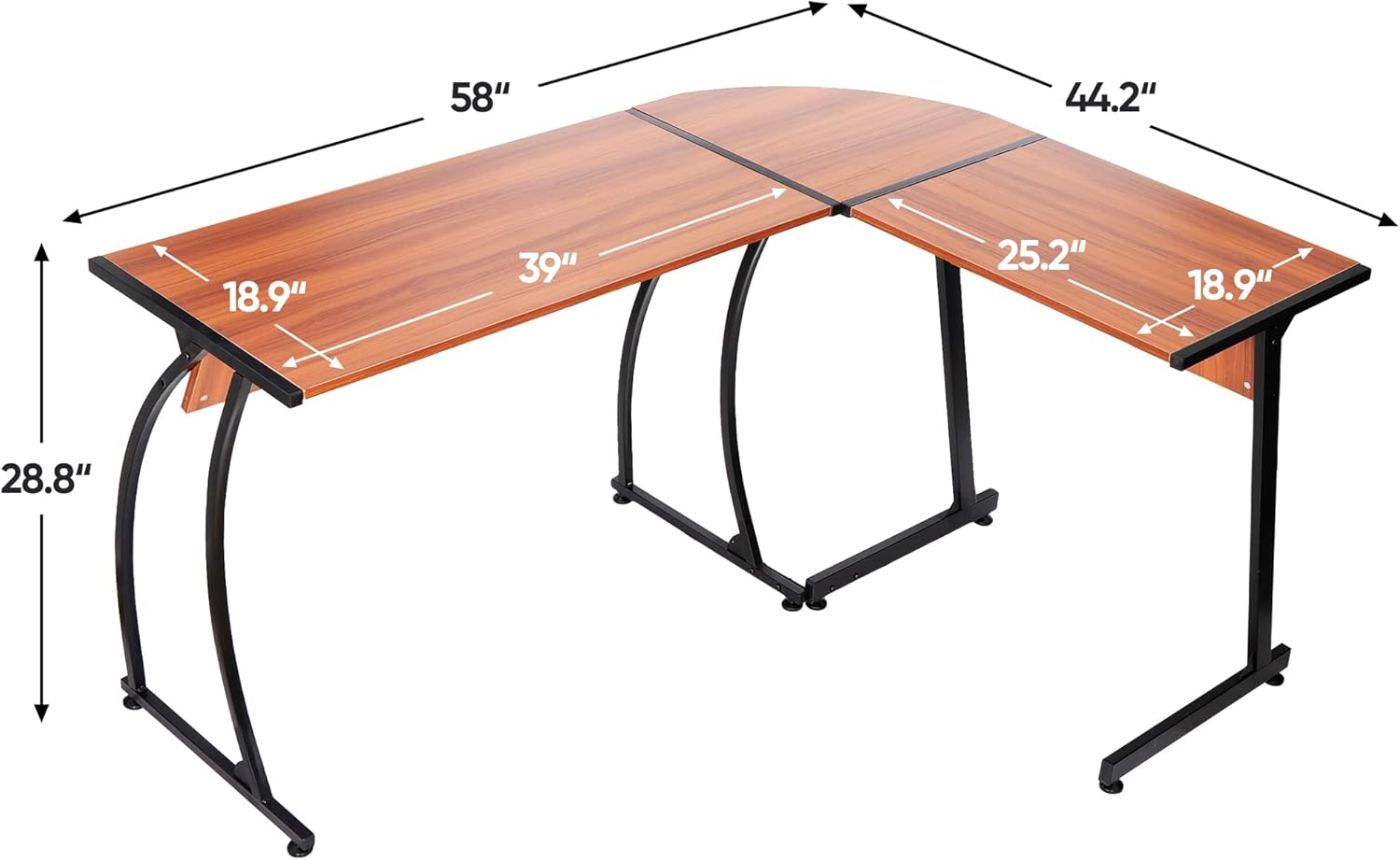
Figure 4.1: Diagram illustrating the overall dimensions of the ZenStyle L-Shaped Desk, including the lengths of the long and short sides, depth, and height.

Figure 4.2: Close-up of the desk's adjustable leg pad, designed to ensure stability on uneven surfaces and protect flooring.
5. Operating the Desk
The ZenStyle L-Shaped Desk offers a versatile and spacious work area. Its design is optimized for both home office and gaming environments.
5.1. Reversible Configuration
The desk can be assembled with the longer section on either the left or right side, allowing you to customize it to fit your specific room layout and workflow preferences. This flexibility ensures optimal space utilization in any corner.
5.2. Space Utilization
The wide desktop provides ample space for multiple monitors, laptops, keyboards, mice, speakers, and other office or gaming equipment. The open design underneath the desk ensures comfortable legroom and space for computer towers or storage.

Figure 5.1: ZenStyle L-Shaped Desk configured for a gaming setup, showcasing ample space for multiple monitors, a keyboard, mouse, and a desktop computer tower.

Figure 5.2: ZenStyle L-Shaped Desk arranged in a home office setting, providing a spacious surface for a monitor, laptop, and other work essentials.

Figure 5.3: ZenStyle L-Shaped Desk with a gaming chair, demonstrating its suitability as a gaming workstation with space for a monitor, laptop, and accessories.
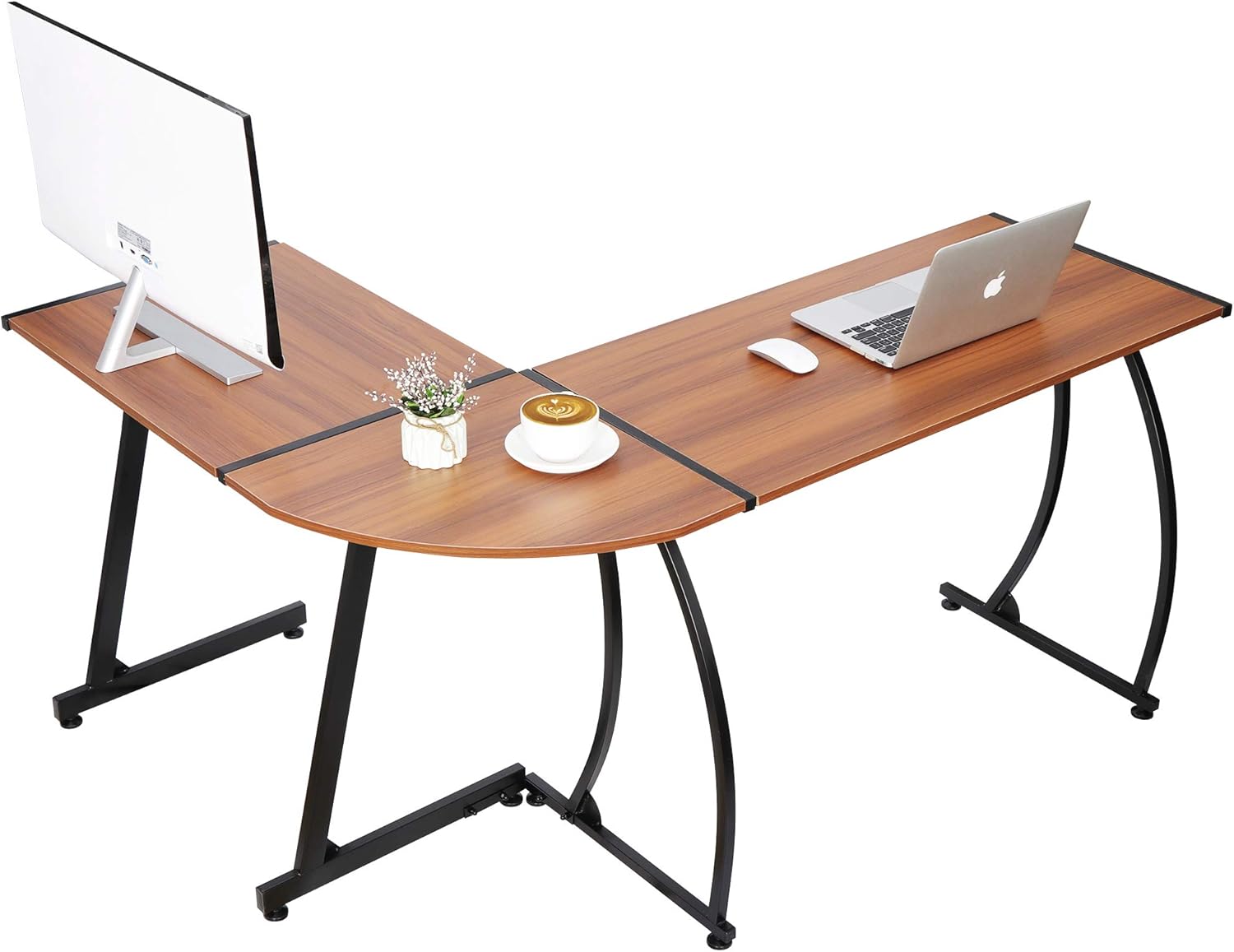
Figure 5.4: An alternative configuration of the ZenStyle L-Shaped Desk, illustrating its reversible design and adaptability to different room layouts.
6. Care and Maintenance
Proper care will extend the life and appearance of your ZenStyle desk.
- Cleaning: Wipe the desk surface with a soft, damp cloth. For stubborn marks, use a mild soap solution and dry immediately. Avoid harsh chemicals or abrasive cleaners.
- Protection: The desk surface is waterproof, anti-scratch, and rust-free. However, it is advisable to use coasters for drinks and protective pads under heavy or sharp objects to prevent potential damage.
- Stability Check: Periodically check all screws and connections to ensure they remain tight. Re-tighten if any looseness is detected.

Figure 6.1: Close-up view of the desk's edge, highlighting the smooth walnut wood grain finish and the sturdy black steel frame connection.
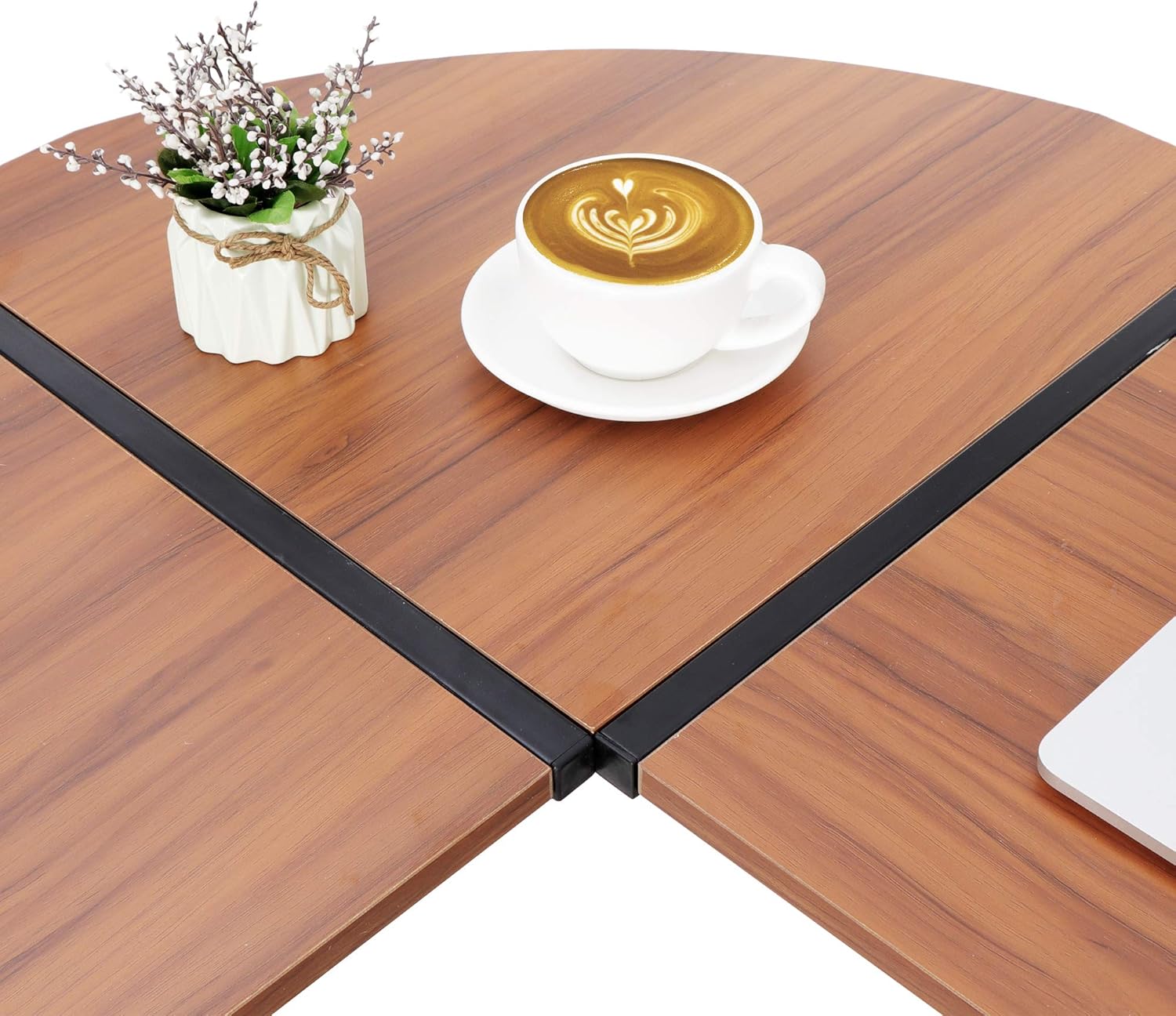
Figure 6.2: Detailed view of the L-shaped corner joint, showing the seamless connection of the two desk sections and the durable surface material.
7. Troubleshooting
If you encounter any issues with your ZenStyle desk, please refer to the following common solutions:
- Desk is wobbly: Ensure all screws are fully tightened. Check that the desk is on a level surface. Adjust the leg pads to compensate for uneven flooring.
- Missing parts: If any parts are missing from the Accessories Kit, please contact ZenStyle customer support for assistance.
- Difficulty with assembly: Review the assembly instructions carefully. If issues persist, contact customer support for guidance.
8. Specifications
| Feature | Detail |
|---|---|
| Brand | ZenStyle |
| Shape | L-Shape |
| Desk Design | Computer Desk |
| Overall Dimensions (D x W x H) | 44.2"D x 58"W x 28.8"H |
| Color | Walnut |
| Style | Gaming |
| Base Material | Alloy Steel |
| Top Material Type | Engineered Wood (E1 environmental protection particle board) |
| Finish Type | Steel |
| Special Feature | Adjustable Leg Pads, Reversible Configuration |
| Room Type | Office |
| Recommended Uses | Gaming, Home Office |
| Included Components | Accessories Kit, Laptop Stand (if applicable) |
| Required Assembly | Yes |
| Maximum Weight Recommendation | 520 Pounds |
| Recommended Number of People for Assembly | 1 |
| Item Weight | 33.9 Pounds |
9. Warranty and Support
The ZenStyle 55-inch L-Shaped Corner Computer Desk comes with a Limited Warranty. For specific details regarding warranty coverage, claims, or any product-related inquiries, please refer to the warranty information provided with your purchase or contact ZenStyle customer support directly.
Customer Support: Please visit the official ZenStyle website or contact your retailer for support contact information.
Ask a question about this manual
Ask about setup, troubleshooting, compatibility, parts, safety, or missing instructions. Manuals+ will review the question and use this page’s manual context to help answer it.