
1. Important Safety Instructions
Please read all instructions carefully before operating the Blue-Star AP700DAI Air Purifier. Retain this manual for future reference.
- Always unplug the air purifier before cleaning, performing maintenance, or when not in use.
- Do not operate the unit with a damaged cord or plug. If the cord or plug is damaged, contact authorized service personnel.
- Do not block air inlets or outlets. Ensure adequate space around the unit for proper airflow.
- Keep the unit away from water or other liquids. Do not use in wet environments like bathrooms.
- This appliance is not intended for use by persons (including children) with reduced physical, sensory or mental capabilities, or lack of experience and knowledge, unless they have been given supervision or instruction concerning use of the appliance by a person responsible for their safety.
- Do not insert fingers or foreign objects into the air inlets or outlets.
- Use only original Blue-Star replacement filters.
2. Product Overview
The Blue-Star AP700DAI is an advanced air purifier designed to improve indoor air quality using multiple filtration stages and intelligent sensing technology.

Front view of the Blue-Star AP700DAI Air Purifier, showcasing its sleek design and control panel.
Key Features:
- SensAir Technology: Automatically detects, monitors, and adjusts purification based on air quality.
- Microbe DeActive+ Technology: Deactivates bacteria, mold, pollen, and other airborne pollutants.
- Advanced HEPA 13 Filter: Captures 99.97% of particles as small as 0.3 microns, including PM2.5.
- Active Carbon Filtration: Removes chemical impurities, smoke, VOCs, and formaldehyde.
- Inbuilt Wheels: For easy mobility and placement.
- Control Method: Touch panel and Remote Control.

Image illustrating the SensAir Technology, Microbe DeActive+ Technology, and Ambient Light Sensor features of the air purifier.

Image illustrating the Advanced HEPA 13 Filter, Active Carbon Filtration, and Inbuilt Wheels features of the air purifier.
3. Setup and Installation
Unpacking:
- Carefully remove the air purifier from its packaging.
- Remove all packaging materials, including any protective films or tapes.
- Ensure all components are present: Air Purifier unit, Remote Control, and Instruction Manual.
Placement:
- Place the air purifier on a firm, level surface.
- Ensure there is at least 30 cm (12 inches) of clear space around all sides of the unit for optimal airflow.
- Avoid placing the unit near heat sources, direct sunlight, or in areas with high humidity.
- Utilize the inbuilt wheels to easily move the unit to your desired location.
Power Connection:
- Plug the power cord into a standard electrical outlet.
- Ensure the voltage matches the specifications listed on the unit.
4. Operating Instructions
Control Panel:
The air purifier features a touch control panel on the top surface. Indicators for air quality (PM2.5, VOC), fan speed, and mode are displayed.
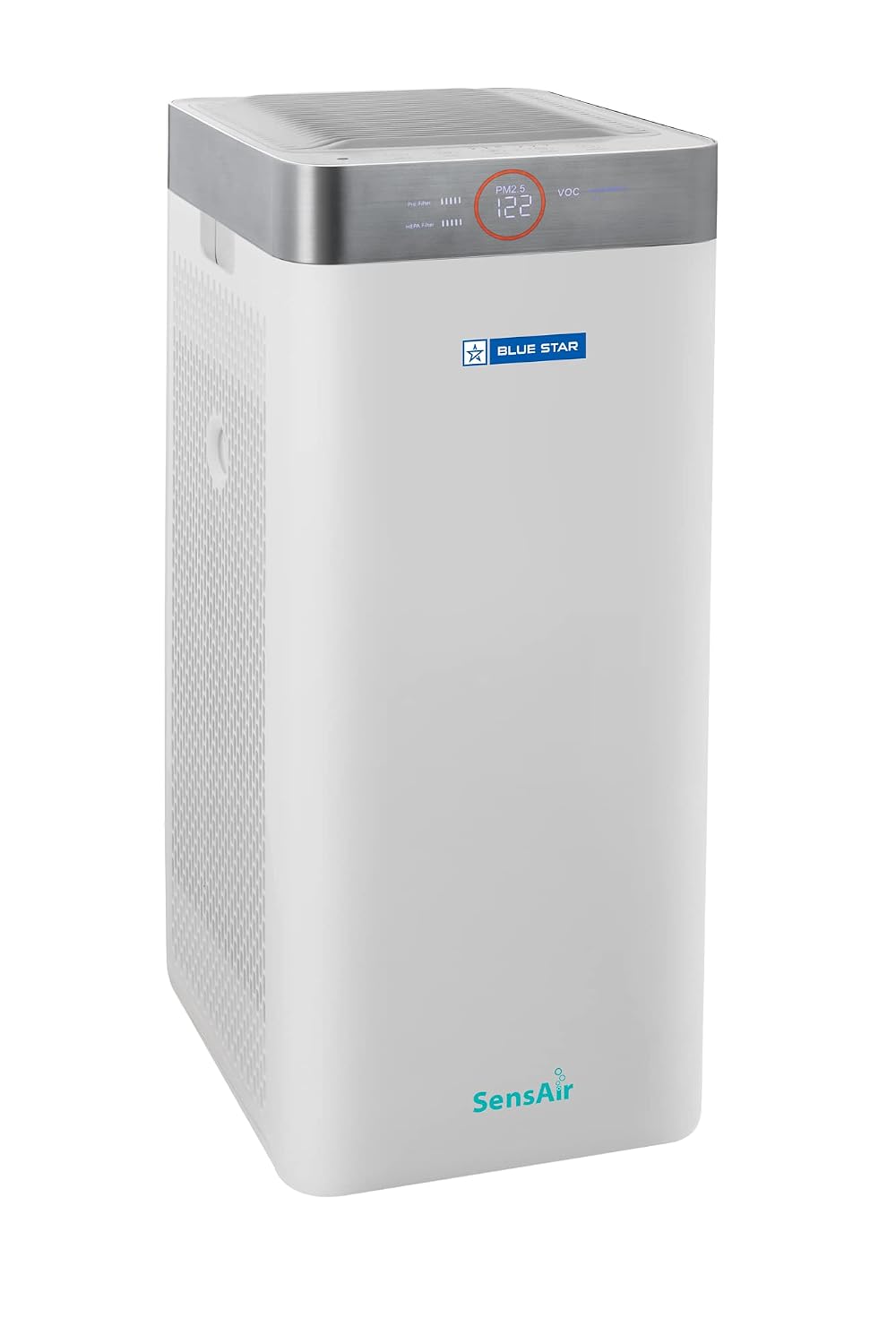
The control panel displaying a PM2.5 reading, indicating current air quality.
Power On/Off:
- Press the Power button on the control panel or remote control to turn the unit on or off.
Operating Modes:
- Auto Mode (SensAir Technology): The unit automatically detects air quality and adjusts fan speed accordingly. This is the recommended mode for continuous operation.
- Manual Mode: Allows you to manually select fan speed (e.g., Low, Medium, High).
- Sleep Mode: Operates at the lowest fan speed with reduced display brightness for quiet operation during sleep. The Ambient Light Sensor may also adjust display brightness automatically.
Timer Function:
- Set the timer for the unit to operate for a specific duration (e.g., 1, 2, 4, 8 hours) before automatically turning off.
5. Maintenance
Regular maintenance ensures optimal performance and extends the lifespan of your air purifier.
Filter Replacement:
The Blue-Star AP700DAI uses a multi-stage filtration system including a HEPA 13 filter and an Active Carbon filter. Filter life varies depending on usage and air quality. The unit will indicate when filters need replacement.
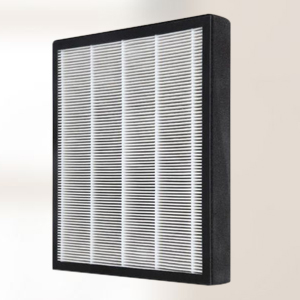
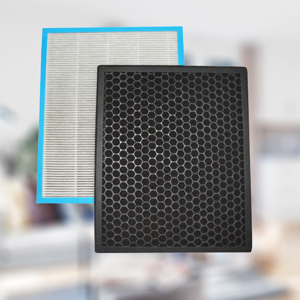
Images of the Advanced HEPA 13 Filter and Active Carbon Filter, essential for air purification.
- Unplug the air purifier from the power outlet.
- Open the filter cover (refer to the diagram in the full manual for exact location).
- Remove the old filters. Dispose of them responsibly.
- Insert new Blue-Star genuine replacement filters, ensuring correct orientation.
- Close the filter cover securely.
- Plug in the unit and reset the filter life indicator (refer to the full manual for specific instructions on resetting).
Cleaning the Exterior:
- Wipe the exterior of the unit with a soft, dry cloth.
- Do not use abrasive cleaners, solvents, or harsh chemicals.
6. Troubleshooting
If you encounter issues with your air purifier, refer to the following common problems and solutions:
| Problem | Possible Cause | Solution |
|---|---|---|
| Unit does not turn on | No power supply; Power cord not plugged in; Power button not pressed. | Check power outlet; Ensure cord is securely plugged in; Press the power button. |
| Weak airflow | Filters are dirty or clogged; Air inlets/outlets blocked. | Clean or replace filters; Ensure no obstructions around the unit. |
| Unusual noise | Foreign object inside; Unit not on a level surface. | Unplug and check for foreign objects; Place on a stable, level surface. |
| Air quality indicator remains high | Sensor is dirty; Filters need replacement; High pollution source nearby. | Clean the sensor (refer to manual); Replace filters; Remove pollution source. |
If the problem persists after trying these solutions, please contact Blue-Star customer support.
7. Specifications
Detailed technical specifications for the Blue-Star AP700DAI Air Purifier.

Dimensions of the Blue-Star AP700DAI Air Purifier: 31D x 31W x 68H Centimeters.
| Specification | Value |
|---|---|
| Model Number | AP700DAI |
| Brand | Blue-Star |
| Product Dimensions (D x W x H) | 31D x 31W x 68H Centimeters |
| Item Weight | 10000 Grams (10 kg) |
| Power Source | Corded Electric |
| Wattage | 40 Watts |
| Control Method | Touch, Remote Control |
| Filter Type | HEPA 13, Activated Carbon |
| Floor Area Coverage | 915 Square Feet |
| Particle Retention Size | 0.3 Micron (99.97% efficiency) |
| Special Features | Air Purification Filter, SensAir Technology, Microbe DeActive+ Technology |
| Included Components | Fan Blade included (within unit) |
8. Warranty and Support
For warranty information, please refer to the warranty card included with your product or visit the official Blue-Star website. Keep your purchase receipt as proof of purchase.
Customer Support:
If you require assistance, have questions, or need to report an issue, please contact Blue-Star customer service.
- Manufacturer: BLUE STAR LIMITED
- Address: KASTURI BUILDINGS, MOHAN T ADVANI CHOWK, JAMSHEDJI TATA ROAD, CHURCHGATE, MUMBAI 400 020
- Please refer to the official Blue-Star website or product packaging for current contact numbers or email addresses.


