
1. Introduction
Thank you for choosing the CHONCHOW BS-8100 61-Key Mechanical Keyboard. This ultra-compact keyboard is designed for both gaming and office use, featuring responsive red mechanical switches, customizable RGB backlighting, and programmable functions. This manual provides detailed instructions for setup, operation, maintenance, and troubleshooting to ensure optimal performance and longevity of your device.
2. Package Contents
- CHONCHOW BS-8100 61-Key Mechanical Keyboard
- USB Cable
- Keycap Puller (for keycap and switch replacement)
- User Manual
3. Product Features
- 60% Ultra-Compact Layout: Space-saving design with 61 keys, retaining essential functions.
- Red Mechanical Switches: Linear feel with fast response, suitable for gaming and typing without loud click sounds.
- Hot-Swappable Design: Supports standard 3-pin switches, allowing for easy customization and replacement without soldering.
- ABS Double-Shot Keycaps: Durable keycaps with clear illuminated characters.
- RGB Backlighting: Customizable lighting modes and colors.
- Programmable Macros: Define and record macros through dedicated software.
- Anti-Ghosting: All keys feature anti-ghosting for precise input.
- Multi-Angle Foldable Bracket & Anti-slip: Two-stage feet and rubber pads for ergonomic comfort and stability.
- Wide Compatibility: Compatible with Windows 10/8/7/Vista/XP, Mac OS, Xbox One X, PS4, and other gaming consoles.

The keyboard supports hot-swappable switches and customizable keycaps, allowing for personalized modifications.

Features linear red mechanical switches for a quiet, responsive typing experience suitable for gaming and office use.
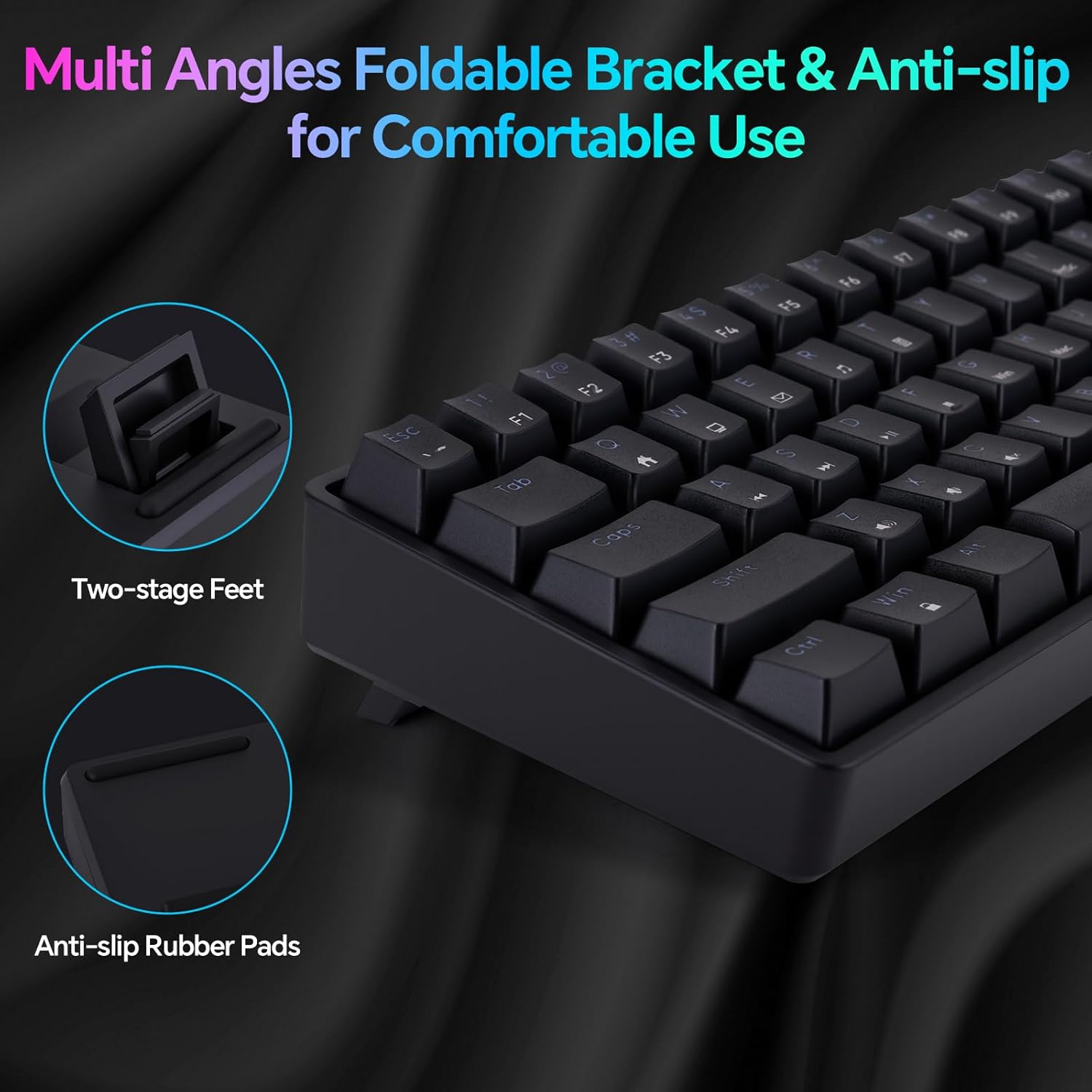
Equipped with multi-angle foldable feet and anti-slip rubber pads for ergonomic comfort and stability.
4. Setup Guide
4.1 Connecting the Keyboard
- Locate the USB-A port on your computer or compatible device.
- Connect the provided USB cable to the keyboard's USB-C port.
- Plug the other end of the USB cable (USB-A) into your device's USB port.
- The keyboard will be automatically recognized by your operating system. No drivers are typically required for basic functionality.
4.2 Software Installation (Optional)
For advanced customization, including macro programming and detailed RGB lighting control, download the official CHONCHOW software from the manufacturer's website. Follow the on-screen instructions for installation.

The accompanying software allows for advanced customization of lighting effects, key functions, and macro programming.
5. Operating Instructions
5.1 Basic Keyboard Functions
The CHONCHOW BS-8100 features a 60% layout, meaning some functions are accessed via FN key combinations. The primary alphanumeric keys function as standard.

Its ultra-compact 60% layout makes it highly portable and suitable for use in various environments.

Illustrates the space-saving design of the 60% ultra-compact keyboard compared to a full-size keyboard.
5.2 FN Key Combinations
To access secondary functions, press and hold the Fn key, then press the desired key.
- Fn + Q: Open Media Player
- Fn + W: Decrease Volume
- Fn + E: Increase Volume
- Fn + R: Stop Media Playback
- Fn + A: Mute/Unmute
- Fn + S: Previous Track
- Fn + D: Play/Pause Media
- Fn + F: Next Track
- Fn + O: Select Backlight Mode
- Fn + P: Change Backlight Color
- Fn + [: Decrease Running Light Speed
- Fn + ]: Increase Running Light Speed
- Fn + L: Toggle LED On/Off
- Fn + ;: Decrease Brightness
- Fn + ': Increase Brightness
- Fn + .: Switch to Arrow Keys (for navigation)
5.3 Macro Programming
Utilize the CHONCHOW software to define and record custom macros. This allows you to assign complex sequences of key presses to a single key, enhancing efficiency in gaming or productivity tasks. Refer to the software's help section for detailed instructions on macro creation and assignment.
6. Maintenance
6.1 Cleaning
- Disconnect the keyboard from your computer before cleaning.
- Use a soft, lint-free cloth slightly dampened with water or a mild cleaning solution to wipe the keycaps and keyboard surface.
- For dust and debris between keycaps, use compressed air.
- Avoid using harsh chemicals or abrasive materials.
6.2 Keycap and Switch Replacement
The CHONCHOW BS-8100 features hot-swappable switches, allowing for easy replacement or customization. Use the included keycap puller to carefully remove keycaps. Then, use a switch puller (not included, but often bundled with replacement switches) to remove the switches. Ensure replacement switches are 3-pin compatible.
7. Troubleshooting
- Keyboard not responding: Ensure the USB cable is securely connected to both the keyboard and the computer. Try a different USB port or cable.
- Backlighting not working: Check if the LED is turned off using Fn + L. Adjust brightness with Fn + ; and Fn + '.
- Keys not registering: If specific keys are not working, try removing and re-inserting the switch for that key (if hot-swappable). Clean around the key.
- Software issues: Ensure you have the latest version of the CHONCHOW software. Restart your computer and the software.
- Compatibility issues: Verify your operating system meets the compatibility requirements. For gaming consoles, ensure the console supports external USB keyboards.
8. Specifications
| Feature | Detail |
|---|---|
| Model Number | BS-8100 |
| Keyboard Type | Mechanical |
| Switch Type | Red Switch |
| Key Count | 61 Keys (60% Layout) |
| Connectivity | USB-A Wired |
| Backlighting | RGB |
| Keycaps | ABS Double-shot |
| Special Features | Backlit, Customizable Display Keys, Hot-Swappable, Hotkeys and Media Keys |
| Compatible Devices | Gaming Console, Laptop, PC, Projector, Smart TV |
| Operating System Compatibility | Windows 10, Win 8, Win 7, Win Vista, Windows XP, Mac OS |
| Product Dimensions | 11.4 x 3.9 x 1.38 inches (28.96 x 9.91 x 3.51 cm) |
| Item Weight | 1.68 pounds (0.76 kg) |
| Manufacturer | CHONCHOW |
9. Warranty and Support
CHONCHOW products are designed for reliability and performance. For warranty information, technical support, or service inquiries, please refer to the contact information provided on the product packaging or the official CHONCHOW website. Keep your purchase receipt for warranty claims.