
maguja RN-50B
maguja Infrared Forehead Thermometer User Manual
Model: RN-50B
1. Introduction
Thank you for choosing the maguja Infrared Forehead Thermometer. This device is designed for accurate and non-contact temperature measurement of the human body and various objects. Please read this manual thoroughly before use to ensure safe and proper operation.

Image: The maguja Infrared Forehead Thermometer and its packaging, highlighting its use for adults and kids.
2. Safety Information
Please observe the following safety precautions to ensure proper use and to prevent damage to the device or injury.
- Do not immerse the thermometer in water or other liquids.
- Keep the device away from direct sunlight, dust, and extreme temperatures.
- Avoid dropping the thermometer or subjecting it to strong impacts.
- Do not attempt to disassemble or repair the device yourself. Contact customer support if needed.
- This thermometer is intended for household use and should not replace professional medical advice.
- Ensure batteries are inserted correctly according to polarity markings.
3. Product Features
The maguja Infrared Forehead Thermometer offers several advanced features for convenient and accurate temperature measurement:
- Non-Contact Measurement: Measures temperature from a distance of 3-5 cm.
- Fast Measurement: Provides readings in 1 second.
- Dual Mode: Capable of measuring both body temperature and object/surface temperature.
- Fahrenheit/Celsius Switch: Easily switch between °F and °C.
- Three-Color Backlight: LCD display changes color (Green, Yellow, Red) to indicate temperature status (Normal, Slight Fever, High Fever).
- Mute Function: Allows for silent operation, ideal for sleeping infants.
- Memory Function: Stores up to 32 previous readings for tracking.
- Automatic Shutdown: Powers off automatically after a period of inactivity to save battery life.
- Low Battery Indicator: Alerts when batteries need replacement.

Image: Visual representation of the thermometer's key features and its applicability in various settings like family, work, and community.
4. Parts Identification
Familiarize yourself with the different parts of your maguja Infrared Forehead Thermometer:

Image: Labeled diagram of the thermometer, indicating the LCD Display, Mode button, Memory button, SET button, IR Sensor, Measure Trigger, Handle, and Battery Cover.
- LCD Display: Shows temperature readings, mode, and other indicators.
- Mode Button: Switches between Body and Object measurement modes.
- MEM Button: Accesses stored memory readings.
- SET Button: Toggles between Celsius (°C) and Fahrenheit (°F).
- IR Sensor: Infrared sensor for temperature detection.
- Measure Trigger: Press to take a temperature reading.
- Handle: Ergonomic grip for comfortable use.
- Battery Cover: Protects the battery compartment.
5. Setup
5.1 Battery Installation
The thermometer requires 2 AAA batteries (included). To install or replace batteries:
- Open the battery cover located at the bottom of the handle.
- Insert two AAA batteries, ensuring correct polarity (+ and -) as indicated inside the compartment.
- Close the battery cover securely.

Image: Illustration demonstrating how to install two AAA batteries into the thermometer's battery compartment, along with a depiction of the non-slip handle.
6. Operating Instructions
6.1 Taking a Body Temperature Reading
- Ensure the thermometer is in Body Mode. If not, press the 'MODE' button to switch.
- Hold the thermometer 3-5 cm (1.2-2 inches) from the center of the forehead.
- Press the Measure Trigger button. The temperature will be displayed on the LCD screen within 1 second.
- The backlight color will indicate the temperature status: Green (Normal), Yellow (Slight Fever), Red (High Fever).
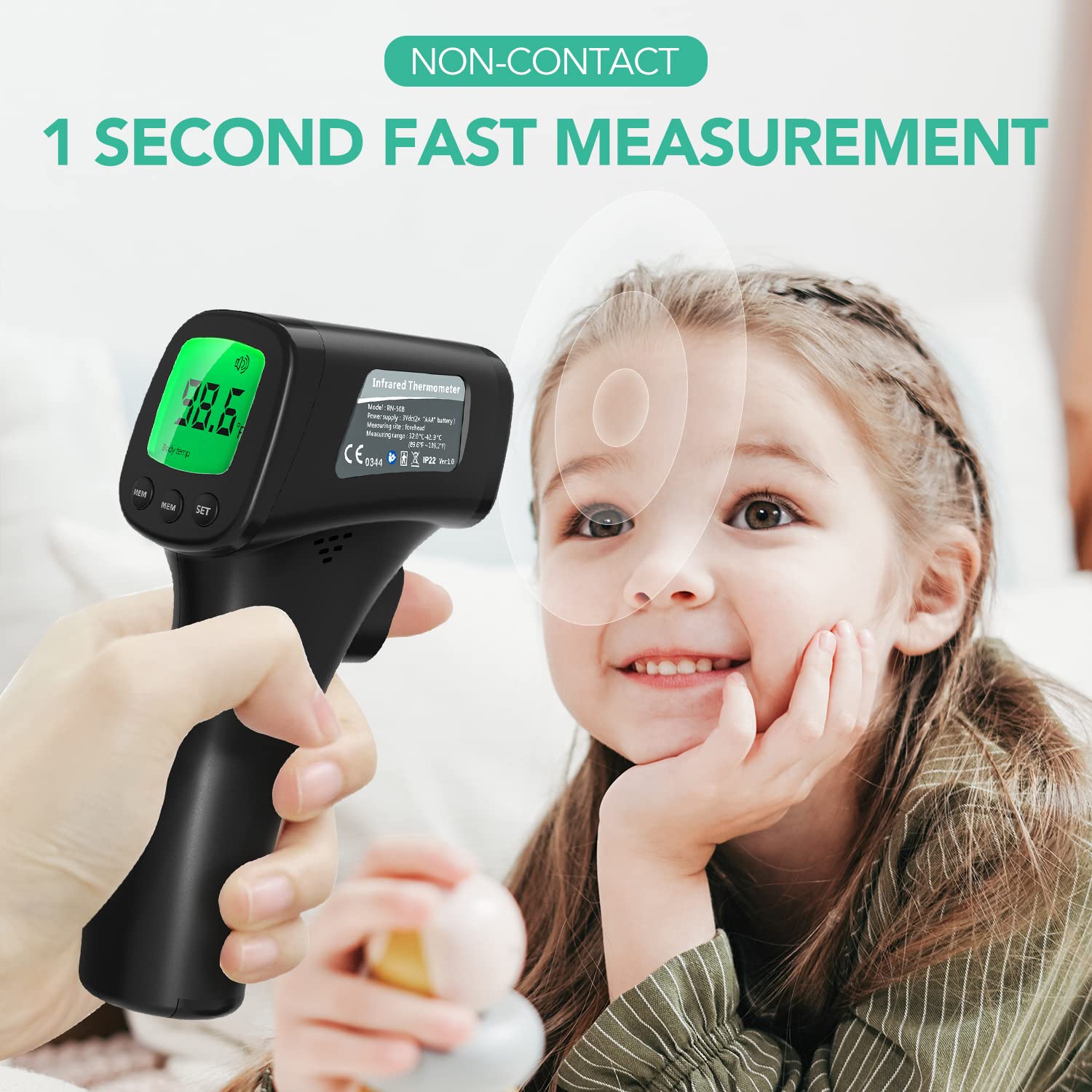
Image: A hand holding the thermometer near a child's forehead, illustrating the non-contact 1-second fast measurement feature.

Image: A baby in a blue robe, with a hand holding the thermometer nearby, highlighting the quick and non-contact measurement for infants.
6.2 Switching Between Celsius and Fahrenheit
To change the temperature unit:
- With the thermometer powered on, press the 'SET' button to toggle between °C and °F.

Image: A visual comparison of the thermometer display showing temperature in Celsius and Fahrenheit, demonstrating the one-button switch functionality.
6.3 Taking Object/Surface Temperature
The thermometer can also measure the temperature of objects, liquids, or room temperature.
- Press the 'MODE' button to switch to Object Mode. The display will show an object icon.
- Point the thermometer at the object you wish to measure (e.g., milk, bath water, room).
- Press the Measure Trigger button. The temperature will be displayed.

Image: A bottle and glass of milk, illustrating the thermometer's object mode for measuring milk temperature.

Image: A living room scene, indicating the thermometer's ability to measure room temperature.

Image: A baby in a bathtub, showing the thermometer's use for measuring bath water temperature.
6.4 Memory Function
The thermometer automatically saves the last 32 temperature readings. To view them:
- Press the 'MEM' button to cycle through the stored readings.

Image: A graph illustrating the thermometer's capability to store multiple temperature readings, showing a trend over time.
6.5 Mute Function
To mute or unmute the thermometer's sound:
- Press and hold the 'MODE' button for a few seconds to toggle the sound on or off.

Image: Two thermometer displays, one with a speaker icon (sound on) and one with a muted speaker icon (sound off), alongside an illustration of the backlit LCD display in a dark room.

Image: The thermometer's backlit display showing a temperature reading, with a sleeping person in the background, emphasizing its suitability for use in dark environments without disturbing sleep.
7. Maintenance and Care
- Cleaning: Wipe the thermometer body with a soft, dry cloth. For the IR sensor, use a cotton swab lightly moistened with alcohol. Do not use abrasive cleaners or immerse the device in water.
- Storage: Store the thermometer in a cool, dry place, away from direct sunlight and extreme temperatures.
- Battery Replacement: Replace batteries when the low battery indicator appears on the display. Remove batteries if the device will not be used for an extended period.
8. Troubleshooting
| Problem | Possible Cause | Solution |
|---|---|---|
| No display/Device won't turn on | Low or dead batteries; Incorrect battery installation. | Replace batteries with new ones; Ensure correct polarity. |
| Inaccurate readings | Incorrect measurement distance; Dirty IR sensor; Wrong mode (Body/Object); Environmental factors (drafts, direct sunlight). | Ensure 3-5 cm distance; Clean IR sensor; Verify correct mode; Measure in a stable environment. |
| Display shows 'Lo' or 'Hi' | Temperature is outside the measurable range. | Ensure the temperature is within the specified operating range (e.g., 32.0°C - 42.9°C for body). |
| No sound/Sound not working | Mute function is activated. | Press and hold the 'MODE' button to unmute. |
9. Specifications
| Specification | Detail |
|---|---|
| Model Number | RN-50B |
| Measurement Range (Body) | 32.0°C - 42.9°C (89.6°F - 109.2°F) |
| Measurement Range (Object) | 0°C - 100°C (32°F - 212°F) |
| Measurement Distance | 3-5 cm |
| Measurement Time | 1 second |
| Display Type | LCD with Backlight |
| Memory Storage | 32 readings |
| Power Supply | 2 x AAA batteries |
| Automatic Shutdown | Yes |
| Dimensions | 6.61 x 3.66 x 2.24 inches |
| Weight | 4.97 ounces |
| Material | Plastic |
| Compliance | FDA |
10. Warranty and Support
maguja provides a standard warranty for this product. For detailed warranty information, technical support, or any questions regarding your thermometer, please contact maguja customer service through the retailer's platform or the official brand website.
Please retain your purchase receipt as proof of purchase for warranty claims.
Ask a question about this manual
Ask about setup, troubleshooting, compatibility, parts, safety, or missing instructions. Manuals+ will review the question and use this page’s manual context to help answer it.