
Lenco TT-110
Classic Phono by Lenco TT-110 Turntable User Manual
Model: TT-110
Introduction
This manual provides essential instructions for the safe and correct operation of your Classic Phono by Lenco TT-110 turntable. Please read this manual thoroughly before using the device and retain it for future reference. The TT-110 combines a retro design with modern features, allowing playback of vinyl records at multiple speeds and wireless audio streaming via Bluetooth.
Important Safety Information
- Do not expose the unit to rain or moisture.
- Do not block any ventilation openings.
- Ensure the power cord is not pinched or walked on.
- Only use attachments/accessories specified by the manufacturer.
- Refer all servicing to qualified service personnel.
Package Contents
Verify that all items are present and in good condition:
- Classic Phono by Lenco TT-110 Turntable Unit
- Power Adapter
- User Manual (this document)
Product Overview
The Classic Phono TT-110 is a portable turntable designed for playing vinyl records and streaming audio via Bluetooth. It features a belt-drive system, built-in speakers, and multiple connectivity options.

Image: The Classic Phono by Lenco TT-110 turntable shown open, revealing the platter, tonearm, and controls. The interior is red, and the exterior is black with red accents.

Image: The Classic Phono by Lenco TT-110 turntable shown closed, resembling a briefcase. It features a black faux leather finish with a prominent red stripe and the Lenco logo.
Setup
1. Unpacking and Placement
- Carefully remove the turntable from its packaging.
- Place the unit on a stable, level surface away from direct sunlight, heat sources, and excessive dust or vibrations.
- Open the lid of the turntable.
2. Component Identification
Familiarize yourself with the main components:
- Platter: Where the record rests.
- Tonearm: Holds the stylus and tracks the record grooves.
- Stylus (Needle): The part that reads the record. It comes with a protective cap.
- Speed Selector: Switch for 33, 45, or 78 RPM.
- Power/Volume Knob: Turns the unit on/off and adjusts volume.
- Function Switch: Selects between Phono (vinyl), Bluetooth, or Aux-in.
- Aux-in Jack: For connecting external audio devices.
- RCA Output Jacks: For connecting to external amplifiers or powered speakers.
- DC In Jack: For connecting the power adapter.
- Headphone Jack: For private listening.

Image: The rear panel of the Classic Phono by Lenco TT-110, displaying the Aux-in, RCA output (L/R), and DC In power connection ports.
3. Initial Preparation
- Remove the white protective cap from the stylus. Be careful not to damage the stylus.
- Release the tonearm lock.
- Ensure the drive belt is correctly positioned around the motor pulley and the platter. This unit uses a belt-drive system.
4. Power Connection
- Connect the power adapter to the DC In jack on the back of the turntable.
- Plug the power adapter into a wall outlet.
Operating Instructions
1. Playing a Vinyl Record
- Turn the Power/Volume knob clockwise to turn on the unit.
- Set the Function Switch to "PHONO".
- Place a record on the platter.
- Select the appropriate speed (33, 45, or 78 RPM) using the speed selector switch. For 45 RPM records, place the included 45 RPM adapter on the spindle.
- Gently lift the tonearm using the cueing lever and position it over the desired track of the record.
- Lower the tonearm slowly onto the record using the cueing lever. The record will begin to play.
- Adjust the volume using the Power/Volume knob.
- At the end of the record, the auto-stop function will automatically stop the platter rotation. Lift the tonearm and return it to its rest.

Image: The Classic Phono by Lenco TT-110 turntable with a red vinyl record playing on the platter, demonstrating its primary function.
2. Bluetooth Operation
The TT-110 can receive audio wirelessly from Bluetooth-enabled devices.
- Turn on the unit and set the Function Switch to "BT" (Bluetooth). The Bluetooth indicator light will flash, indicating it's in pairing mode.
- Enable Bluetooth on your smartphone, tablet, or other audio device.
- Search for "TT-110" in your device's Bluetooth list and select it to pair.
- Once paired, the Bluetooth indicator light will stop flashing and remain solid. You can now stream audio from your device to the TT-110's built-in speakers.
- Adjust the volume using the Power/Volume knob on the turntable and/or your connected device.
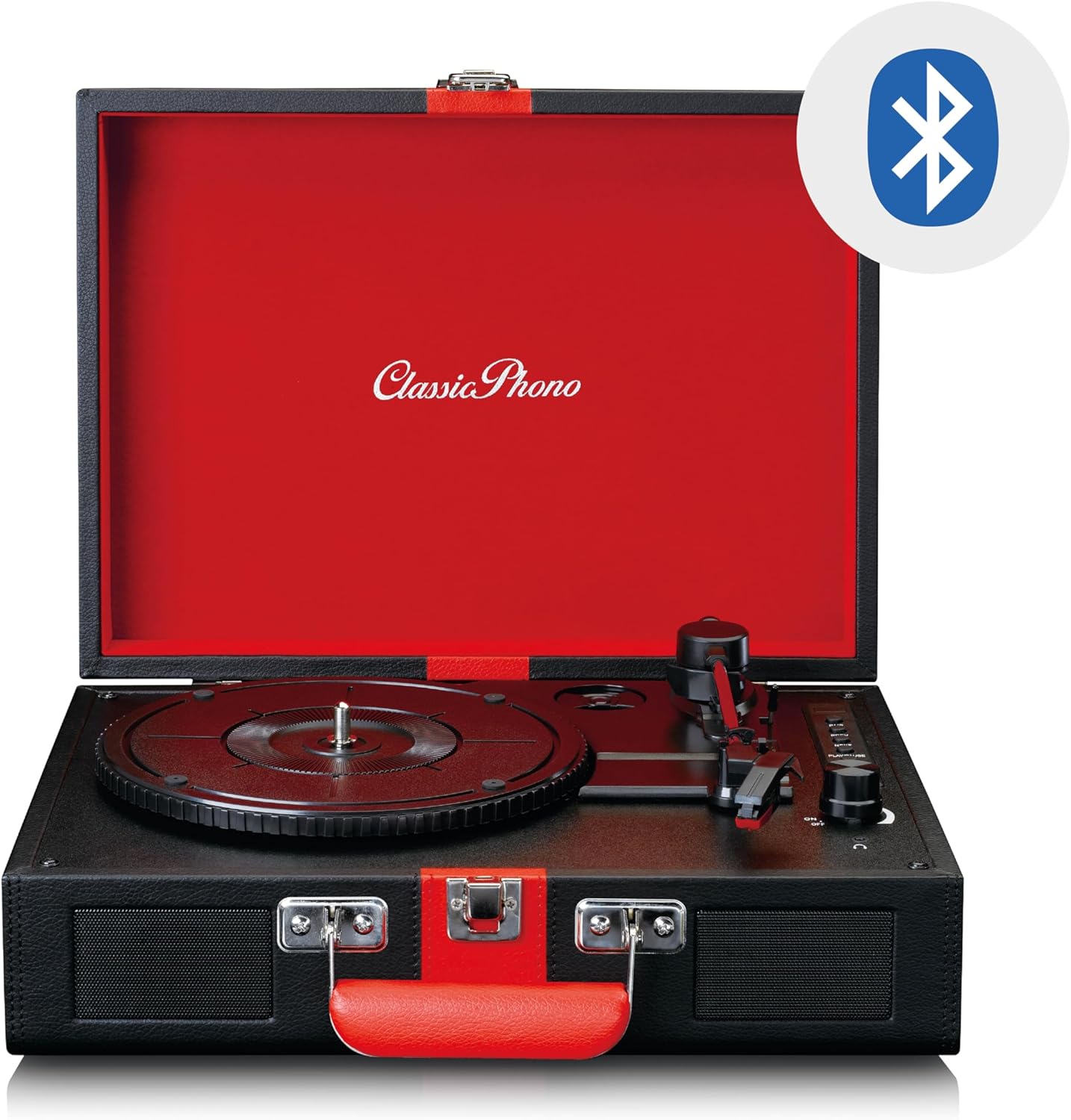
Image: The Classic Phono by Lenco TT-110 turntable shown open, with a Bluetooth logo superimposed, indicating its wireless connectivity feature.
3. Aux-in Connection
Connect external audio sources using a 3.5mm audio cable.
- Turn on the unit and set the Function Switch to "AUX".
- Connect one end of a 3.5mm audio cable (not included) to the Aux-in jack on the turntable.
- Connect the other end of the cable to the headphone jack or audio output of your external device (e.g., MP3 player, smartphone).
- Play audio from your external device. The sound will be output through the TT-110's speakers.
- Adjust the volume using the Power/Volume knob on the turntable and/or your external device.
4. Headphone Usage
For private listening, connect headphones to the headphone jack.
- Plug a 3.5mm stereo headphone jack into the headphone port on the unit.
- The built-in speakers will automatically mute.
- Adjust the volume using the Power/Volume knob.
5. RCA Output
To connect the turntable to an external amplifier or powered speakers, use the RCA output jacks.
- Connect an RCA cable (not included) to the L/R RCA output jacks on the back of the turntable.
- Connect the other end of the RCA cable to the corresponding audio input on your amplifier or powered speakers.
- Ensure the amplifier/speakers are set to the correct input.
- Adjust the volume via the connected amplifier/speakers.
Maintenance
1. Cleaning the Stylus
- Use a soft brush, specifically designed for stylus cleaning, to gently brush the stylus from back to front.
- Do not brush from side to side or front to back, as this can damage the stylus.
- Clean the stylus regularly to ensure optimal sound quality and prevent damage to your records.
2. Cleaning Records
- Always handle records by their edges or the label.
- Use a record cleaning brush or cloth to remove dust and debris before each play.
- For deeper cleaning, use a specialized record cleaning solution and cloth, following the product's instructions.
3. General Unit Cleaning
- Wipe the exterior of the unit with a soft, dry cloth.
- Do not use abrasive cleaners, waxes, or solvents as they can damage the finish.
- Ensure the unit is unplugged before cleaning.
4. Stylus Replacement
The stylus is a consumable part and will wear out over time (typically after 300-500 hours of playback). A worn stylus can damage records and degrade sound quality. Refer to the manufacturer's website or your retailer for information on purchasing a replacement stylus for the TT-110.
- Carefully remove the old stylus by pulling it downwards and forwards.
- Insert the new stylus by pushing it upwards and backwards until it clicks into place.
- Always handle the stylus assembly with care to avoid bending the cantilever or damaging the tip.
Troubleshooting
| Problem | Possible Cause | Solution |
|---|---|---|
| No power | Power adapter not connected; outlet not working. | Ensure power adapter is securely connected to the unit and a working outlet. |
| No sound from speakers | Volume too low; Function switch incorrect; Headphones connected. | Increase volume; Set Function switch to PHONO/BT/AUX; Disconnect headphones. |
| Record skipping | Record dirty or scratched; Stylus dirty or worn; Turntable not level. | Clean record; Clean/replace stylus; Place turntable on a level surface. |
| Bluetooth not pairing | Unit not in BT mode; Device too far; Already paired with another device. | Set Function switch to BT; Move device closer; Disconnect from other devices. |
| Incorrect playback speed | Wrong speed selected. | Adjust the speed selector switch to match the record's speed (33, 45, or 78 RPM). |
If the problem persists after trying these solutions, please contact customer support.
Specifications
| Feature | Detail |
|---|---|
| Brand | Lenco (Classic Phono) |
| Model Number | TT-110BKRD |
| Playback Speeds | 33, 45, 78 RPM |
| Drive Type | Belt Drive |
| Connectivity | Bluetooth 5.0, Aux-in (3.5mm), RCA Out, Headphone Jack (3.5mm) |
| Built-in Speakers | Yes (2 speakers) |
| Stylus Type | Ceramic cartridge with needle |
| Auto-Stop Function | Yes |
| Material | Wood cabinet with synthetic leather surface |
| Color | Black/Red |
| Weight | 2.35 Kilograms |
Warranty and Support
Warranty Information
This product is covered by a manufacturer's warranty. Please refer to the warranty card included with your purchase or the retailer's terms and conditions for specific details regarding warranty duration and coverage. Retain your proof of purchase for warranty claims.
Customer Support
For technical assistance, troubleshooting beyond this manual, or warranty inquiries, please contact your retailer or the manufacturer's customer support. Contact details can typically be found on the manufacturer's official website or on your purchase documentation.
Note: Do not attempt to repair the unit yourself. Unauthorized repairs will void the warranty.
Related documentsTT-110


Ask a question about this manual
Ask about setup, troubleshooting, compatibility, parts, safety, or missing instructions. Manuals+ will review the question and use this page’s manual context to help answer it.