
1. Introduction
Thank you for choosing the FREE SOLDIER Digital Infrared Night Vision Binoculars. This device is designed for enhanced visibility in low-light conditions and complete darkness, making it suitable for various activities such as hunting, security, tactical operations, and wildlife observation. This manual provides detailed instructions for the proper setup, operation, and maintenance of your binoculars to ensure optimal performance and longevity.
2. Safety Information
- Do not look directly at strong light sources (e.g., sun, laser) through the binoculars, as this may cause permanent eye damage.
- Keep the device away from extreme temperatures, humidity, and dust.
- Avoid dropping or subjecting the device to strong impacts.
- Do not attempt to disassemble or repair the device yourself. Contact qualified service personnel for assistance.
- Ensure proper battery installation to prevent damage to the device.
3. Package Contents
Please check the package for the following items:
- FREE SOLDIER Digital Infrared Night Vision Binoculars
- Carrying Bag
- Neck Strap
- USB Transfer Cable
- 32 GB Micro SD Card
- Cleaning Cloth
- User Manual

Image: FREE SOLDIER Night Vision Binoculars with included 32GB memory card.
4. Product Overview
Familiarize yourself with the main components and controls of your night vision binoculars:

Image: Labeled diagram of the Night Vision Binoculars.
- Focus Wheel: Adjusts the focus for clear viewing.
- USB Port/TF Card Slot Cover: Protects the USB port and Micro SD card slot.
- IR Up/Zoom In/Up Button: Increases Infrared brightness, zooms in, or navigates up in menus.
- IR Down/Zoom Out/Down Button: Decreases Infrared brightness, zooms out, or navigates down in menus.
- Power Button: Turns the device on/off.
- Strap Hole: Attachment point for the neck strap.
- IR LEDs: Infrared illuminators for night vision.
- Menu Button: Accesses the device settings menu.
- Mode Button: Switches between Photo, Video, and Playback modes.
- Shot Button: Captures photos or starts/stops video recording.
- Eyepiece/TFT Screen: Viewing screen for images and videos.
5. Setup
5.1 Battery Installation
The device requires 6x 1.5V AA alkaline batteries. Ensure correct polarity during installation.
- Locate the battery compartment on the underside of the binoculars.
- Open the battery compartment cover.
- Insert 6 AA alkaline batteries, matching the positive (+) and negative (-) terminals as indicated inside the compartment.
- Close the battery compartment cover securely.
Important Note:
- It is recommended to use new alkaline batteries.
- Do not use rechargeable batteries or non-AA batteries, as this may cause device malfunction.
- If the battery power is low, the device may fail to boot.
Video: Demonstrates battery installation and other features of the FREE SOLDIER Night Vision Binoculars.
5.2 Memory Card Installation
A 32GB Micro SD card is included for storing photos and videos.
- Open the USB Port/TF Card Slot Cover (2).
- Insert the Micro SD card into the slot with the gold contacts facing down, until it clicks into place.
- Close the cover to protect the slot.
5.3 Powering On/Off
- To power on: Press and hold the Power Button (5) for approximately 3 seconds until the screen illuminates.
- To power off: Press and hold the Power Button (5) for approximately 3 seconds until the screen turns off.
6. Operating Instructions
6.1 Focus Adjustment
Rotate the Focus Wheel (1) located on the objective lens to achieve a clear image. Adjust until the image on the screen is sharp.
6.2 Mode Selection
Press the Mode Button (9) to cycle through the available modes:
- Photo Mode: For capturing still images.
- Video Mode: For recording video footage.
- Playback Mode: For reviewing captured photos and videos.

Image: Display screen showing various modes and features.
6.3 Infrared (IR) Settings / Night Vision Activation
The device features 7 adjustable IR levels for optimal night vision performance.
- In low-light or dark conditions, press the IR Up/Zoom In/Up Button (3) to increase the IR brightness.
- Press the IR Down/Zoom Out/Down Button (4) to decrease the IR brightness.
- Higher IR levels provide better visibility in complete darkness.

Image: Visual representation of different IR brightness levels.
6.4 Zoom Function
The binoculars offer 4x digital zoom.
- To zoom in: Press the IR Up/Zoom In/Up Button (3).
- To zoom out: Press the IR Down/Zoom Out/Down Button (4).

Image: Illustration of the 4x digital zoom capability.
6.5 Taking Photos and Recording Videos
- In Photo Mode, press the Shot Button (10) to capture a still image.
- In Video Mode, press the Shot Button (10) once to start recording, and press it again to stop recording.

Image: Day and Night Use modes for photo and video.
6.6 Playback
In Playback Mode, use the IR Up/Zoom In/Up Button (3) and IR Down/Zoom Out/Down Button (4) to navigate through your stored photos and videos. Press the Shot Button (10) to view or play a selected item.
7. Maintenance
7.1 Cleaning
- Use the provided cleaning cloth to gently wipe the lenses and screen.
- For stubborn smudges, use a lens cleaning solution specifically designed for optics.
- Do not use abrasive materials or harsh chemicals, as they can damage the lenses and casing.
7.2 Storage
- When not in use, store the binoculars in the provided carrying bag to protect them from dust and scratches.
- Remove batteries if the device will not be used for an extended period to prevent leakage.
- Store in a cool, dry place away from direct sunlight.
8. Troubleshooting
| Problem | Possible Cause | Solution |
|---|---|---|
| Device does not power on. | Low or incorrectly installed batteries. | Check battery polarity and replace with fresh alkaline AA batteries. |
| Image is blurry. | Focus is not adjusted correctly. | Rotate the Focus Wheel (1) until the image is clear. |
| "No Card!" message on screen. | Micro SD card is not inserted or not recognized. | Ensure the Micro SD card is correctly inserted and fully seated in its slot. |
| Poor night vision performance. | IR brightness level is too low. | Increase the IR brightness using the IR Up/Zoom In/Up Button (3). |
9. Specifications
- Product Dimensions: 9.06 x 6.69 x 3.35 inches
- Item Weight: 2.05 pounds
- Brand: FREE SOLDIER
- Model Number: binoculars
- Age Range (Description): Adult
- Objective Lens Diameter: 24 Millimeters
- Magnification Maximum: 4 x (Digital Zoom)
- Mounting Type: Tripod Mount
- Infrared: Built-in 3W 850 Infrared LED, 7 IR levels Adjustable IR Light
- Screen: 2.31" HD TFT Screen (4" Large Viewing Screen)
- Photo Resolution: Up to 1MP (1280x960)
- Video Resolution: Up to 960P (1280x960@30FPS)
- Memory Card: 32 GB Micro SD Card included
- Power Input: 6x 1.5V AA Alkaline Batteries
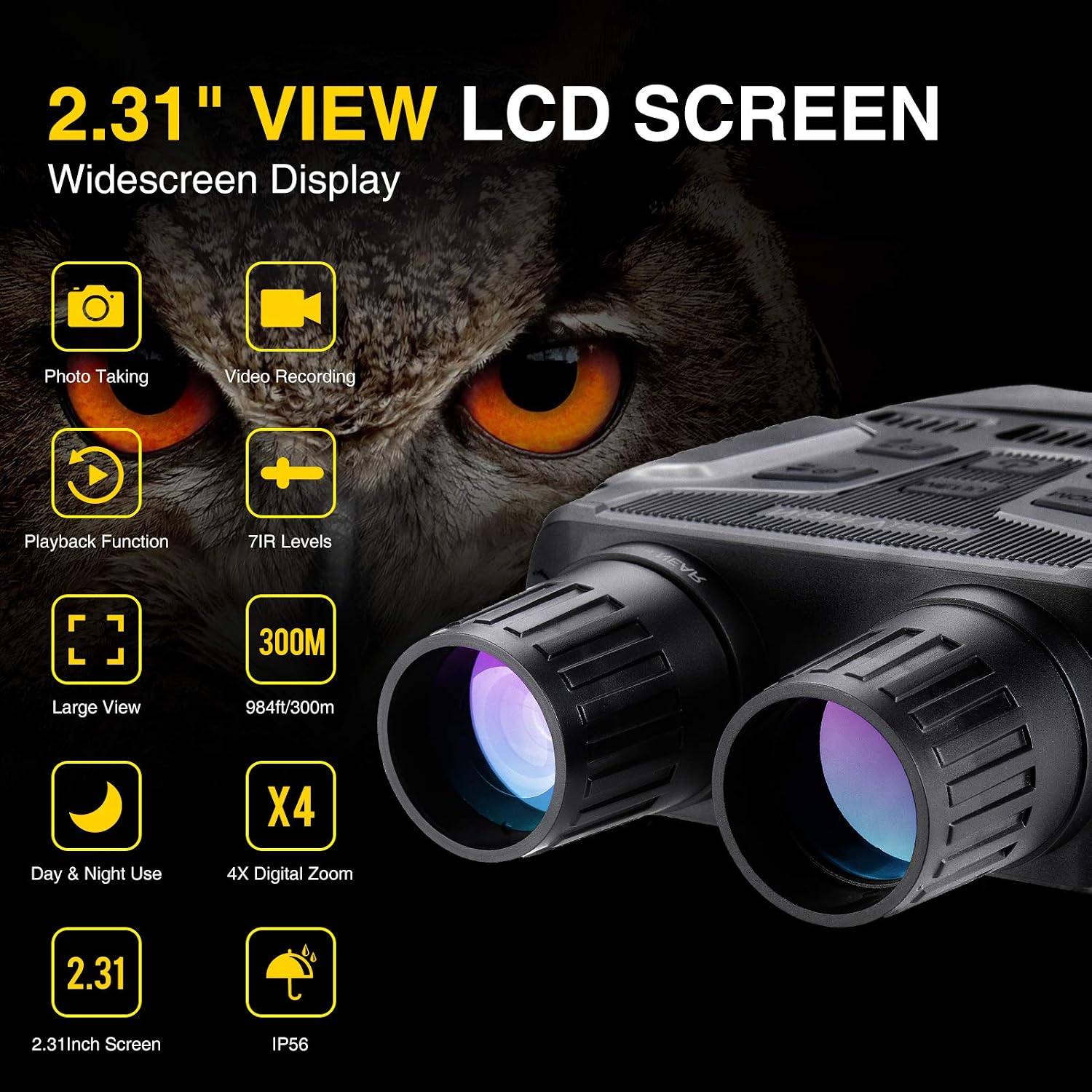
Image: Key features and specifications of the binoculars.

Image: Highlighting the IP65 waterproof rating.
10. Contact and Support
For further assistance, please refer to the official FREE SOLDIER website or contact customer support through your retailer.
You can visit the FREE SOLDIER Store on Amazon for more products and information.
