
1. Product Overview
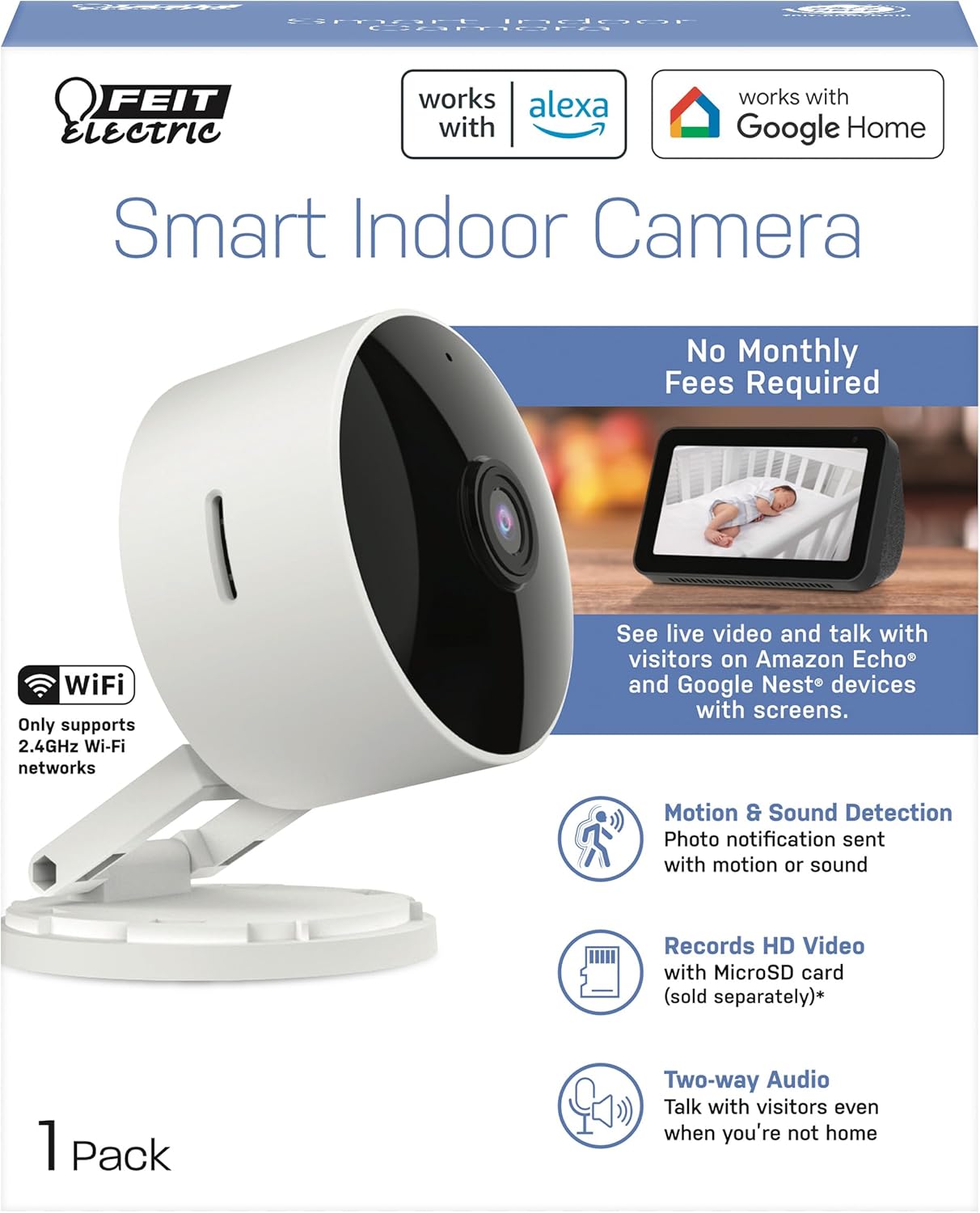
The Feit Electric CAM1/WIFI Indoor Security Camera is designed to help you monitor your property with ease. This motion-activated HD camera connects directly to your 2.4 GHz Wi-Fi network, allowing for remote control and live viewing from anywhere via the Feit Electric mobile app. It features two-way audio, 1080p HD video recording, and night vision capabilities. Recorded events can be stored locally on a Micro-SD card (sold separately), eliminating the need for monthly fees or subscriptions. The camera is compatible with popular smart home assistants like Alexa and Google Assistant for convenient voice control.
2. Package Contents
- 1 x Feit Electric Smart Security Camera (CAM1/WIFI)
- 1 x Power Adapter
- 1 x 1-meter USB Cord
3. Product Features
- 1080p HD Video: High-quality video for clear monitoring and recording.
- Advanced Motion Detection: Detects motion up to 30 feet with visible night vision. Receive push notifications for detected activity.
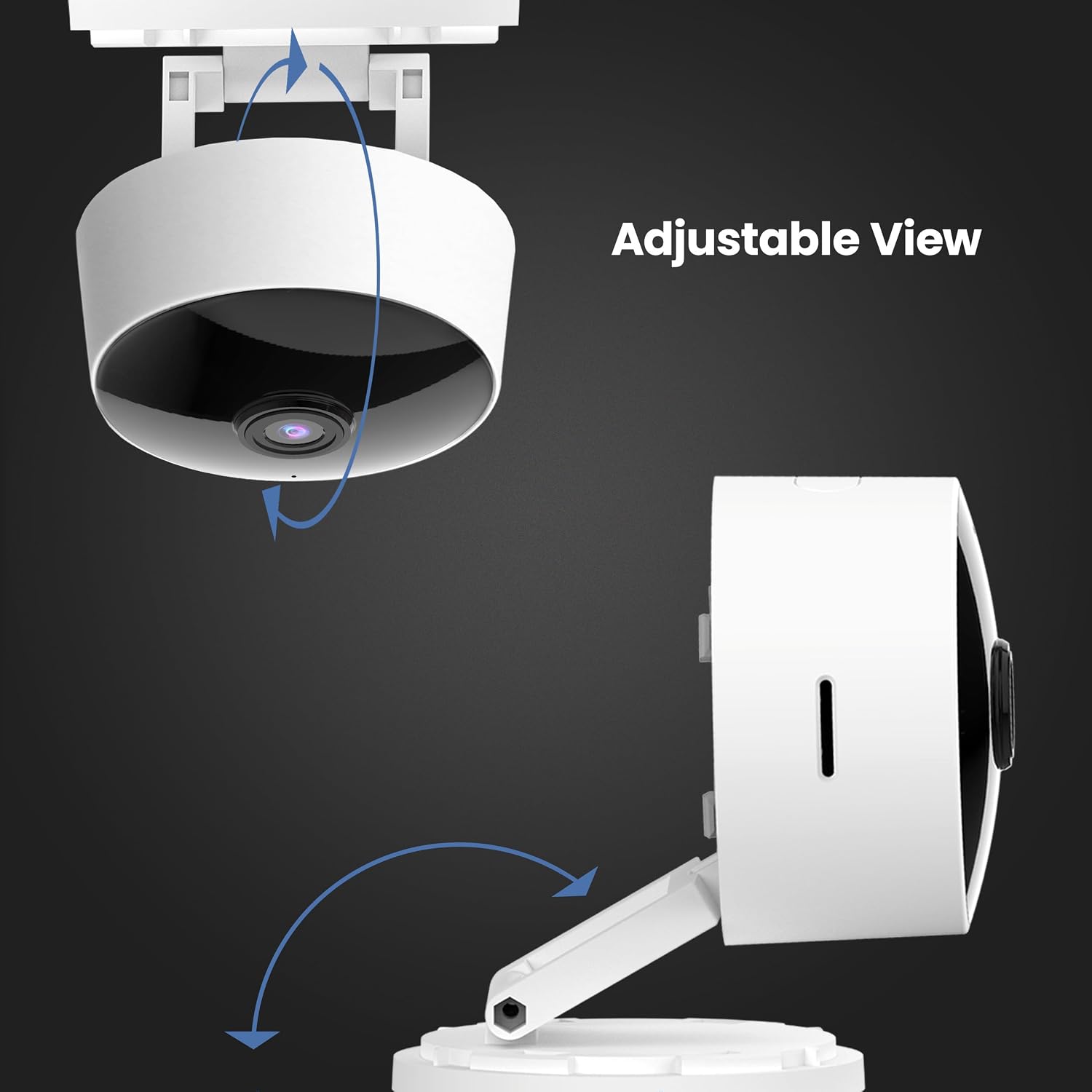
- 360° Adjustable Head: Allows for flexible positioning and viewing angles.
- 2.4GHz WiFi Connectivity: Connects directly to your home Wi-Fi network for remote access.
- 2-Way Audio: Built-in microphone and speaker enable real-time conversation.
- Local Storage: Supports Micro-SD cards up to 128GB for up to 10 days of continuous recording (SD card not included). No monthly fees or subscriptions required.
- Voice Assistant Compatibility: Works with Amazon Alexa and Google Assistant for convenient voice control.
- Plug-in Design: Plugs into standard outlets, no hardwiring required.



Official Product Video
This video provides an overview of the Feit Electric Smart Indoor and Outdoor Cameras, highlighting their key features and benefits for home security.
4. Specifications
| Attribute | Value |
|---|---|
| Model Number | CAM1/WIFI |
| Indoor/Outdoor Usage | Indoor |
| Video Capture Resolution | 1080p HD |
| Night Vision Range | 30 Feet |
| Connectivity Protocol | Wi-Fi (2.4GHz) |
| Two-Way Audio | Yes |
| Storage | Micro-SD Card (up to 128GB, not included) |
| Power Source | Corded Electric (Plug-in) |
| Compatible Devices | Smartphone (Feit Electric App), Amazon Alexa, Google Assistant |
| Item Dimensions (L x W x H) | 5.1 x 4.3 x 2.5 inches |
| Item Weight | 6.4 ounces |
| Color | White |
5. Setup Guide
- Power On: Plug the camera into a standard electrical outlet using the provided power adapter and USB cord. The camera will power on automatically.
- Download App: Download the "Feit Electric" app from your smartphone's app store (available for Android and iOS).
- Create Account: Open the Feit Electric app and create a new account or log in if you already have one.
- Add Device: In the app, tap the "+" icon to add a new device. Select "Camera" from the device categories.
- Connect to Wi-Fi: Follow the in-app instructions to connect the camera to your 2.4GHz Wi-Fi network. Ensure your phone is also connected to the same 2.4GHz network during setup. You may need to reset the device by pressing and holding the RESET button for 5 seconds until you hear an audible tone.
- Pairing: The app will guide you through the pairing process, which may involve scanning a QR code displayed on your phone with the camera.
- Placement: Position the camera in your desired indoor location. The adjustable head allows for optimal viewing angles.

6. Operating Instructions
- Live View: Open the Feit Electric app and select your camera to view the live feed.
- Two-Way Audio: Tap the microphone icon in the app to speak through the camera's speaker, or listen to audio from the camera's microphone.
- Recording: The camera can record continuously or when motion is detected. To enable continuous recording, ensure a Micro-SD card (up to 128GB) is inserted into the camera's slot. You can download recorded video wirelessly through the Feit app.
- Motion Alerts: Enable push notifications in the app settings to receive alerts on your smartphone when motion is detected.
- Voice Control:
- With Alexa: Link your Feit Electric account in the Alexa app. Then, use commands like "Alexa, show me the [camera name]" to view the feed on compatible Echo Show devices.
- With Google Assistant: Link your Feit Electric account in the Google Home app. Use commands like "Hey Google, show me the [camera name]" on compatible Google Nest devices.


7. Maintenance
- Cleaning: Use a soft, dry cloth to clean the camera lens and body. Do not use liquid cleaners or aerosols.
- Firmware Updates: Regularly check the Feit Electric app for available firmware updates to ensure optimal performance and security.
- Power Cycle: If the camera experiences issues, try unplugging it from the power source for 10 seconds and then plugging it back in.
8. Troubleshooting
| Problem | Possible Solution |
|---|---|
| Camera not connecting to Wi-Fi. | Ensure your Wi-Fi network is 2.4GHz. Move the camera closer to the router. Reset the camera by holding the reset button for 5 seconds. Verify Wi-Fi password. |
| Poor video quality or grainy image. | Check your Wi-Fi signal strength. Ensure the camera lens is clean. Adjust camera placement for better lighting. |
| Motion detection alerts are not received. | Verify motion detection settings are enabled in the Feit Electric app. Check your phone's notification settings for the app. |
| Two-way audio not working. | Ensure microphone and speaker permissions are granted to the Feit Electric app on your phone. Check volume settings in the app and on your phone. |
| Camera reboots itself frequently. | Ensure a stable power supply. Check the power adapter and USB cable for damage. If power goes out, the camera is designed to reboot itself upon power restoration. |
9. Warranty and Support
This Feit Electric camera comes with a one-year warranty from the date of purchase. For customer service, technical support, or warranty inquiries, please contact Feit Electric directly.
Contact Information:
- Email: info@feit.com
- Toll-Free Phone: 1-866-326-BULB
- Online Support: Visit the Feit Electric Help Center for FAQs and additional resources.


