
Cecotec 04275
Cecotec Power TitanBlack 1500 XL Totalmix Immersion Blender User Manual
Model: 04275
1. Product Overview
The Cecotec Power TitanBlack 1500 XL Totalmix Immersion Blender is a versatile kitchen appliance designed for blending, chopping, and whisking various ingredients. Featuring a powerful 1500W motor, titanium-coated 4-blade system, and an extra-long XL foot, it offers efficient performance and convenience for a wide range of culinary tasks.
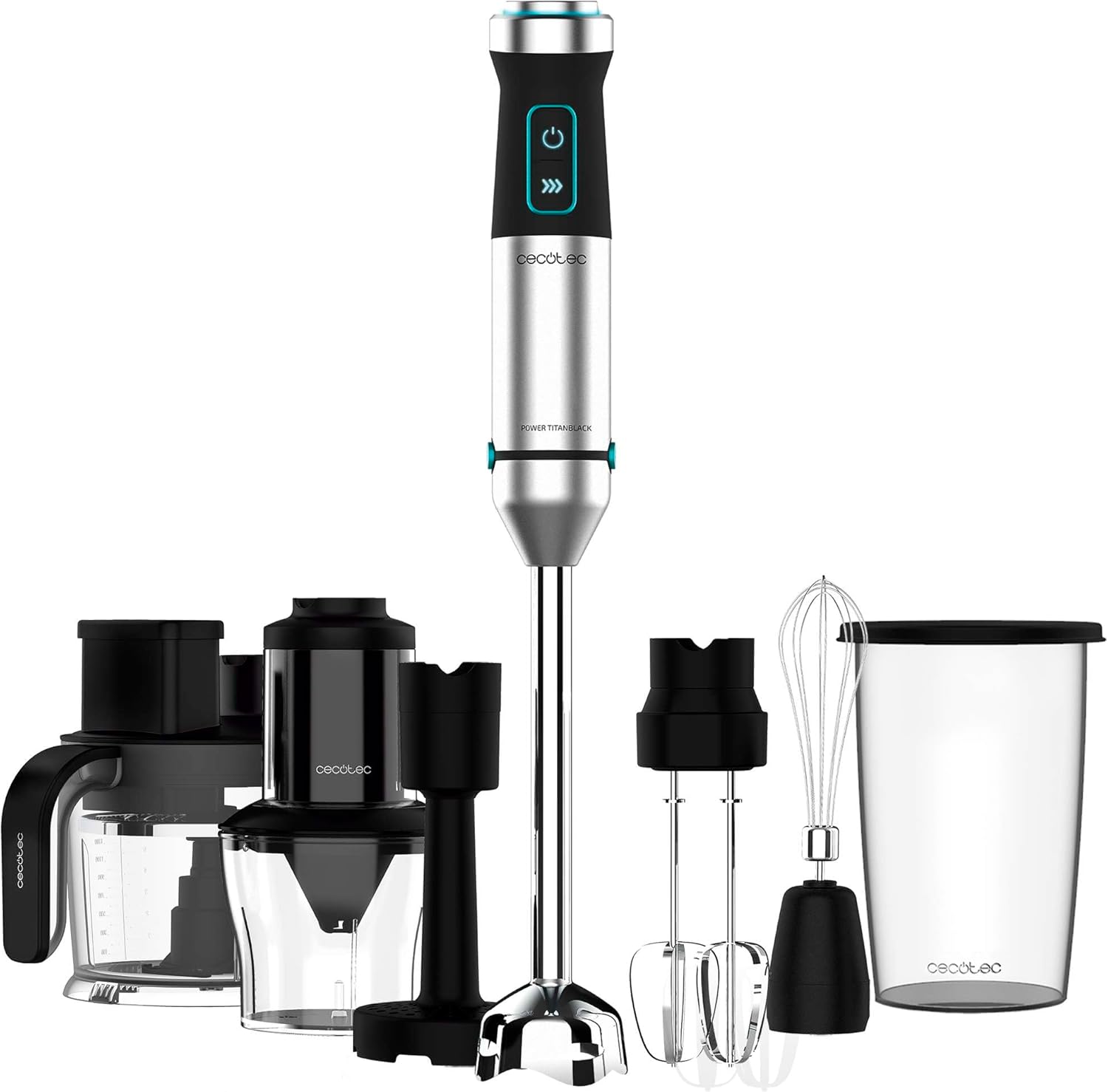
Image: The Cecotec Power TitanBlack 1500 XL Totalmix Immersion Blender shown with its main unit and various attachments, including a whisk, chopper, and measuring beaker.
2. Important Safety Instructions
Please read all instructions carefully before using the appliance and retain them for future reference. Failure to follow these instructions may result in electric shock, fire, or serious injury.
- Electrical Safety: Ensure the voltage indicated on the appliance corresponds to your local mains voltage before connecting. Do not immerse the motor unit in water or other liquids. Always unplug the appliance from the power supply before cleaning, assembling, or disassembling parts.
- Blade Safety: The blades are very sharp. Handle them with extreme care, especially when assembling, disassembling, and cleaning.
- Children and Vulnerable Persons: This appliance can be used by children aged 8 years and above and persons with reduced physical, sensory or mental capabilities or lack of experience and knowledge if they have been given supervision or instruction concerning use of the appliance in a safe way and understand the hazards involved. Children shall not play with the appliance. Cleaning and user maintenance shall not be made by children without supervision.
- Usage Environment: Use the appliance only for its intended household purpose. Do not use outdoors. Do not operate the appliance with a damaged cord or plug, or after the appliance malfunctions or has been dropped or damaged in any manner.
- Overheating: Do not operate the appliance continuously for long periods. Allow it to cool down between uses to prevent overheating.
- Attachments: Use only attachments and accessories recommended by the manufacturer.
3. Package Contents
Upon opening the package, verify that all components are present and in good condition:
- Motor Unit (Power TitanBlack 1500)
- XL Immersion Blender Foot with 4-blade system
- 800 ml BPA-free Measuring Beaker with lid
- Whisk Attachment
- Chopper Attachment (if included in your specific model variant)
- Instruction Manual
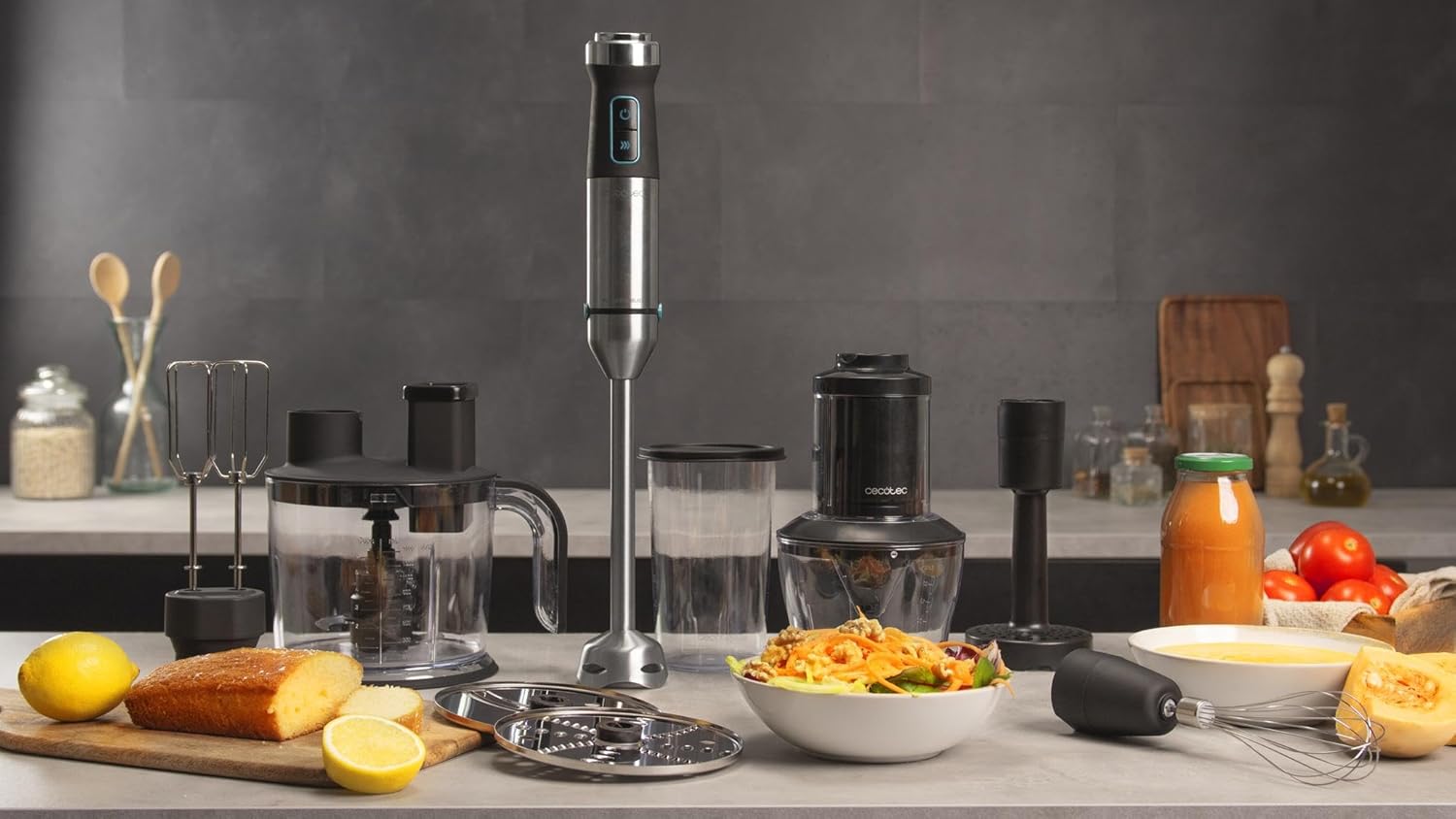
Image: All components of the Cecotec Power TitanBlack 1500 XL Totalmix Immersion Blender, including the motor unit, blending foot, whisk, chopper, and beaker, displayed on a kitchen counter.
4. Product Features
- Powerful 1500W Motor: Ensures efficient blending and processing of various ingredients, including tough foods and ice.
- 4-Blade System with Titanium Coating: High-performance blades designed for optimal blending results and durability.
- XL Extra-Long Foot: Provides greater comfort and reach, minimizing splashes during use.
- Anti-Splash Hood: Designed to prevent splashing, ensuring a cleaner blending experience.
- Adjustable Speed Selector: Allows precise control over blending speed for different recipes.
- Turbo Function: Provides maximum power for quick and effective processing of harder ingredients.
- Fix Plus System: Facilitates easy attachment and detachment of the blending foot and accessories.
- Ergonomic Design with Soft Touch Coating: Offers a comfortable and secure grip for extended use.
- LED Indicator Lights: Provide visual feedback on the appliance's operational status.
- 800 ml BPA-Free Measuring Beaker: Convenient for preparing recipes and includes a lid for storage.
- Whisk Attachment: Ideal for whisking, mixing, and whipping cream or eggs.
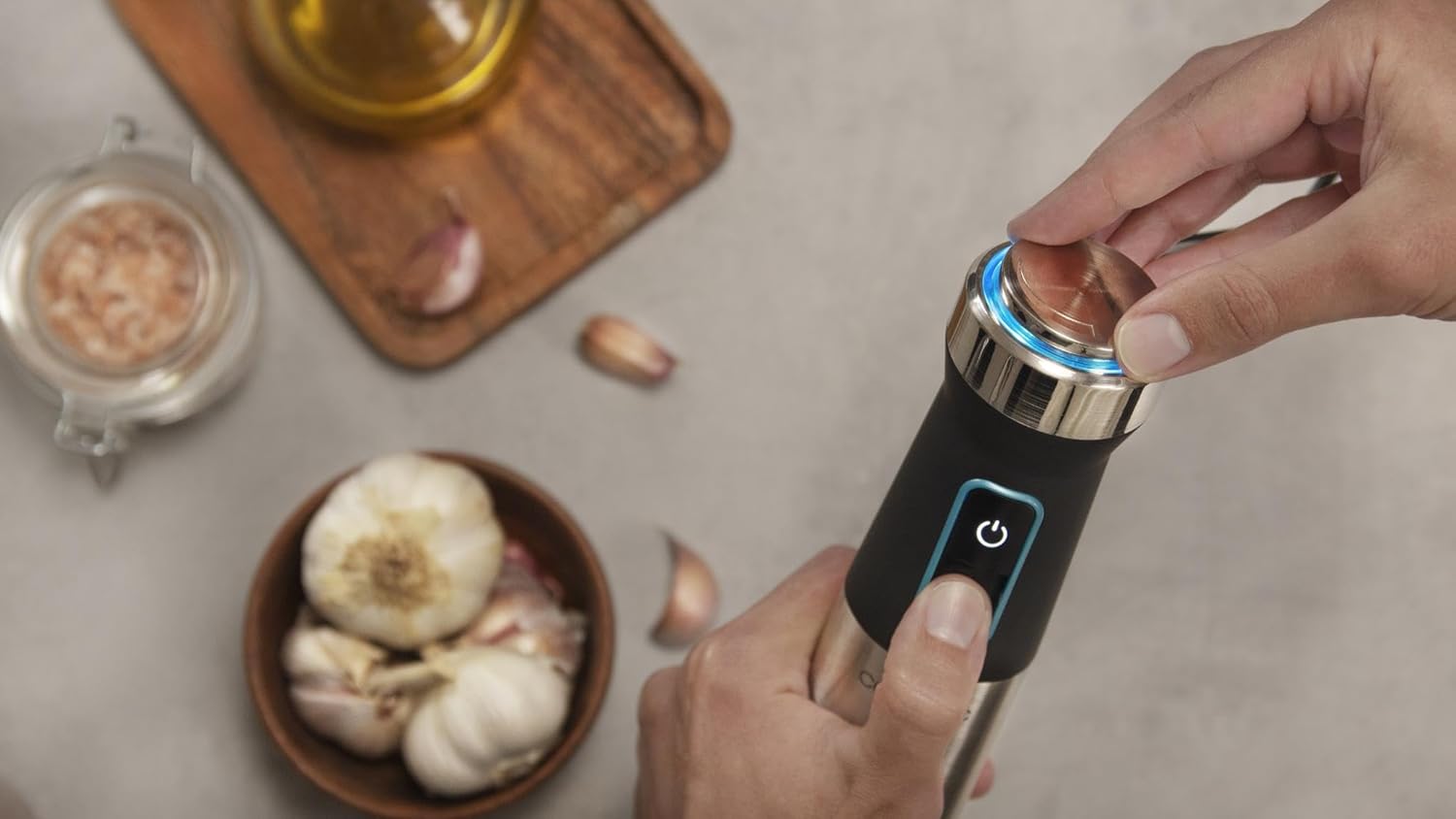
Image: A detailed view of the blender's ergonomic handle, showing the power button, speed selector, and LED indicator lights.
5. Setup and Assembly
- Unpack: Carefully remove all components from the packaging.
- Clean: Before first use, wash all detachable parts (blending foot, beaker, whisk, chopper parts) in warm soapy water, rinse thoroughly, and dry. Wipe the motor unit with a damp cloth.
- Attach Blending Foot: Align the blending foot with the motor unit and twist until it locks securely into place (Fix Plus System).
- Attach Whisk: Insert the whisk into the whisk adapter, then align the adapter with the motor unit and twist to lock.
- Attach Chopper: Place the chopper blade onto the central pin inside the chopper bowl. Secure the chopper lid onto the bowl, then align the motor unit with the lid and twist to lock.
- Power Connection: Ensure the appliance is fully assembled before plugging it into a power outlet.

Image: A clear front view of the main motor unit and blending foot, illustrating the assembled state of the immersion blender.
6. Operating Instructions
6.1. Using the Immersion Blender
- Preparation: Ensure the blending foot is securely attached to the motor unit. Place ingredients in a suitable container (e.g., the included beaker, a pot, or a deep bowl).
- Immersion: Immerse the blending foot into the ingredients before switching on the appliance. Ensure the liquid level is below the maximum fill line to prevent overflow.
- Power On: Plug the appliance into a power outlet. The LED indicator will illuminate.
- Adjust Speed: Rotate the speed selector on the top of the motor unit to choose your desired blending speed.
- Start Blending: Press and hold the power button to start blending. For maximum power, press the Turbo button.
- Blending Technique: Move the blender gently up and down and in circular motions to ensure all ingredients are processed evenly.
- Finish: Release the power button to stop blending. Wait for the blades to stop completely before removing the blending foot from the ingredients.
- Unplug: Always unplug the appliance after use.
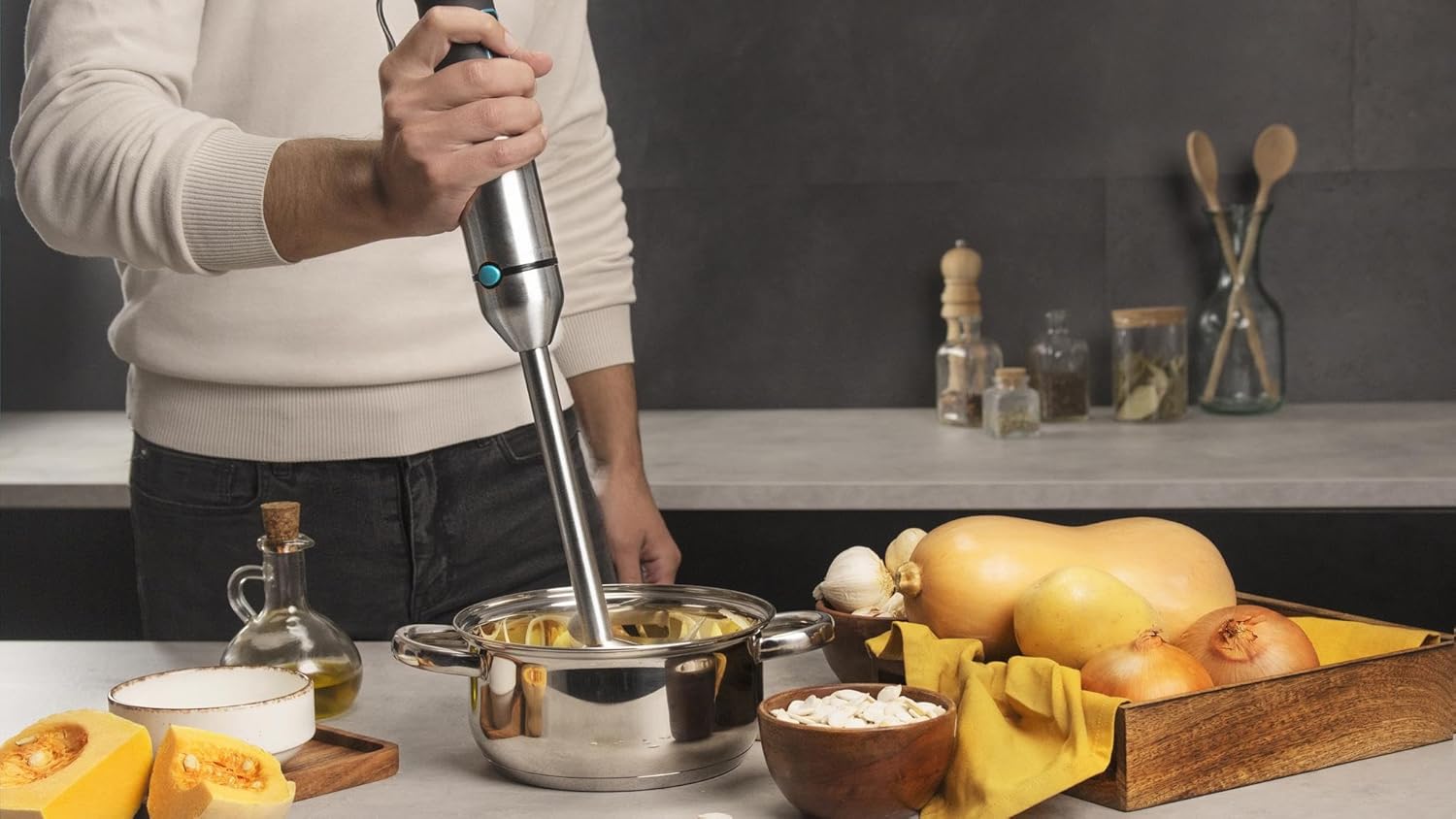
Image: A user operating the immersion blender directly in a pot, demonstrating its use for blending soups or sauces.

Image: A user blending ingredients in the provided measuring beaker, highlighting the convenience of the accessory.
6.2. Using the Whisk Attachment
- Assembly: Attach the whisk to the whisk adapter, then attach the adapter to the motor unit.
- Preparation: Place ingredients (e.g., cream, egg whites) in a deep bowl.
- Operation: Immerse the whisk into the ingredients. Plug in the appliance, select a suitable speed, and press the power button. Move the whisk gently to incorporate air.
- Finish: Release the power button, unplug, and remove the whisk.
6.3. Using the Chopper Attachment (if applicable)
- Assembly: Place the chopper blade onto the central pin in the chopper bowl. Add ingredients, ensuring they do not exceed the MAX fill line. Secure the chopper lid, then attach the motor unit.
- Operation: Plug in the appliance. Use short pulses by pressing and releasing the power button to achieve desired consistency. For continuous chopping, hold the button.
- Finish: Release the power button, unplug, and carefully remove the motor unit and lid before extracting chopped ingredients.
7. Maintenance and Cleaning
Regular cleaning ensures optimal performance and extends the lifespan of your appliance.
- Always Unplug: Before cleaning, always unplug the appliance from the power outlet.
- Motor Unit: Wipe the motor unit with a soft, damp cloth. Never immerse the motor unit in water or any other liquid.
- Blending Foot, Whisk, Chopper Bowl/Lid: These detachable parts are dishwasher safe. For manual cleaning, wash them in warm soapy water, rinse thoroughly, and dry immediately. Handle blades with extreme caution.
- Beaker: The 800 ml beaker is dishwasher safe.
- Storage: Store the appliance and its accessories in a dry, safe place, out of reach of children.
8. Troubleshooting
If you encounter any issues with your immersion blender, refer to the following common problems and solutions:
| Problem | Possible Cause | Solution |
|---|---|---|
| Appliance does not turn on. | Not plugged in correctly; power outage; motor unit not properly attached to accessory. | Check power connection; verify power supply; ensure motor unit is securely locked onto the blending foot or attachment. |
| Poor blending results or ingredients not processed. | Too much food; ingredients too large or hard; insufficient liquid; incorrect speed setting. | Reduce quantity of ingredients; cut ingredients into smaller pieces; add more liquid; increase speed or use Turbo function. |
| Appliance stops during operation. | Overheating protection activated; motor overloaded. | Unplug the appliance and let it cool down for at least 30 minutes. Reduce load and try again. |
| Excessive splashing. | Blender not fully immersed; container too shallow; speed too high. | Ensure blending foot is fully immersed before starting; use a deeper container; reduce speed. |
If the problem persists after trying these solutions, please contact customer support.
9. Technical Specifications
- Brand: Cecotec
- Model: 04275 (Power TitanBlack 1500 XL Totalmix)
- Power: 1500 W
- Voltage: 240 Volts
- Color: Black
- Product Dimensions: 23 x 24 x 43 cm
- Item Weight: 950 g
- Capacity (Beaker): 800 Milliliters
- Special Features: Adjustable Speed, Turbo Function, 4-Blade Titanium Coating, XL Foot, Anti-Splash Hood, Fix Plus System, Soft Touch Coating, LED Indicator
10. Warranty and Customer Support
Cecotec products are manufactured to high-quality standards. This product is covered by a warranty in accordance with current legislation. For specific warranty terms and conditions, please refer to the documentation provided with your purchase or visit the official Cecotec website.
For technical assistance, spare parts, or any inquiries regarding your product, please contact Cecotec customer support. Contact details can typically be found on the official Cecotec website or in your product's packaging.
Online Support: Visit Cecotec's Official Website
Related documents04275


Ask a question about this manual
Ask about setup, troubleshooting, compatibility, parts, safety, or missing instructions. Manuals+ will review the question and use this page’s manual context to help answer it.