
Colgate CN08208A
Colgate hum Kids Smart Manual Replacement Toothbrush User Manual
Brand: Colgate
1. Introduction
The hum kids by Colgate Smart manual replacement toothbrushes are designed with extra soft bristles for a gentle and effective clean. These brushes feature a tongue cleaner to help keep breath fresh, a thumb grip for easy handling by little hands, and a suction cup for convenient and fun upright storage. This manual provides essential information for the proper use and care of your Colgate hum Kids Smart Manual Replacement Toothbrushes.

Image: Two Colgate hum Kids Smart Manual Replacement Toothbrushes, one yellow and one coral, shown in their packaging and individually. They feature a star design on the handle and a suction cup base.
2. Key Features
- Replacement manual toothbrushes: Compatible with the hum kids connector boot (sold separately).
- Extra soft bristles: Designed for a gentle yet effective cleaning experience for children's teeth and gums.
- Tongue cleaner: Integrated on the back of the brush head to help remove odor-causing bacteria and keep breath fresh.
- Thumb grip: Specially designed ergonomic grip for easy and comfortable handling by small hands.
- Suction cup: Located at the base of the toothbrush for easy and fun upright storage, promoting hygiene and organization.
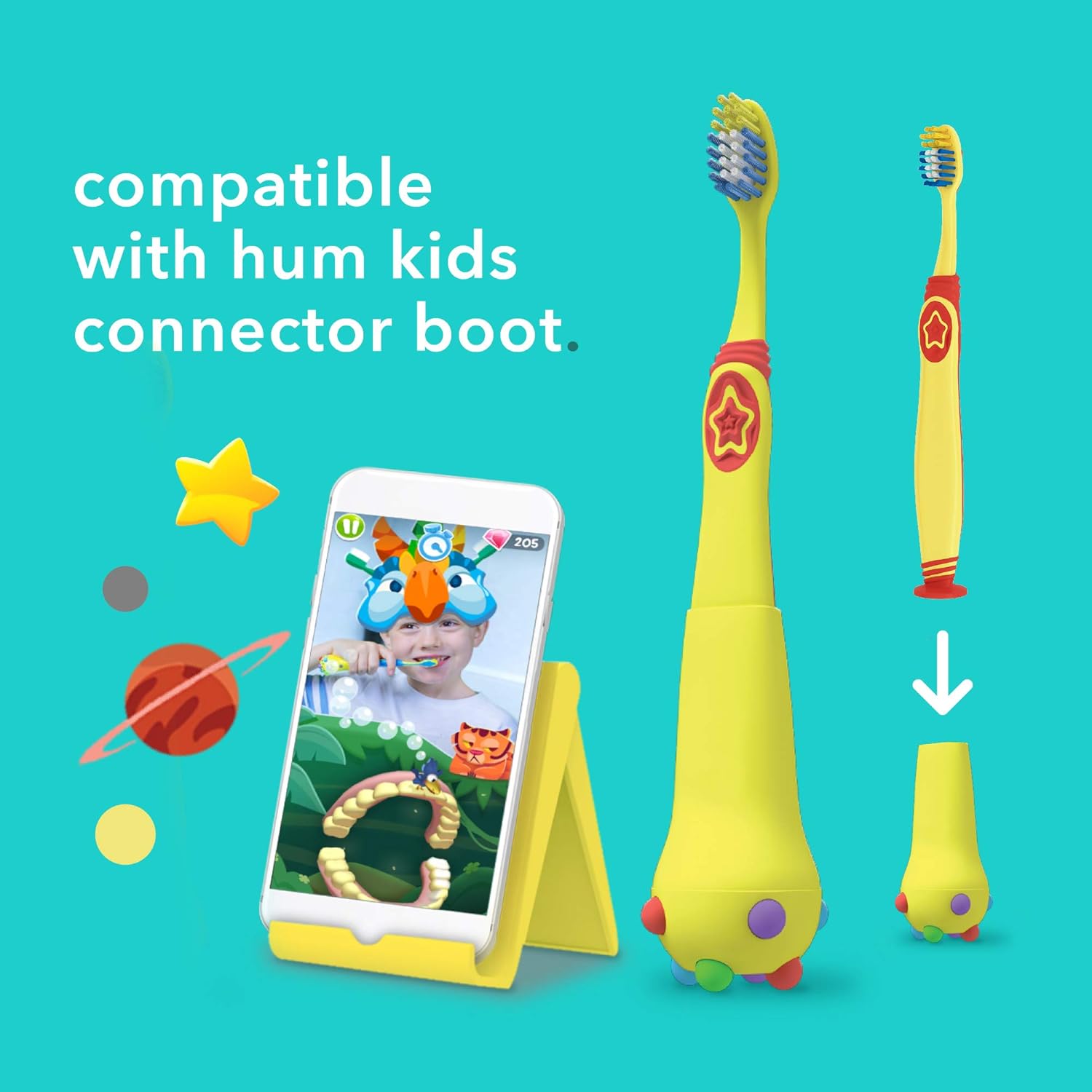
Image: A yellow Colgate hum Kids toothbrush next to a smartphone displaying the hum kids brushing app, demonstrating compatibility with the connector boot.
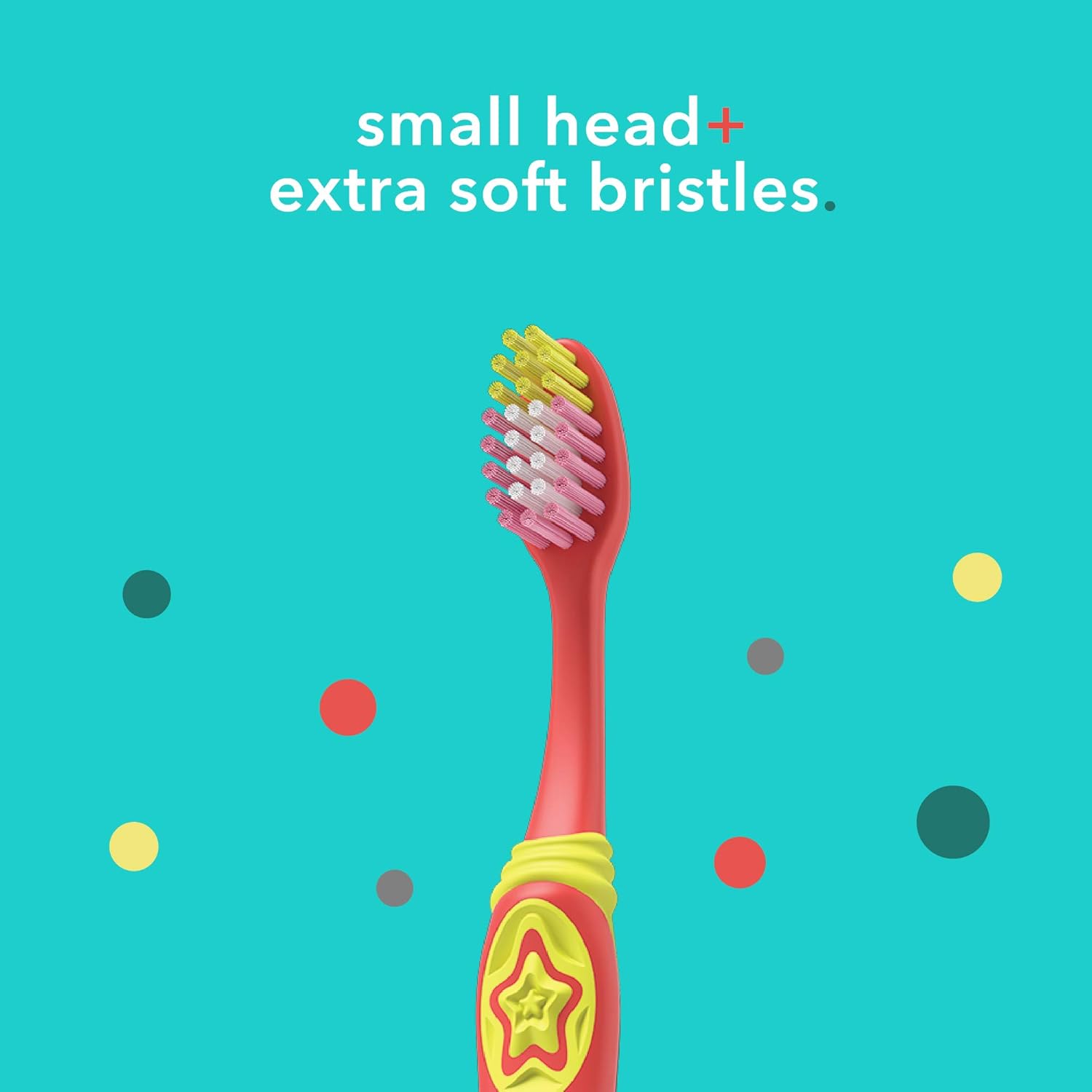
Image: A close-up view of the red Colgate hum Kids toothbrush head, highlighting its small size and the multi-colored extra soft bristles.
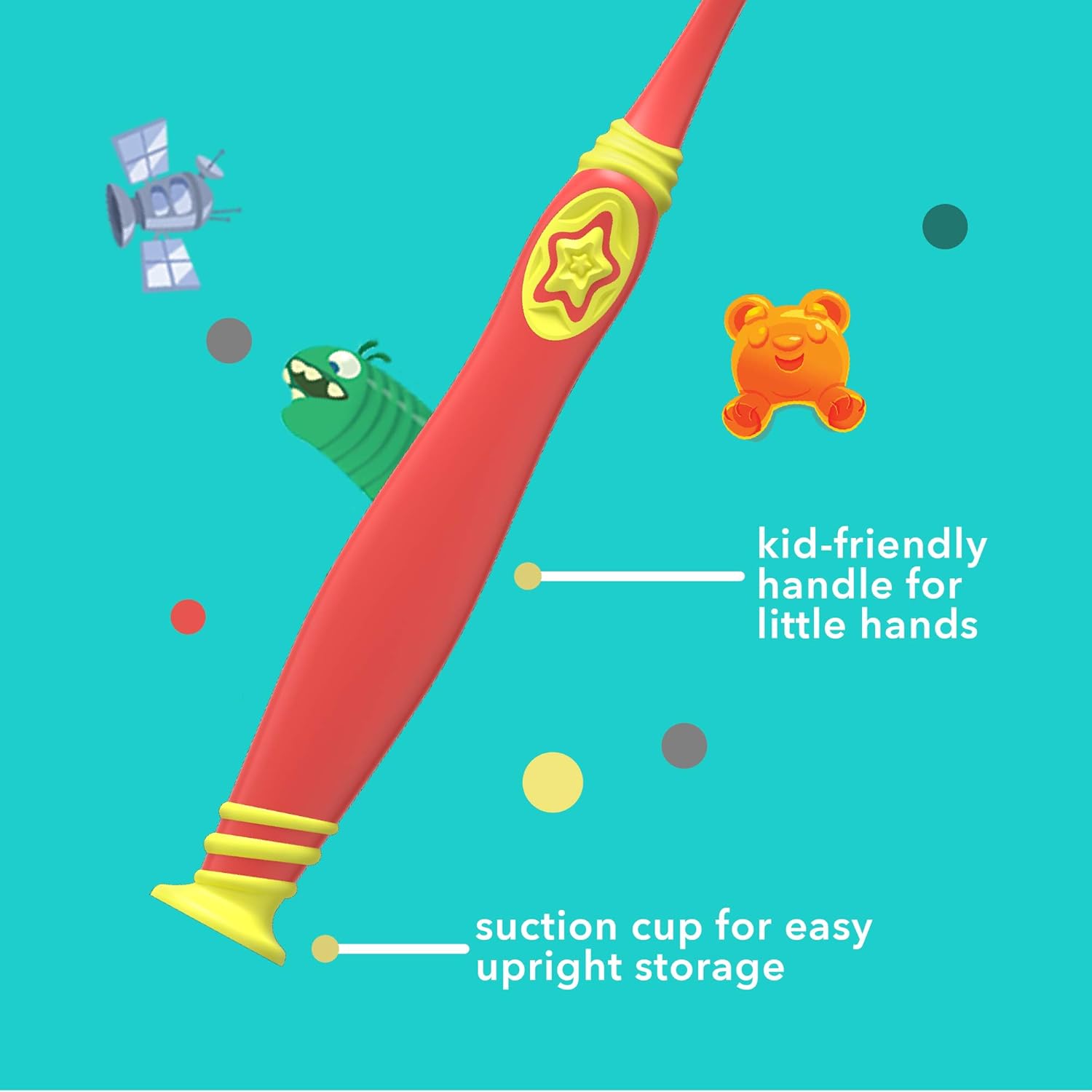
Image: A detailed view of the red Colgate hum Kids toothbrush handle, pointing out the kid-friendly thumb grip and the suction cup base for upright storage.

Image: Two Colgate hum Kids toothbrushes, one yellow and one red, standing upright, illustrating the availability of multiple colors.
3. Setup
These toothbrushes are designed as replacements for the hum kids smart manual toothbrush system. To set up your new replacement toothbrush:
- Ensure you have the hum kids connector boot (the smart base that connects to the app).
- Carefully remove the old toothbrush head from the connector boot by pulling it straight off.
- Align the new replacement toothbrush with the connector boot.
- Gently push the new toothbrush onto the connector boot until you hear a "click," indicating it is securely attached.
- For optimal smart features, ensure the hum kids app is installed on a compatible device and the connector boot is paired.

Image: The back of the product packaging, showing detailed instructions for replacing the toothbrush head and other product information.
4. Operating Instructions
Using your Colgate hum Kids Smart Manual Replacement Toothbrush is straightforward:
- Apply Toothpaste: Place a pea-sized amount of fluoride toothpaste on the bristles.
- Position the Brush: Hold the toothbrush at a 45-degree angle to the gums.
- Brush Gently: Use short, gentle strokes, moving the brush back and forth across all surfaces of the teeth. Ensure to brush the outer, inner, and chewing surfaces of all teeth.
- Brush Tongue: Use the tongue cleaner on the back of the brush head to gently brush the tongue from back to front to remove bacteria and freshen breath.
- Rinse: After brushing, rinse your mouth thoroughly with water.
- Use with App (Optional): If connected to the hum kids connector boot and app, follow the app's guidance for real-time feedback and a guided brushing experience. The app helps ensure all areas of the mouth are cleaned effectively.
Dentists recommend brushing for two minutes, twice a day.
5. Maintenance
Proper maintenance ensures the longevity and hygiene of your toothbrush:
- Rinse After Use: After each use, thoroughly rinse the toothbrush head under running water to remove any toothpaste residue and debris.
- Store Upright: Utilize the suction cup base to store the toothbrush upright in a clean, dry area, allowing it to air dry. This helps prevent bacterial growth.
- Replace Regularly: Dentists and hygienists recommend replacing your toothbrush every 3-4 months, or sooner if the bristles become frayed or after an illness.
6. Troubleshooting
If you encounter issues with your Colgate hum Kids Smart Manual Replacement Toothbrush, consider the following:
Toothbrush not fitting connector boot:
- Ensure you are using a genuine hum kids replacement toothbrush.
- Verify that the connector boot is clean and free of debris that might obstruct the connection.
- Apply firm, even pressure when pushing the toothbrush onto the boot until you hear a click.
App not detecting brushing (if using smart features):
- This replacement toothbrush is a manual brush head. Ensure your hum kids connector boot is properly charged and connected to the app via Bluetooth.
- Check the hum kids app for any connection issues or updates.
- Ensure the child's face is visible to the device's camera if the app uses facial recognition for tracking.
For further assistance, please refer to the Support section.
7. Specifications
| Attribute | Detail |
|---|---|
| Product Dimensions | 0.98 x 2.28 x 8.66 inches; 1.45 ounces |
| Item Model Number | CN08208A |
| UPC | 035000985446 |
| Manufacturer | Colgate-Palmolive |
| Units | 2.4 Ounce (total package) |
| Brand | Colgate |
| Age Range (Description) | Kid |
| Special Feature | Built-in Tongue Scraper |
| Power Source | Manual |
| Item Firmness Description | Extra Soft |
8. Important Safety Information
- Choking Hazard: Keep out of reach of children under 3 years of age.
- Do not use for purposes other than oral hygiene.
- Adult supervision is recommended for children, especially during initial use.
- Do not bite or chew on the toothbrush.
- This product is for brushing teeth only; do not use as a toy.
9. Support
For assistance or inquiries regarding your Colgate hum Kids Smart Manual Replacement Toothbrush, please contact Colgate-Palmolive customer support:
- Phone: 1-833-466-0001
- Manufacturer: Colgate-Palmolive, New York, NY 10022 U.S.A.
For more information about Colgate products, visit the official Colgate Store on Amazon.
Related documentsCN08208A


Ask a question about this manual
Ask about setup, troubleshooting, compatibility, parts, safety, or missing instructions. Manuals+ will review the question and use this page’s manual context to help answer it.