
Samsung Electronics EF-RG991CBEGUS
Samsung Galaxy S21 Rugged Protective Cover
Model: EF-RG991CBEGUS
Introduction
The Samsung Galaxy S21 5G Rugged Protective Cover is engineered to provide robust defense for your device. Designed to meet military drop-test standards, this cover effectively absorbs and deflects impacts, minimizing potential damage from drops and falls. It also features integrated kickstands for enhanced media viewing convenience.
Key Features
- Outstanding Protection: Drop-tested to military standards to help defend your Galaxy S21 5G against damage from impacts.
- Integrated Kickstands: Features two kickstands on the back, allowing for comfortable landscape viewing at two optimal angles (60 degrees or 45 degrees).
- Secure Grip: Designed with a textured surface for improved handling and reduced risk of accidental drops.
- Precise Fit: Custom-designed by Samsung for the Galaxy S21 5G, ensuring full access to all ports and buttons.
What's in the Box
- Samsung Galaxy S21 Rugged Protective Cover (Black)

Image: Product packaging for the Samsung Galaxy S21 Rugged Protective Cover.
Setup
Installing the Protective Cover
- Ensure your Samsung Galaxy S21 5G device is clean and free of dust or debris.
- Align the phone with the case, starting with the top edge.
- Gently press the phone into the case, ensuring all corners and edges are securely seated within the protective bumper.
- Verify that all buttons and ports are accessible and properly aligned with the case cutouts.

Image: Front view of the Samsung Galaxy S21 securely fitted within the protective cover.
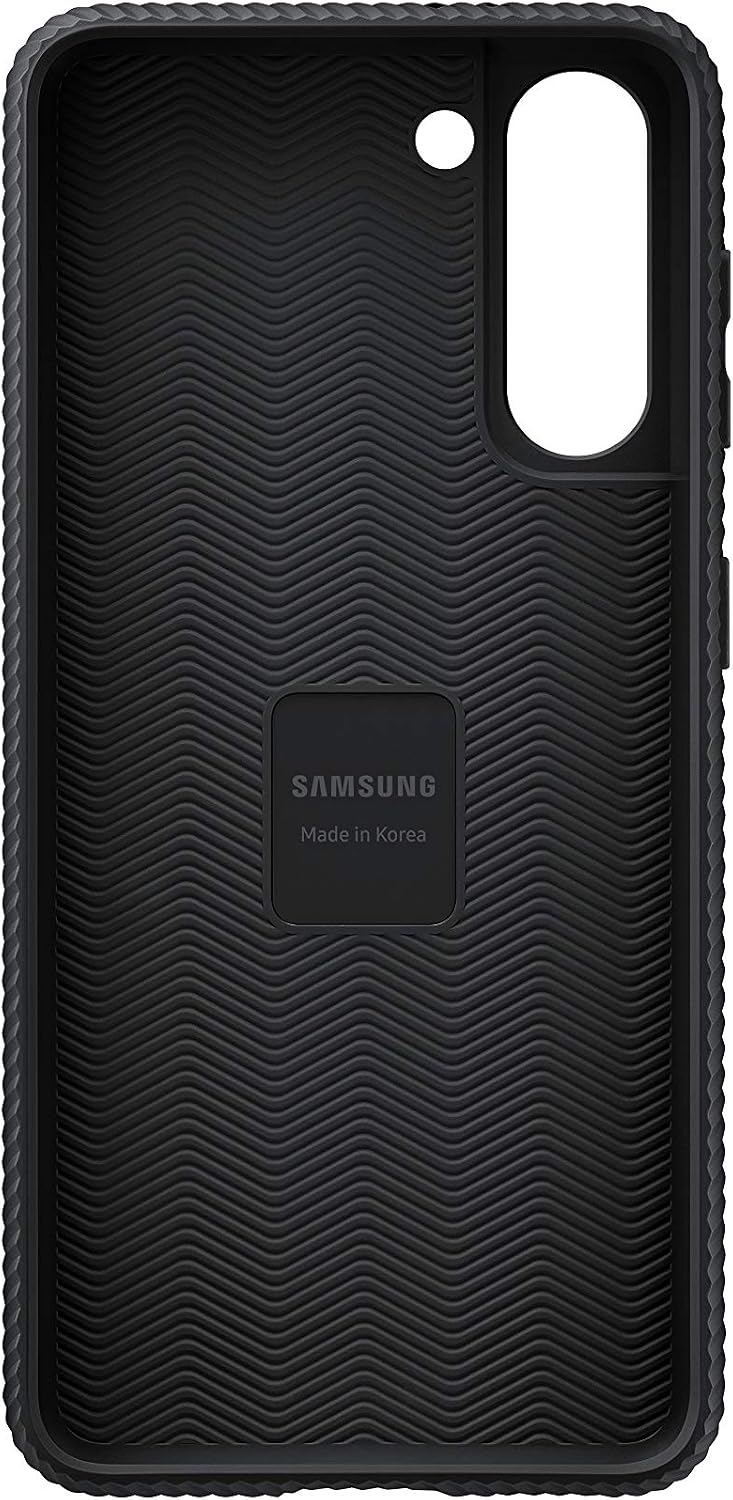
Image: Interior view of the protective cover, showing the design for secure phone placement.
Operating
Using the Integrated Kickstands
The Rugged Protective Cover features two integrated kickstands on the back for convenient hands-free viewing. These kickstands allow you to prop your phone up in landscape orientation at two distinct angles.
- To deploy a kickstand, gently pull it outwards from the case until it clicks into place.
- Position your phone on a flat surface. The kickstand will support the device at either a 60-degree or 45-degree angle, depending on which kickstand is used.
- To retract the kickstand, gently push it back into its recess until it is flush with the case.

Image: Samsung Galaxy S21 in its protective case, propped up using one of the kickstands for a 60-degree viewing angle.

Image: Samsung Galaxy S21 in its protective case, propped up using the other kickstand for a 45-degree viewing angle.

Image: A detailed view of the kickstand mechanism on the back of the case.
Maintenance
Cleaning Instructions
To maintain the appearance and functionality of your protective cover, follow these cleaning guidelines:
- Remove the case from your phone before cleaning.
- Wipe the case with a soft, damp cloth. A mild soap solution can be used for stubborn dirt.
- Avoid using harsh chemicals, abrasive cleaners, or solvents, as these can damage the material and finish.
- Ensure the case is completely dry before reattaching it to your phone.
Troubleshooting
Kickstand Issues
If a kickstand feels loose or detaches, it is designed to be re-attachable. Gently snap it back into its designated slot on the case. Ensure it is properly aligned before applying pressure. If the kickstand does not stay in place, inspect for any foreign objects or damage to the hinge mechanism.
Specifications
| Attribute | Detail |
|---|---|
| Product Dimensions | 7.5 x 3.25 x 0.75 inches |
| Item Weight | 3.24 ounces |
| Item Model Number | EF-RG991CBEGUS |
| Special Features | Kickstand |
| Form Factor | Bumper |
| Color | Black |
| Material | Plastic |
| Manufacturer | Samsung |
| Compatible Phone Models | Samsung Galaxy S21 |
| Compatible Devices | Samsung Galaxy S21 5G |

Image: Rear view of the Samsung Galaxy S21 Rugged Protective Cover, highlighting its design and kickstand.

Image: Side view of the protective cover, illustrating the textured grip for enhanced handling.
Warranty and Support
For information regarding product warranty, returns, or technical support, please refer to the official Samsung Electronics website or contact Samsung customer service directly. Keep your proof of purchase for any warranty claims.
Official Samsung Support: https://www.samsung.com/us/support/
Related documentsEF-RG991CBEGUS


Ask a question about this manual
Ask about setup, troubleshooting, compatibility, parts, safety, or missing instructions. Manuals+ will review the question and use this page’s manual context to help answer it.