
1. Introduction
Thank you for choosing the AGM Digital Kitchen Scale. This ultra-slim, multifunction stainless steel food scale is designed for precise measurement of ingredients and liquids up to 11lb (5kg). Featuring a clear back-lit LCD display, it is an ideal tool for various culinary needs, including baking, cooking, and portion control.

Figure 1: Top view of the AGM Digital Kitchen Scale, highlighting its sleek design and display.
2. Product Features
- High Precision Sensor: Built with a high precision strain gauge sensor, capable of weighing up to 11lb (5kg) with a graduation of 1g (0.1oz).
- Multifunction Display: Features Zero & Tare Function, Alarm Timer, Real Time Clock Display, Water/Milk Volume Indicator, Temperature Sensor, and Low Battery/Overload Indication.
- Multiple Units: Easily switch between fl.oz, g, lb:oz, and ml measurements.
- Back-Lit LCD Display: Large, clear blue back-lit LCD display for easy readability in various lighting conditions.
- Durable Design: Constructed with a stylish glass platform and stainless steel elements for durability and easy cleaning.
- Compact and Portable: Lightweight (1.14lb) and slim design for convenient storage.

Figure 2: Overview of the scale's components and features, including the stainless steel surface, LCD display, and control buttons.
3. Setup and Battery Installation
3.1 Unboxing
Carefully remove the scale and any accessories from the packaging. Ensure all components are present, including the scale and the instruction manual.
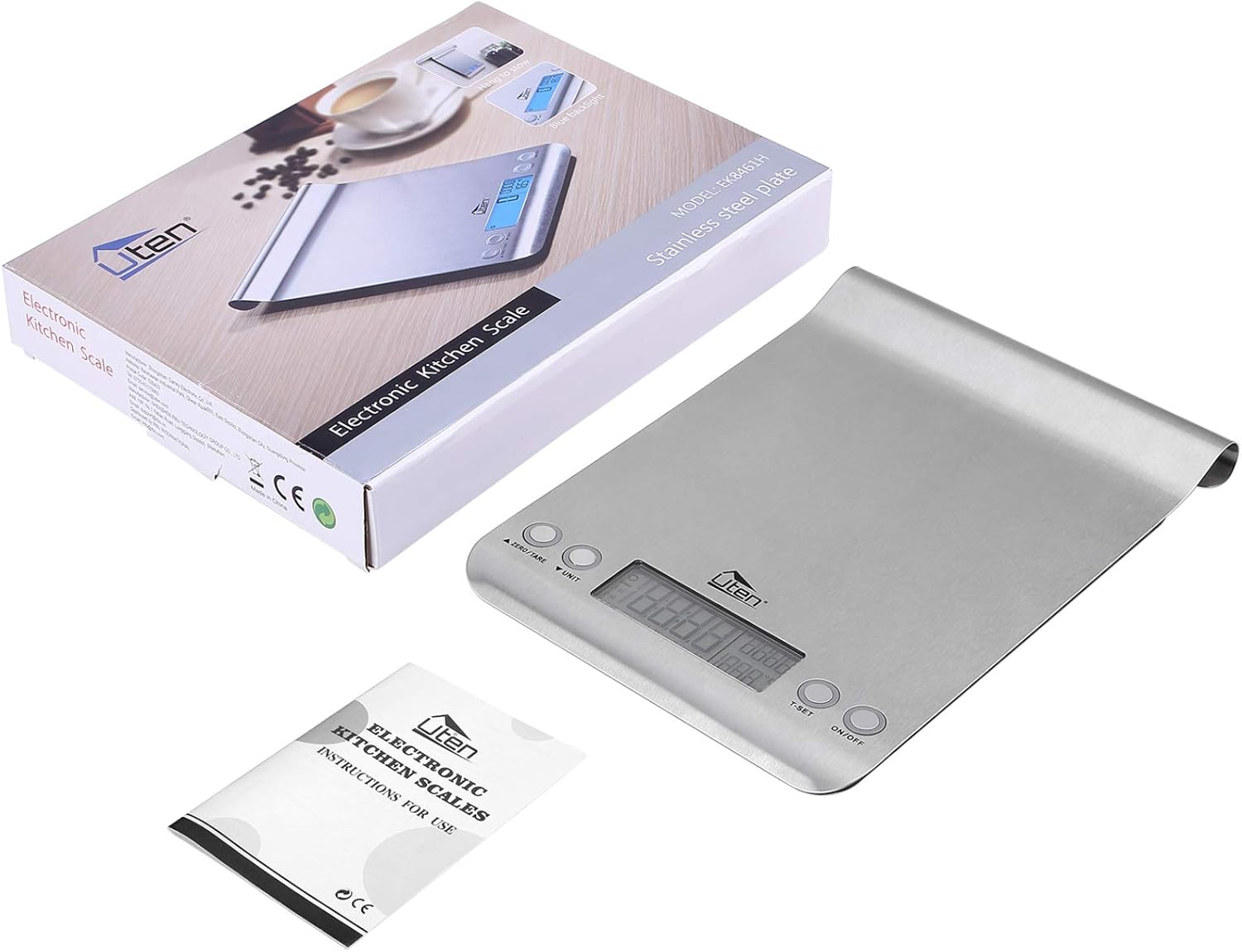
Figure 3: The scale, its packaging, and the included instruction manual.
3.2 Battery Installation
The scale requires batteries for operation. Locate the battery compartment on the underside of the scale. Insert the batteries, ensuring correct polarity (+/-) as indicated inside the compartment. The scale typically uses 2 AAA batteries.

Figure 4: The scale alongside two AAA batteries, demonstrating the power source.
3.3 Placement
Place the scale on a hard, flat, and stable surface to ensure accurate readings. Avoid placing it on soft or uneven surfaces, which can affect precision.
4. Operating Instructions
4.1 Power On/Off
- To turn on the scale, press the ON/OFF button. The display will light up and show '0' or '0.0'.
- To turn off the scale, press and hold the ON/OFF button for a few seconds, or it will automatically shut off after a period of inactivity to conserve battery life.
4.2 Unit Conversion
The scale supports multiple units of measurement. To switch between units (fl.oz, g, lb:oz, ml), press the UNIT button repeatedly until your desired unit is displayed.

Figure 5: Visual representation of unit conversion options on the scale's display.
4.3 Zero & Tare Function
The Zero and Tare functions allow you to weigh different loads consecutively without removing items from the scale, or to subtract the weight of a container.
- Place the empty container on the scale. The display will show its weight.
- Press the ZERO/TARE button. The display will reset to '0'.
- Add the first ingredient to the container. The display will show the weight of the ingredient only.
- To add another ingredient, press ZERO/TARE again to reset the display to '0', then add the next ingredient. Repeat as needed.

Figure 6: Step-by-step demonstration of the Zero & Tare function for measuring multiple ingredients in one container.
4.4 Alarm Timer
The scale includes an alarm timer function. To set the timer, press the T-SET button. Use the ZERO/TARE and UNIT buttons to adjust the time. Once the countdown ends, the scale will emit a beeping sound.

Figure 7: The scale's alarm timer feature, useful for cooking tasks.
4.5 Water/Milk Volume Indicator
This feature allows for direct measurement of water and milk volume. After selecting the 'ml' or 'fl.oz' unit, the scale will automatically calculate and display the volume based on the density of water or milk.
4.6 Real Time Clock Display & Temperature Sensor
The scale can display the current time and ambient temperature. Refer to the specific instructions in your included manual for setting the clock and viewing temperature readings, as button functions may vary slightly.
5. Maintenance and Care
5.1 Cleaning
The scale features a large stylish glass platform and stainless steel components, making it easy to clean. Wipe the surface with a damp cloth and mild detergent. Do not immerse the scale in water or use abrasive cleaners, as this can damage the electronic components.
5.2 Storage
Store the scale in a dry place at room temperature. Its slim design allows for convenient storage in kitchen drawers or cabinets. Avoid placing heavy objects on the scale when not in use.
6. Troubleshooting
- Display shows 'Lo' or 'Err': This indicates low battery. Replace the batteries with new ones.
- Display shows 'O-Ld' or 'EEEE': This indicates an overload. The weight on the scale exceeds its maximum capacity (11lb/5kg). Remove items immediately to prevent damage.
- Inaccurate Readings: Ensure the scale is placed on a flat, stable surface. Avoid vibrations or drafts. Recalibrate if necessary (refer to your specific manual for calibration instructions, if available).
- Scale does not turn on: Check battery installation and ensure batteries are new and correctly inserted.
7. Specifications
| Feature | Specification |
|---|---|
| Brand | AGM |
| Model Number | EK8461H |
| Color | Grey |
| Recommended Uses | Food |
| Special Feature | Backlit Display |
| Display Type | LCD |
| Weight Limit | 11 Pounds (5 kg) |
| Form Factor | Mini |
| Material | Plastic, Stainless Steel |
| Readout Accuracy | 1g / 0.1oz (2.86 g listed in specs) |
| Item Weight | 1.29 Pounds |
| Product Dimensions | 10.23 x 7.6 x 1.57 inches |
| Date First Available | November 23, 2020 |
8. Warranty and Support
Information regarding product warranty and customer support is not available in the provided product data. Please refer to the documentation included with your purchase or contact the manufacturer directly for warranty details and support inquiries.