
Introduction
This manual provides detailed instructions for the installation, operation, and maintenance of your PixelMan PMD2A Backup Camera. The PMD2A is designed to enhance vehicle safety by providing a clear, wide-angle view of the area behind your vehicle. It features a durable metal housing, advanced sensor chip, and high-definition lens for superior image quality, even in low-light conditions. Please read this manual thoroughly before installation and use to ensure proper function and longevity of your device.

Image: The PixelMan PMD2A Backup Camera displaying a clear rear view on a vehicle's dashboard screen, complete with parking guidelines.
Package Contents
Verify that all items listed below are included in your package. If any items are missing or damaged, please contact customer support.
- PixelMan PMD2A Backup Camera
- Video Cable (26.2 ft double-shielded)
- Power Cable
- Mounting Screws
- Zip Ties
- User Manual

Image: A visual representation of the PixelMan PMD2A Backup Camera package contents, including the camera, cables, and accessories.
Key Features
- Latest 1/2.7-inch Large Chip: Provides enhanced brightness and color saturation for clearer images.
- HD Lens: Features a large aperture, high transmittance glass, and fisheye appearance for a wide 170-degree viewing angle and improved night vision.
- Super Night Vision: Designed to perform well in low-light conditions without the need for LED lights, which can cause sealing issues and glare.
- Lifetime Waterproof (IP69): Constructed with a solid alloy housing and Nano waterproof glue sealing to prevent water intrusion and ensure durability in all weather conditions.
- Unique Metal Housing: Smaller, more solid, and stable design with a stronger rotating part to prevent angle changes due to vehicle vibration. Allows for hidden installation.
- Double-Shielded Video Cable: A 26.2ft cable designed to prevent signal attenuation, streaks, or flickering.

Image: Overview of key features including HD resolution, metal construction, and 170-degree wide angle view.
Setup and Installation
The PixelMan PMD2A backup camera is designed for universal compatibility with vehicles such as cars, SUVs, RVs, and pickups that have an RCA connector for a screen or monitor.
1. Mounting the Camera
- Choose a suitable location at the rear of your vehicle for optimal viewing. The camera's compact metal housing allows for discreet installation.
- Secure the camera using the provided mounting screws. The robust bracket is designed to maintain the chosen angle despite vehicle vibrations.
- Adjust the camera angle as needed. The rotating part of the bracket is strengthened to prevent accidental changes.

Image: Detailed view of the camera's mini metal housing, large aperture fisheye lens, middle angle adjustment, and sturdy mount.

Image: Example of the camera's discreet installation and its 170-degree wide-angle view from the rear of a car.
2. Wiring Connections
- Connect the camera's video output to your vehicle's display unit (monitor or original screen with RCA connector) using the provided 26.2ft double-shielded video cable. Ensure a secure connection to prevent signal issues.
- Connect the camera's power cable to the vehicle's reverse light power supply (12V DC). This ensures the camera activates automatically when the vehicle is put into reverse.
- For some vehicle models, a 12V DC power adapter filter rectifier may be necessary to stabilize the current and prevent issues like streaks or flickering. This is not included and may need to be purchased separately if required.
- Route all cables neatly and securely, using the provided zip ties to prevent interference or damage.
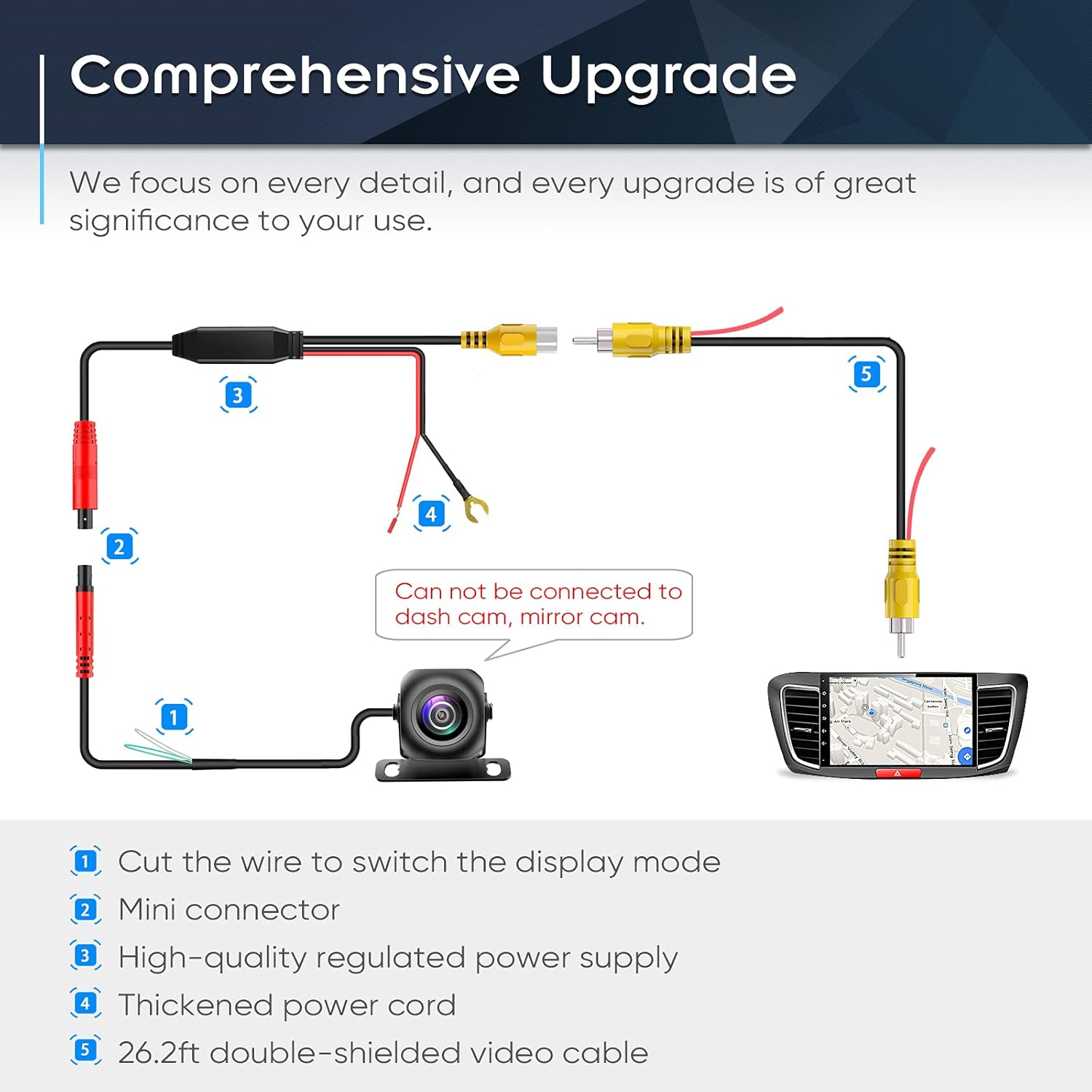
Image: A comprehensive wiring diagram showing connections for the camera, power supply, and video output to the display. Note: This camera cannot be connected to a dash cam or mirror cam directly.
Operating Instructions
Once properly installed, the PixelMan PMD2A Backup Camera operates automatically.
- Engage your vehicle's reverse gear.
- The camera will automatically power on and transmit the rear view to your connected display screen.
- Utilize the displayed image and parking guidelines to safely maneuver your vehicle in reverse.
- When you shift out of reverse, the camera will power off.
The camera's 170-degree fisheye lens provides a broad perspective, and its advanced sensor ensures clear visibility even in low-light conditions, aiding in night parking.
Maintenance
The PixelMan PMD2A Backup Camera is designed for durability and minimal maintenance.
- Cleaning: Periodically clean the camera lens with a soft, damp cloth to ensure a clear view. Avoid abrasive cleaners or materials that could scratch the lens.
- Waterproof Design: The camera features an IP69 lifetime waterproof rating due to its metal housing and Nano waterproof glue sealing. This protects internal components from water and dust, requiring no special waterproofing maintenance.
- Cable Inspection: Occasionally inspect the video and power cables for any signs of wear or damage. Ensure all connections remain secure.

Image: Illustration showing the camera submerged in water, highlighting its metal housing and waterproof Nano glue sealing for IP69 protection.
Troubleshooting
| Problem | Possible Cause | Solution |
|---|---|---|
| No image on screen |
|
|
| Image is blurry or unclear |
|
|
| Streaks, flickering, or static in image |
|
|
| Camera view angle changes |
|
|
Specifications
| Feature | Detail |
|---|---|
| Model Number | PMD2A |
| Sensor Chip Size | 1/2.7 inch |
| Lens Type | Wide Angle Fisheye, F1.4 aperture |
| Real Angle of View | 170 Degrees |
| Optical Sensor Technology | CMOS |
| Waterproof Rating | IP69 |
| Housing Material | Solid Alloy Metal |
| Video Cable Length | 26.2 ft (double-shielded) |
| Connector Type | RCA |
| Voltage | 12 Volts |
| Installation Type | Surface Mount |
| Product Dimensions | 7.87"L x 3.94"W x 3.54"H |
| Item Weight | 9.9 ounces |
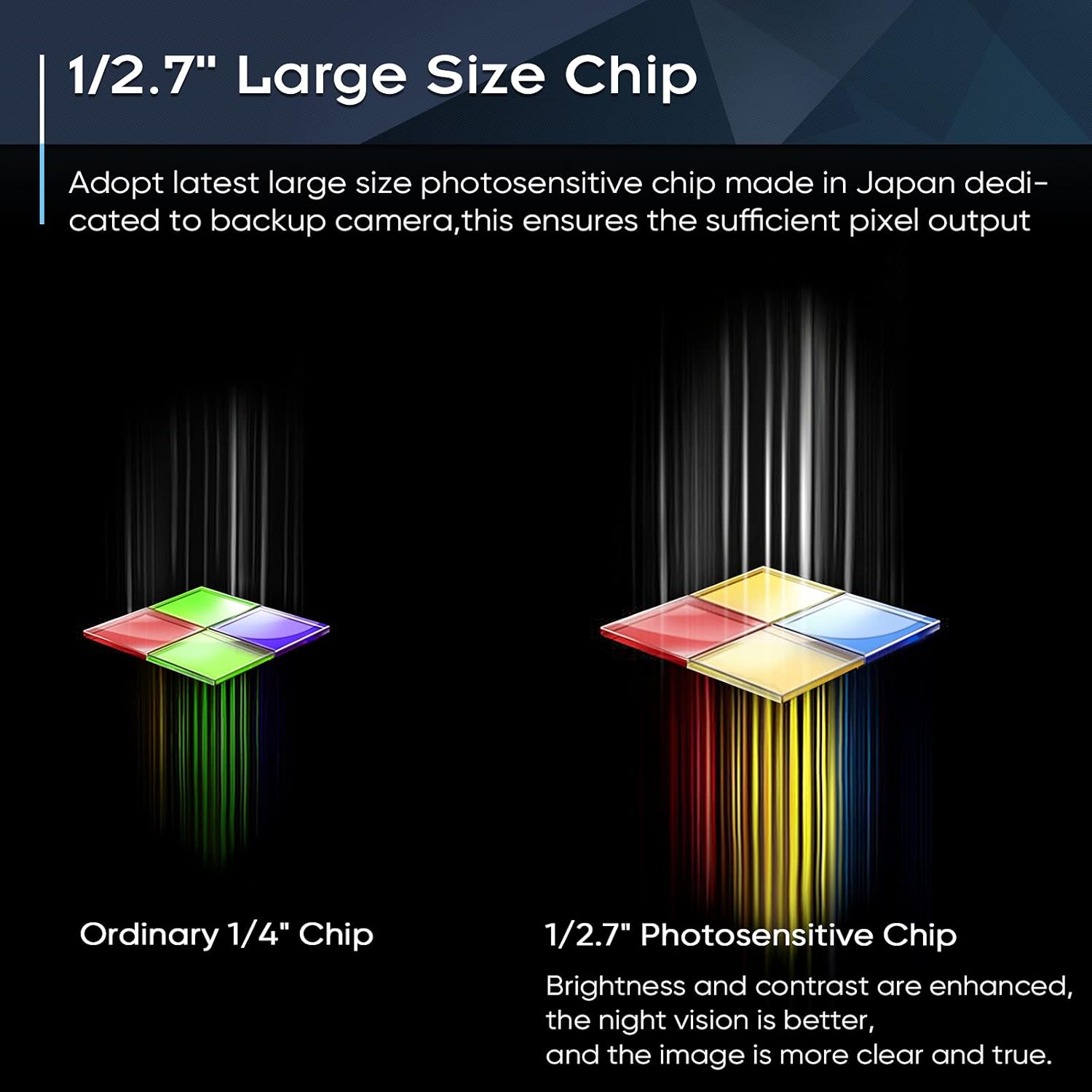
Image: Visual comparison highlighting the larger 1/2.7" photosensitive chip used in the PMD2A camera, which enhances brightness and contrast compared to an ordinary 1/4" chip.
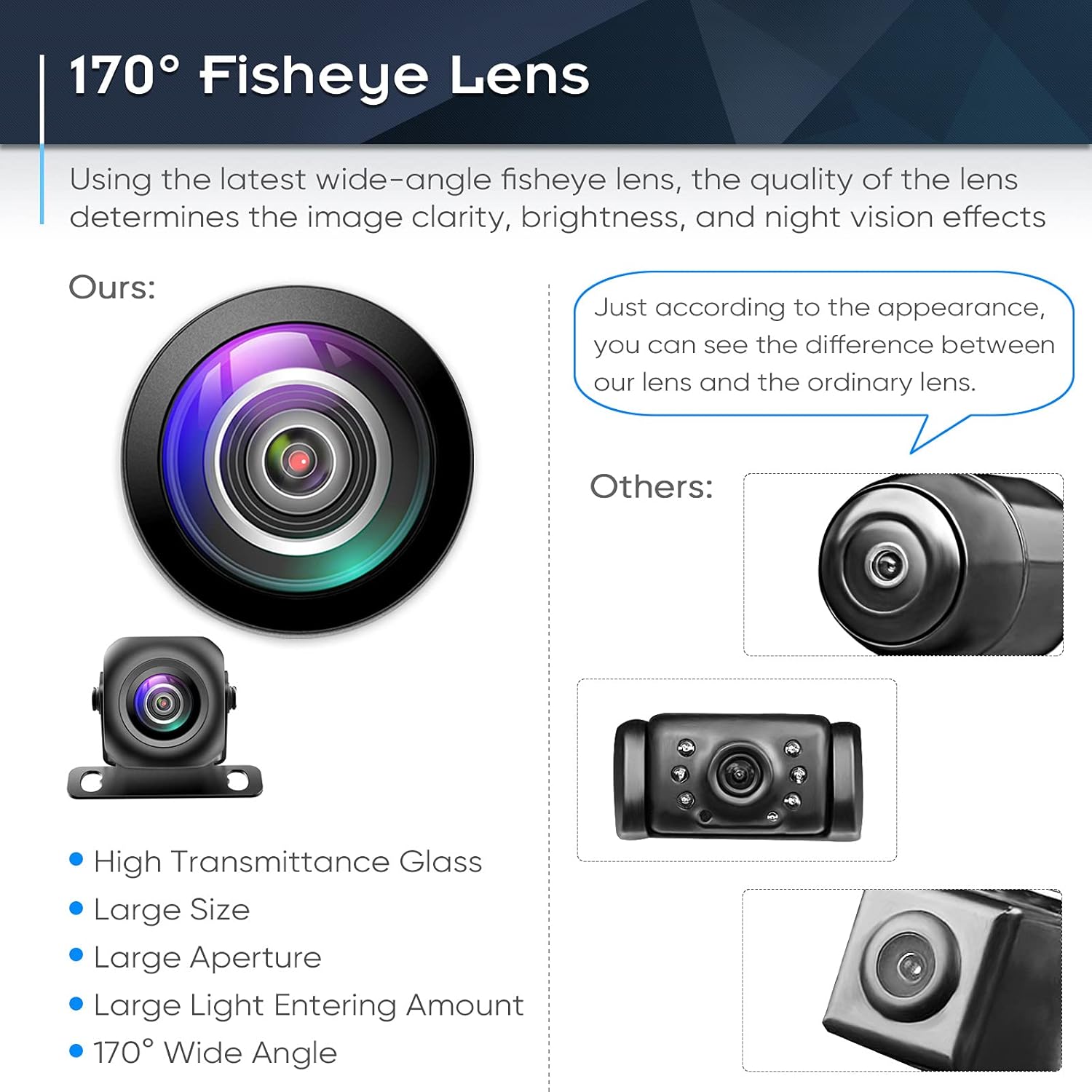
Image: A visual comparison demonstrating the superior design and larger aperture of the PixelMan 170-degree fisheye lens compared to other standard lenses, indicating better light intake and wider view.
Warranty and Support
For warranty information or technical assistance, please refer to the contact details provided with your purchase or visit the official PixelMan website. Keep your purchase receipt as proof of purchase.
Optional protection plans are available for extended coverage. Please check the product listing or contact your retailer for details on 2-Year or 3-Year Protection Plans.