
New bee M50
New bee M50 Bluetooth Earpiece V5.2 Wireless Headset User Manual
Model: M50
1. Introduction
This manual provides detailed instructions for the proper use and maintenance of your New bee M50 Bluetooth Earpiece. Please read this manual thoroughly before using the device to ensure optimal performance and longevity.

Image 1.1: New bee M50 Bluetooth Earpiece with its protective carry case.
2. Package Contents
Verify that all items listed below are included in your package:
- New bee M50 Bluetooth Earpiece
- USB Charging Cable
- Eartips (various sizes)
- Portable Carry Case
- User Manual (this document)
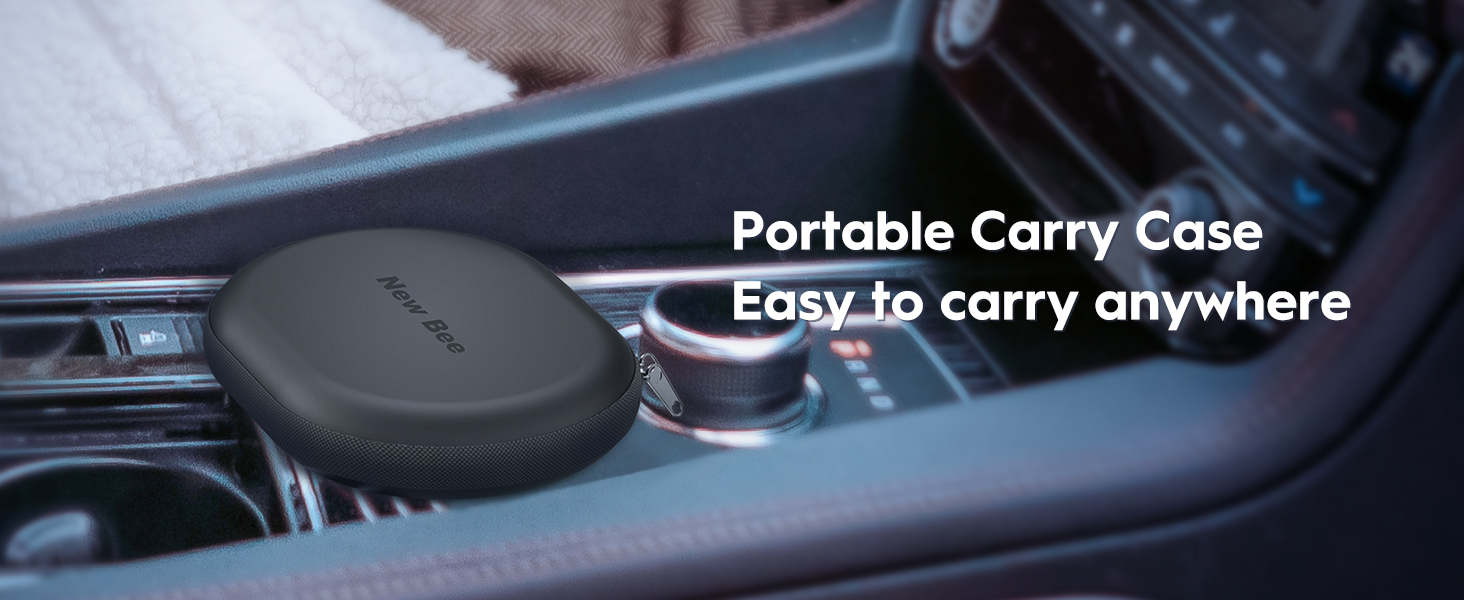
Image 2.1: The portable carry case for the New bee M50 Bluetooth Earpiece.
3. Product Overview
Familiarize yourself with the components and controls of your M50 Bluetooth Earpiece.
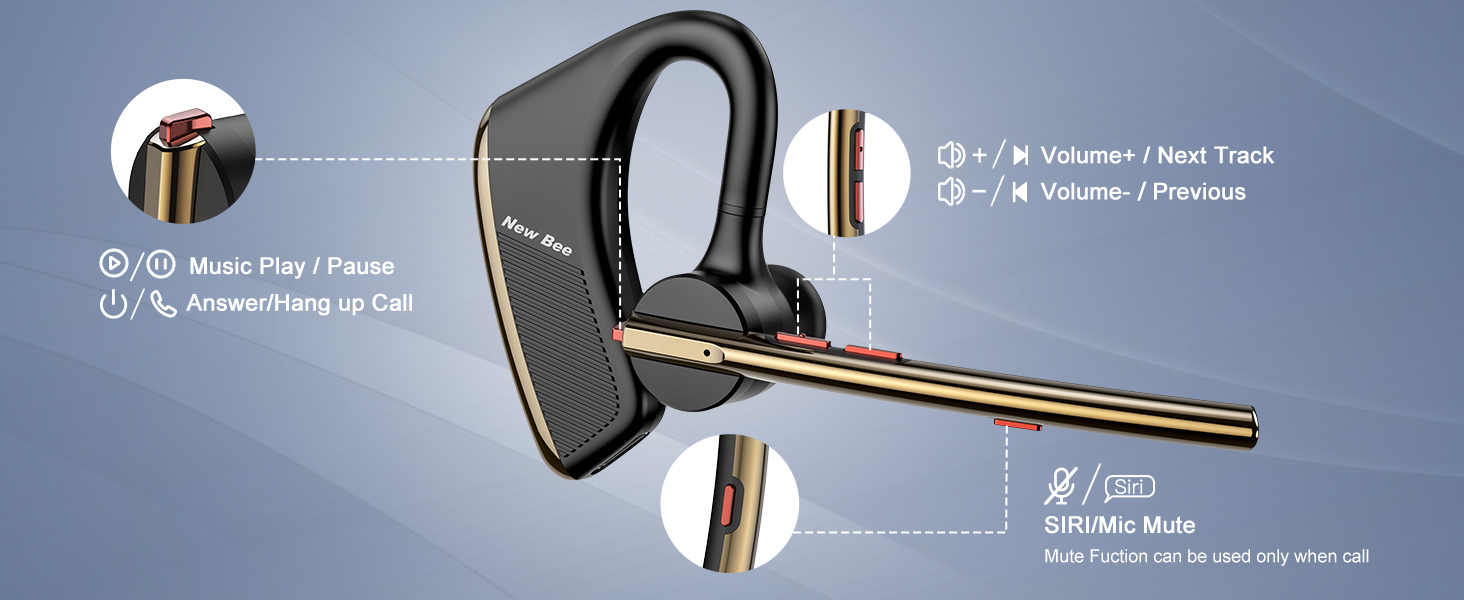
Image 3.1: Labeled diagram of the New bee M50 Bluetooth Earpiece controls.
- Power Button: Used for powering on/off, answering/hanging up calls, and playing/pausing music.
- Volume Up/Next Track Button: Increases volume with a short press, skips to the next track with a long press.
- Volume Down/Previous Track Button: Decreases volume with a short press, goes to the previous track with a long press.
- Siri/Mic Mute Button: Activates voice assistant (Siri) or mutes the microphone during a call.
4. Setup
4.1 Charging the Earpiece
Before first use, fully charge the earpiece. Connect the USB charging cable to the charging port on the earpiece and to a USB power source. The charging time is approximately 2-3 hours.
4.2 Wearing the Earpiece
The M50 earpiece is designed for comfortable wear on either the left or right ear. The ear hook and microphone arm are rotatable to adjust for optimal fit and microphone positioning.
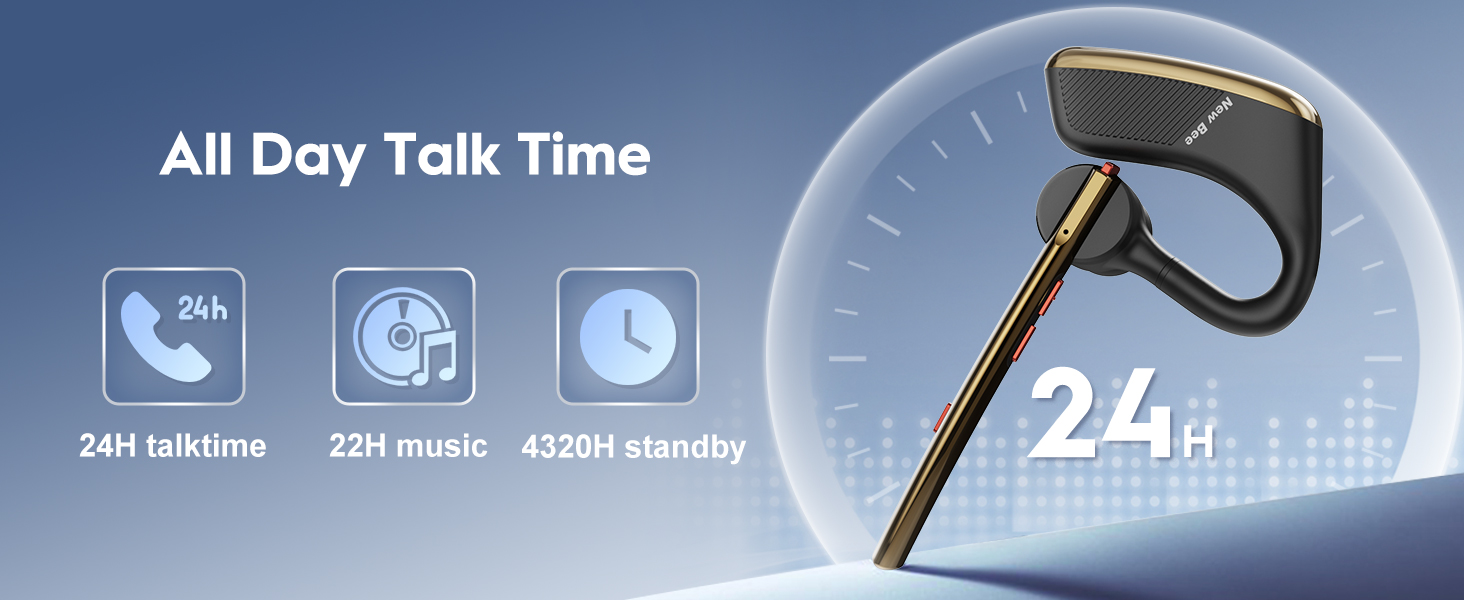
Image 4.1: Adjusting the earpiece for left or right ear wearing.
- Select the appropriate eartip size for a secure and comfortable fit.
- Rotate the ear hook and microphone arm to position the earpiece on your desired ear.
- Ensure the microphone is pointed towards your mouth for clear voice capture.
4.3 Pairing with a Device
The M50 uses Bluetooth 5.2 technology for stable connections.
- Power On: Press and hold the Power Button until the indicator light flashes blue and red, indicating pairing mode.
- Activate Bluetooth: On your smartphone, tablet, or other Bluetooth-enabled device, enable Bluetooth.
- Select Device: In the Bluetooth settings, search for available devices and select "New bee M50".
- Connect: Once connected, the indicator light will flash blue slowly.
The earpiece can be paired with two Bluetooth devices simultaneously.

Image 4.2: The M50 earpiece offers wide compatibility with Bluetooth 5.2.
5. Operating Instructions
5.1 Power On/Off
- Power On: Press and hold the Power Button for approximately 3 seconds.
- Power Off: Press and hold the Power Button for approximately 5 seconds.
5.2 Call Functions
- Answer Call: Short press the Power Button.
- Hang Up Call: Short press the Power Button during a call.
- Reject Call: Long press the Power Button for 2 seconds when an incoming call rings.
- Mute Microphone: Short press the Siri/Mic Mute Button during a call. (Note: Mute function is only supported on mobile phones.)
5.3 Music Playback
- Play/Pause: Short press the Power Button.
- Next Track: Long press the Volume Up button.
- Previous Track: Long press the Volume Down button.
5.4 Volume Control
- Increase Volume: Short press the Volume Up button.
- Decrease Volume: Short press the Volume Down button.
5.5 Voice Assistant Activation
- Activate Siri/Voice Assistant: Long press the Siri/Mic Mute Button.
5.6 Noise Cancellation
The M50 earpiece features Dual Mic active Digital Signal Processing (DSP) and CVC 8.0 noise cancelling technology. This technology works to reduce ambient noise, ensuring clearer communication even in noisy environments.

Image 5.1: Explanation of Dual Mic Noise Reduction technology.
6. Maintenance
To ensure the longevity and optimal performance of your New bee M50 Bluetooth Earpiece, follow these maintenance guidelines:
- Cleaning: Use a soft, dry cloth to clean the earpiece. Avoid using harsh chemicals or abrasive materials.
- Storage: When not in use, store the earpiece in its portable carry case to protect it from dust, moisture, and physical damage.
- Temperature: Avoid exposing the earpiece to extreme temperatures (hot or cold) or direct sunlight for extended periods.
- Water Exposure: The earpiece is not water-resistant. Avoid contact with water or other liquids.
- Charging: Use only the provided USB charging cable. Do not overcharge the battery.
7. Troubleshooting
If you encounter issues with your New bee M50 Earpiece, refer to the following common problems and solutions:
| Problem | Possible Cause | Solution |
|---|---|---|
| Earpiece does not power on. | Low battery. | Charge the earpiece for 2-3 hours. |
| Cannot pair with device. | Bluetooth is off on the device; earpiece not in pairing mode; too far from device. | Ensure Bluetooth is enabled. Put earpiece in pairing mode (flashing blue/red). Keep devices within 10 meters (33 feet). |
| No sound or low volume. | Volume too low on earpiece or connected device; earpiece not connected. | Adjust volume on both earpiece and device. Re-pair the earpiece if disconnected. |
| Call quality is poor. | Weak signal; microphone not positioned correctly; environmental noise. | Move closer to the connected device. Adjust microphone position. Utilize noise cancellation features. |
| Mute function not working. | Mute function is only supported on mobile phones. | Ensure you are using a mobile phone for the call. |
8. Specifications
| Feature | Detail |
|---|---|
| Model Name | M50 |
| Connectivity Technology | Wireless (Bluetooth 5.2) |
| Bluetooth Range | Up to 49 feet (15 meters) |
| Charging Time | 2-3 Hours |
| Talk Time | Up to 24 Hours |
| Music Playback Time | Up to 20-22 Hours |
| Standby Time | Up to 1440 Hours (60 days) |
| Noise Control | Active Noise Cancellation (CVC 8.0, Dual Mic DSP) |
| Item Weight | 16 Grams (0.564 ounces) |
| Earpiece Shape | In-ear and around-ear |
| Compatible Devices | Smartphones, Tablets (iOS and Android) |
| Water Resistance Level | Not Water Resistant |
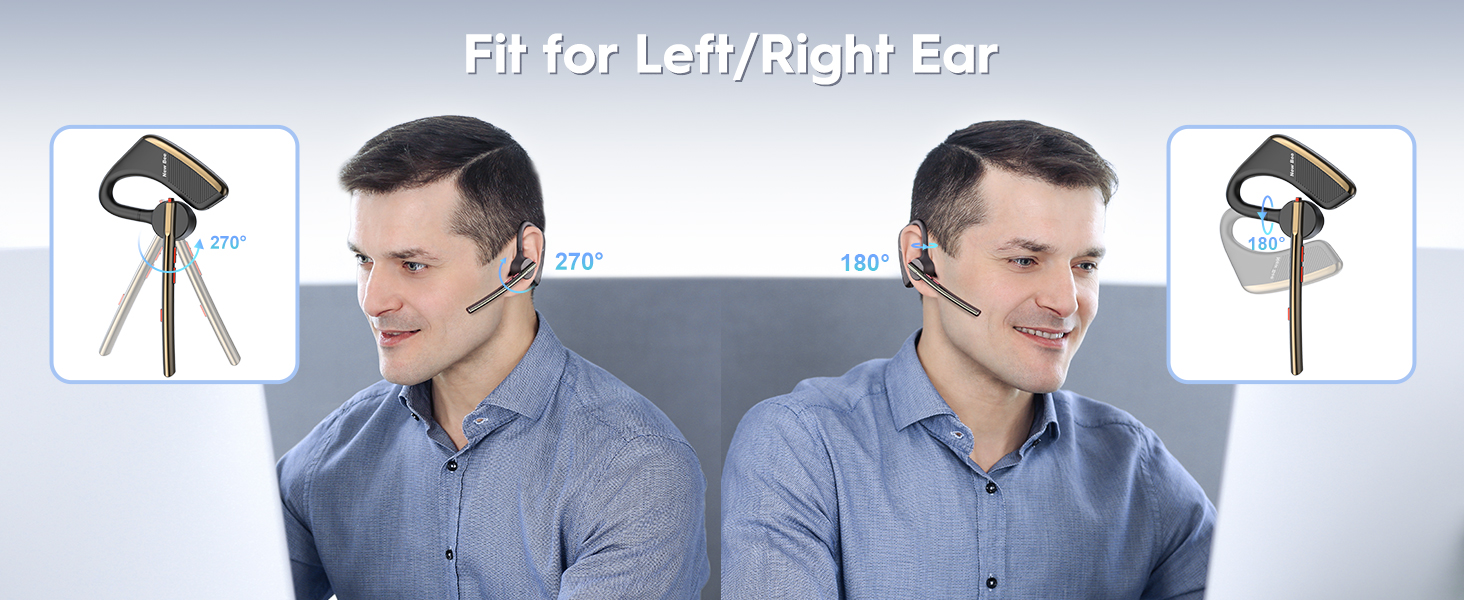
Image 8.1: Battery performance details of the New bee M50.
9. Warranty and Support
New bee products are designed for reliability and performance. For any issues or inquiries, please contact our customer service team.
- Customer Service: 24-hour customer service and a professional technical team are available to assist you. Refer to your purchase documentation or the New bee official website for contact details.
- Warranty: Specific warranty terms may vary by region and retailer. Please retain your proof of purchase for any warranty claims.
Related documentsM50


Ask a question about this manual
Ask about setup, troubleshooting, compatibility, parts, safety, or missing instructions. Manuals+ will review the question and use this page’s manual context to help answer it.