
1. Introduction
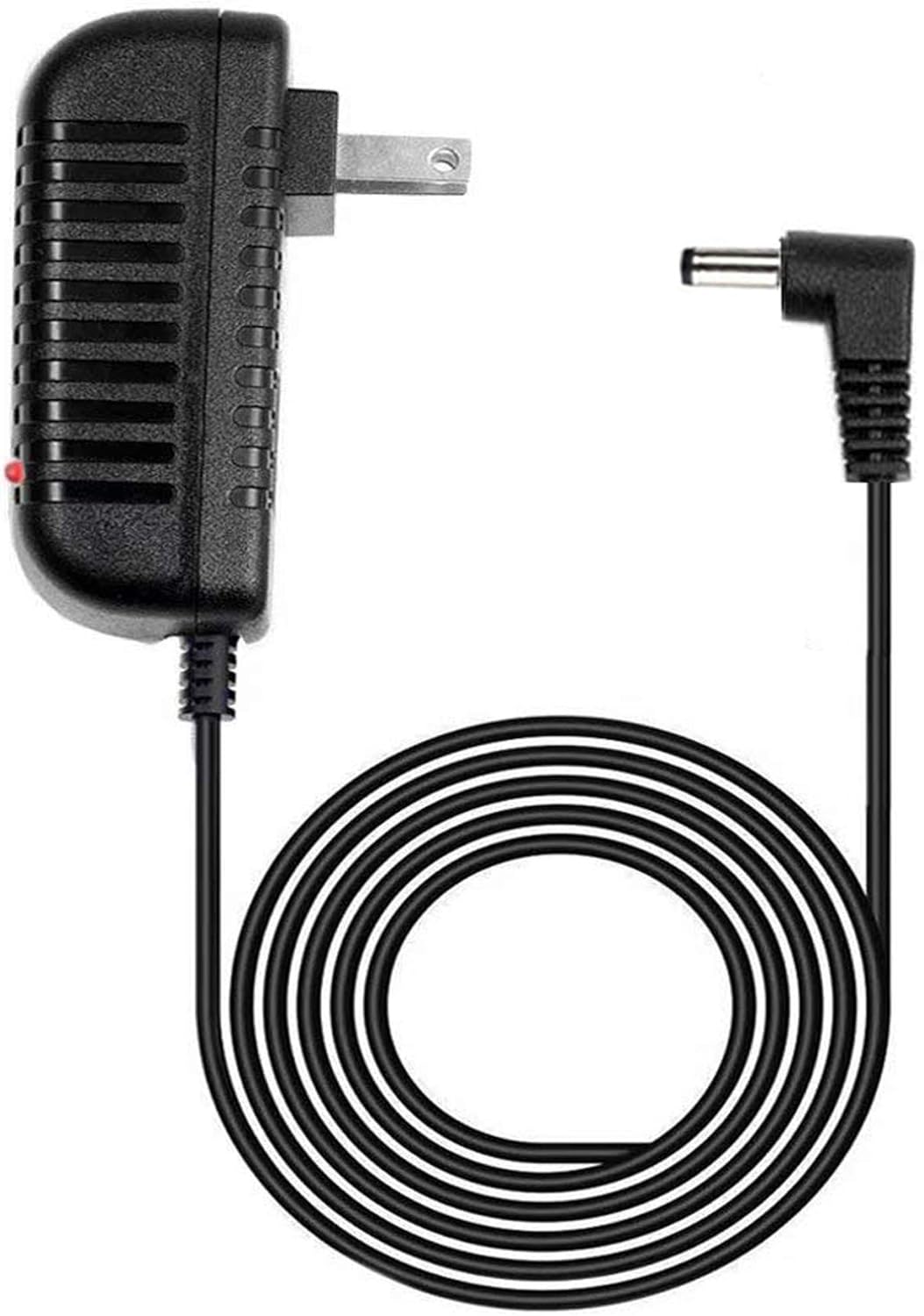
This manual provides comprehensive instructions for the GUY-TECH AC Adapter, a compatible replacement power supply designed for the Casio LK-190 Keyboard Piano. This adapter ensures reliable power delivery, featuring a 5-foot cable and an LED indicator for operational status. Please read this manual thoroughly before using the product to ensure proper function and safety.
2. Important Safety Information
- Ensure the adapter is used with compatible devices only, such as the Casio LK-190 Keyboard Piano.
- Do not expose the adapter to water, moisture, or extreme temperatures.
- Avoid dropping or subjecting the adapter to severe impact.
- Do not attempt to open, modify, or repair the adapter. Refer servicing to qualified personnel.
- Unplug the adapter from the wall outlet when not in use for extended periods.
- Keep out of reach of children.
3. Package Contents
Your package should contain the following item:
- 1 x GUY-TECH AC Adapter for Casio LK-190 Keyboard Piano
4. Setup Instructions
Follow these steps to correctly set up your AC adapter:
- Locate the DC power input jack on your Casio LK-190 Keyboard Piano. This is typically found on the rear panel of the instrument.
- Carefully insert the barrel connector end of the GUY-TECH AC Adapter cable into the DC power input jack of your keyboard. Ensure it is fully seated.
- Plug the AC adapter's two-prong plug into a standard 100V-240V AC wall outlet.
- Once connected to power, the LED indicator on the adapter unit should illuminate, signifying that the adapter is receiving power and is operational.
- Turn on your Casio LK-190 Keyboard Piano using its power switch.

5. Operation
The GUY-TECH AC Adapter functions as a dedicated power supply. Once properly connected to a power source and your Casio LK-190 Keyboard Piano, it will continuously provide the necessary DC power for the keyboard's operation. The illuminated LED indicator on the adapter confirms that power is being supplied. No further user interaction is required for the adapter's operation beyond ensuring secure connections.
6. Care and Maintenance
- Cleaning: Disconnect the adapter from both the wall outlet and the keyboard before cleaning. Use a soft, dry cloth to wipe the adapter. Do not use liquid cleaners or abrasive materials.
- Storage: When not in use, store the adapter in a cool, dry place, away from direct sunlight and excessive heat. Avoid tightly coiling or bending the cable, which can cause internal damage.
- Cable Care: Regularly inspect the cable for any signs of wear, cuts, or fraying. If damage is observed, discontinue use immediately and replace the adapter.
- Handling: Always grasp the plug when inserting or removing the adapter from an outlet; do not pull on the cable.
7. Troubleshooting
If you encounter issues with your GUY-TECH AC Adapter, please refer to the following common problems and solutions:
- Keyboard does not power on:
- Ensure the adapter's barrel connector is fully inserted into the keyboard's power jack.
- Verify that the adapter is securely plugged into a functional wall outlet. Try a different outlet if necessary.
- Check if the keyboard's power switch is in the 'ON' position.
- LED indicator on adapter is not lit:
- Confirm the adapter is plugged into a live wall outlet.
- Inspect the adapter cable for any visible damage.
- Intermittent power to the keyboard:
- Check all connections for looseness. Re-seat the barrel connector and wall plug.
- Ensure the cable is not crimped or damaged.
- Adapter feels unusually hot:
- A slight warmth is normal during operation. However, if the adapter is excessively hot to the touch, unplug it immediately and discontinue use. Contact customer support.
If these steps do not resolve the issue, please contact GUY-TECH customer support for further assistance.
8. Product Specifications
| Feature | Specification |
|---|---|
| Brand | GUY-TECH |
| Input Voltage | 100V - 240V AC (Worldwide Compatible) |
| Compatible Devices | Casio LK-190 Keyboard Piano (and other compatible devices) |
| Cable Length | 5 Feet |
| Connector Type | Barrel Connector |
| Special Features | LED Indicator, Over Voltage Output Protection, Over Current Output Protection, Short Circuit Output Protection |
| Item Weight | 5 Ounces |
| Manufacturer | Guy-Tech |
9. Warranty and Customer Support
For information regarding the product warranty, please refer to the documentation included with your purchase or visit the official GUY-TECH website. If you have any questions, require technical assistance, or need to report an issue, please contact GUY-TECH customer support through their official channels. Provide your product model and purchase details when contacting support for faster service.