
NEIKO 10577A
NEIKO 10577A Cordless Power Screwdriver
Instruction Manual
Introduction
This manual provides essential information for the safe and efficient operation, maintenance, and troubleshooting of your NEIKO 10577A Cordless Power Screwdriver. Please read this manual thoroughly before using the product and retain it for future reference.
Safety Instructions
Always follow basic safety precautions to reduce the risk of fire, electric shock, and personal injury when using this power tool.
- Keep the work area clean and well-lit. Cluttered or dark areas invite accidents.
- Do not operate power tools in explosive atmospheres, such as in the presence of flammable liquids, gases, or dust. Power tools create sparks which may ignite the dust or fumes.
- Keep children and bystanders away while operating a power tool. Distractions can cause you to lose control.
- Avoid accidental starting. Ensure the switch is in the off-position before connecting to battery pack, picking up or carrying the tool.
- Do not overreach. Keep proper footing and balance at all times. This enables better control of the power tool in unexpected situations.
- Dress properly. Do not wear loose clothing or jewelry. Keep your hair and clothing away from moving parts. Loose clothes, jewelry or long hair can be caught in moving parts.
- Use personal protective equipment. Always wear eye protection. Protective equipment such as dust mask, non-skid safety shoes, hard hat, or hearing protection used for appropriate conditions will reduce personal injuries.
- Disconnect the battery pack from the power tool before making any adjustments, changing accessories, or storing power tools. Such preventive safety measures reduce the risk of starting the power tool accidentally.
- Store idle power tools out of the reach of children and do not allow persons unfamiliar with the power tool or these instructions to operate the power tool. Power tools are dangerous in the hands of untrained users.
- Maintain power tools. Check for misalignment or binding of moving parts, breakage of parts and any other condition that may affect the power tool’s operation. If damaged, have the power tool repaired before use. Many accidents are caused by poorly maintained power tools.
- Use the power tool, accessories and tool bits etc. in accordance with these instructions, taking into account the working conditions and the work to be performed. Use of the power tool for operations different from those intended could result in a hazardous situation.
- Recharge only with the charger specified by the manufacturer. A charger that is suitable for one type of battery pack may create a risk of fire when used with another battery pack.
- Use power tools only with specifically designated battery packs. Use of any other battery packs may create a risk of injury and fire.
- When battery pack is not in use, keep it away from other metal objects, like paper clips, coins, keys, nails, screws or other small metal objects, that can make a connection from one terminal to another. Shorting the battery terminals together may cause burns or a fire.
- Under abusive conditions, liquid may be ejected from the battery; avoid contact. If contact accidentally occurs, flush with water. If liquid contacts eyes, additionally seek medical help. Liquid ejected from the battery may cause irritation or burns.
Product Overview
The NEIKO 10577A Cordless Power Screwdriver is designed for various fastening tasks, offering both automatic and manual operation. It features a 1/4-inch hex auto-lock safety chuck, an integrated LED work light, and is powered by a USB rechargeable lithium-ion battery.

Figure 1: NEIKO 10577A Cordless Power Screwdriver with included bit and USB charging cable.
Included Components
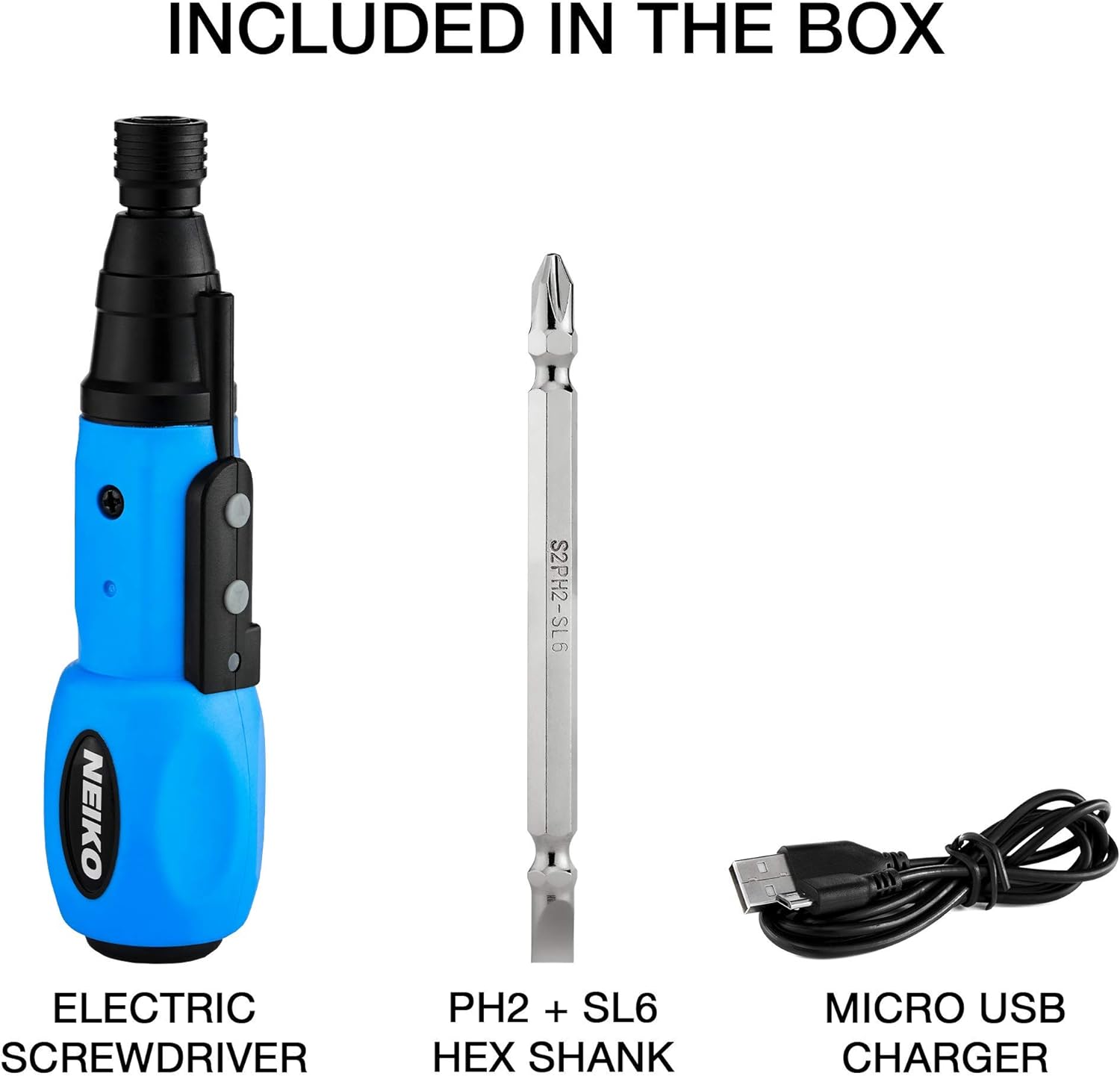
Figure 2: The package includes the electric screwdriver, a reversible PH2 Phillips and SL6 Flathead hex shank bit, and a Micro USB charging cable.
Parts Identification

Figure 3: Key parts of the screwdriver include the 1/4-inch Hex Chuck, LED Bulb, Clockwise Turn Button, Counter Clockwise Turn Button, and Micro USB Charging Port.
Product Video
Video 1: An overview of the NEIKO 10577A 1/4" Rechargeable Cordless Power Screwdriver, demonstrating its features and use.
Setup
Charging the Battery
The screwdriver is equipped with a 3.6V lithium-ion battery. Before first use, fully charge the battery.
- Locate the Micro USB Charging Port on the side of the screwdriver (refer to Figure 3).
- Connect the included USB charging cable to the port and plug the other end into a compatible USB power source (e.g., computer, wall adapter).
- The LED indicator will show charging status (specific indicator behavior may vary; refer to product packaging for details).
- Once fully charged, disconnect the cable.
Installing/Changing Bits
The screwdriver uses a 1/4-inch hex auto-lock safety chuck.
- Ensure the screwdriver is powered off.
- Insert the desired 1/4-inch hex bit into the chuck. The auto-lock mechanism will secure the bit in place.
- To remove a bit, pull the chuck collar forward and pull the bit out.
Operating Instructions
Powering On/Off and Mode Selection
The screwdriver operates in both automatic and manual modes. The two buttons located near the thumb position control the direction of rotation.
Forward/Reverse Operation
- To drive screws (clockwise rotation), press the upper button (Clockwise Turn Button, refer to Figure 3).
- To remove screws (counter-clockwise rotation), press the lower button (Counter Clockwise Turn Button, refer to Figure 3).
- Release the button to stop the rotation. The auto-lock safety chuck will engage to prevent unintended rotation.
Using the LED Work Light
The screwdriver features an integrated LED work light to illuminate the work area.

Figure 4: The built-in LED work light provides illumination for precision tasks.
The LED light activates automatically when either the forward or reverse button is pressed, providing a clear line of sight to the fastener. It turns off shortly after the button is released.

Figure 5: The LED light assists in working in dimly lit environments, ensuring accuracy.

Figure 6: The compact design allows access to fasteners in confined spaces.
Maintenance
Cleaning
Regular cleaning helps maintain the tool's performance and extends its lifespan.
- Wipe the tool with a clean, damp cloth. Do not use harsh chemicals or abrasive cleaners.
- Ensure no dust or debris accumulates in the chuck or ventilation openings.
Storage
Store the screwdriver in a dry, secure location away from direct sunlight and extreme temperatures.
Battery Care
To maximize battery life:
- Avoid fully discharging the battery frequently.
- Charge the battery regularly, even if the tool is not in frequent use.
- Do not store the tool with a completely depleted battery.
Troubleshooting
Refer to the table below for common issues and their potential solutions.
| Problem | Possible Cause | Solution |
|---|---|---|
| Screwdriver does not turn on. | Battery is depleted. | Charge the battery fully using the USB cable. |
| Bit is loose in the chuck. | Bit not fully inserted or incorrect size. | Ensure the 1/4-inch hex bit is fully inserted until the auto-lock engages. Use correct bit size. |
| Reduced power or speed. | Low battery charge. | Recharge the battery. |
| LED light not working. | Tool not activated. | Press either the forward or reverse button to activate the LED light. |
Technical Specifications
| Feature | Specification |
|---|---|
| Model Number | 10577A |
| Battery Type | 3.6V Lithium-Ion |
| Charging Method | USB (Cable Included) |
| Chuck Size | 1/4 inch Hex |
| Chuck Type | Auto-Lock Safety Chuck |
| Included Bits | Reversible S2 Steel Phillips (PH2) and Flathead (SL6) |
| Special Features | Integrated LED Work Light, Auto and Manual Mode |
| Material | ABS Plastic |
| Dimensions (L x W x H) | 7.56 x 4.69 x 1.93 inches |
| Weight | 9.1 ounces (0.26 Kilograms) |
Warranty and Customer Support
For warranty information or customer support, please refer to the product packaging or contact NEIKO directly through their official website or customer service channels. Keep your purchase receipt as proof of purchase.
Manufacturer: NEIKO
Brand: NEIKO
Model Name: 10577A
UPC: 816914023512
Ask a question about this manual
Ask about setup, troubleshooting, compatibility, parts, safety, or missing instructions. Manuals+ will review the question and use this page’s manual context to help answer it.