1. Introduction
Thank you for choosing the Q-Link Plug-in LED Dimmer. This device allows you to easily adjust the light intensity of compatible LED, incandescent, and halogen lamps. It is designed for indoor use and offers a convenient way to control your lighting ambiance and save energy. Please read this manual carefully before installation and operation to ensure safe and optimal performance.
2. Safety Information
- This dimmer is designed for indoor use only. Do not expose it to moisture or extreme temperatures.
- Ensure the total wattage of the connected lamps does not exceed the dimmer's maximum capacity (24W for LED, 200W for incandescent/halogen) and is above the minimum capacity (3W for LED, 30W for incandescent/halogen).
- Only connect dimmable light sources. Non-dimmable lamps may not function correctly or could be damaged.
- Do not cover the dimmer during operation to ensure proper ventilation.
- Always unplug the dimmer from the wall socket before cleaning or if it will not be used for an extended period.
- Do not attempt to disassemble or repair the dimmer yourself. Contact qualified personnel for service.
- Not suitable for socket type E (Belgium).
3. Package Contents
- 1x Q-Link Plug-in LED Dimmer Unit
- 1x Instruction Manual (this document)
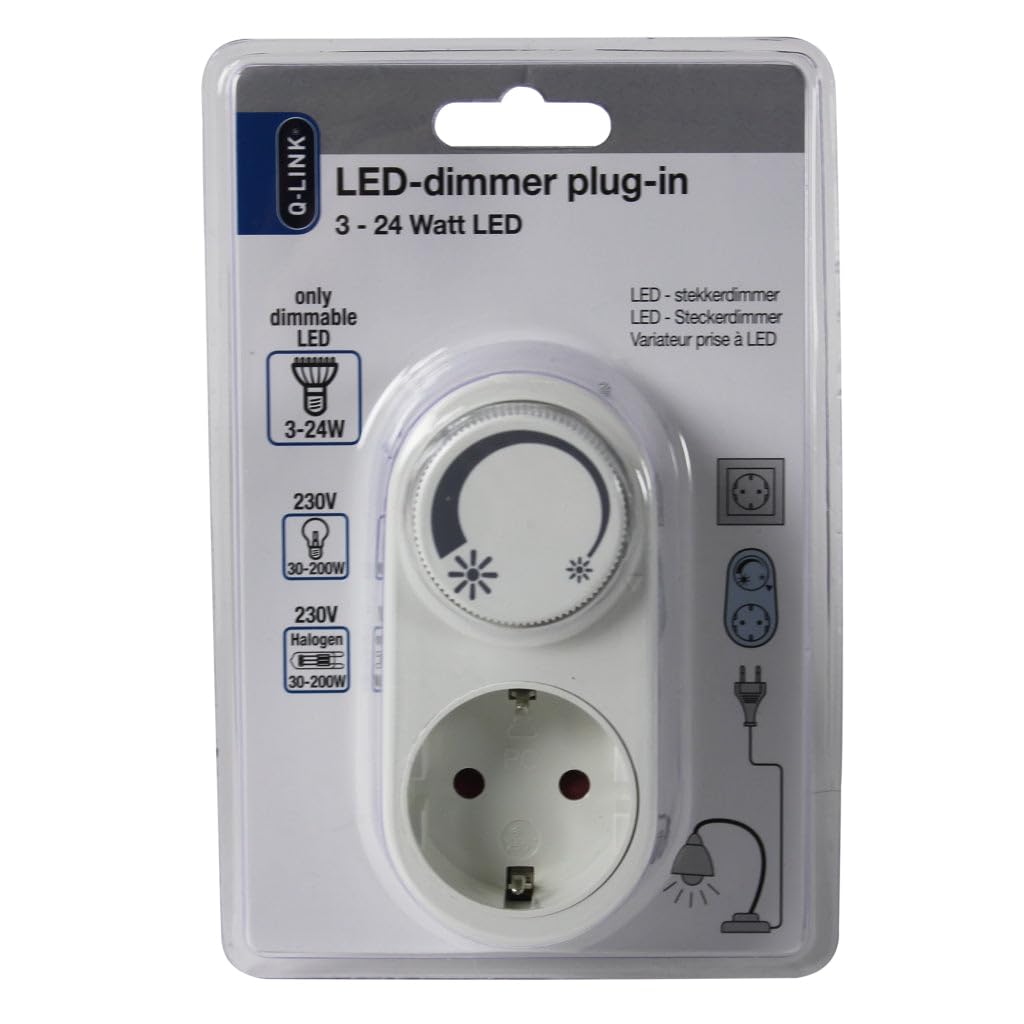
Figure 1: Front view of the Q-Link Plug-in LED Dimmer in its retail packaging.
4. Setup
- Identify a suitable wall socket: Ensure the wall socket is easily accessible and located indoors.
- Plug in the dimmer: Insert the Q-Link Plug-in LED Dimmer directly into the wall socket.
- Connect your lamp: Plug the power cord of your dimmable lamp into the socket provided on the dimmer unit.
- Verify lamp compatibility: Confirm that your lamp uses a dimmable LED, incandescent, or halogen bulb. Non-dimmable light sources will not function correctly with this dimmer.
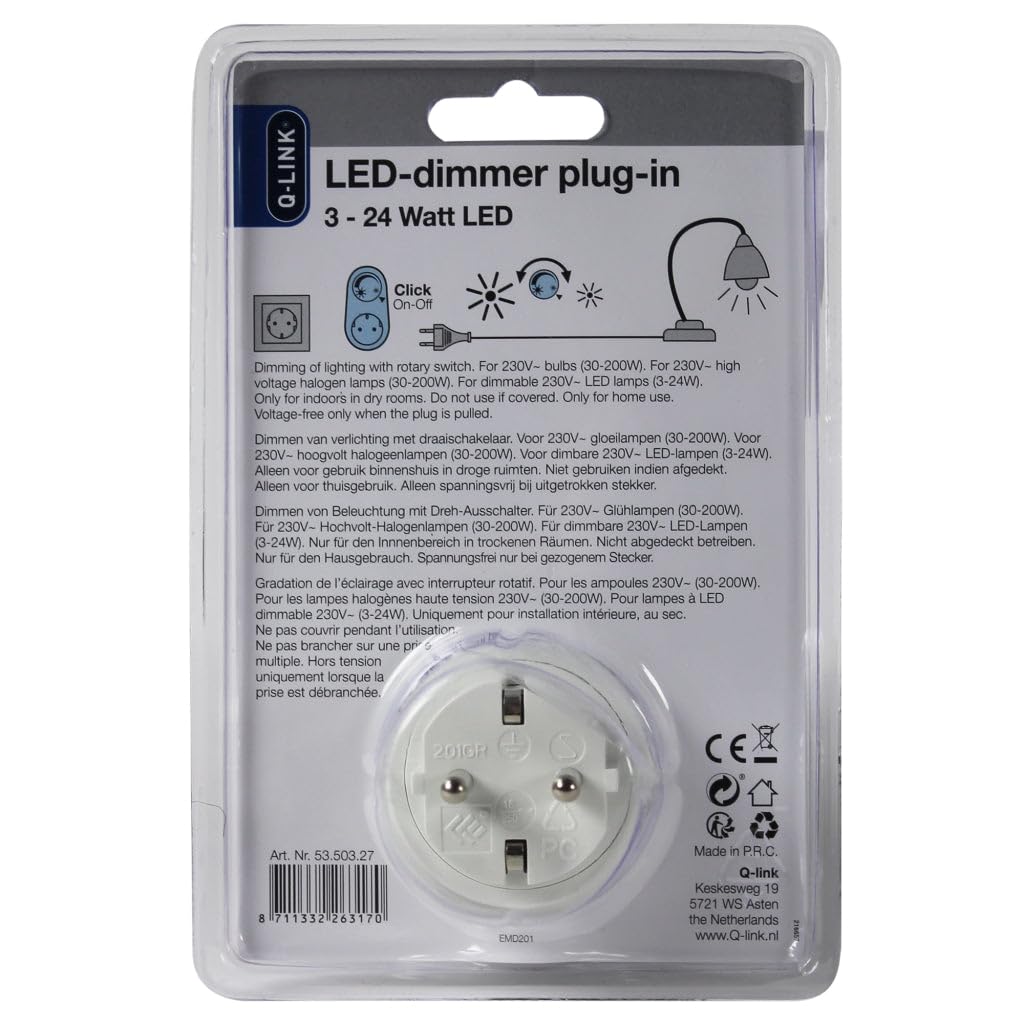
Figure 2: Back view of the packaging illustrating the plug-in installation process.
5. Operating Instructions
The Q-Link Plug-in LED Dimmer features a simple rotary knob for control.
- Turning On/Off: Rotate the knob clockwise until you hear a "click" to turn the lamp on. Continue rotating counter-clockwise until you hear a "click" to turn the lamp off.
- Dimming: Once the lamp is on, rotate the knob clockwise to increase the light intensity and counter-clockwise to decrease it.
The dimmer provides smooth, silent dimming for a comfortable lighting experience.
6. Maintenance
- Cleaning: Disconnect the dimmer from the power outlet before cleaning. Use a soft, dry cloth to wipe the surface. Do not use liquid cleaners or abrasive materials.
- Storage: If not in use for an extended period, store the dimmer in a dry, cool place away from direct sunlight.
7. Troubleshooting
- Lamp does not dim or flickers:
- Ensure the connected lamp and bulb are explicitly labeled as "dimmable." Many LED and some incandescent/halogen bulbs are not dimmable.
- Check if the lamp's wattage falls within the dimmer's specified range (3-24W for LED, 30-200W for incandescent/halogen).
- Try a different dimmable lamp to rule out an issue with the original lamp.
- Dimmer does not turn on/off:
- Verify that the dimmer is securely plugged into a functioning wall socket.
- Ensure the lamp is properly plugged into the dimmer.
- Check if the rotary knob is turned fully to the "on" position (past the click).
- Humming noise from lamp or dimmer:
- A slight hum can sometimes occur with certain dimmable LED lamps, especially at lower dimming levels. This is often due to compatibility between the lamp and dimmer. If the hum is excessive, try a different brand or type of dimmable LED lamp.
8. Specifications
| Model | Q-Link Plug-in LED Dimmer |
| Input Voltage | 230V |
| Power Range (LED) | 3 - 24 Watts |
| Power Range (Incandescent/Halogen) | 30 - 200 Watts |
| Operating Mode | Manual (Rotary Knob) |
| Compatibility | Dimmable LED, Incandescent, Halogen lamps (90% compatibility with dimmable LED brands) |
| Dimensions (L x W x H) | 9 x 5 x 10 cm |
| Weight | 102 g |
| Material | Plastic |
| Usage Environment | Indoor use only |
| Connector Type | Plug-in |
| Circuit Type | 1-way |
9. Warranty and Support
For warranty information or technical support, please refer to the retailer where you purchased the Q-Link Plug-in LED Dimmer or visit the official Q-Link website. Keep your proof of purchase for any warranty claims.


