
1. Introduction
Thank you for choosing the TEKONE 7D Gaming Mouse M-015. This manual provides detailed instructions for setting up, operating, and maintaining your new gaming mouse. Please read this manual carefully before use to ensure optimal performance and longevity of your device.
2. Package Contents
- TEKONE 7D Gaming Mouse M-015
- User Manual
3. Product Features
The TEKONE 7D Gaming Mouse M-015 is designed for precision and comfort, offering a range of features to enhance your gaming and computing experience:
- 7 Buttons: Includes standard left/right click, scroll wheel, DPI adjustment, and two side buttons with multimedia functions.
- Adjustable DPI Settings: Cycle through 800, 1600, 2400, and 3200 DPI for precise control.
- 3D Concave Scroll Wheel: Features an anti-slip design for improved grip and scrolling accuracy.
- Anti-Oxidation Metal USB Interface: Ensures a durable and reliable connection.
- Optical Sensor: Provides accurate tracking on various surfaces.
- Ambidextrous Design: Suitable for both left and right-handed users.
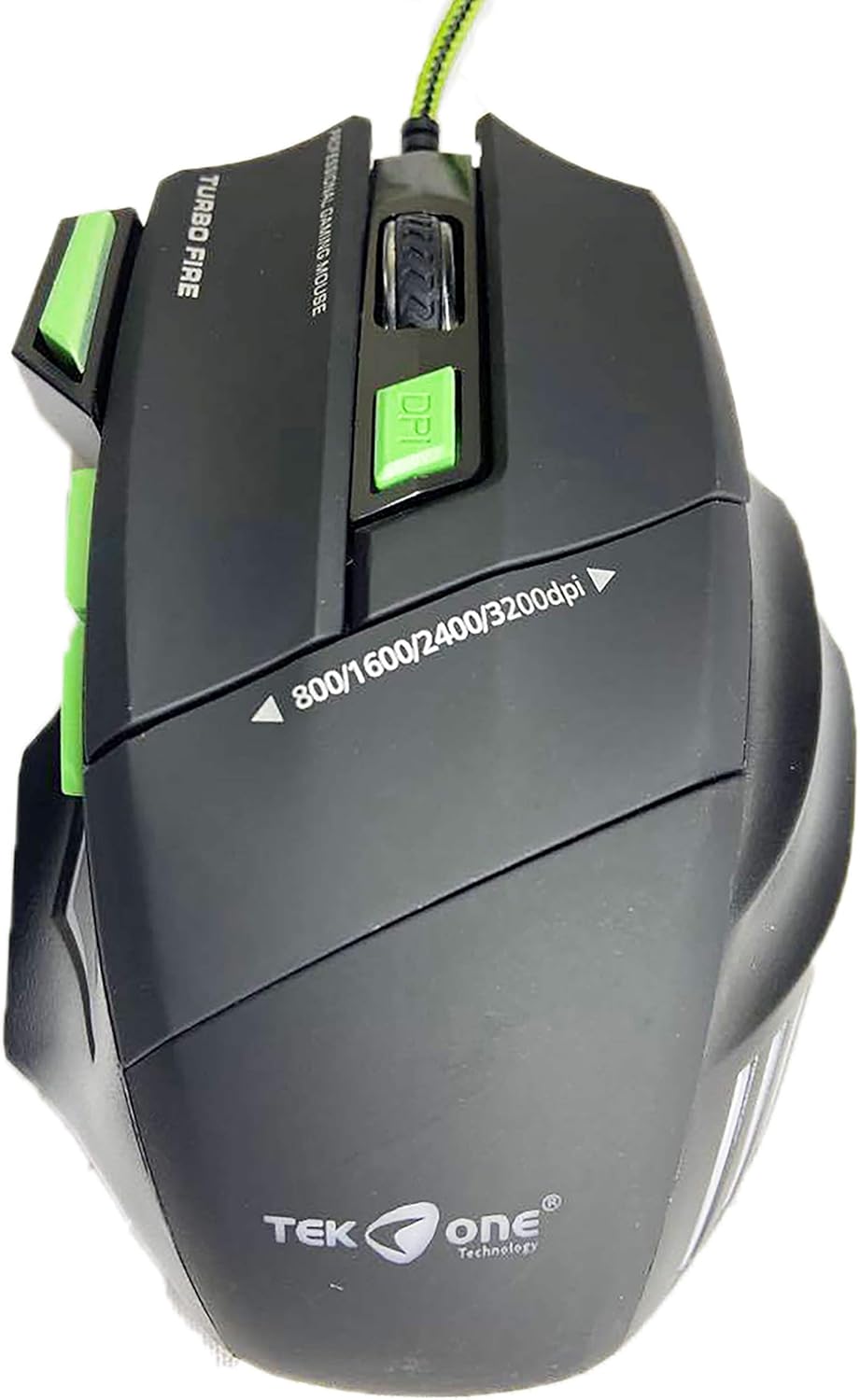
Figure 3.1: Top view of the TEKONE 7D Gaming Mouse, highlighting the scroll wheel, DPI button, and side buttons.
4. Setup
- Connect the Mouse: Locate an available USB port on your computer. Plug the USB connector of the TEKONE 7D Gaming Mouse into the USB port.
- Driver Installation: The mouse is plug-and-play. Your operating system (Windows 2000/XP/Vista/WIN7/8/MAX) will automatically detect and install the necessary drivers. No additional software installation is typically required.
- Verify Connection: Once connected, the mouse should be ready for use. Move the mouse to check if the cursor responds on your screen.
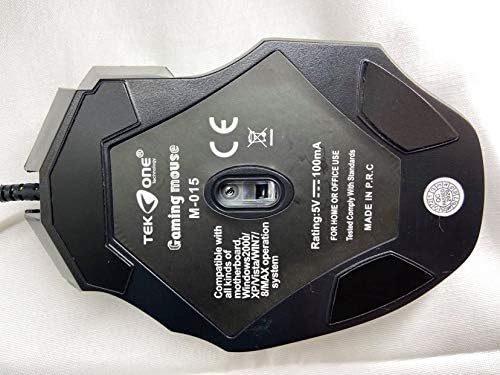
Figure 4.1: Bottom view of the mouse, displaying the model number (M-015), electrical rating, and compatible operating systems.
5. Operating Instructions
The TEKONE 7D Gaming Mouse M-015 offers intuitive controls for various tasks:
- Left Click (Button 1): Standard selection and activation.
- Right Click (Button 2): Accesses context menus and secondary functions.
- Scroll Wheel (Button 3): Scrolls documents and web pages. Can also be pressed for middle-click functionality.
- DPI Adjustment Button (Button 4): Located behind the scroll wheel. Press this button to cycle through the available DPI settings: 800, 1600, 2400, and 3200 DPI. This allows you to adjust cursor sensitivity on the fly.
- Side Buttons (Buttons 5 & 6): These buttons are typically configured for 'Forward' and 'Back' navigation in web browsers and file explorers. They may also offer multimedia control functions depending on your operating system or specific application.
- Additional Button (Button 7): The specific function of the seventh button may vary or be programmable through system settings.

Figure 5.1: Top view illustrating the DPI indicator and button layout.
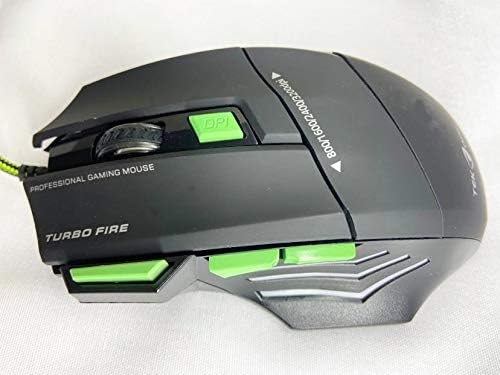
Figure 5.2: Left side view, showing the ergonomic design and accessible side buttons.
6. Maintenance
Proper maintenance ensures the longevity and optimal performance of your gaming mouse:
- Cleaning: Use a soft, dry cloth to wipe the surface of the mouse. For stubborn dirt, slightly dampen the cloth with water or a mild, non-abrasive cleaner. Avoid getting liquid inside the mouse.
- Optical Sensor: Periodically check the optical sensor on the bottom of the mouse for dust or debris. Use a soft brush or compressed air to gently clean it.
- Cable Care: Avoid sharply bending or twisting the USB cable. Store the mouse in a way that prevents stress on the cable connection.
- Storage: When not in use for extended periods, store the mouse in a clean, dry environment away from extreme temperatures.
7. Troubleshooting
If you encounter issues with your TEKONE 7D Gaming Mouse, refer to the following common solutions:
- Mouse Not Responding:
- Ensure the USB cable is securely plugged into a working USB port on your computer.
- Try plugging the mouse into a different USB port.
- Restart your computer.
- Erratic Cursor Movement:
- Clean the optical sensor on the bottom of the mouse for any dust or debris.
- Ensure you are using the mouse on a suitable surface (e.g., a mouse pad).
- Check for any software conflicts or outdated drivers in your operating system's device manager.
- DPI Button Not Changing Sensitivity:
- Press the DPI button firmly. The mouse should cycle through the preset DPI levels.
- Ensure the mouse is properly connected and recognized by your system.
8. Specifications
| Feature | Detail |
|---|---|
| Model | M-015 |
| Brand | TEKONE |
| Connectivity Technology | USB (Wired) |
| Sensor Technology | Optical |
| Number of Buttons | 7 |
| DPI Settings | 800 / 1600 / 2400 / 3200 dpi |
| Hand Orientation | Ambidextrous |
| Electrical Rating | 5V — 100mA |
| Compatibility | Windows 2000/XP/Vista/WIN7/8/MAX operating systems |
9. Warranty and Support
Specific warranty information for the TEKONE 7D Gaming Mouse M-015 is not provided in the product data. For details regarding warranty coverage, technical support, or service inquiries, please contact your retailer or the manufacturer directly.
Please retain your proof of purchase for any warranty claims.