
1. Introduction
Thank you for choosing the MOMIMO Bike Light. This manual provides essential information for the proper setup, operation, and maintenance of your new bicycle headlight. Please read this manual thoroughly before use to ensure optimal performance and safety.
2. Product Features
- Super Bright Illumination: Maximum output of 2000 lumens with four LED lights, providing a wide range up to 200 meters (656 feet) for enhanced night riding visibility.
- Versatile Lighting Modes: Features 13 adjustable lighting modes to suit various cycling conditions and environments.
- Intelligent LED Display: Digital display shows remaining battery percentage, allowing for precise power management.
- Durable and Waterproof Design: IP65 waterproof rating ensures functionality in various weather conditions. Constructed from aircraft-grade aluminum alloy for durability and scratch resistance.
- USB Rechargeable with Power Bank Function: Built-in 7200mAh rechargeable battery. Charges via any USB port with 2A output. Can also function as a power bank to charge smartphones in emergencies.
3. Package Contents
Please verify that all items are present in your package:
- MOMIMO Bike Headlight (Model bike light004)
- Bicycle Mounting Bracket
- USB Charging Cable
- User Manual
4. Setup and Installation
Follow these steps to properly install your MOMIMO Bike Light:
- Attach Mounting Bracket: Secure the bicycle mounting bracket to your handlebar. Ensure it is tightened firmly to prevent movement during rides.
- Insert Bike Light: Slide the MOMIMO Bike Light onto the mounting bracket until it clicks securely into place.
- Adjust Angle: Adjust the angle of the light to ensure optimal visibility on the road or trail without blinding oncoming traffic.

Image: The MOMIMO Bike Light securely mounted on a bicycle handlebar, demonstrating its ability to project both a short-range floodlight and a long-range spotlight for comprehensive illumination.
5. Operating Instructions
Familiarize yourself with the controls and lighting modes:
- Power On/Off: Press and hold the power button (usually marked with a power symbol) for approximately 2-3 seconds to turn the light on or off.
- Change Lighting Modes: While the light is on, short press the power button to cycle through the 13 available lighting modes. These modes include various brightness levels and flashing patterns.
- Intelligent LED Display: The digital display on the light indicates the current battery percentage. Monitor this display to know when recharging is necessary.
- Dual Distance Beam Activation: Double quick press any button to activate all lights, engaging the innovative dual distance beam for maximum visibility.

Image: A detailed view of the MOMIMO Bike Light, highlighting the control buttons and the clear digital display that shows the battery charge level.
6. Charging the Device
The MOMIMO Bike Light features a built-in rechargeable battery and can also serve as a power bank.
6.1. Charging the Bike Light
- Connect the provided USB charging cable to the light's USB input port.
- Plug the other end of the USB cable into a 2A USB wall adapter, computer USB port, or other compatible USB charging source.
- The LED display will show the charging progress. A full charge typically takes approximately 4.5 hours.

Image: The MOMIMO Bike Light being charged, illustrating the USB input port and the LED indicator that provides charging status.
6.2. Using as a Power Bank
- Connect your smartphone or other USB-powered device to the light's USB output port using your device's charging cable.
- The bike light will begin charging your device. This feature is useful for outdoor emergency situations.

Image: The MOMIMO Bike Light actively charging a smartphone, demonstrating its power bank functionality while mounted on a bicycle.
7. Maintenance
Proper care will extend the life and performance of your bike light:
- Cleaning: Wipe the light with a soft, damp cloth to remove dirt and debris. Avoid using abrasive cleaners or solvents.
- Water Resistance: The light is IP65 waterproof, meaning it is protected against water jets from any angle. It can be used in rainy conditions but should not be submerged in water.
- Storage: Store the light in a cool, dry place when not in use. If storing for an extended period, ensure the battery is partially charged (around 50%) to maintain battery health.
- Durability: The aircraft-grade aluminum alloy casing provides excellent wear and scratch resistance.

Image: The MOMIMO Bike Light enduring water splashes, confirming its IP65 waterproof capability for use in various weather conditions.
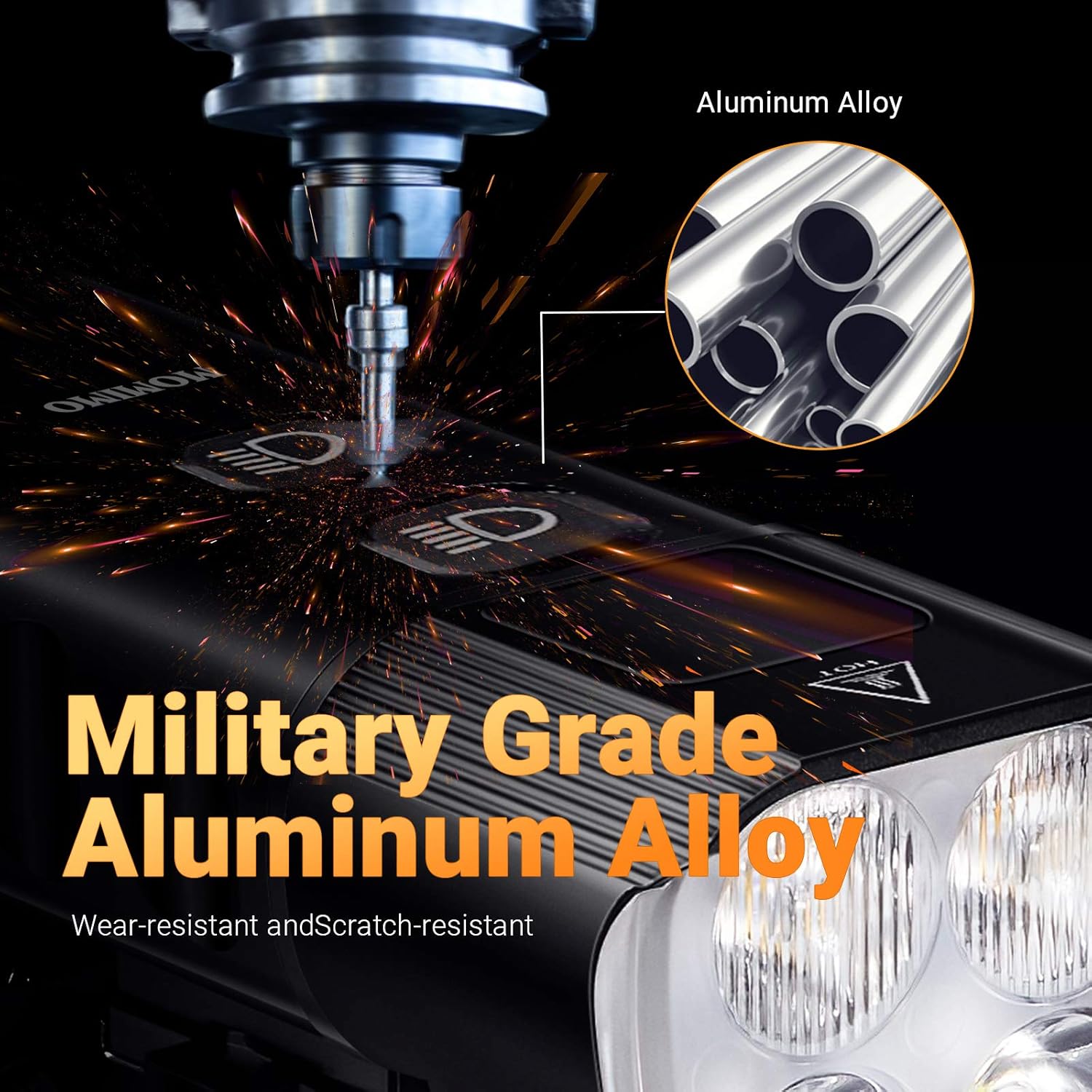
Image: A detailed view emphasizing the robust military-grade aluminum alloy material used in the construction of the MOMIMO Bike Light, ensuring durability.
8. Troubleshooting
If you encounter issues with your MOMIMO Bike Light, refer to the following common solutions:
| Problem | Possible Cause | Solution |
|---|---|---|
| Light does not turn on | Low battery; Power button not pressed correctly | Charge the light fully. Press and hold the power button for 2-3 seconds. |
| Light flickers or dims unexpectedly | Low battery; Loose connection | Recharge the battery. Ensure the light is securely mounted. |
| Cannot change lighting modes | Button malfunction; Light frozen | Ensure the light is on. Try turning off and on again. If issue persists, contact support. |
| Device not charging from light (power bank function) | Light battery too low; Incorrect cable; Device not compatible | Ensure bike light has sufficient charge. Use a functional USB cable. Verify device compatibility. |
9. Specifications
| Feature | Specification |
|---|---|
| Model | bike light004 |
| Material | Aviation Aluminum Alloy |
| LED Lamp Beads | XPG-3*4 lamp beads |
| Brightness | 2000 lumens (maximum output) |
| Range | 200 m / 656 Ft visual range |
| Visual Angle | 160° |
| Battery | 6400mAh 3.6V rechargeable lithium battery (internal) / 7200mAh (advertised capacity) |
| Charging Time | 4.5 hours (from 2A wall charger) |
| Waterproof Rating | IP65 |
| Number of Lighting Modes | 13 |
| Product Dimensions | 4.06 x 4.06 x 3.81 cm |
| Item Weight | 420 g |
10. Warranty and Support
For warranty information or technical support, please refer to the retailer's policy or contact the manufacturer directly through their official channels. Keep your purchase receipt as proof of purchase.