Introduction and Overview
The ANCEL FX4000 Pro is a professional automotive diagnostic scan tool designed for comprehensive vehicle system analysis. It provides full system diagnostics, including engine, ABS, SRS (Airbag), Transmission, EPB (Electronic Parking Brake), Oil Reset, TPMS (Tire Pressure Monitoring System), and SAS (Steering Angle Sensor). This manual will guide you through the setup, operation, and maintenance of your device.
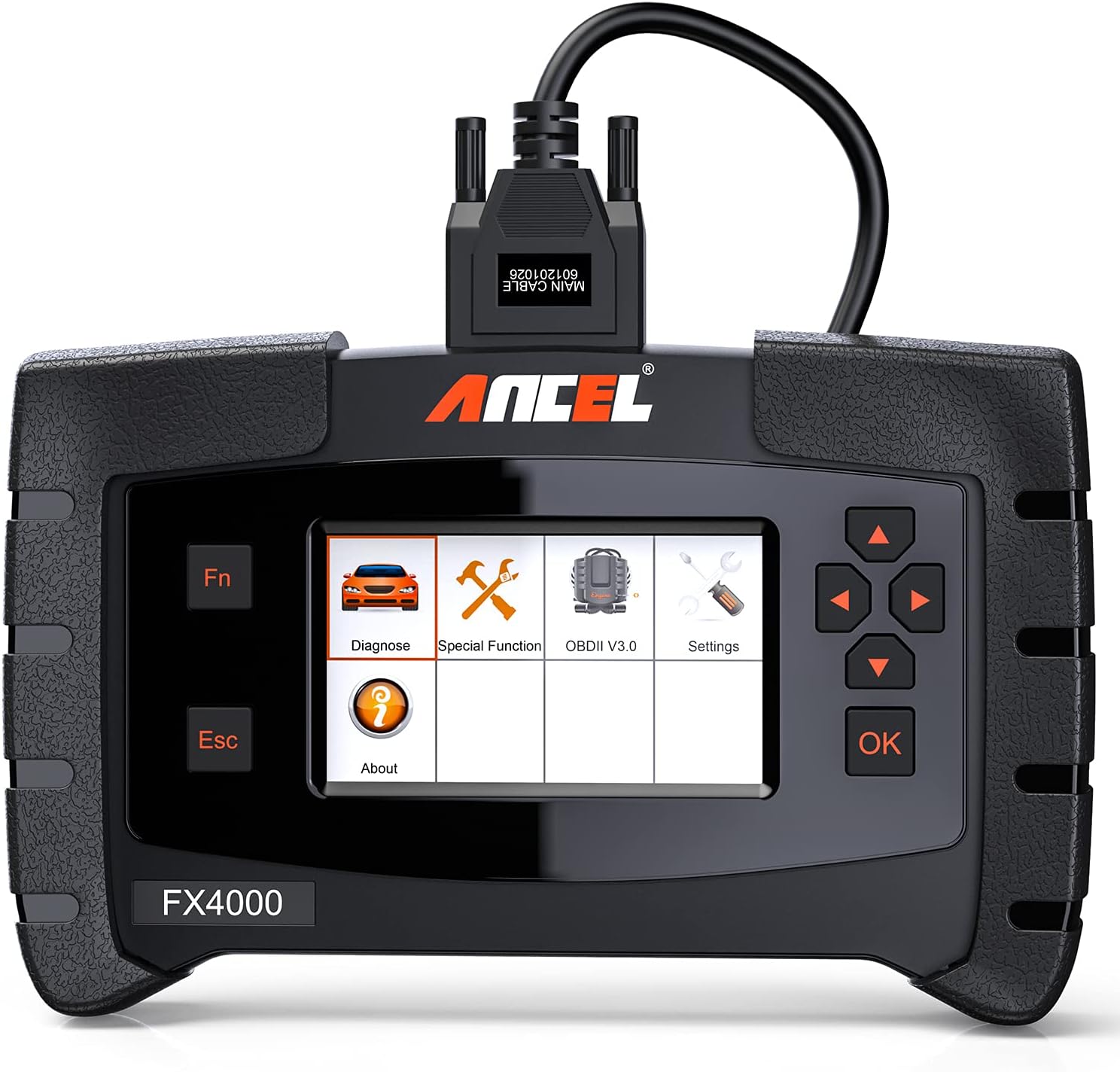
Figure 1: ANCEL FX4000 Pro main unit with connected diagnostic cable.
Setup
Before using your ANCEL FX4000 Pro, ensure all components are present and correctly connected. The device comes with various cables and adapters to support different vehicle diagnostic ports.
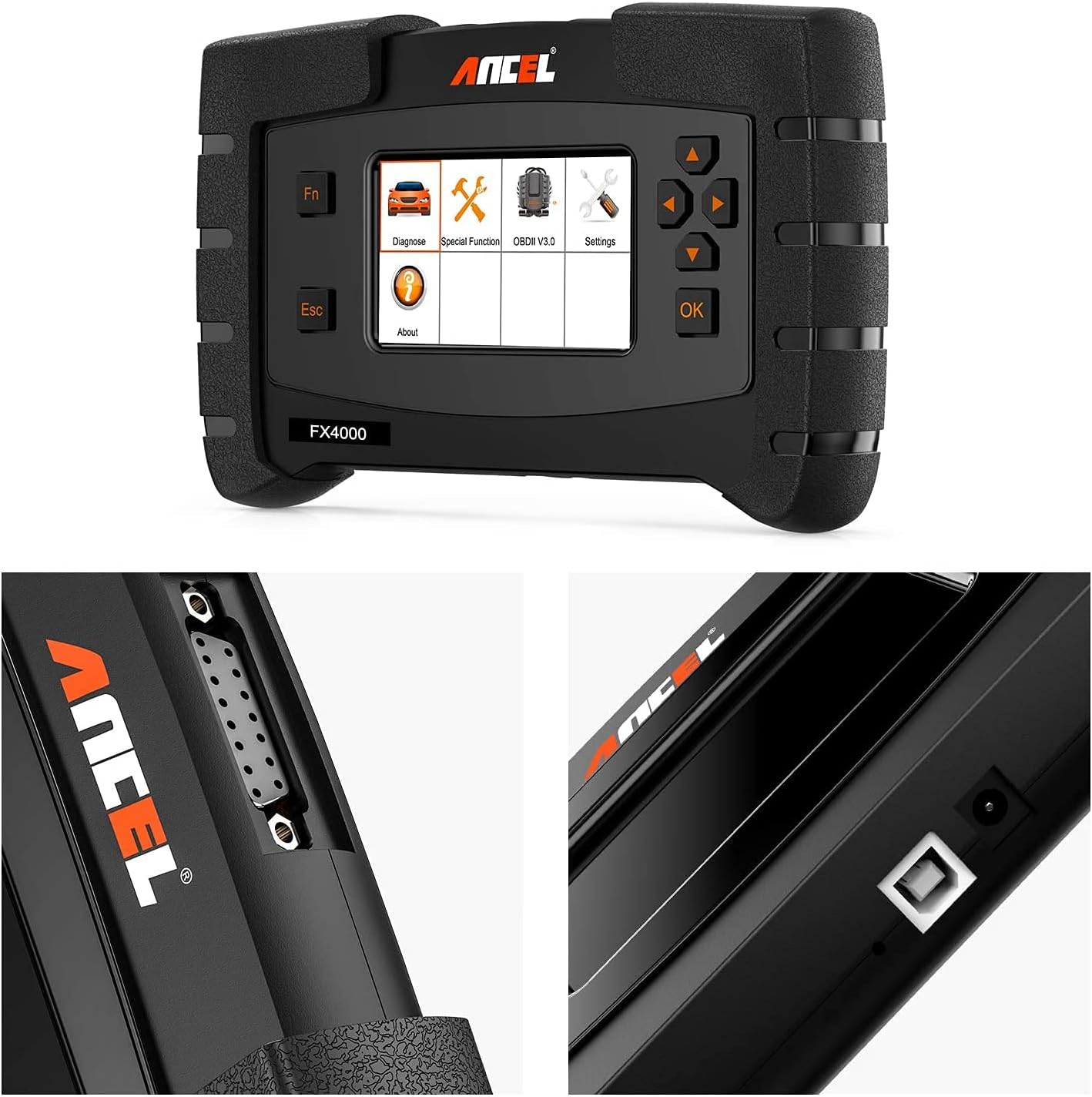
Figure 2: Detailed view of the ANCEL FX4000 Pro's connection ports and robust design.
To begin, connect the main diagnostic cable to the top port of the FX4000 Pro. Then, connect the appropriate OBDII connector to the other end of the main cable. For most modern vehicles, this will be the standard 16-pin OBDII connector. Plug the OBDII connector into your vehicle's diagnostic port, typically located under the dashboard on the driver's side.

Figure 3: Complete ANCEL FX4000 Pro package contents, showing the main unit, carrying case, user manual, and various diagnostic cables.
The device may power on automatically once connected to the vehicle's OBDII port. If not, press the power button to turn it on. Ensure the device's software is up to date for optimal performance and compatibility with the latest vehicle models.
Setup and Unboxing Video
Video 1: This video provides an unboxing and initial setup overview of the ANCEL FX4000 All System OBDII Scan Tool, demonstrating the physical components and connections.
Operating Instructions
The ANCEL FX4000 Pro offers a user-friendly interface for various diagnostic functions. Navigate through the menus using the directional buttons and the 'OK' button.
All System Diagnostics
This tool supports comprehensive diagnostics for all major vehicle systems, allowing you to read and clear fault codes, view live data streams, and retrieve ECU information.
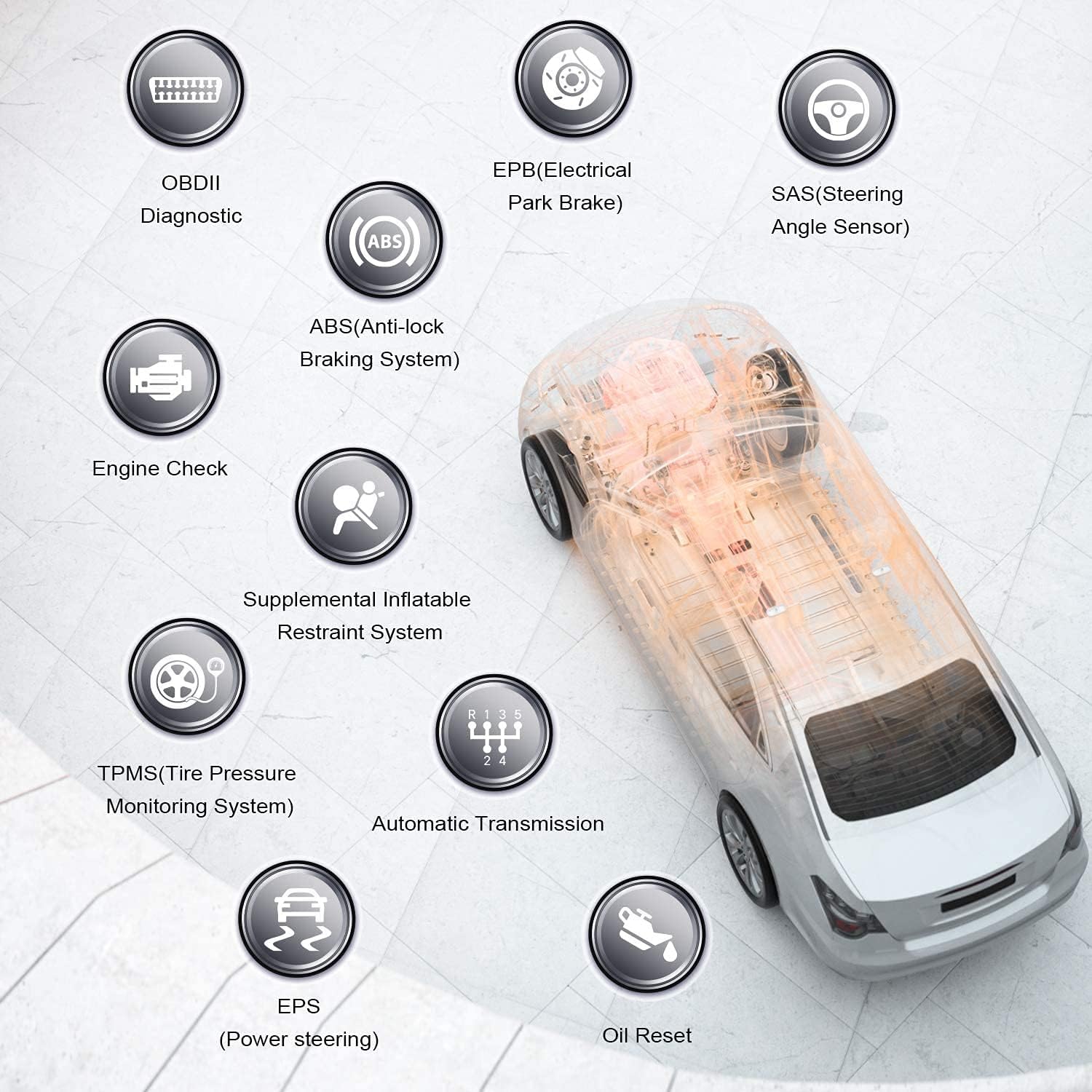
Figure 4: Overview of the extensive vehicle systems supported by the ANCEL FX4000 Pro for diagnostic purposes.
- Engine System Diagnostic: Read and clear engine fault codes, view live engine data.
- ABS (Anti-lock Braking System): Diagnose ABS issues, perform ABS bleeding.
- SRS (Supplemental Restraint System/Airbag): Check airbag system status and clear crash data.
- Transmission System: Diagnose automatic transmission problems.
- EPB (Electronic Parking Brake): Perform EPB service functions, such as brake pad replacement.
- Oil Reset: Reset the oil service light after an oil change.
- TPMS (Tire Pressure Monitoring System): Diagnose TPMS issues.
- SAS (Steering Angle Sensor): Perform steering angle sensor calibration.
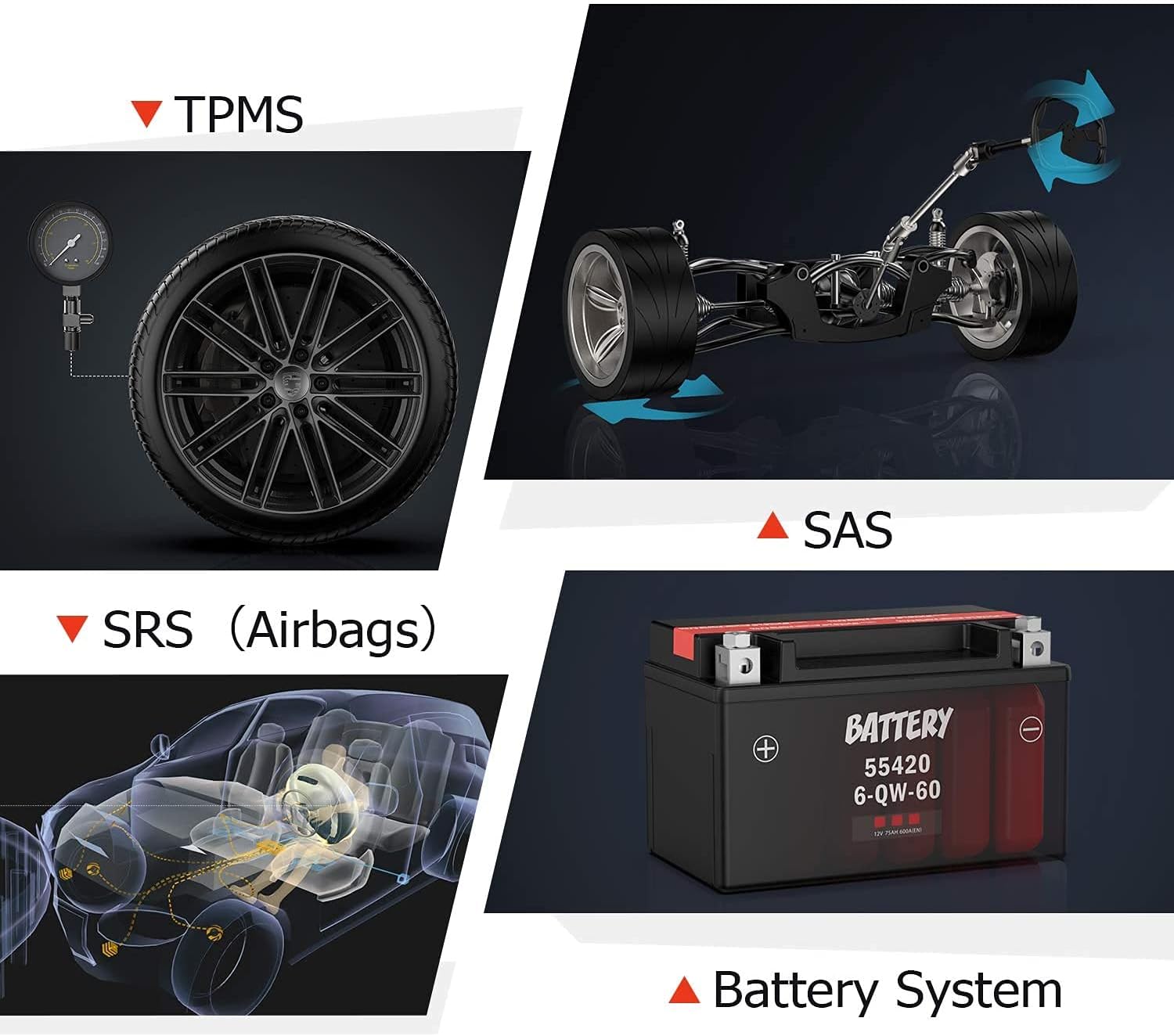
Figure 5: Visual representation of key diagnostic functions including engine, transmission, instrument cluster, and ABS systems.

Figure 6: Visual representation of additional diagnostic capabilities for TPMS, SAS, SRS (Airbags), and Battery Systems.
Special Functions
The FX4000 Pro includes several special functions for common maintenance tasks:
- ABS Bleeding: Used to bleed air from the brake system after component replacement.
- Oil Light Service Reset: Resets the oil change reminder.
- EPB Electronic Parking Brake Service Perform: Essential for safely servicing electronic parking brake systems.

Figure 7: Illustrations of the special functions: ABS Bleeding, Oil Light Service Reset, and EPB Service.
Data Management
The device allows for easy data management, including printing health reports and recording/playback of live data for detailed analysis.

Figure 8: The FX4000 Pro's interface showing data stream, code reading, and health report printing capabilities.
Maintenance
To ensure the longevity and optimal performance of your ANCEL FX4000 Pro, follow these maintenance guidelines:
- Software Updates: Regularly check for and install software updates. Connect the device to a computer using the provided USB cable and follow the instructions on the ANCEL website for update procedures.
- Cleaning: Use a soft, dry cloth to clean the device. Avoid using abrasive cleaners or solvents that could damage the screen or casing.
- Storage: Store the device in its protective carrying case in a dry, cool environment when not in use to prevent damage from dust, moisture, or extreme temperatures.
Troubleshooting
If you encounter issues with your ANCEL FX4000 Pro, consider the following troubleshooting steps:
- Device Not Powering On:
- Ensure the diagnostic cable is securely connected to both the device and the vehicle's OBDII port.
- Verify the vehicle's battery has sufficient charge.
- Check the vehicle's OBDII port fuse.
- Communication Error:
- Confirm the vehicle's ignition is in the ON position (engine off or running, as required by the specific test).
- Ensure the correct vehicle make, model, and year are selected in the device's menu.
- Try connecting to a different vehicle to rule out a vehicle-specific issue.
- Check for any loose connections in the diagnostic cable.
- Firmware Update Issues:
- Ensure a stable internet connection during updates.
- Follow the update instructions precisely as provided on the ANCEL official website.
- If an update fails, try restarting the device and your computer, then attempt the update again.
- Inaccurate Readings/Functions Not Available:
- Verify the device's software is fully updated.
- Some advanced functions may not be supported on all vehicle models or years. Consult the vehicle's service manual or ANCEL's compatibility list.
- Ensure the correct diagnostic adapter (if multiple are provided) is being used for the specific vehicle.
For persistent issues, refer to the detailed user manual (PDF) available on the ANCEL website or contact ANCEL customer support.
Specifications
| Feature | Detail |
|---|---|
| Brand | ANCEL |
| Model Number | FX4000 PRO |
| Item Weight | 3.3 pounds |
| Product Dimensions | 9.45 x 6.69 x 1.97 inches |
| Display Resolution | 480x272 |
| First Available Date | November 19, 2020 |
Warranty and Support
ANCEL is committed to providing professional, efficient, and high-quality automotive diagnostic products. They offer software development, maintenance, updates, and customer services related to automotive testing.
For detailed warranty information, technical support, or to download the full user manual, please visit the official ANCEL website or refer to the PDF user manual provided with your product. You can also find additional support and product information on the ANCEL Store on Amazon.
A comprehensive User Manual is available in PDF format for download: User Manual (PDF).
Related Documents - FX4000 PRO
 |
ANCEL VOD700 User's Manual - Volvo Multi-System Scanner Comprehensive user manual for the ANCEL VOD700 multi-system scanner, providing detailed instructions for Volvo vehicles, including diagnostics, special functions, tool setup, and updates. |
 |
ANCEL FX2000 Upgrade Guide: Step-by-Step Software Update Instructions Detailed instructions for updating your ANCEL FX2000 automotive OBD2 diagnostic scan tool via USB. Learn to download, install, register, and apply software updates for your device, covering engine, ABS, SRS, and transmission systems. |
 |
ANCEL BD300 User Manual and Quick Start Guide Comprehensive user manual for the ANCEL BD300 Bluetooth OBD2 diagnostic tool, covering setup, operation, and features for BMW/Mini vehicles. Includes instructions for app connection, system diagnostics, and service resets. |
 |
ANCEL FD500 User's Manual: Comprehensive Guide to Car Diagnostics Discover the ANCEL FD500, a comprehensive multi-system OBD2 scanner in Gray, designed for Ford, Lincoln, and Mercury vehicles. This user manual provides detailed instructions on its features, safety precautions, and diagnostic functions including Engine, ABS, SRS, Transmission, 4WD systems, EPB, Oil Reset, and Battery Registration. |
 |
ANCEL VD500 User Manual: OBD2 Diagnostic Tool Guide Comprehensive user manual for the ANCEL VD500 OBD2 diagnostic scanner. Learn about safety precautions, features, operation, specifications, and warranty information for your automotive diagnostic tool. |
 |
ANCEL BD300 OBD2 Scanner User Manual Comprehensive user manual for the ANCEL BD300 OBD2 scanner. Learn how to download the ANCEL APP, connect via Bluetooth, perform vehicle diagnostics, update software, and utilize special functions like EPB, CBS, ABS, and Airbag resets. Supports full system diagnostics for BMW and other vehicles. |