Introduction
The AODELAN Camera Shooting Grip with BR-E1B Wireless Remote Shutter is a versatile accessory designed to enhance your photography and videography experience. It functions as both a comfortable handheld grip and a stable mini tripod, offering flexible camera positioning and remote control capabilities. This manual provides detailed instructions for setup, operation, and maintenance to ensure optimal performance.
Product Overview
The AODELAN Shooting Grip integrates a detachable wireless remote commander and features a flexible tilt function for various shooting angles. Its compact design makes it ideal for vlogging, live streaming, and self-portraits.

Figure 1: AODELAN Camera Shooting Grip with BR-E1B Wireless Remote Shutter.
Components
- Shooting Grip: Main body that converts between handheld and tripod modes.
- BR-E1B Wireless Remote Commander: Detachable remote for controlling camera functions.
- Camera Mounting Screw: Standard 1/4-inch screw for attaching cameras.
- Tilt Function Button: Allows adjustment of the camera's vertical angle.
- Legs: Integrated into the grip, deployable for tripod use.
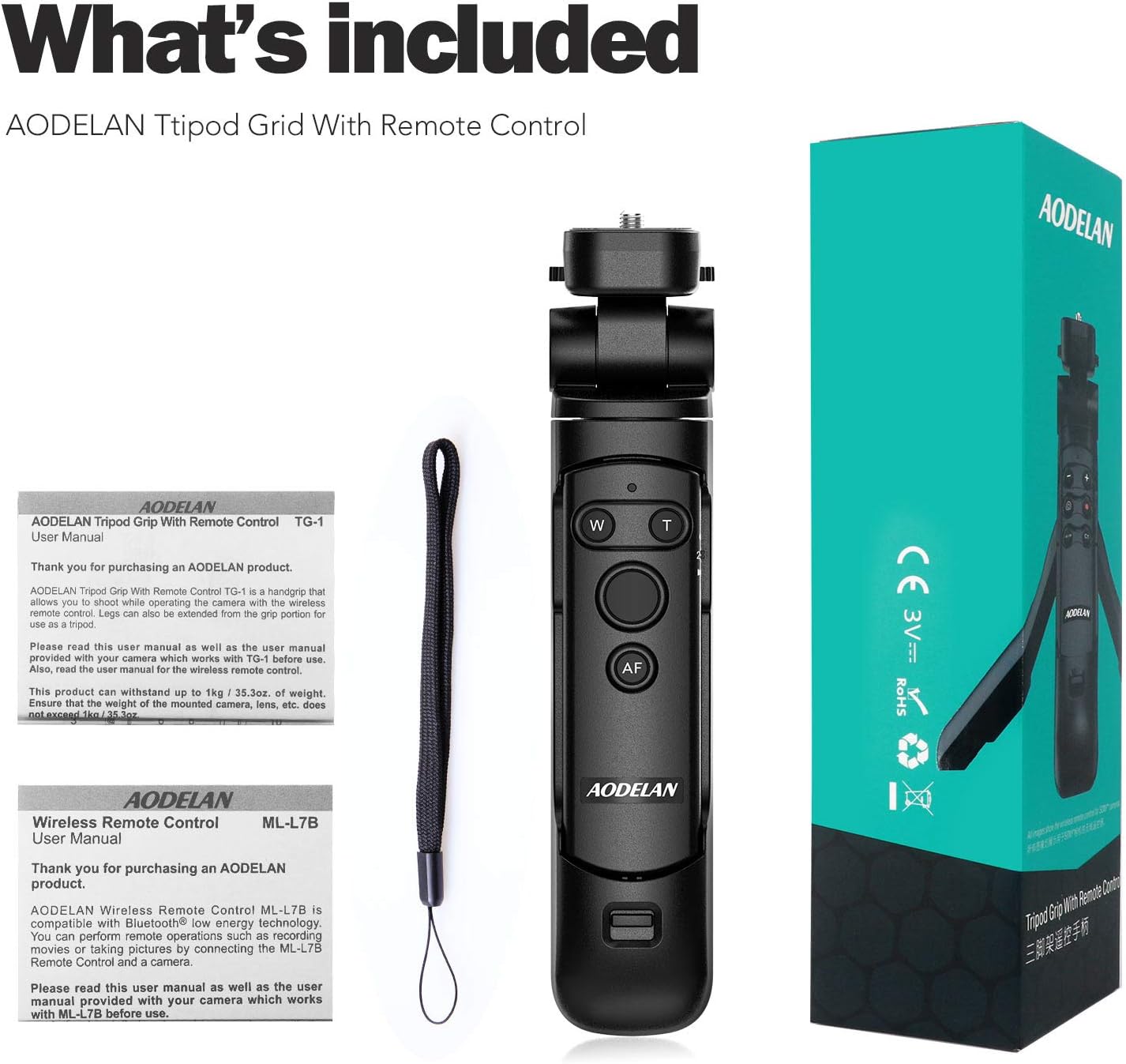
Figure 2: Detailed view of AODELAN Shooting Grip components and controls.
Setup
1. Attaching Your Camera
- Locate the 1/4-inch mounting screw on top of the grip.
- Align your compatible Canon camera's tripod socket with the screw.
- Rotate the camera clockwise onto the screw until securely fastened. Use the camera mounting wheel to tighten.
2. Remote Control Battery Installation
The BR-E1B Wireless Remote Commander requires 1 CR2 battery (included). To install:
- Locate the battery compartment on the back of the remote.
- Open the compartment cover.
- Insert the CR2 battery, ensuring correct polarity.
- Close the battery compartment cover securely.
3. Pairing the Wireless Remote
The remote uses Bluetooth Low Energy technology for connection.
- Ensure your Canon camera's Bluetooth function is enabled. Refer to your camera's manual for specific instructions.
- On the BR-E1B remote, press and hold the W and T buttons simultaneously for a few seconds until the indicator light flashes.
- On your camera, navigate to the Bluetooth settings and select to pair with the remote.
- Once paired, the indicator light on the remote will stop flashing and remain solid.
Video 1: Troubleshooting guide for Bluetooth connection issues with the AODELAN remote.
Operating Instructions
1. Handheld Grip Mode
Hold the grip firmly for stable handheld shooting. The ergonomic design provides a comfortable and secure hold.

Figure 3: The AODELAN Shooting Grip used in handheld mode.
2. Tripod Mode
To convert to tripod mode:
- Locate the leg release button on the side of the grip.
- Press the button and gently spread the integrated legs outwards until they lock into a stable tripod position.
- Place the tripod on a flat, stable surface.

Figure 4: The AODELAN Shooting Grip deployed as a mini tripod.
3. Adjusting Camera Angle
The grip allows for flexible camera positioning:
- Tilt Function: Press the front/back lock release button to tilt the camera up to 90 degrees for vertical shooting or adjust the forward/backward angle.
- 360-Degree Rotation: The camera can be rotated 360 degrees horizontally for quick adjustments without repositioning the tripod.

Figure 5: Demonstrating the flexible tilt and 360-degree rotation capabilities of the grip.
4. Wireless Remote Control Functions
The BR-E1B remote provides the following controls:
- Shutter Release Button: For taking still photos.
- Video Recording Button: To start and stop video recording.
- Zoom (W/T) Buttons: Controls the zoom function of compatible lenses (requires Canon PZ-E1 Power Zoom Adapter for EF-S 18-135mm f/3.5-5.6 IS USM lens).
- AF-ON Button: Activates autofocus.
- Mode Switch: Selects between Immediate Release, 2-second Delay Release, and Movie Shooting modes.

Figure 6: Close-up of the AODELAN Wireless Remote Control buttons.
Video 2: Demonstration of the AODELAN Handle Tripod with BR-E1B Wireless Remote Shutter for Canon.
Video 3: Operating instructions for the AODELAN Wireless Shutter Release.
5. Extending the Grip
The grip can be extended for increased reach, functioning as a short selfie stick. Simply pull the top section upwards to extend. Push down to retract.
Compatibility
The AODELAN Camera Shooting Grip with BR-E1B Wireless Remote Shutter is compatible with the following Canon camera models:
- Canon EOS R3, EOS RP, EOS R, EOS R5, EOS R6
- Canon 6D Mark II, 77D, 800D (EOS Rebel T7i), T8i
- Canon 200D (EOS Rebel SL2), 200D II, 250D (EOS Rebel SL3), 850D
- Canon M50, M50 Mark II, M200, M6 Mark II
- Canon PowerShot SX70 HS, PowerShot G7 X Mark III, PowerShot G5 X Mark II
Note: The zoom function on the remote only works with compatible lenses and may require the Canon PZ-E1 Power Zoom Adapter for specific lenses like the EF-S 18-135mm f/3.5-5.6 IS USM lens.
Specifications
| Feature | Detail |
|---|---|
| Product Dimensions | 9.06 x 2.95 x 2.36 inches |
| Item Weight | 6.7 ounces (190 Grams) |
| Maximum Load Capacity | 1 kg / 35.3 oz |
| Batteries | 1 CR2 battery (included) |
| Material | Acrylonitrile Butadiene Styrene (ABS) |
| Special Features | Adjustable, Flexible, Rotatable |
| Minimum Height (Tripod) | 153 Millimeters |
| Maximum Height (Tripod) | 184 Millimeters |
| Tripod Head Type | Ball Heads |
Maintenance
- Clean the grip and remote with a soft, dry cloth. Avoid using harsh chemicals or abrasive materials.
- Store the product in a cool, dry place away from direct sunlight and extreme temperatures.
- Ensure the remote's battery is removed if storing for extended periods to prevent leakage.
Troubleshooting
Remote Control Not Connecting/Responding:
- Ensure the remote has fresh batteries and is correctly inserted.
- Verify that your camera's Bluetooth is enabled and the remote is paired. Try re-pairing if necessary.
- Check the remote's mode switch (Immediate Release, 2-sec Delay, Movie) and ensure it's not in a locked or incorrect position.
- Ensure the camera's firmware is up to date.
Video 4: Troubleshooting guide for Bluetooth connection issues with the AODELAN remote.
Grip/Tripod Instability:
- Ensure the camera is securely mounted to the 1/4-inch screw.
- When in tripod mode, ensure the legs are fully extended and locked into position on a flat surface.
- Do not exceed the maximum load capacity of 1 kg (35.3 oz).
Warranty and Support
For warranty information and customer support, please refer to the documentation included with your product or visit the official AODELAN website. Keep your purchase receipt as proof of purchase.


