
Introduction
Thank you for choosing Graywind Motorized Zebra Blinds. This manual provides essential information for the safe and efficient installation, operation, and maintenance of your new smart window treatments. Please read these instructions thoroughly before beginning installation or use.
Safety Information
- Keep children and pets away from the blinds during operation.
- Do not attempt to disassemble or repair the motor or blinds yourself. Contact customer support for assistance.
- Ensure all mounting hardware is securely fastened to prevent the blinds from falling.
- Use only the provided power adapter for charging the motor.
- Avoid exposing the blinds to excessive moisture or direct water contact.
Package Contents
Verify that all components are present before beginning installation:
- Motorized Zebra Blind with Valance
- Remote Control
- Mounting Brackets
- Mounting Hardware (screws, wall anchors)
- Charging Cable and Power Adapter
- User Manual
- (Optional) Solar Panel
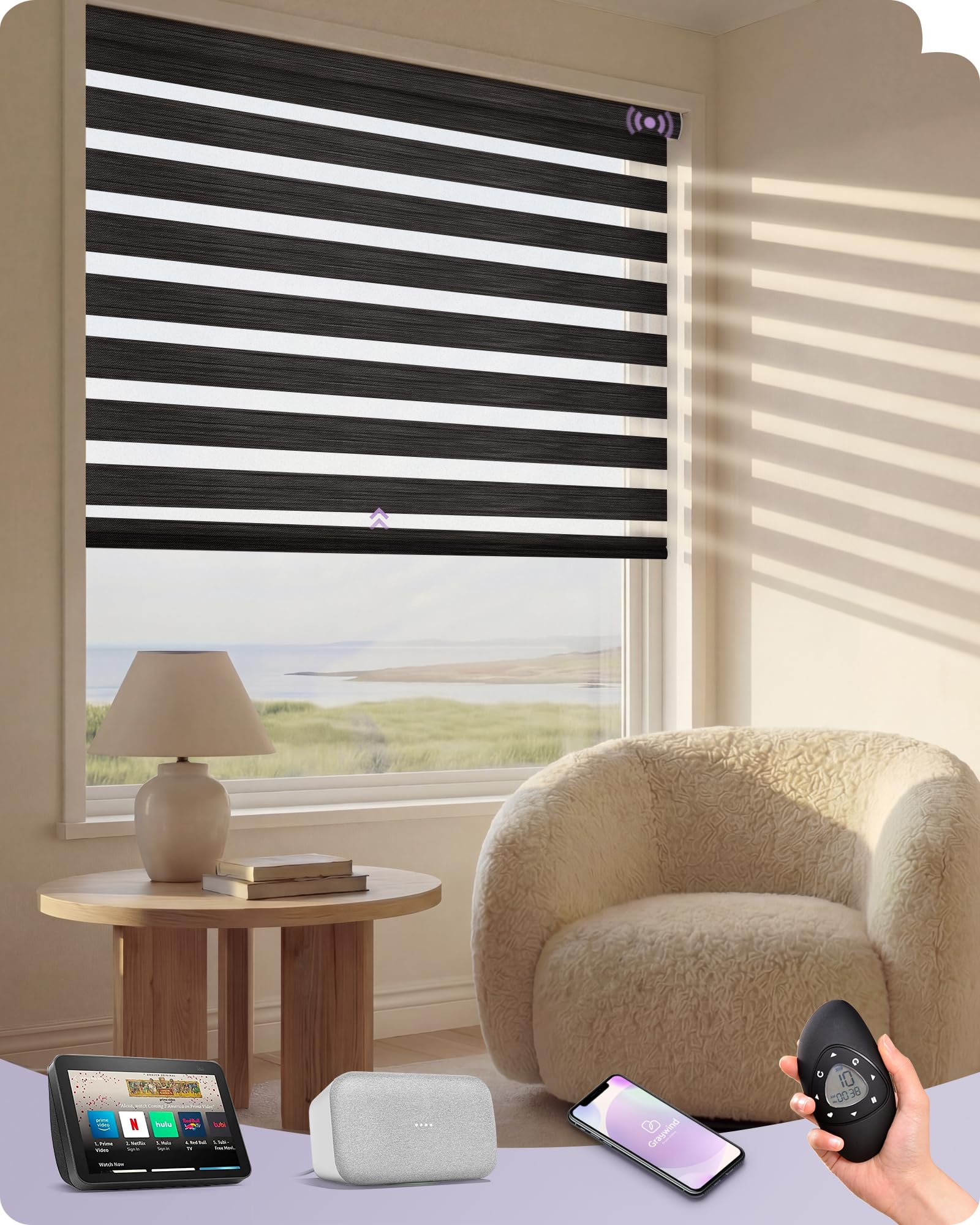
Image: Graywind Motorized Zebra Blind with included remote control, mounting brackets, and charging cable.
Setup
1. Measuring Your Window
Accurate measurements are crucial for a perfect fit. Determine whether you will use an inside mount or an outside mount.
- Inside Mount: Measure the exact width and height of the window opening in three places (top, middle, bottom) and use the smallest measurement. Ensure sufficient frame depth (minimum 1.87 inches).
- Outside Mount: Measure the desired width and height, typically adding 1 to 6 inches to the window opening dimensions for better light blockage and privacy.

Image: Detailed diagram illustrating how to measure for both inside and outside window blind mounts, including considerations for frame depth and handle clearance.
For a visual guide on measuring, please refer to the video below:
Video: "How to Measure | Graywind Roller Blinds (With Valance)" - This video demonstrates the correct procedure for measuring your windows for Graywind roller blinds, including tips for valance considerations.
2. Installation
Follow these steps to install your Graywind Motorized Zebra Blinds:
- Mark the positions for your mounting brackets based on your chosen mount type (inside or outside). Ensure the marks are level.
- Drill pilot holes at the marked positions. Insert wall anchors if drilling into drywall.
- Securely attach the mounting brackets using the provided screws.
- Carefully insert the headrail of the blind into the installed brackets until it clicks into place.
- Remove any protective films or shipping clips from the blinds.

Image: Close-up view of the mounting brackets and the headrail of the Graywind motorized zebra blind during installation.
For a visual guide on installation, please refer to the video below:
Video: "How To Install | Graywind Motorized Shades & Blinds" - This video provides a step-by-step demonstration of how to install Graywind motorized shades and blinds.
3. Initial Charging (Rechargeable Motor)
Before first use, fully charge the motor for at least 6 hours. The rechargeable battery lasts 3-6 months per charge depending on usage.
- Connect the charging cable to the motor's charging port.
- Plug the power adapter into a standard electrical outlet.
- The indicator light on the motor will show charging status.
- (Optional) If you have a solar panel, connect it to the motor for continuous charging.

Image: Illustration of the smart motor's features, including battery life, USB charging options, and the optional green energy solar panel.
Operating
1. Remote Control Operation
The included 15-channel remote allows you to control individual blinds or groups of blinds.
- Use the Up and Down arrows to raise or lower the blinds.
- Press the Stop button to halt movement at any desired position.
- The remote can be programmed to set favorite positions and timing schedules.

Image: The 15-Channel Timing Remote for Graywind motorized blinds, highlighting its ergonomic design and various usage options like timing schedules and group control.
2. App Control
Download the Graywind App to control your blinds from your smartphone or tablet. The app offers advanced features such as precise positioning and scheduling.
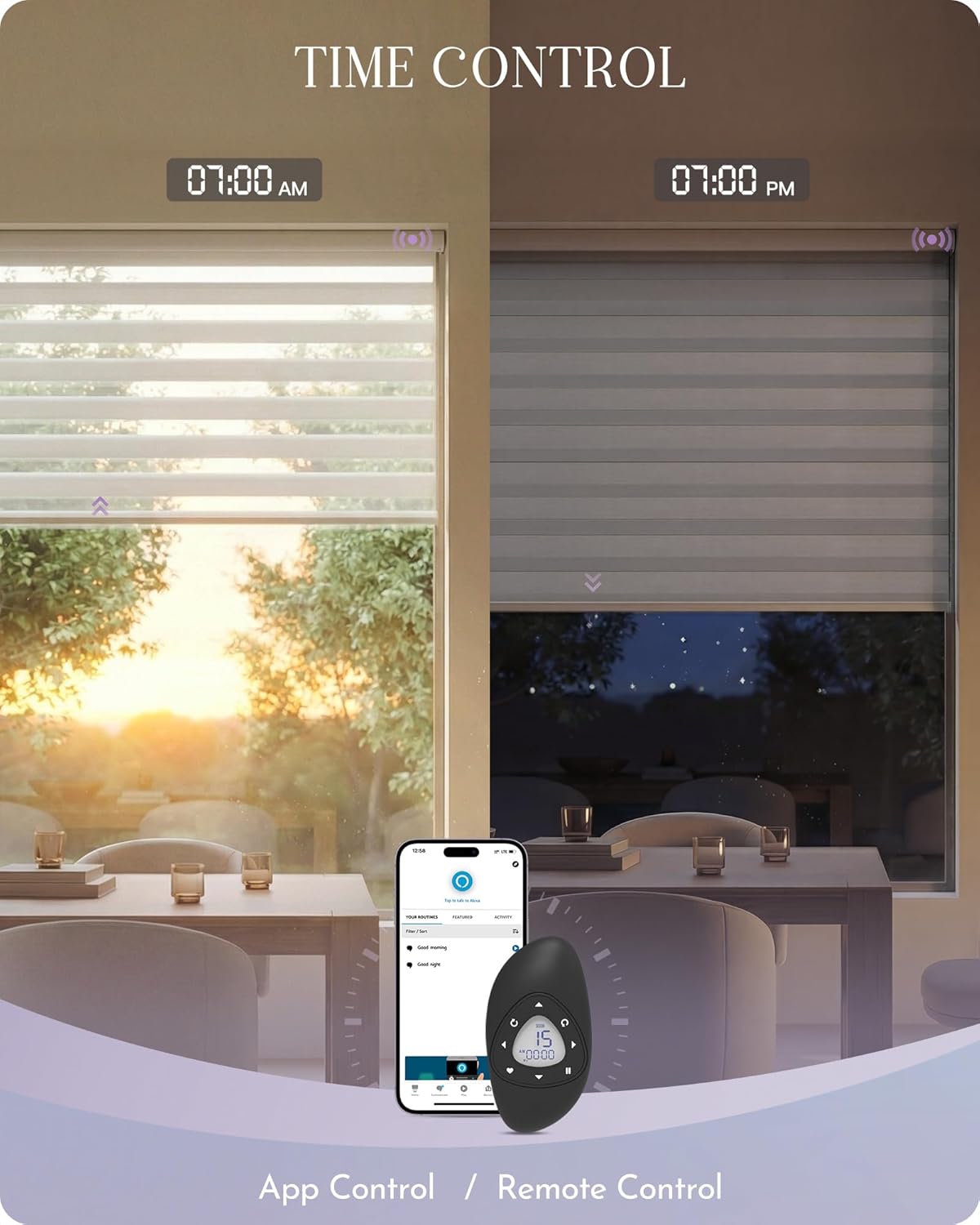
Image: Example of time control for Graywind blinds, showing app and remote control options for setting morning and evening schedules.
3. Voice Control & Smart Home Integration
Graywind Motorized Zebra Blinds are compatible with popular smart home ecosystems:
- Alexa: Connect directly via Bluetooth or Zigbee (for compatible Echo devices). Use commands like "Alexa, open the blinds to 80%."
- Google Home & Apple HomeKit: A Matter Controller with Thread Border Router functionality (hub) is required for integration.

Image: A user demonstrating voice control with Alexa to operate Graywind motorized blinds, illustrating seamless smart home integration.
For details on Alexa integration, please refer to the video below:
Video: "Zigbee Motor Direct Connection With Alexa | For 5 Models" - This video explains how to directly connect Zigbee motors to Alexa for specific Graywind blind models.
4. Adjusting Light and Privacy
The zebra blinds feature alternating sheer and solid fabric panels, allowing for flexible light and privacy control.
- Open: Align the sheer panels for maximum light and view.
- Half-Open: Partially overlap panels for filtered light and moderate privacy.
- Closed: Fully overlap the solid panels for 100% blackout and complete privacy.

Image: Visual representation of the Graywind motorized zebra blinds in three states: open (sheer), half-open (light filtering), and closed (100% blackout), highlighting UV protection.
Maintenance
Cleaning Instructions
To maintain the appearance and longevity of your blinds, follow these cleaning guidelines:
- Dusting: Gently remove dust using a feather duster or a handheld vacuum with a brush attachment. Extend the blind fully for thorough dusting.
- Spot Cleaning: For partial cleaning, use a well-wrung cloth or sponge dipped in a solution of mild dish-washing detergent and lukewarm water. Spot clean only.
- Do not use harsh detergents, vinyl fabrics, or foam coating fabrics.
For a visual guide on cleaning, please refer to the video below:
Video: "How to Clean | Window Shades & Blinds Care Instruction" - This video provides detailed instructions on how to clean various types of Graywind window shades and blinds, including roller, zebra, Shangri-la, cellular, and Venetian blinds.
Troubleshooting
- Motor Not Responding: Check if the motor is charged. Ensure the remote control battery is not depleted. Re-pair the remote if necessary.
- Blinds Not Moving Smoothly: Inspect the tracks for any obstructions. Ensure the blinds are correctly seated in the mounting brackets.
- Smart Home Connection Issues: Verify your Wi-Fi connection. Ensure the smart home hub (if required) is properly configured and connected to the blinds. Follow the app's pairing instructions carefully.
- Uneven Movement: Reset the upper and lower limits of the blinds according to the remote control's programming instructions in the user manual.
Specifications
| Brand | Graywind |
| Model Number | GW-BMZB |
| Material Type | 1 - Rechargeable Smart Motor |
| Product Dimensions | 120"L x 99"W |
| Color | Classic - Charcoal |
| Opacity | Sheer (with 100% blackout capability when closed) |
| Operation Mode | Automatic (Motorized, Remote Control, Voice Control, APP Control) |
| Compatible Devices | Alexa, Google Assistant, Graywind APP, Smartphone, Tablet |
| Battery Life | 3-6 months per charge |
| Additional Features | Cordless, Eco-Friendly, Glare Control, Light Control, Window Treatments |
Warranty and Support
Graywind provides a two-year limited warranty on motors and parts. We also offer long-term technical support to ensure your satisfaction. For any questions or assistance, please refer to the contact information provided in your product packaging or visit the official Graywind website.