
1. Introduction
This user manual provides essential information for operating your XIAOMI Poco C85 4G LTE smartphone. Please read this manual carefully before using your device to ensure proper functionality and to maximize its features. The Poco C85 combines a large immersive display, a powerful processor, and a long-lasting battery to deliver a reliable mobile experience.
2. What's in the Box
Upon unboxing your XIAOMI Poco C85, you should find the following items:
- XIAOMI Poco C85 Smartphone
- USB Type-C Cable
- Phone Case
- SIM Eject Tool
- Quick Start Guide
Note: The power adapter (charger) is not included in the box and must be purchased separately.

3. Product Overview
3.1. Design and Display
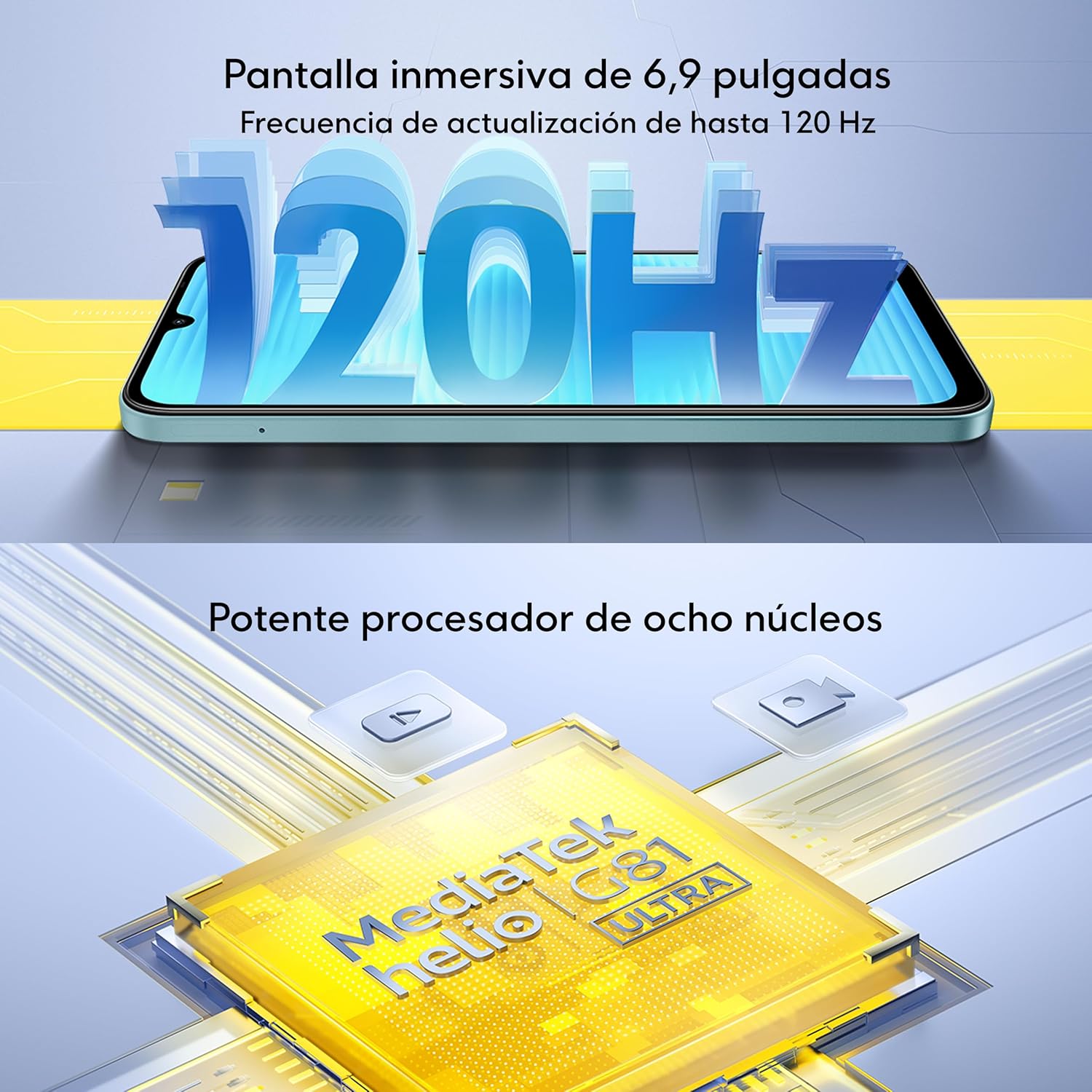
The Poco C85 features a quad-curved back and a slim case designed for comfortable handling. It boasts an immersive 6.9-inch Dot Drop display with a resolution of 1600x720 pixels and an adaptive refresh rate of up to 120Hz for smooth visuals. The display offers 660 nits (typical) and 810 nits HBM brightness, a 1200:1 contrast ratio, and 8-bit color depth with 16.7 million colors. It is TÜV Rheinland Low Blue Light (Software Solution) Certified, Circadian Friendly Certified, and Flicker Free Certified, ensuring a comfortable viewing experience.


3.2. Performance
The device is powered by the MediaTek Helio G81-Ultra octa-core processor, featuring Cortex-A75 and Cortex-A55 cores with a maximum CPU frequency of 2.0GHz and a Mali-G52 MC2 GPU. This configuration ensures smooth performance for daily applications, multitasking, and light gaming.

3.3. Durability
The Poco C85 is rated IP64, meaning it is resistant to splash and dust under specific laboratory conditions. This provides a degree of protection against everyday elements.

4. Setup
4.1. Inserting SIM Cards and Micro SD Card
- Locate the SIM card tray on the side of your device.
- Insert the SIM eject tool into the small hole next to the tray and push gently until the tray pops out.
- Place your Nano SIM cards (up to two) and/or a Micro SD card into the designated slots on the tray. Ensure the gold contacts are facing down.
- Carefully push the tray back into the device until it is flush with the side.
4.2. Powering On/Off
- To Power On: Press and hold the Power button (located on the side) until the XIAOMI logo appears on the screen.
- To Power Off: Press and hold the Power button until the power menu appears, then tap 'Power off'.
- To Restart: Press and hold the Power button until the power menu appears, then tap 'Restart'.
4.3. Initial Setup
The first time you power on your device, you will be guided through an initial setup process. Follow the on-screen instructions to:
- Select your language and region.
- Connect to a Wi-Fi network.
- Sign in with your Google account or create a new one.
- Set up screen lock (PIN, pattern, password, fingerprint, or face unlock).
- Review and accept terms and conditions.
5. Operating Instructions
5.1. Basic Navigation
Your Poco C85 uses a touchscreen for most interactions. Common gestures include:
- Tap: Touch the screen once to select an item or open an app.
- Touch and Hold: Press and hold an item for a few seconds to access more options.
- Swipe: Drag your finger across the screen to scroll or navigate between screens.
- Pinch: Use two fingers to zoom in or out on photos and web pages.
5.2. Security Features
- Rear Fingerprint Sensor: Register your fingerprints in the Security settings to unlock your device quickly and securely.
- AI Face Unlock: Set up face recognition in the Security settings to unlock your phone by looking at the front camera.
5.3. Buttons and Ports
- Power Button: Press to turn the screen on/off, press and hold for power options.
- Volume Buttons: Adjust media volume, ringtone volume, and notification volume.
- USB Type-C Port: Used for charging and data transfer.
- 3.5mm Headphone Jack: Connect wired headphones.
6. Camera Features
The Poco C85 is equipped with a versatile camera system to capture your moments.
6.1. Rear Camera System
- Main Camera: 50MP with a 5P lens and f/1.8 aperture.
- Auxiliary Lens: Enhances depth and detail.
- Video Recording: Supports 1080p (1920x1080) HD video recording at 30 fps and 720p (1280x720) HD video recording at 30 fps.
6.2. Front Camera
- Resolution: 8MP with f/2 aperture.
- Video Recording: Supports 1080p (1920x1080) HD video recording at 30 fps and 720p (1280x720) HD video recording at 30 fps.
6.3. Camera Modes and Features
Explore various modes to enhance your photography:
- filmCamera: Apply cinematic filters to your photos.
- HDR mode: Capture more detail in both bright and dark areas.
- Soft-light ring: Utilize the screen as a soft fill light for selfies.
- Portrait mode: Create professional-looking photos with a blurred background.
- Time-lapse: Record accelerated videos of slow-moving events.

7. Connectivity
The Poco C85 offers comprehensive connectivity options:
- Network Compatibility: Compatible with T-Mobile and Mint Mobile in the USA (requires previous SIM card activation). Supports 4G VoLTE worldwide unlocked dual Nano SIM.
- Bands:
- 2G GSM: 2/3/5/8
- 3G WCDMA: 1/5/8
- 4G LTE FDD: 1/2/3/4/5/7/8/20/28
- 4G LTE TDD: 38/40/41
- Wi-Fi: Supports 2.4GHz and 5GHz Wi-Fi networks.
- Bluetooth: Bluetooth 5.1 for connecting wireless accessories.
- Navigation: Integrated GPS, AGPS, GLONASS, Beidou, and Galileo for accurate location services.
8. Battery and Charging
The Poco C85 is equipped with a large capacity battery to support extended usage.
- Battery Capacity: 6000mAh (typical).
- Charging: Supports USB Type-C charging.
- Note: The charger is not included with the device. For optimal charging, use a compatible 33W charger.

9. Maintenance
To ensure the longevity and optimal performance of your Poco C85, follow these maintenance guidelines:
- Cleaning: Use a soft, lint-free cloth to clean the screen and body of the device. Avoid using harsh chemicals or abrasive materials.
- Software Updates: Regularly check for and install system updates to ensure your device has the latest features, security patches, and performance improvements. Go to Settings > About phone > MIUI version to check for updates.
- Environmental Protection: While the device has an IP64 rating for splash and dust resistance, avoid prolonged exposure to water or dusty environments. Do not submerge the device in water.
- Battery Care: Avoid extreme temperatures. Do not fully discharge the battery frequently.
10. Troubleshooting
If you encounter issues with your Poco C85, try the following basic troubleshooting steps:
- Device Not Responding: Press and hold the Power button for about 10-15 seconds to force a restart.
- Apps Crashing/Freezing: Close the problematic app and reopen it. If the issue persists, clear the app's cache and data (Settings > Apps > Manage apps > [App Name] > Clear data).
- Network Connectivity Issues: Toggle Wi-Fi or mobile data off and on. Restart your device. Check your SIM card insertion.
- Battery Draining Quickly: Check for background apps consuming power. Reduce screen brightness. Disable unnecessary features like GPS or Bluetooth when not in use.
- Overheating: Close demanding applications. Avoid using the phone while charging in hot environments.
- Factory Reset: As a last resort, if software issues persist, you may perform a factory reset. Warning: This will erase all data on your device. Back up important data before proceeding. Go to Settings > About phone > Factory reset.
11. Specifications
| Feature | Specification |
|---|---|
| Model Name | 25078PC3EG |
| Operating System | Xiaomi HyperOS based on Android 15 |
| CPU Model | MediaTek Helio G81-Ultra Octa-core (Max 2.0GHz) |
| RAM Memory | 6 GB |
| Internal Storage | 128 GB |
| Screen Size | 6.9 Inches |
| Resolution | 720 x 1600 |
| Refresh Rate | Up to 120Hz |
| Main Camera | 50MP AI Dual Camera |
| Front Camera | 8MP |
| Battery Capacity | 6000 mAh (typical) |
| Connectivity | 4G LTE, Wi-Fi, Bluetooth 5.1, GPS |
| Audio Jack | 3.5 mm |
| Water/Dust Resistance | IP64 |
| Item Weight | 6 ounces |
12. Warranty and Support
For warranty information and customer support, please refer to the documentation included with your device or visit the official XIAOMI website. Keep your proof of purchase for any warranty claims.


