
Introduction
The BoxWave miniSync Retractable Sync Cable is a versatile and portable solution for charging and synchronizing your Visual Land Prestige Elite 9QL and other compatible devices. Its innovative retractable design ensures a tangle-free experience, making it ideal for travel and everyday use. This manual provides essential information on setting up, operating, and maintaining your miniSync cable.
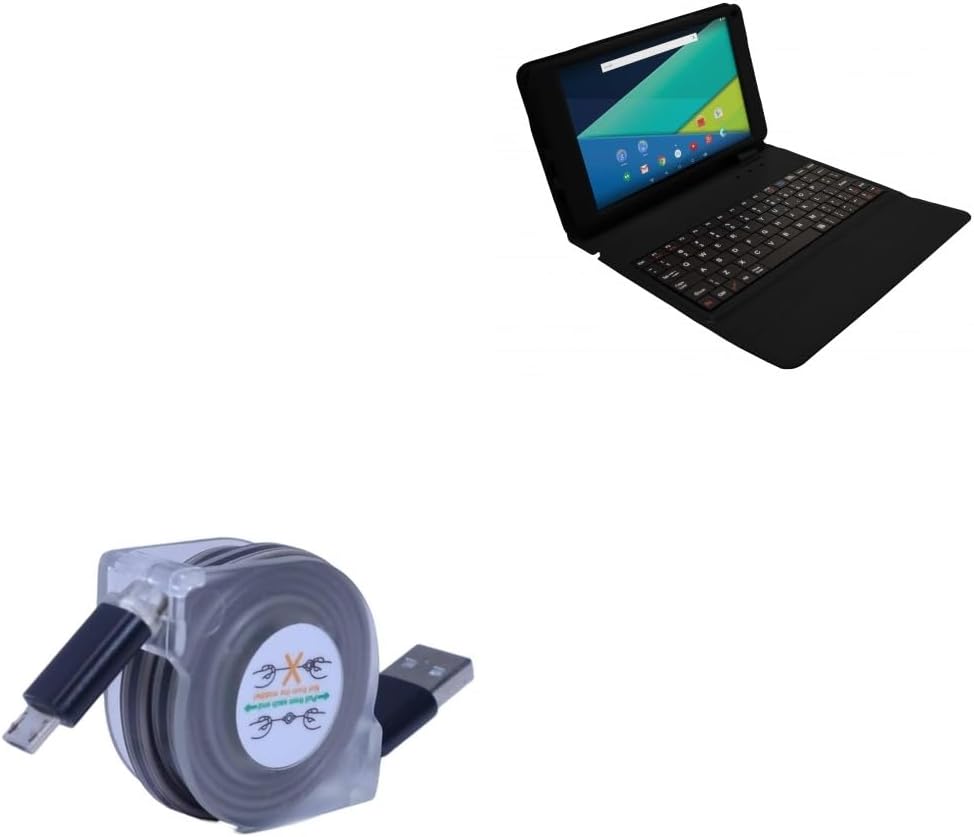
The BoxWave miniSync Retractable Sync Cable, designed for portability and convenience.
Setup
The miniSync cable features a unique retractable mechanism for easy storage and deployment. Follow these steps to set up your cable:
- Extending the Cable: Gently pull both ends of the miniSync cable simultaneously. The cable will extend and lock into one of its pre-set lengths. Do not pull from only one side or from the middle, as this can damage the retraction mechanism.
- Retracting the Cable: To retract the cable, gently pull both ends again until they release from the locked position. The cable will then smoothly retract back into its compact housing.

Extend the miniSync cable by gently pulling both ends to your desired length.

The retractable design allows for easy storage and prevents tangles.
Operating Instructions
The miniSync cable serves two primary functions: data synchronization and device charging.
Charging Your Device
To charge your device:
- Connect the micro-USB end of the miniSync cable to your device's charging port.
- Connect the USB-A end of the miniSync cable to a standard USB power adapter (e.g., wall charger, car charger) or a powered USB port on a computer.
- Ensure the power source is active. Your device should indicate that it is charging. The miniSync supports fast charging with USB Standard Technology.

The miniSync cable supports fast charging for your compatible devices.
Synchronizing Data
To synchronize data between your device and a computer:
- Connect the micro-USB end of the miniSync cable to your device's port.
- Connect the USB-A end of the miniSync cable to an available USB port on your computer.
- Your computer should recognize the connected device. Follow your device's and computer's instructions for data transfer. The miniSync supports high-speed USB 2.0 data transfers.

Connect your device to a computer for data synchronization or charging.

The cable offers 5 adjustable lengths for comfortable use while charging or syncing.
Maintenance
To ensure the longevity and optimal performance of your BoxWave miniSync cable, follow these maintenance guidelines:
- Proper Retraction: Always pull both ends of the cable simultaneously when extending or retracting. Avoid pulling only one end or forcing the retraction, as this can damage the internal mechanism.
- Keep Clean: Wipe the cable and connectors with a soft, dry cloth periodically to remove dust and debris. Avoid using harsh chemicals or abrasive materials.
- Avoid Extreme Conditions: Do not expose the cable to extreme temperatures, direct sunlight for prolonged periods, or excessive moisture.
- Store Properly: When not in use, ensure the cable is fully retracted and stored in a clean, dry place. Its compact size makes it easy to store in a pocket or bag without tangles.

The retractable design helps prevent tangles and knots, simplifying cable management.

The miniSync's compact and light design makes it easy to carry and store.
Troubleshooting
If you encounter issues with your miniSync cable, consider the following common solutions:
- Device Not Charging/Syncing:
- Ensure both ends of the cable are securely connected to your device and the power source/computer.
- Try connecting the cable to a different USB port or power adapter.
- Verify that your device's charging port is clean and free of debris.
- Test the cable with another compatible device, if available, to determine if the issue is with the cable or the device.
- Retraction Mechanism Not Working Smoothly:
- Ensure you are pulling both ends of the cable simultaneously and gently.
- Check for any visible obstructions or kinks in the cable.
If these steps do not resolve the issue, please contact BoxWave customer support for further assistance.
Specifications
| Feature | Specification |
|---|---|
| Brand | BoxWave |
| Model | miniSync |
| Item Weight | 1.3 ounces |
| ASIN | B08N5F3RPK |
| Maximum Extended Length | 25 inches (approx. 63.5 cm) |
| Retracted Length | 3 inches (approx. 7.6 cm) |
| USB Standard | USB 2.0 (High Speed Data Transfer) |
| Connector Type | USB-A to Micro-USB |
Warranty & Support
For warranty information and customer support, please refer to the official BoxWave website or contact their customer service directly. Keep your purchase receipt as proof of purchase for any warranty claims.
BoxWave Corporation Contact Information:
Please visit www.boxwave.com for the most current support options, FAQs, and contact details.