
1. Product Overview
The INJORA 35KG Digital High Torque Servo is an upgraded, high-precision digital servo designed for various RC models, including 1:10 RC Crawlers like SCX10, TRX4, and D90. It offers significant torque and reliable performance for demanding applications.
Key Features:
- High Precision: Upgraded digital servo for accurate control.
- Large Torque: Maximum torque of 35 kg/cm at 6V.
- Durable Construction: Made with high-quality materials and reinforced metal gears for stability and low noise.
- Controlled Rotation: Offers a controllable angle range of 90-120 degrees.
- Versatile Use: Ideal for RC Cars, On-Road RC Touring Cars, Drift Cars, RC Planes, and Helicopters.
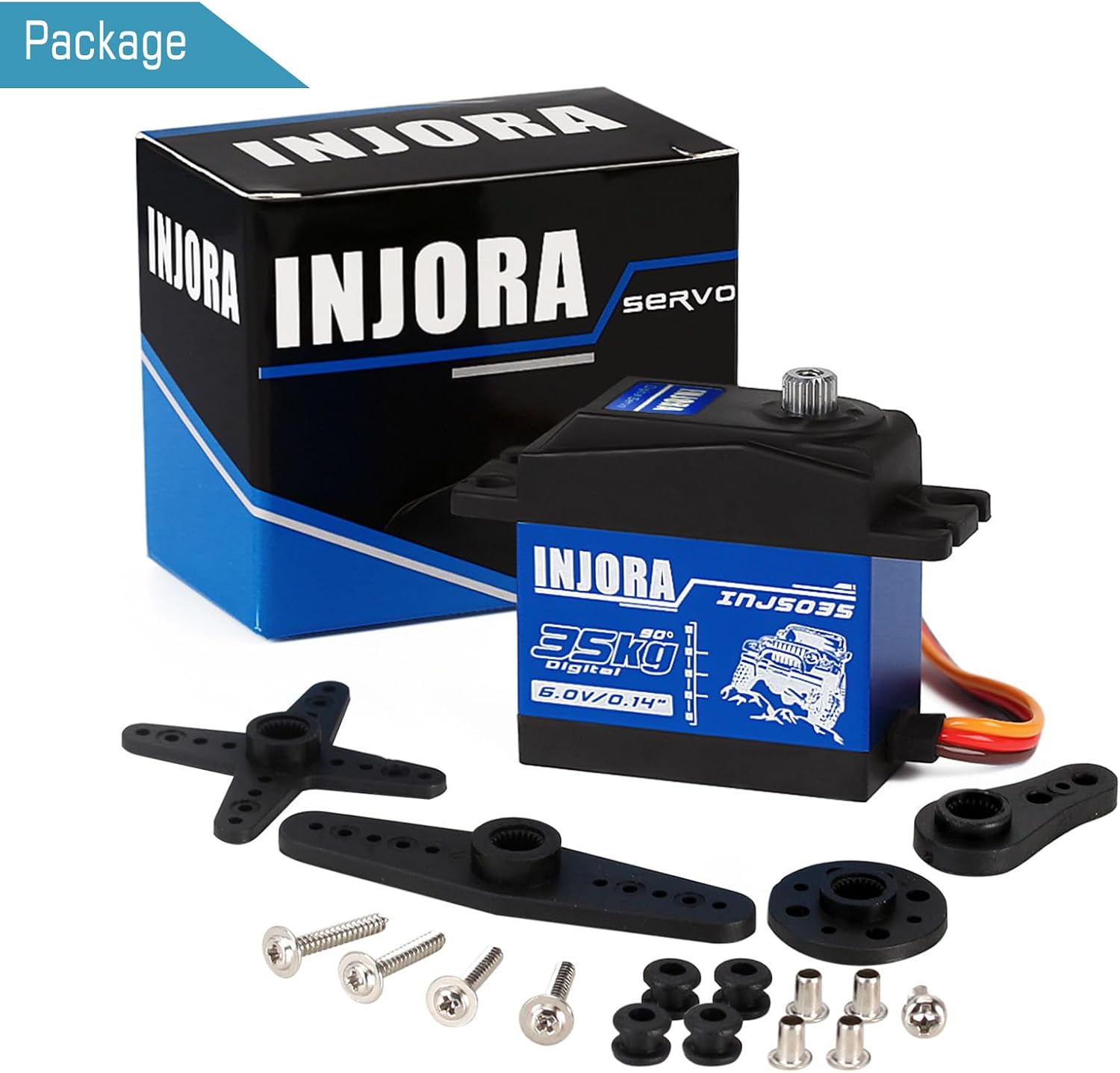
The image displays the INJORA 35KG Digital High Torque Servo in its retail packaging, alongside various servo horns and mounting screws.
2. Specifications
| Feature | Value |
|---|---|
| Brand | INJORA |
| Model Number | CRAW18392 |
| Item Name | INJS035 |
| Dead Band | 4µs |
| Operating Frequency | 1500µs/330Hz |
| Torque (4.8V) | 29 kg/cm |
| Torque (6.0V) | 35 kg/cm |
| Angle Range | 90-120 degrees |
| Operating Speed (4.8V) | 0.16 sec/60° |
| Operating Speed (6.0V) | 0.14 sec/60° |
| Operating Voltage | 4.8-6.0V |
| Weight | 60g |
| Motor Type | Core Motor |
| Dimensions | 40.5 x 20 x 40.5 mm |
| Connection Cable Length | JR 260 mm |
| Bearing | 2BB |
| Material | Metal |

This image provides a visual representation of the servo's dimensions and a table listing its technical specifications such as dead band, torque, speed, and voltage range.
3. Product Components
The INJORA 35KG Digital High Torque Servo package typically includes the servo unit itself, various servo horns (arms) to suit different applications, and mounting screws for installation.

This image shows the INJORA 35KG Digital High Torque Servo along with its various accessories: multiple servo horns of different sizes and types, and a set of mounting screws.
4. Setup and Installation
General Installation Steps:
- Remove the RC Servo from its packaging.
- Ensure the operating voltage is within the range of 4.8-6.0V.
- Connect the servo to your RC model using the JR 260 mm connector wire.
- Set the remote control angle to 90-120 degrees.
- Power on your RC model and test the servo's functionality.

The image highlights the robust all-metal gear construction of the servo, indicating its durability and precision.

A close-up view of the servo, displaying the 'INJORA 35KG Digital' branding and indicating its 90-120 degree rotation capability.
5. Operating Instructions
Once installed, the servo operates by receiving signals from your RC model's receiver, translating them into precise angular movements. Ensure your remote control is properly calibrated to achieve the desired range of motion (90-120 degrees). The digital nature of this servo provides consistent and responsive control.

This image demonstrates the servo's IP66 waterproof protection, showing it being splashed with water, suitable for various outdoor RC applications.
6. Maintenance
To ensure the longevity and optimal performance of your INJORA 35KG Digital High Torque Servo, follow these maintenance guidelines:
- Cleaning: Regularly clean the servo exterior to remove dirt, dust, and debris. Use a soft, dry cloth. Avoid using harsh chemicals.
- Connection Check: Periodically inspect the JR 260 mm connector wire for any signs of wear, fraying, or loose connections. Ensure it is securely plugged into the receiver.
- Gear Inspection: While the servo features metal gears, extreme impacts can still cause damage. If you notice unusual noises or inconsistent movement, inspect the gears for any visible damage or foreign objects.
- Storage: Store the servo in a dry, cool environment away from direct sunlight and extreme temperatures when not in use.
7. Troubleshooting
If you encounter issues with your INJORA 35KG Digital High Torque Servo, consider the following troubleshooting steps:
- No Movement:
- Check power supply to the RC model and receiver.
- Verify the servo connection to the receiver is correct and secure.
- Ensure the remote control is powered on and bound to the receiver.
- Erratic Movement or Glitching:
- Check for radio interference; move away from other electronic devices.
- Inspect servo wire for damage or poor connection.
- Ensure the operating voltage is stable and within the 4.8-6.0V range.
- Weak Performance or Not Holding Position:
- Confirm the servo is receiving adequate power (e.g., battery voltage is not too low).
- Check for mechanical binding in the RC model's steering or control linkage.
- Inspect servo gears for wear or damage.
- Incorrect Centering:
- Adjust the trim settings on your remote control.
- Re-center the servo horn during installation if necessary.
8. Safety Information
AGE RECOMMENDATION: This product is not suitable for children under 14 years of age. Adult supervision is recommended for users under 18.
Always operate RC models in a safe environment, away from people, pets, and obstacles. Ensure all connections are secure before operation. Do not attempt to modify the servo, as this may void any potential warranty and could lead to malfunction.
9. Warranty and Support
For warranty information, technical support, or any product-related inquiries, please contact INJORA directly through their official channels. Keep your purchase receipt as proof of purchase.
You can find more information and contact details on the official INJORA store: