Introduction
The SHNITPWR 120W Universal AC Adapter is a versatile power supply designed to provide adjustable DC voltage output from 4V to 24V with a maximum current of 5A. It is compatible with a wide range of small household electronics and DIY projects, featuring an LCD display for precise voltage monitoring and 14 interchangeable DC tips, including a polarity converter cable. This manual provides essential information for safe and effective use of your adapter.
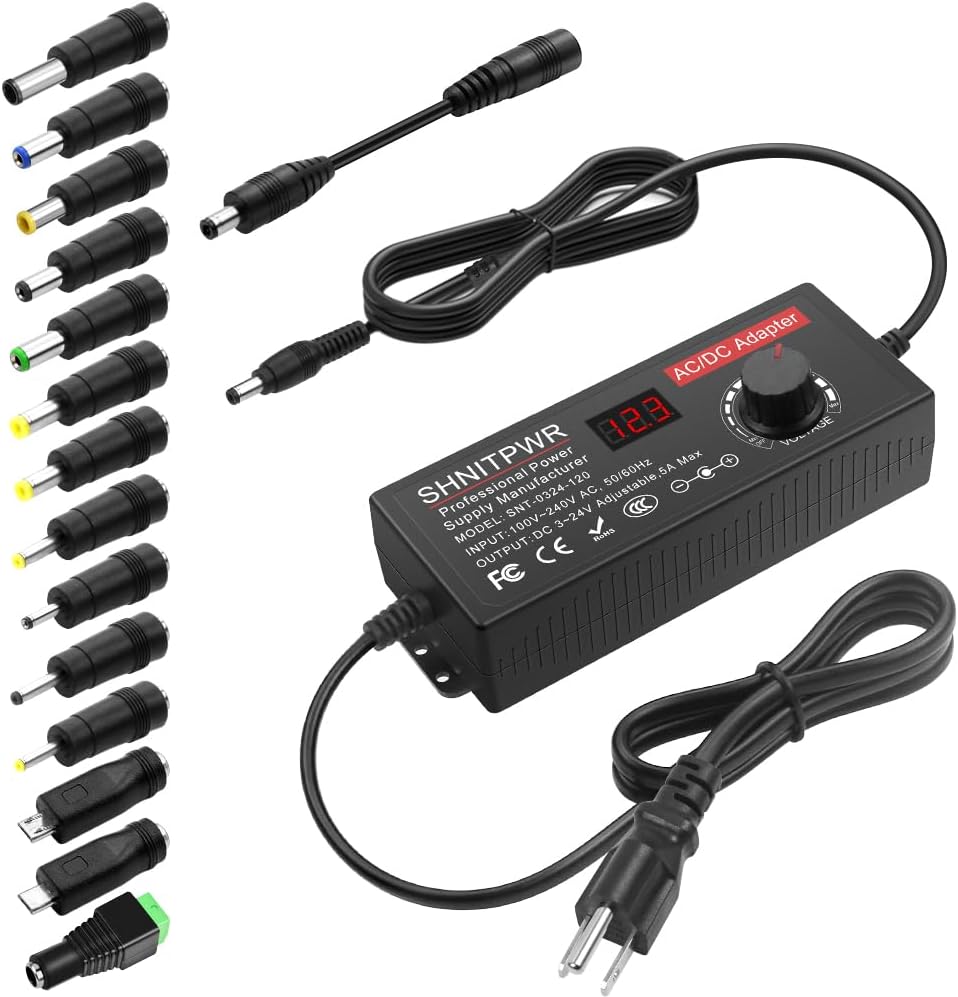
Figure 1: SHNITPWR 120W Universal AC Adapter and included accessories.
What's in the Box
- 1 x SHNITPWR 120W Universal AC Adapter
- 14 x Interchangeable DC Tips (6.5x4.4mm+Pin, 5.5x2.1mm, 5.5x3.0mm+Pin, 5.0x2.5mm, 6.3x3.0mm, 5.5x1.7mm, 4.8x1.7mm, 4.0x1.7mm, 3.5x1.35mm, 3.0x1.1mm, 2.5x0.7mm, Micro-USB, Type-C, DC terminal connector)
- 1 x Polarity Converter Cable
- 1 x User Manual

Figure 2: Included 14 DC tips and polarity converter cable.
Setup
Follow these steps for initial setup and connection:
- Confirm Device Requirements: Before connecting, identify your device's required voltage, current, power port type, and polarity. This information is usually found on the device itself or in its original manual.
- Check Compatibility: Ensure the adapter's output range (4V-24V, Max 5A 120W) is compatible with your device's requirements. The adapter can supply any voltage between 4V and 24V and any current less than 5A.
- Select Correct Tip: Choose the appropriate DC tip from the 14 provided that matches your device's power port. Attach it securely to the adapter's output cable. If your device requires reverse polarity, use the included polarity converter cable.
- Connect to Power: Plug the AC power cord of the adapter into a standard 100-240V AC wall outlet. The LCD display on the adapter will light up.
- Adjust Voltage: Rotate the 'VOLTAGE' knob on the adapter to set the desired output voltage. The LCD display will show the current voltage setting. Ensure this matches your device's required voltage precisely.
- Connect to Device: Once the voltage is set, insert the selected DC tip into your device's power input port.
Video 1: Step-by-step guide on how to set up and use the SHNITPWR Universal AC Adapter, including tip selection, voltage adjustment, and device connection.
Operating Instructions
The SHNITPWR AC Adapter is designed for simple operation:
- Power On/Off: The adapter features an 'off' gear on the voltage knob. Rotate the knob fully counter-clockwise to turn off the power without needing to unplug the unit.
- Voltage Adjustment: The voltage knob allows for stepless voltage regulation from 4V to 24V. Turn clockwise to increase voltage and counter-clockwise to decrease. The LCD display provides real-time voltage readings.
- Polarity Reversal: Use the included polarity converter cable if your device requires a center-negative connection. Simply attach it between the adapter's output and the selected DC tip.
- Load Recommendation: For optimal performance and longevity, it is recommended to use the adapter at less than 80% of its full load capacity (i.e., less than 96W for the 120W model). Overloading can cause the adapter to overheat and shorten its service life.

Figure 3: Adjustable voltage range of the adapter.
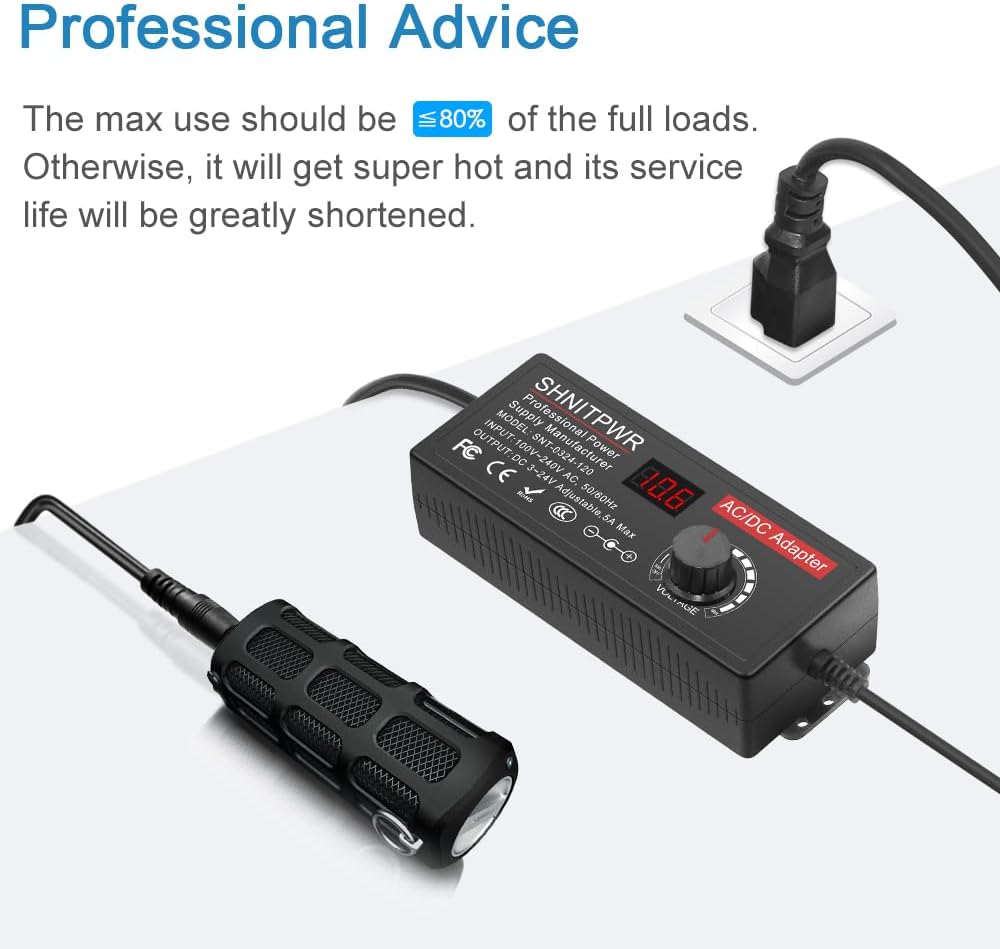
Figure 4: Professional advice on recommended load usage.
Features
- Input & Output: Input: AC 100~240V, 50/60Hz; Output: DC 4~24V Adjustable, Max 5A 120W. LCD display shows output voltage.
- Upgraded Version: Improved knob for more even adjustment, added 'off' gear, and included polarity converter cable for wider compatibility.
- 14 Frequently Used Tips: Includes 6.5x4.4mm+Pin, 5.5x2.1mm, 5.5x3.0mm+Pin, 5.0x2.5mm, 6.3x3.0mm, 5.5x1.7mm, 4.8x1.7mm, 4.0x1.7mm, 3.5x1.35mm, 3.0x1.1mm, 2.5x0.7mm, Micro-USB, Type-C, and DC terminal connector.
- Wide Range of Applications: Suitable for LED strips, under-cabinet lights, TV boxes, smart speakers, wireless routers, essential oil diffusers, USB fans, WiFi cameras, USB hubs, hard disk boxes, DC motors, DC pumps, digital photo frames, DVR NVR surveillance systems, etc. For indoor use only.
- Safety Protection Systems: Built-in automatic over voltage cut-off, over current cut-off, over temperature cut-off, and short circuit cut-off. Designed for safe operation without noise, spontaneous combustion, explosion, or fire hazard.

Figure 5: Built-in safety protections.
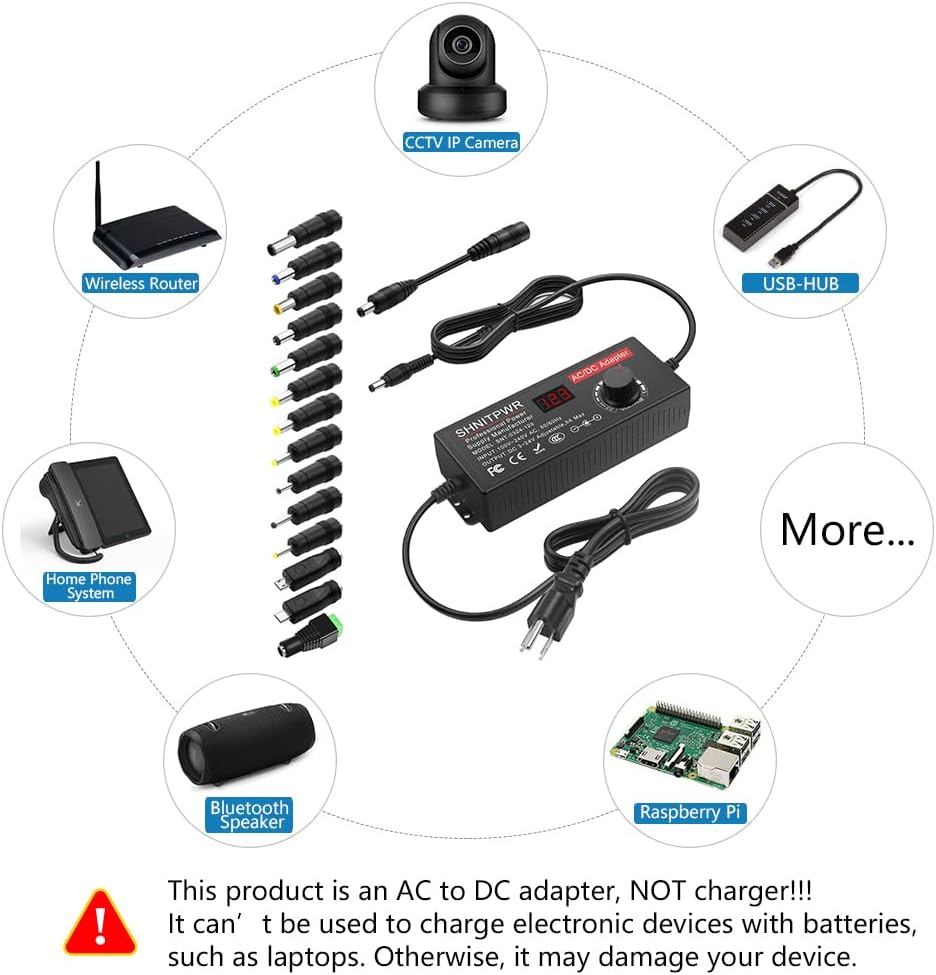
Figure 6: Examples of wide range applications.
Specifications
| Attribute | Value |
|---|---|
| Brand | SHNITPWR |
| Model Number | SNT-0324-120 |
| Input Voltage | 100-240V AC |
| Output Voltage | 4-24V DC (Adjustable) |
| Max Current | 5 Amps |
| Max Power | 120 Watts |
| Item Weight | 1.1 pounds |
| Package Dimensions | 8.27 x 3.31 x 2.72 inches |
| Connectivity Technology | USB (via tips) |
| Connector Type | Barrel connector (with various tips) |
| Color | Black |

Figure 7: Product dimensions.
Maintenance
To ensure the longevity and proper functioning of your SHNITPWR AC Adapter, follow these maintenance guidelines:
- Keep the adapter clean and free from dust and debris. Use a soft, dry cloth for cleaning.
- Store the adapter in a cool, dry place when not in use.
- Avoid exposing the adapter to extreme temperatures, humidity, or direct sunlight.
- Do not attempt to open or repair the adapter yourself. This will void the warranty and may cause damage or injury.
- Regularly check the cables and connectors for any signs of wear or damage. Replace if necessary.
Troubleshooting
If you encounter issues with your SHNITPWR AC Adapter, consider the following common troubleshooting steps:
- No Power Output: Ensure the adapter is securely plugged into a working wall outlet. Check if the voltage knob is turned to an 'off' position or if the display is off.
- Incorrect Voltage Display: Verify that the voltage knob is set correctly. If the display is erratic, try unplugging and re-plugging the adapter.
- Device Not Powering On: Double-check that the selected DC tip is the correct size and type for your device. Confirm that the polarity is correct (use the polarity converter cable if needed). Ensure the set voltage and current are within your device's specifications.
- Adapter Overheating: This may indicate an overload. Ensure your device's power requirements do not exceed 80% of the adapter's maximum capacity (96W). Disconnect the device and allow the adapter to cool down.
- Flickering or Unstable Power: Ensure all connections are secure. Verify that the device's current draw is not exceeding the adapter's capacity.
If these steps do not resolve the issue, please contact SHNITPWR customer support for further assistance.
Warranty & Support
SHNITPWR products are designed for quality and reliability. For specific warranty details and customer support, please refer to the warranty card included with your product or visit the official SHNITPWR website. If you have any questions or require assistance, do not hesitate to contact our support team.
You can visit the SHNITPWR Store on Amazon for more information and contact options.


