
Introduction
The REXING M2 Smart Dual Mirror Dash Cam is designed to enhance driving safety and provide comprehensive recording capabilities. This manual provides detailed instructions for installation, operation, and maintenance of your device, ensuring optimal performance and longevity.
What's in the Box
- REXING M2 Smart Dual Mirror Dash Cam
- Rear Camera (Full HD)
- GPS Logger
- Power Cable (12V car charger)
- Rubber Straps for Mounting
- Mounting Screws and Double-Sided Tape for Rear Camera
- Cable Management Tool
- Cleaning Cloth
- User Manual
- Memory Card
Product Features
- Full HD Dual Channel Recording: Captures simultaneous 1080p video from both front and rear cameras.
- Blind Spot Detection (BSD) & Advanced Driver-Assistance System (ADAS): Utilizes radar sensors to monitor blind spots and assist with lane changes by providing alerts.
- GPS Logger: Records time, date, location, and speed data with your video recordings.
- 12-inch IPS Touch Screen: Provides a wide, live-stream rearview display with intuitive finger-touch operation.
- Automatic Backup Camera: Displays rear footage in real-time, assisting with driving and backing up.
- G-Sensor: Automatically detects impacts and locks video footage to prevent overwriting.
- Loop Recording: Continuously records by overwriting the oldest unlocked files when the memory card is full.
- 24-Hour Parking Monitor: Automatically records 20-second videos when vibration is detected while the vehicle is parked.
Product Overview
The REXING M2 dash cam is designed to seamlessly integrate with your vehicle's rearview mirror. Below is an overview of its physical components and connections.

The REXING M2 mirror dash cam showcasing its Blind Spot Detection (BSD) and Advanced Driver-Assistance System (ADAS) capabilities. The image illustrates how the system detects vehicles in blind spots and provides visual alerts for safe lane changes.

The REXING M2 dash cam highlighting its dual channel 1080p recording for both front and rear views, along with Super Night Vision capabilities for clear footage in low-light conditions.

The 12-inch IPS touch screen of the REXING M2 dash cam, demonstrating its adjustable field of view by swiping on the interactive display.

The REXING M2 dash cam featuring its integrated GPS Logger for real-time speed and location tracking, alongside a 170-degree wide-angle lens for extensive road coverage.
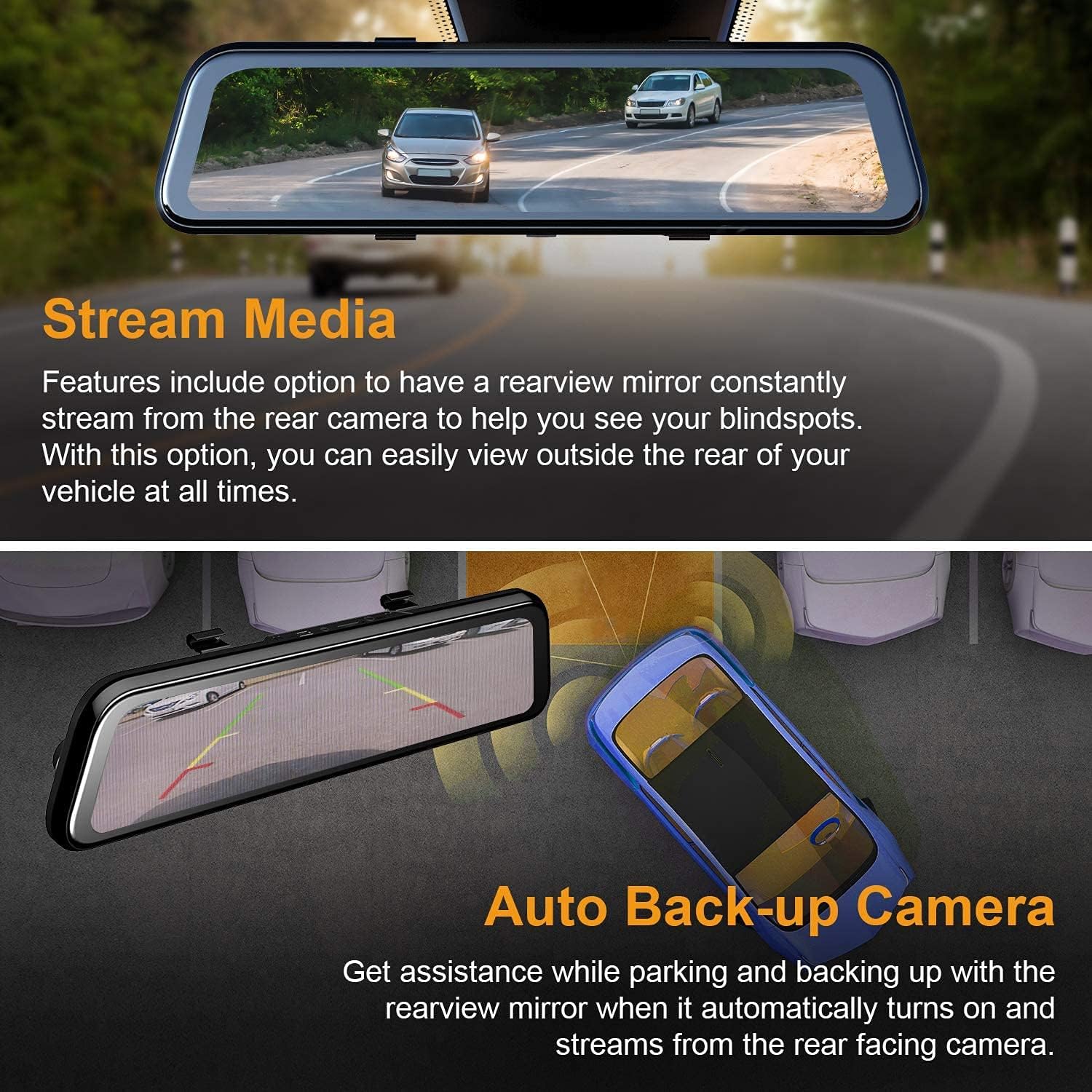
The REXING M2 dash cam's Stream Media function, allowing continuous rearview streaming, and its Auto Backup Camera feature, which automatically activates when reversing for enhanced safety.

The REXING M2 dash cam illustrating its Gravity Sensor for collision detection, Loop Recording for continuous footage, and 24-Hour Parking Monitor for vehicle surveillance.
Ports and Controls
- Top Ports: Includes connections for GPS, Micro SD card slot (requires user-provided card), AV input for the rear camera, and a Mini USB port for power.
- Rear: Features a reset hole and four rubber anchor points for secure mounting. The front-facing camera is adjustable, allowing for pivot movement (up/down, side-to-side) to optimize the recording angle.
- Bottom: Contains a speaker grill, a power button (to turn the device on/off), and a microphone.
Installation Guide
Follow these steps to properly install your REXING M2 Dash Cam in your vehicle.
- Mounting the Mirror: Use the provided rubber straps to securely attach the REXING M2 mirror dash cam over your vehicle's existing rearview mirror. Ensure the mirror is centered and stable.
- Connecting Power: Plug the power cable into the Mini USB port on top of the dash cam and connect the other end to your vehicle's 12V power outlet (cigarette lighter socket).
- Installing the Rear Camera:
- Connect the rear camera cable to the AV input port on the dash cam.
- Route the rear camera cable discreetly along the headliner and side panels to the rear of your vehicle. Use the provided cable management tool to tuck wires neatly.
- Mount the rear camera using the included screws or double-sided tape. For automatic reverse camera activation, connect the red wire from the rear camera cable to your vehicle's reverse light power source.
- Connecting the GPS Logger: Plug the GPS logger into its dedicated port on top of the dash cam. Mount the GPS unit on your windshield, ensuring it has a clear view of the sky for optimal signal reception.
- Insert Memory Card: Insert a compatible Micro SD card (not included) into the designated slot on top of the dash cam. The device requires a memory card for recording.
Official REXING video demonstrating the installation process of the M2 BSD Dash Cam, including mounting the mirror, connecting cables, and setting up the rear camera.
Operation Guide
The REXING M2 features an intuitive 12-inch IPS touchscreen for easy navigation and control.
Touchscreen Controls
- Switching Views: Swipe left or right on the screen to switch between front camera view, rear camera view, or a split view showing both simultaneously.
- Adjusting Camera Angle: Swipe up or down on the left side of the screen (for front view) or right side (for rear view) to adjust the vertical viewing angle of the camera.
- Adjusting Screen Brightness: Swipe up or down on the right side of the screen to adjust the display brightness.
- Accessing Menu: Tap the screen to reveal the menu bar at the bottom.
Menu Options
From the menu bar, you can access various settings and functions:
- Recording Controls: Start/stop recording, take photos, or manually lock current video footage.
- Playback: Swipe left from the main screen to access recorded files. You can play back front or rear videos, locked videos, and photos directly on the screen.
- Settings (Gear Icon): Access advanced settings including:
- G-Sensor Sensitivity: Adjust sensitivity (Low, Medium, High, Off) for impact detection during driving and parking.
- Loop Recording: Set video segment duration (1, 2, or 3 minutes).
- Parking Monitor: Enable/disable and adjust sensitivity for 24/7 surveillance.
- Video Encoding: Choose between H.264 and H.265 for video compression.
- Language: Select your preferred language.
- Date/Time: Set the correct date and time.
- Format SD: Format the Micro SD card.
- Speed Unit: Switch between MPH and KM/H.
- Speech Recognition: Enable voice commands for hands-free operation (e.g., "Turn on screen," "Show front camera," "Lock the video").
Maintenance
Regular maintenance ensures the longevity and optimal performance of your dash cam.
- Cleaning: Use the provided cleaning cloth to gently wipe the screen and camera lenses. Avoid abrasive materials or harsh chemicals.
- SD Card Management: Regularly format your Micro SD card (at least once a month) to prevent data corruption and ensure smooth recording. Replace the card if it shows signs of wear or error.
- Firmware Updates: Check the REXING website periodically for firmware updates to ensure your device has the latest features and bug fixes.
Troubleshooting
If you encounter issues with your REXING M2 Dash Cam, refer to the following common solutions:
- Screen Glare at Night: Some users report glare from headlights at night. Adjust screen brightness or turn off the screen to use it as a normal mirror if visibility is affected.
- Poor Rear Camera Visibility in Rain: Ensure the rear camera lens is clean and free from water droplets. Consider repositioning the camera if it's frequently obstructed.
- Dash Cam Not Recording: Ensure a compatible Micro SD card is inserted and formatted. Check loop recording settings.
- GPS Not Tracking: Verify the GPS logger is securely plugged in and mounted with a clear view of the sky.
- Device Unresponsive: Use the reset hole on the back of the device to perform a factory reset.
Specifications
| Product Dimensions | 12 x 2.75 x 0.75 inches |
| Item Weight | 13.7 ounces |
| Item Model Number | M2 |
| Screen Size | 12 Inches |
| Display Technology | LCD |
| Optical Sensor Technology | CMOS |
| Real Angle of View | 170 Degrees |
| Special Features | G-Sensor, Loop Recording, Night Vision, Blind Spot Detection, ADAS, GPS |
| Connectivity Technologies | USB |
| Color | Black |
Warranty and Support
The REXING M2 Smart Dual Mirror Dash Cam comes with an 18-month warranty. For any assistance, technical support, or warranty claims, please contact REXING customer support directly.


