
1. Product Overview
The Monster iSport Solitaire Lite MH11906 are wireless in-ear headphones designed for active lifestyles. They feature a secure fit, clear call quality, and sweat resistance, making them suitable for sports and daily use.

Image 1.1: Product Overview. This image displays the Monster iSport Solitaire Lite headphones along with their packaging and included accessories, such as eartips, charging cable, and user manual.
Package Contents:
- Monster iSport Solitaire Lite Wireless Headphones
- Eartips x 3 Pairs (Small, Medium, Large)
- USB Type-C Charging Cable
- Quick Start Guide
- Warranty Letter
2. Features
- Pure Monster Sound: Offers distinct sound profiles, including 'normal' and 'turbo' modes.
- SecureFit and SportClip: Designed to stay in place during intense activities.
- Bluetooth 5.0: Provides a stable and reliable wireless connection.
- Clear Call Quality: Integrated high-quality noise reduction microphone for clear communication.
- IPX5 Water Resistance: Sweat and splash-proof for durability during workouts.
- Long Battery Life: Up to 10 hours of playtime on a single charge (at 50% volume).
- Magnetic Earbuds: For convenient and tangle-free storage when not in use.
- Excellent Flexibility: Memory metal construction prevents winding and deformation.
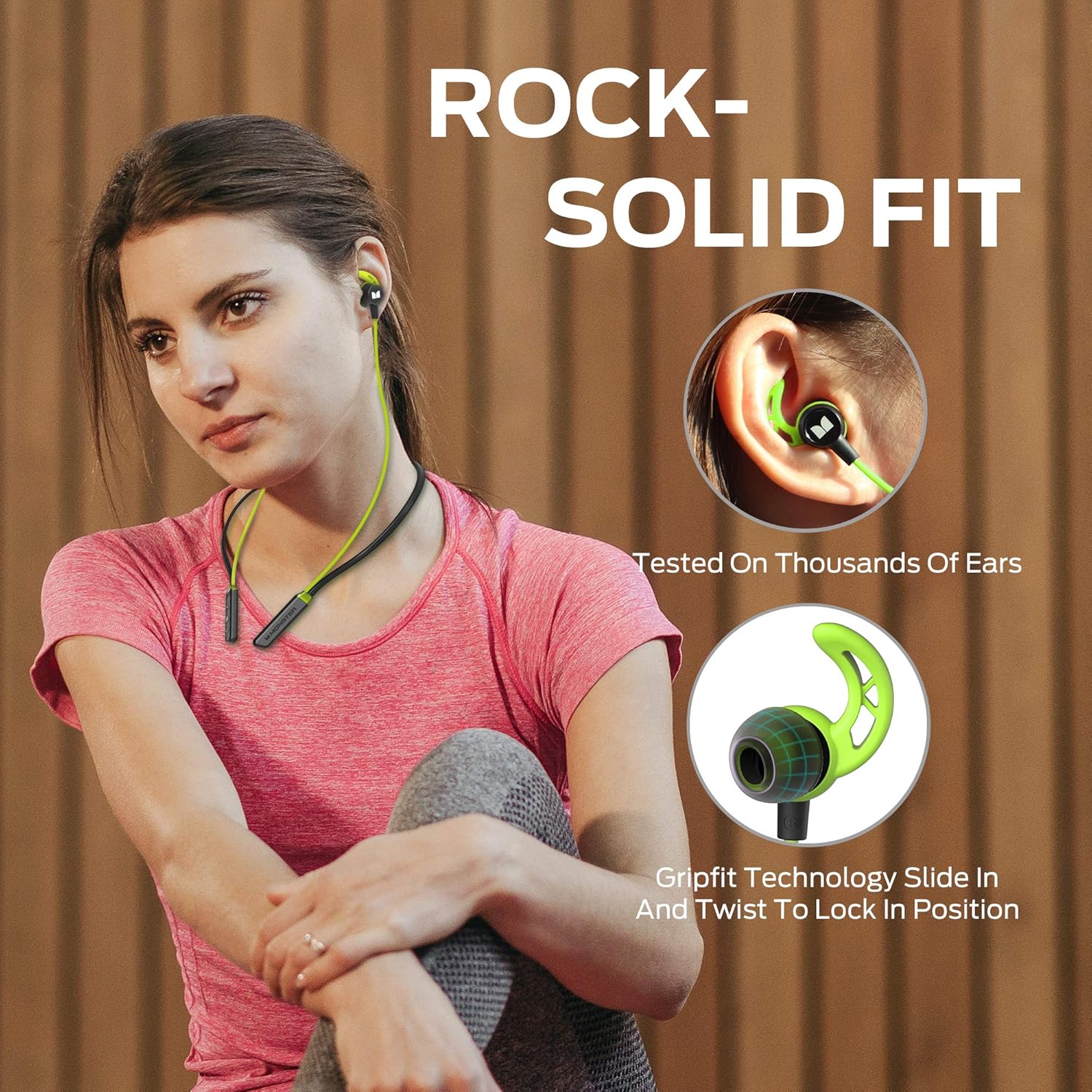
Image 2.1: Rock-Solid Fit. The image highlights the secure fit of the headphones, featuring Gripfit Technology designed to lock into position in the ear.

Image 2.2: Comfortable All Day. This image shows the three different sizes of eartips (S, M, L) included to ensure a comfortable and secure fit for various ear sizes.

Image 2.3: IPX5 Water Resistant. The image demonstrates the headphones' sweat and splash-proof capabilities, suitable for active use.
3. Setup
3.1 Charging the Headphones
Before first use, fully charge your headphones. A full charge takes approximately 1.5 hours.
- Connect the provided USB Type-C charging cable to the charging port on the headphones.
- Connect the other end of the cable to a USB power source (e.g., computer, wall adapter).
- The LED indicator will show charging status (refer to the Quick Start Guide for specific LED behavior).
- Once fully charged, disconnect the charging cable.
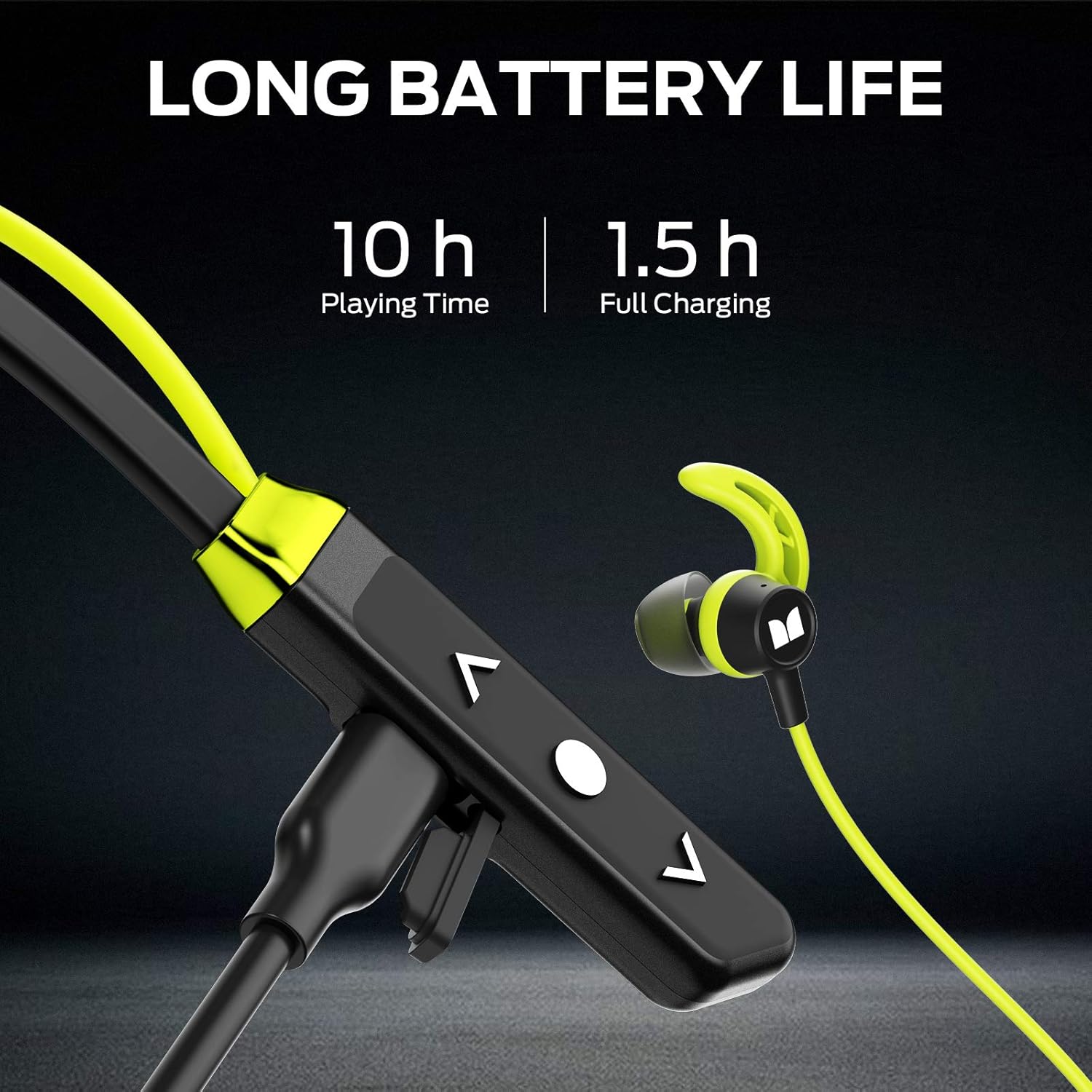
Image 3.1: Long Battery Life. This image illustrates the charging port and control buttons, highlighting the 10-hour playtime and 1.5-hour charging time.
3.2 Bluetooth Pairing
To connect your headphones to a device:
- Ensure the headphones are charged and powered off.
- Press and hold the multi-function button (usually the central button on the inline control) until the LED indicator flashes rapidly (often blue and red), indicating pairing mode.
- On your device (smartphone, tablet, etc.), enable Bluetooth and search for new devices.
- Select "Monster iSport Solitaire Lite" from the list of available devices.
- Once connected, the LED indicator will typically show a solid blue light or flash slowly.
4. Operating Instructions
4.1 Basic Controls
The headphones feature an inline remote with control buttons:
- Power On/Off: Press and hold the multi-function button.
- Play/Pause: Single press the multi-function button.
- Volume Up: Press the '+' button.
- Volume Down: Press the '-' button.
- Next Track: Press and hold the '+' button (or double-press, refer to Quick Start Guide).
- Previous Track: Press and hold the '-' button (or triple-press, refer to Quick Start Guide).
- Answer/End Call: Single press the multi-function button.
- Reject Call: Press and hold the multi-function button.
- Activate Voice Assistant: Double-press the multi-function button (if supported by your device).
4.2 Sound Profiles
The headphones offer 'normal' and 'turbo' sound profiles. To switch between profiles, refer to the Quick Start Guide for the specific button combination (often a double or triple press of the multi-function button).
4.3 Call Functionality
The built-in microphone provides clear call quality. Ensure the microphone is not obstructed during calls.

Image 4.1: Clear Call Quality. This image emphasizes the crystal clear call quality provided by the headphones' integrated microphone.
5. Maintenance
5.1 Cleaning
The headphones are IPX5 water resistant, meaning they can withstand sweat and splashes. To clean:
- Wipe the earbuds and cable with a soft, damp cloth after each use, especially after workouts.
- Ensure the charging port is dry before charging.
- Remove eartips periodically and clean them with mild soap and water. Allow them to dry completely before reattaching.
5.2 Storage
When not in use, the magnetic earbuds allow for tangle-free storage.

Image 5.1: Easy to Store. The image shows the strong magnetic force between the earbuds, allowing for stable and convenient storage.
Store the headphones in a cool, dry place away from direct sunlight and extreme temperatures.
6. Troubleshooting
If you encounter issues with your Monster iSport Solitaire Lite headphones, try the following:
- No Power: Ensure the headphones are fully charged.
- Cannot Pair:
- Ensure Bluetooth is enabled on your device.
- Make sure the headphones are in pairing mode (LED flashing).
- Move the headphones closer to your device.
- Forget the device from your phone's Bluetooth list and try pairing again.
- No Sound/Low Volume:
- Check the volume level on both your headphones and your connected device.
- Ensure the headphones are properly connected to your device.
- Try re-pairing the headphones.
- Poor Call Quality:
- Ensure the microphone is not covered.
- Move to an area with less background noise.
- Check your device's network signal.
- Intermittent Connection:
- Ensure there are no obstructions between the headphones and your device.
- Avoid strong electromagnetic interference.
- Keep the headphones within the recommended Bluetooth range.
7. Specifications
| Model Number | MH11906 |
| Bluetooth Version | 5.0 |
| Speaker Size | 10mm |
| Frequency Response | 20Hz - 20KHz |
| Battery Capacity | 100mAh (Polymer Lithium Battery) |
| Charging Port | USB Type-C |
| Charging Time | Approx. 1.5 hours |
| Playtime (50% volume) | Approx. 10 hours |
| Talk Time | Approx. 5 hours |
| Weight | Approx. 22g |
| Water Resistance | IPX5 (Sweat and Splash Proof) |
| Control Type | Inline Buttons (Volume, Multi-function) |
| Ear Placement | In Ear |
8. Warranty and Support
Your Monster iSport Solitaire Lite MH11906 headphones come with a warranty. Please refer to the 'Warranty Letter' included in your product package for detailed information regarding warranty terms, conditions, and duration.
For technical support, service, or further inquiries, please contact Monster customer service through their official website or the contact information provided in your warranty documentation.
