
MIFA X11-BK
MIFA X11 True Wireless Earbuds User Manual
Model: X11-BK | Brand: MIFA
1. Introduction
Thank you for choosing the MIFA X11 True Wireless Earbuds. This manual provides essential information on how to set up, operate, and maintain your earbuds to ensure optimal performance and longevity. Please read this manual thoroughly before using the product.
2. What's in the Box
- MIFA X11 True Wireless Earbuds (Left & Right)
- Charging Case
- Ear Cushions (various sizes)
- USB Charging Cable
- User Manual
3. Product Features
- Truly Wireless Design: Bluetooth 5.0 for total freedom, switch between Twin Mode and Mono Mode.
- Expertly Tuned Sound: Powerful bass and clear details with advanced Qualcomm chip, supporting APT-X and ACC.
- IPX7 Waterproof: Protection against sweat, rain, and snow, ideal for sports.
- Powerful Battery: Up to 5 hours of playtime on a single charge, with the charging case providing up to 100 additional hours.
- Ergonomic Design: Unique ear-fins for a secure, comfortable fit.
- CVC 8.0 Noise Reduction: Built-in microphone with CVC 8.0 for crystal-clear phone calls and voice assistant support.
4. Setup
4.1 Initial Charging
Before first use, fully charge both the earbuds and the charging case. Place the earbuds into the charging case. Connect the USB charging cable to the case and a power source. The indicator lights on the case will show the charging status.
4.2 Pairing
The MIFA X11 earbuds feature one-step pairing for convenience.
- Take both earbuds out of the charging case. They will automatically power on and connect to each other.
- On your mobile device, open the Bluetooth settings.
- Select "MIFA X11" from the list of available devices to pair.
- Once connected, you will hear a confirmation prompt.
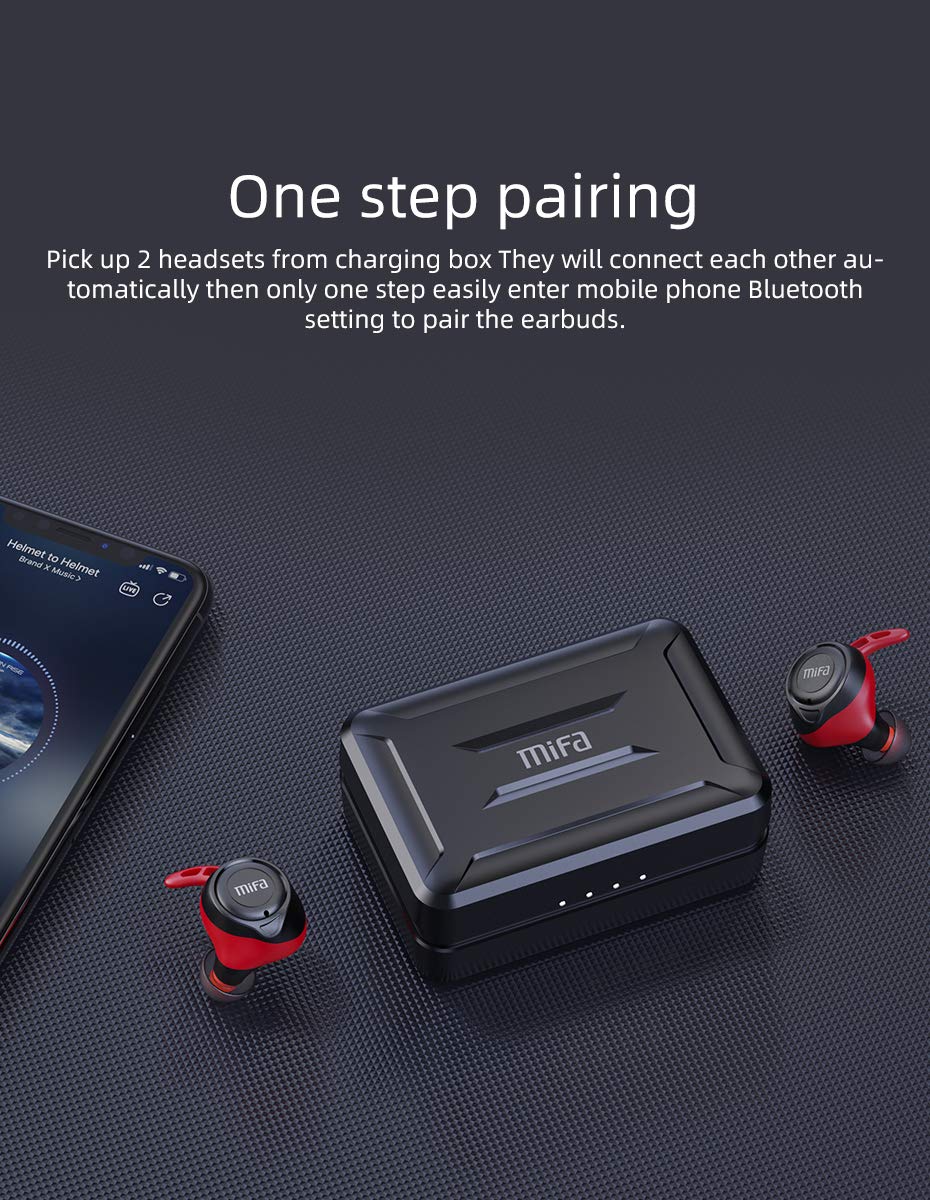
Figure 4.2.1: One-step pairing process with earbuds and charging case.
5. Operating Instructions
5.1 Basic Controls
The MIFA X11 earbuds feature physical buttons for reliable control. Specific functions may vary slightly based on your device and application.
- Power On/Off: Earbuds power on automatically when removed from the case and power off when placed back in.
- Play/Pause: Press the button on either earbud once.
- Next Track: Double-press the button on the right earbud.
- Previous Track: Double-press the button on the left earbud.
- Volume Up: Triple-press the button on the right earbud.
- Volume Down: Triple-press the button on the left earbud.
5.2 Mono Mode and Twin Mode
The earbuds can be used individually (Mono Mode) or together (Twin Mode).
- Mono Mode: Simply take one earbud out of the charging case. It will automatically connect to your device, allowing you to use it independently for calls or audio while maintaining awareness of your surroundings.
- Twin Mode: Take both earbuds out of the charging case. They will automatically connect to each other and then to your device, providing an immersive stereo sound experience.
5.3 Phone Calls
The MIFA X11 earbuds support call control functions.
- Answer/End Call: Press the button on either earbud once.
- Reject Call: Press and hold the button on either earbud for 2 seconds.
5.4 Voice Assistant
Activate your device's voice assistant (Siri, Google Assistant, etc.) directly from the earbuds.
- Activate Voice Assistant: Press and hold the button on either earbud for 2 seconds (after rejecting a call, if applicable).

Figure 5.4.1: Activating voice assistant with MIFA X11 earbuds.
6. Maintenance
6.1 Cleaning
Regular cleaning helps maintain sound quality and hygiene.
- Gently wipe the earbuds and charging case with a soft, dry, lint-free cloth.
- For ear tips, remove them and clean with a mild soap solution if necessary, then rinse thoroughly and dry completely before reattaching.
- Do not use abrasive cleaners or solvents.
6.2 Water Resistance (IPX7)
The MIFA X11 earbuds are IPX7 waterproof, meaning they can withstand immersion in water up to 1 meter for 30 minutes. This makes them suitable for workouts and use in rainy conditions.
- Do not intentionally submerge the charging case, as it is not waterproof.
- Ensure earbuds are dry before placing them back into the charging case to prevent damage.
- IPX7 rating applies to fresh water; exposure to salt water, chlorinated water, or other liquids may cause damage.

Figure 6.2.1: MIFA X11 earbuds demonstrating IPX7 waterproof capability.
7. Troubleshooting
If you encounter issues with your MIFA X11 earbuds, try the following solutions:
- Earbuds not pairing with each other: Place both earbuds back into the charging case, close the lid for a few seconds, then take them out again. They should automatically connect.
- Earbuds not connecting to device: Ensure Bluetooth is enabled on your device. Forget "MIFA X11" in your device's Bluetooth settings and attempt to pair again.
- No sound from one earbud: Ensure both earbuds are charged. Try placing them back in the case and taking them out again. If the issue persists, reset the earbuds (refer to manufacturer's website for specific reset instructions if needed).
- Charging issues: Ensure the charging cable is securely connected and the power source is working. Clean the charging contacts on both the earbuds and the case with a dry cotton swab.
- Poor sound quality: Ensure earbuds are properly seated in your ears. Try different sized ear tips for a better seal. Check if there is any debris in the earbud nozzles.
For further assistance, please contact MIFA customer support.
8. Specifications
| Model Name | MIFA X11 |
| Connectivity Technology | Wireless (Bluetooth 5.0) |
| Water Resistance Level | IPX7 Waterproof |
| Battery Life (Earbuds) | Up to 5 Hours |
| Battery Life (with Charging Case) | Up to 100 Hours |
| Microphone | Yes (with CVC8.0 Noise Reduction) |
| Control Type | Call Control, Remote |
| Compatible Devices | Smartphones, Tablets, Laptops, Bluetooth-enabled Devices |
| Material | Silicone, Plastic |
| Product Dimensions | 3.1 x 2.5 x 2.6 cm |
| Item Weight | 249 g |
9. Warranty and Support
MIFA products are manufactured to the highest quality standards. For information regarding warranty coverage, technical support, or service inquiries, please visit the official MIFA website or contact their customer service directly. Please retain your proof of purchase for warranty claims.
Ask a question about this manual
Ask about setup, troubleshooting, compatibility, parts, safety, or missing instructions. Manuals+ will review the question and use this page’s manual context to help answer it.