
1. Introduction
This manual provides instructions for the safe and effective use of the SureFire SFLFP123-KIT, which includes two 3V Lithium Iron Phosphate (LiFePO4) 450mAh rechargeable batteries and a two-bay charger. These batteries are designed for high-drain devices and offer a reusable alternative to traditional 123A lithium primary batteries.
2. What's in the Box
The SureFire SFLFP123-KIT package contains the following items:
- Two (2) SureFire SFLFP123 3V Lithium Iron Phosphate (LiFePO4) 450mAh rechargeable cells.
- One (1) Two-bay battery charger.
- One (1) MICRO-USB to USB-A cable.

Figure 1: SureFire SFLFP123-KIT contents, including two batteries and the charger.
3. Setup
3.1 Initial Charging
Before first use, fully charge the batteries. The charger is designed for convenient recharging at home or on the go.
- Connect the MICRO-USB to USB-A cable to the charger and a compatible USB power source (e.g., wall adapter, computer USB port).
- Insert the SureFire SFLFP123 rechargeable batteries into the two bays of the charger, ensuring correct polarity (+ and - terminals match the charger markings).
- The indicator lights on the charger will illuminate to show the charging status.
3.2 Charging Indicators
- Blinking Green Light: Indicates that the battery is currently charging.
- Solid Green Light: Indicates that the battery is fully charged.
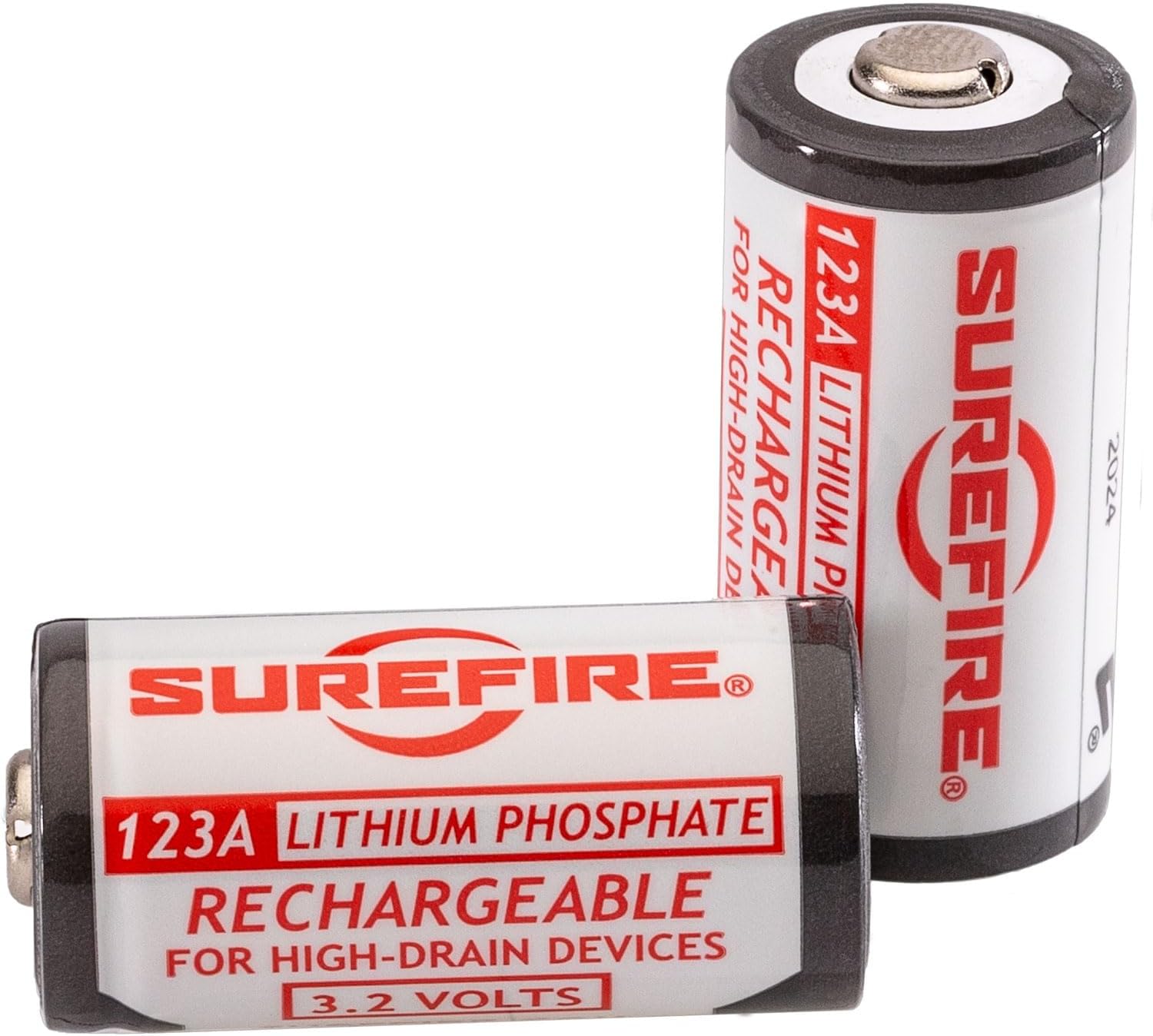
Figure 2: SureFire SFLFP123 rechargeable batteries.
4. Operation
4.1 Inserting Batteries into Devices
Ensure the batteries are fully charged before inserting them into your compatible devices. Always observe the correct polarity (+ and -) as indicated on your device and the batteries.
4.2 Recharging Batteries
When battery performance diminishes, remove the batteries from your device and place them back into the two-bay charger for recharging. Follow the steps outlined in Section 3.1 Initial Charging.
Note: No official product videos from the seller were available for embedding in this manual.
5. Maintenance
5.1 Battery Care
- Avoid fully discharging the batteries. Recharge them when performance starts to decline.
- Do not expose batteries to extreme temperatures (hot or cold).
- Do not puncture, disassemble, or short-circuit the batteries.
- Keep batteries away from water and moisture.
5.2 Charger Care
- Keep the charger clean and free from dust and debris.
- Store the charger in a dry environment.
- Do not use the charger if it appears damaged.
5.3 Storage
For long-term storage, store batteries in a cool, dry place, ideally at a partial charge (around 50%). Remove batteries from devices when not in use for extended periods.
6. Troubleshooting
- Battery Not Charging:
Ensure the USB cable is securely connected to both the charger and the power source. Verify that the batteries are inserted correctly with matching polarity. Try a different USB cable or power source. - Short Battery Life:
Battery life can vary depending on the device and usage intensity. Ensure batteries are fully charged before use. Over time, all rechargeable batteries experience a decrease in capacity. If battery life becomes significantly short, consider replacing the batteries. - Charger Indicator Lights Not Working:
Check the power connection. If the charger is connected and batteries are inserted correctly but lights do not illuminate, the charger may be faulty.
If issues persist, refer to the Warranty and Support sections for further assistance.
7. Specifications
| Model Name | SFLFP123-KIT |
| Battery Type | Lithium Iron Phosphate (LiFePO4) |
| Battery Voltage | 3.2V per cell |
| Battery Capacity | 450mAh per cell |
| Charger Type | Two-bay charger |
| Included Components | 2 x SFLFP123 Batteries, 1 x Two-bay Charger, 1 x Micro-USB to USB-A Cable |
| Item Weight (Kit) | 0.4 Ounces (approx. 0.011 kg) |
| Package Dimensions | 5.63 x 5 x 1.46 inches |
| Color | Black (Charger) |
| Material | Plastic |
| Recommended Uses | Outdoor activities, emergency preparedness, professional applications |
8. Warranty
The SureFire SFLFP123-KIT is covered by a standard manufacturer's warranty. Specific details regarding the warranty period and coverage are typically provided with the product packaging or can be obtained by contacting SureFire customer support directly. Please retain your proof of purchase for warranty claims.
9. Support
For technical assistance, product inquiries, or warranty service, please contact SureFire customer support. Visit the official SureFire website for the most up-to-date contact information and support resources.
SureFire Official Website: www.surefire.com


