
1Mii B310
1Mii B310 Bluetooth 5.0 Transmitter Receiver Audio Adapter User Manual
Model: B310
1. Introduction
Thank you for purchasing the 1Mii B310 Bluetooth 5.0 Transmitter Receiver. This device is designed to provide high-quality wireless audio connectivity for a wide range of devices, including televisions, home stereo systems, smartphones, and tablets. It supports both audio transmission (TX mode) and reception (RX mode), offering flexible solutions for your audio needs. The B310 features Bluetooth 5.0 technology for stable connections and low latency audio.
2. Package Contents
Please check the package contents to ensure all items are present:
- 1Mii B310 Bluetooth Adapter
- USB Power Cable
- 3.5mm Male to RCA Male Cable
- 3.5mm Audio Cable
- Optical Cable (TOSLINK SPDIF)

Figure 2.1: Package Contents. This image displays the 1Mii B310 Bluetooth adapter along with all included accessories: a USB power cable, a 3.5mm to RCA audio cable, a 3.5mm audio cable, and an optical cable.
3. Product Overview
Familiarize yourself with the device's components and indicators:

Figure 3.1: 1Mii B310 Device. This image shows the top of the 1Mii B310 Bluetooth adapter, highlighting its antenna, mode indicators (RX, TX, Bypass), input indicators (AUX, OPT), codec indicators (APTX, LL, HD), and control buttons (Bluetooth pairing, Volume -, Volume +, Power).
3.1. Indicators and Buttons
- RX/TX/Bypass LEDs: Indicate the current operating mode (Receiver, Transmitter, or Bypass).
- AUX/OPT LEDs: Indicate the active audio input/output type (Auxiliary or Optical).
- APTX/LL/HD LEDs: Indicate the active Bluetooth audio codec (aptX, aptX Low Latency, aptX HD).
- Bluetooth Button: Used for pairing and clearing memory.
- Volume - / + Buttons: Adjust audio volume.
- Power Button: Turns the device on/off.
4. Setup
The 1Mii B310 can operate in two primary modes: Transmitter (TX) and Receiver (RX).
4.1. Powering On the Device
Connect the 1Mii B310 to a power source using the provided USB power cable. The device can operate while charging. A full charge takes approximately 2.5 hours and provides up to 20 hours of playtime.
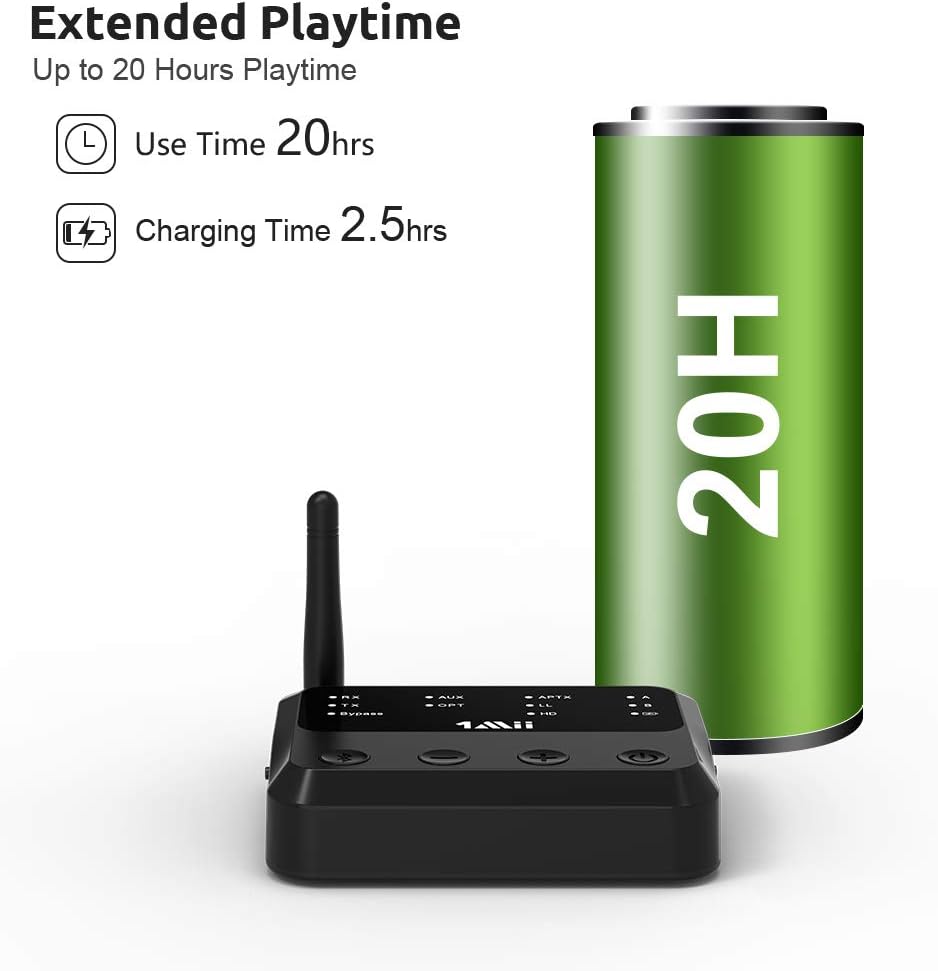
Figure 4.1: Extended Playtime. This graphic illustrates the 1Mii B310's battery life, showing up to 20 hours of playtime on a single charge and a charging time of 2.5 hours.
4.2. Transmitter (TX) Mode Setup
In TX mode, the B310 transmits audio from a non-Bluetooth device (e.g., TV, PC) to Bluetooth headphones or speakers.
- Connect Audio Source: Connect the B310 to your audio source (TV, PC) using one of the following cables:
- Optical Cable: For digital audio output from your TV. Ensure your TV's audio output is set to PCM or Stereo, not Dolby/DTS.
- 3.5mm Audio Cable: For analog audio output (headphone jack).
- RCA to 3.5mm Cable: For RCA stereo audio output.
- Set to TX Mode: Ensure the B310 is in TX mode (TX LED will be lit). If not, press the mode button to switch.
- Pair Bluetooth Device: Put your Bluetooth headphones or speakers into pairing mode. Press the Bluetooth button on the B310. The B310 will automatically search and connect to your device. Once connected, the corresponding A or B LED will light up.

Figure 4.2: Multifunctional Bluetooth Audio Adapter. This diagram illustrates the three operational modes of the 1Mii B310: Transmitter mode (TX) for connecting a TV/PC to Bluetooth headphones/speakers, Receiver mode (RX) for streaming audio from a tablet/phone to a home stereo, and Bypass mode for direct audio passthrough from a TV/PC to a home stereo.
4.3. Receiver (RX) Mode Setup
In RX mode, the B310 receives audio from a Bluetooth device (e.g., smartphone, tablet) and outputs it to a non-Bluetooth audio system (e.g., home stereo, wired speakers).
- Connect Audio System: Connect the B310 to your audio system (home stereo, wired speakers) using one of the following cables:
- Optical Cable: For digital audio input to your soundbar or receiver.
- 3.5mm Audio Cable: For analog audio input.
- RCA to 3.5mm Cable: For RCA stereo audio input.
- Set to RX Mode: Ensure the B310 is in RX mode (RX LED will be lit). If not, press the mode button to switch.
- Pair Bluetooth Device: On your smartphone or tablet, search for "1Mii B310" in the Bluetooth settings and connect. Once connected, the RX LED will remain solid.

Figure 4.3: Bluetooth Receiver Function. This image depicts a user enjoying music streamed wirelessly from a mobile phone to a home stereo system via the 1Mii B310, highlighting its capability as a Bluetooth receiver for enabling older audio equipment.
5. Operating Instructions
5.1. Dual Pairing (TX Mode)
The B310 supports connecting to two Bluetooth headphones or speakers simultaneously in TX mode. This allows two people to listen to the same audio source wirelessly.
- Connect the first Bluetooth device as described in Section 4.2.
- Put the second Bluetooth device into pairing mode.
- Press the Bluetooth button on the B310 again. The B310 will search and connect to the second device. Both A and B LEDs will be lit when two devices are connected.
Note: Dual link with True Wireless Stereo (TWS) earbuds is not recommended due to potential compatibility issues.

Figure 5.1: Dual Link and Low Latency. This image shows two individuals using Bluetooth headphones connected to a TV via the 1Mii B310, emphasizing the device's ability to support dual connections with minimal audio-visual delay, provided the headphones also support aptX Low Latency.
5.2. Auto Reconnection
The B310 has a memory function and will automatically reconnect to previously paired devices when powered on and within range, in both TX and RX modes.
5.3. Bypass Mode
Bypass mode allows audio to pass directly through the B310 without Bluetooth processing. This is useful if you want to switch between wired and wireless audio without unplugging cables.
- Connect your audio source to the B310's input and your audio system to the B310's output.
- Press the mode button until the Bypass LED is lit. Audio will now pass directly from input to output.
5.4. Extended Range
The 1Mii B310 offers an extended operating range. It can achieve up to 70 meters (230 feet) line of sight outdoors and 20-30 meters (65-100 feet) indoors, depending on environmental factors and obstacles.

Figure 5.2: Longer Range, Stronger Connection. This illustration demonstrates the extended range capabilities of the 1Mii B310, showing how its signal can cover multiple rooms within a house, allowing for clear and continuous music enjoyment throughout the home.
6. Maintenance
To ensure the longevity and optimal performance of your 1Mii B310, follow these maintenance guidelines:
- Cleaning: Use a soft, dry cloth to clean the device. Do not use liquid cleaners or aerosols.
- Storage: Store the device in a cool, dry place away from direct sunlight and extreme temperatures.
- Battery Care: If not used for extended periods, charge the device at least once every three months to maintain battery health.
- Avoid Impacts: Do not drop or subject the device to strong impacts.
7. Troubleshooting
If you encounter issues with your 1Mii B310, refer to the following common problems and solutions:
| Problem | Possible Cause | Solution |
|---|---|---|
| No sound in TX mode. | Incorrect audio output settings on TV/PC; cables not connected properly; device not paired. | Ensure TV/PC audio output is set to PCM/Stereo (for optical). Check all cable connections. Re-pair the Bluetooth device. |
| Audio delay/lip sync issues. | Headphones/speakers do not support aptX Low Latency. | Ensure both the B310 and your Bluetooth receiving device support aptX LL for minimal delay. |
| Cannot pair with Bluetooth device. | Device not in pairing mode; too many devices connected; memory full. | Ensure the B310 and your device are in pairing mode. Clear B310's memory by holding the Bluetooth button for 10 seconds. |
| Short Bluetooth range. | Obstacles; interference. | Reduce obstacles between the B310 and the connected device. Avoid placing near Wi-Fi routers or other wireless devices. |
| Device not charging or holding charge. | Faulty cable/charger; battery degradation. | Try a different USB cable and power adapter. If the issue persists, contact support. |
8. Specifications
| Feature | Detail |
|---|---|
| Brand | 1Mii |
| Model Number | B310 |
| Connectivity Technology | Bluetooth, AUX |
| Wireless Communication Standard | Bluetooth 5.0 |
| Compatible Devices | Tablet, Smartphone, TV, PC, Home Stereo Systems |
| Audio Codecs Supported | aptX HD, aptX Low Latency, aptX, SBC |
| Input/Output Interfaces | Optical (TOSLINK SPDIF), 3.5mm AUX, RCA |
| Battery Type | Lithium Polymer |
| Battery Weight | 38.3 Grams |
| Playtime | Up to 20 hours |
| Charging Time | Approx. 2.5 hours |
| Operating Range | Up to 70m (230ft) outdoors, 20-30m (65-100ft) indoors (line of sight) |
| Remote Control Included | No |
9. Warranty and Support
1Mii products are designed with quality and reliability in mind. For any questions or support regarding your 1Mii B310 Bluetooth transmitter, please refer to the contact information provided on the product packaging or the official 1Mii website. When contacting support, please have your order number ready for faster assistance.
Note: Information regarding specific warranty periods or software updates was not available at the time of manual creation. Please refer to the manufacturer's official channels for the most up-to-date information.
Related documentsB310


Ask a question about this manual
Ask about setup, troubleshooting, compatibility, parts, safety, or missing instructions. Manuals+ will review the question and use this page’s manual context to help answer it.