
1. Introduction and Overview
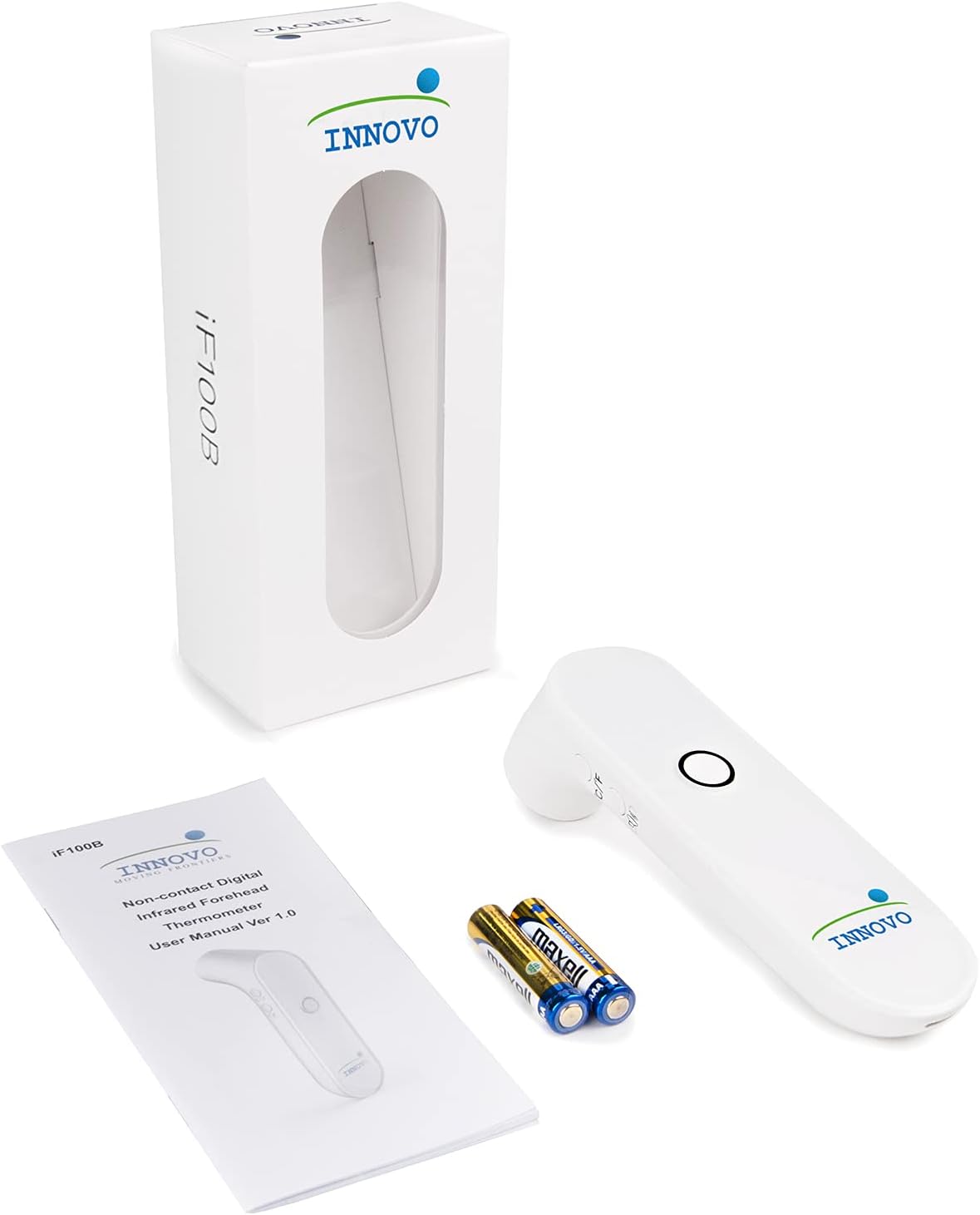
Thank you for choosing the Innovo iF100B Touchless Digital Forehead Basal Thermometer. This device is designed for accurate and reliable temperature measurement without physical contact, making it ideal for infants, children, and adults. Its advanced infrared technology and patented blue light sensor ensure precise readings and ease of use. This manual provides essential information for safe and effective operation of your thermometer.

2. Key Features
- Accurate and Reliable: Clinically tested and proven to be reliable and accurate. Uses the latest infrared technology and algorithm with the capability to detect and differentiate temperature differences of up to 0.01°.
- Patented Blue Light Sensor: Equipped with a patented blue light and distance sensor that guides the user to the ideal positioning and distance of the thermometer for easy and accurate measurement.
- Contactless Design: Uses no-touch measurement technology to take temperature readings, preventing cross-contamination.
- Memory Recall Feature: Automatically stores up to 30 readings, perfect for tracking temperature changes.
- Hassle-Free & Fast Readings: No start-up, no waiting; get readings in seconds. Ideal for restless individuals.
- Large LED Screen: Displays results in bright white light for easy readability, even in the dark.

3. Setup
3.1 Battery Installation
The Innovo iF100B thermometer requires 2 AAA batteries (included). To install or replace batteries:
- Locate the battery compartment cover on the back of the device.
- Slide the cover open.
- Insert two AAA batteries, ensuring correct polarity (+ and -).
- Close the battery compartment cover securely.
3.2 Unit Selection (°F/°C)
To switch between Fahrenheit (°F) and Celsius (°C):
- With the thermometer powered on, locate the 'C/F' button on the side of the device.
- Press this button to toggle between the two temperature units. The selected unit will be displayed on the screen.
4. Operating Instructions
4.1 Taking a Forehead Temperature
Follow these steps for an accurate forehead temperature reading:
- Power On: Press the Power/Measure button once to turn on the thermometer.
- Positioning: Point the thermometer at the center of the forehead, ensuring it is within 2 inches (5 cm) of the skin. The patented blue light sensor will guide you to the correct distance.
- Measure: Press the Power/Measure button again. The reading will be displayed in about 1 second.
- Fever Alert: If the measured temperature exceeds 99.5°F (37.5°C), the thermometer will warn the user with both visual (red backlight) and audible alarms.

4.2 Memory Recall
To access previous temperature readings:
- With the thermometer powered on, press the 'M' (Memory) button on the side of the device.
- Each press of the 'M' button will cycle through the stored readings, showing the most recent first. The thermometer can store up to 30 readings.
4.3 Official Product Video: Innovo Medical Touchless Forehead Thermometer iF100B
Video 1: This official product video from Beyond Med Shop demonstrates the features and proper usage of the Innovo Medical Touchless Forehead Thermometer iF100B, including its non-contact measurement and quick results.
5. Maintenance and Care
5.1 Cleaning
To ensure hygiene and proper function, wipe the thermometer clean after each use. Use a soft cloth dampened with alcohol (70% isopropyl) to clean the sensor and the body of the thermometer. Do not immerse the device in water or any other liquid.
5.2 Storage
Store the thermometer in a cool, dry place away from direct sunlight and extreme temperatures. Keep it out of reach of children.
5.3 Battery Replacement
Replace batteries when the low battery indicator appears on the display. Refer to section 3.1 for battery installation instructions.
6. Troubleshooting
- Inaccurate Readings: Ensure the thermometer is positioned correctly (within 2 inches of the forehead) and the blue light sensor is active. Avoid taking measurements immediately after strenuous activity or in extreme environmental conditions.
- Display Not Working: Check if the batteries are correctly installed and have sufficient charge. Replace batteries if necessary.
- No Power: Ensure batteries are new and inserted with correct polarity. If the issue persists, contact customer support.
7. Specifications
| Feature | Detail |
|---|---|
| Item Model Number | iF100B |
| Batteries | 2 AAA batteries required (included) |
| Special Feature | Alarm, Auto Off, Fast Reading System, High Accuracy, Non-Contact |
| Color | Snow White |
| Age Range (Description) | Adult (suitable for all ages including infants and children) |
| Included Components | Thermometer, Manual, Accessories |
| Outer Material | Acrylonitrile Butadiene Styrene |
| Specification Met | FDA, ISO 13485 |
| Display Type | Digital |
| Connectivity Technology | Infrared |
| Product Care Instructions | Wipe Clean |
8. Warranty and Support
For warranty information and customer support, please refer to the contact details provided in your product packaging or visit the official Innovo website. Statements regarding dietary supplements have not been evaluated by the FDA and are not intended to diagnose, treat, cure, or prevent any disease or health condition.
