Introduction
Thank you for choosing the Innovo iE100B Reusable Infrared Digital Ear Thermometer. This device is designed to provide accurate and reliable temperature readings quickly and conveniently. It utilizes advanced infrared technology to ensure precise measurements, making it suitable for both home and clinical use. Please read this manual thoroughly before using the thermometer to ensure proper operation and to maintain the device's accuracy and longevity.
Safety Information
- Do not use the thermometer for purposes other than measuring human body temperature.
- Always use a new, clean disposable probe cover for each measurement to prevent cross-contamination.
- Keep the device out of reach of children and pets.
- Do not drop or expose the thermometer to strong impacts.
- Avoid direct sunlight, high temperatures, and high humidity.
- Do not immerse the thermometer in water or other liquids.
- Consult a healthcare professional if you have concerns about temperature readings or your health.
Package Contents
Verify that all items are present and in good condition:
- Innovo iE100B Digital Ear Thermometer
- User Manual
- 20x Disposable Probe Covers
- 2x AA Batteries (pre-installed or included separately)

Figure 1: Innovo iE100B Package Contents
Product Overview
Familiarize yourself with the components of your Innovo iE100B thermometer:

Figure 2: Front View of the Thermometer
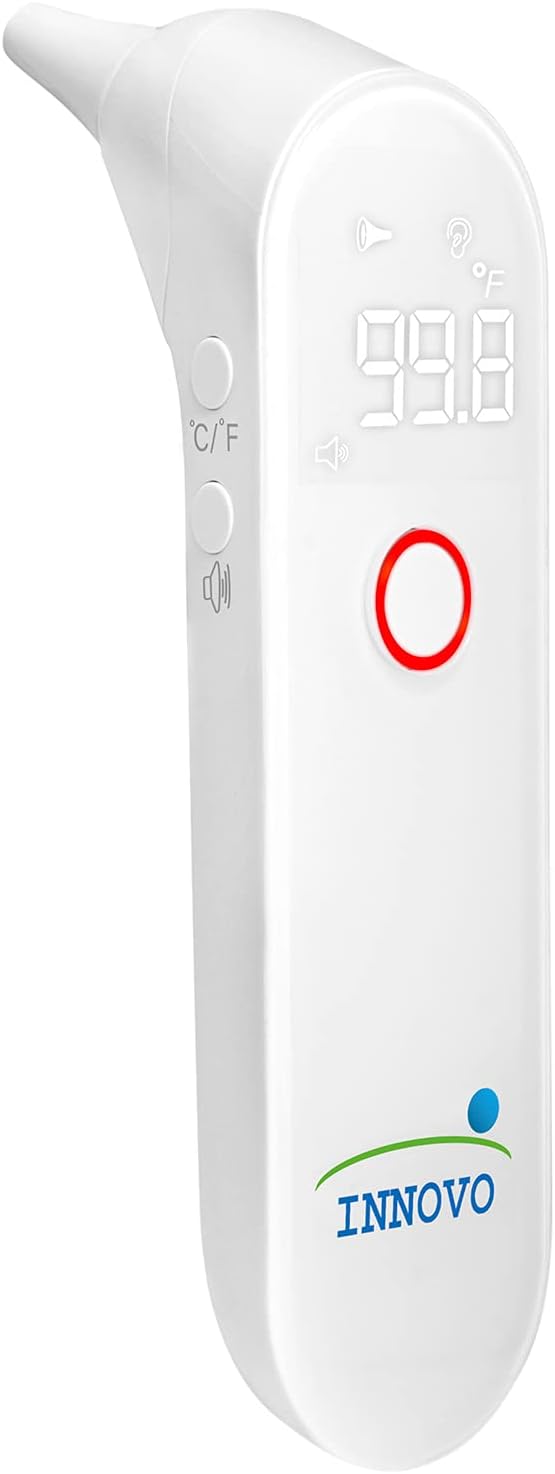
Figure 3: Angled View of the Thermometer
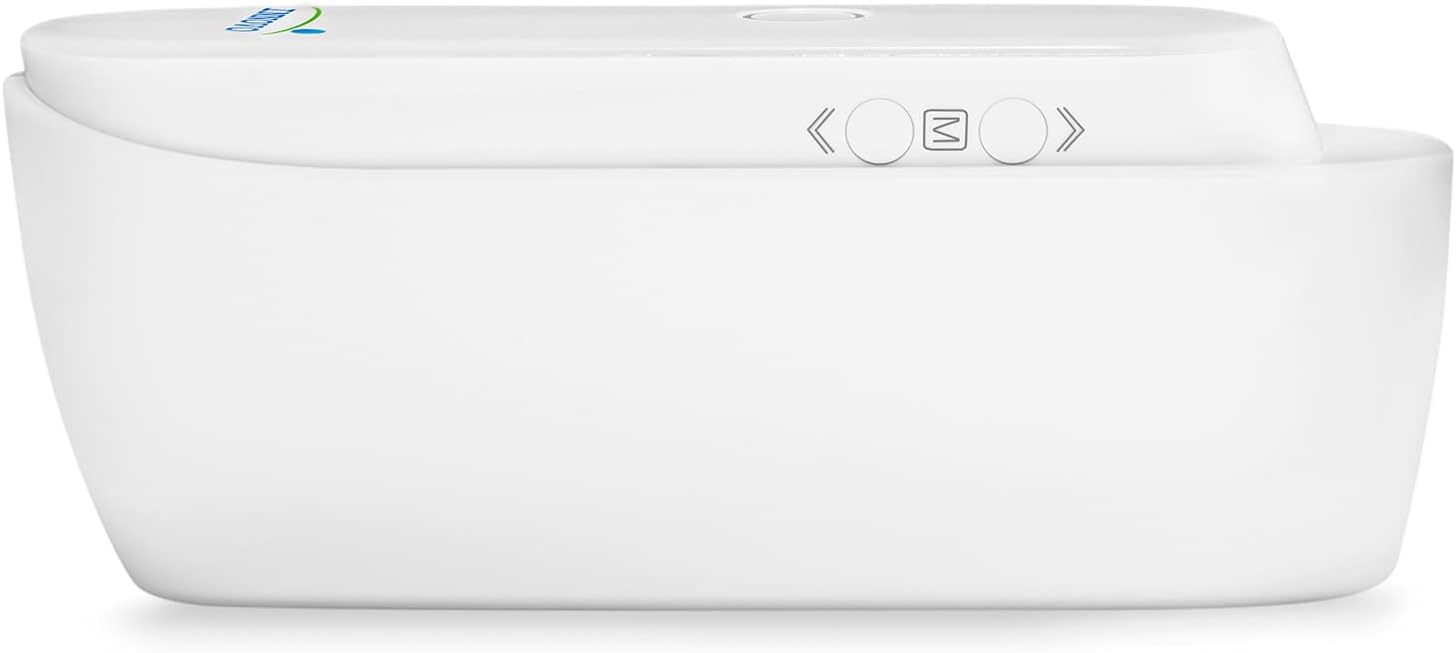
Figure 4: Bottom View of the Thermometer
- Probe Tip: Where the infrared sensor is located.
- Display Screen: Shows temperature readings, indicators, and mode.
- Measurement Button: Press to take a temperature reading.
- Memory Button (M): Press to recall previous readings.
- Unit Conversion Button (C/F): Press to switch between Celsius and Fahrenheit.
- Battery Compartment: Located at the bottom, holds 2x AA batteries.
Setup
1. Battery Installation
The thermometer requires 2x AA batteries. If not already installed:
- Open the battery compartment cover on the bottom of the device.
- Insert the 2x AA batteries, ensuring correct polarity (+ and -).
- Close the battery compartment cover securely.
2. Attaching a Disposable Probe Cover
For hygienic and accurate measurements, always attach a new disposable probe cover before each use.
- Gently slide a new disposable probe cover onto the probe tip until it clicks into place.
- Ensure the cover is seated firmly and smoothly over the tip.
Operating Instructions
1. Taking an Ear Temperature Measurement
- Ensure a new, clean disposable probe cover is attached.
- Press the Measurement Button to turn on the thermometer. The display will show "---" or the last reading.
- Gently insert the probe tip into the ear canal. For accurate readings, ensure the probe is aimed towards the eardrum.
- For children under 1 year: Gently pull the ear straight back.
- For children 1 year to adult: Gently pull the ear up and back.
- Press and release the Measurement Button. A beep will sound, and the temperature reading will appear on the display within seconds.
- Remove the thermometer from the ear.
- Dispose of the used probe cover immediately.
- The thermometer will automatically turn off after approximately 30 seconds of inactivity.

Figure 5: Taking Temperature on a Child

Figure 6: Taking Temperature on an Adult
2. Smart Fever Indicator
The Innovo iE100B features a visual and audible fever alert. If a temperature of 99.5°F (37.5°C) or higher is detected, the display backlight will turn red, and an audible alarm will sound, indicating a potential fever.

Figure 7: Fever Alert Indication
3. Memory Recall Feature
The thermometer can store up to 30 previous temperature readings, allowing you to monitor temperature trends over time.
- With the thermometer turned on, press the "M" (Memory) button.
- Each press of the "M" button will cycle through the stored readings, from the most recent to the oldest.
4. Changing Temperature Unit (°C/°F)
To switch between Celsius (°C) and Fahrenheit (°F):
- With the thermometer turned on, press the "C/F" button located on the side of the device.
- The display will switch to the alternate unit.
Maintenance
1. Cleaning the Thermometer
Regular cleaning ensures accurate readings and extends the life of your thermometer.
- After each use, dispose of the probe cover.
- Wipe the probe tip and the main body of the thermometer with a soft cloth dampened with 70% isopropyl alcohol.
- Do not use abrasive cleaners or immerse the device in water.
- Ensure the thermometer is completely dry before storing.
2. Storage
- Store the thermometer in a cool, dry place, away from direct sunlight and extreme temperatures.
- Keep it in its original packaging or a protective case when not in use.
3. Battery Replacement
When the low battery indicator appears on the display, replace the batteries promptly.
- Open the battery compartment cover.
- Remove the old batteries.
- Insert two new AA batteries, observing correct polarity.
- Close the battery compartment cover.
- Dispose of old batteries according to local regulations.
Troubleshooting
| Problem | Possible Cause | Solution |
|---|---|---|
| No display when turned on. | Batteries are dead or incorrectly inserted. | Replace batteries or check polarity. |
| Inaccurate readings. | Probe cover not properly attached, dirty probe tip, or incorrect measurement technique. | Ensure probe cover is secure, clean the probe tip, review measurement instructions. Ensure proper ear canal alignment. |
| "Err" message on display. | Measurement error, ambient temperature out of range, or device malfunction. | Retake measurement. Ensure room temperature is within operating range (50°F - 104°F / 10°C - 40°C). If error persists, contact customer support. |
| Fever alert activates but temperature seems normal. | Individual body temperature variations or slight measurement fluctuations. | Confirm with a second measurement. If concerns persist, consult a healthcare professional. |
Specifications
| Feature | Detail |
|---|---|
| Model Number | iE100B |
| Measurement Range | 93.2°F - 108°F (34°C - 42.2°C) |
| Accuracy | ±0.4°F (±0.2°C) for 95.9°F - 107.6°F (35.5°C - 42°C) |
| Display Resolution | 0.1°F / 0.1°C |
| Memory Capacity | Up to 30 readings |
| Power Source | 2x AA Batteries |
| Automatic Shut-off | Approx. 30 seconds |
| Operating Environment | 50°F - 104°F (10°C - 40°C), 15% - 95% RH (non-condensing) |
| Storage Environment | -4°F - 131°F (-20°C - 55°C), 15% - 95% RH (non-condensing) |
| Dimensions | 7.48 x 3.35 x 2.6 inches |
| Weight | 7.8 ounces (with batteries) |
| Material | Acrylonitrile Butadiene Styrene |
| Display Type | Digital |
| Connectivity | Infrared |
Warranty and Support
Innovo Medical stands behind the quality of its products. For warranty information, technical support, or any questions regarding your Innovo iE100B thermometer, please refer to the contact information provided on the product packaging or visit the official Innovo website. Please retain your purchase receipt as proof of purchase for warranty claims.
Manufacturer: Innovo
Model: iE100B


