
1. Introduction
This manual provides essential instructions for the safe and effective operation of your Missyou 12.6-inch 3D Holographic Projector. Please read this guide thoroughly before installation and use. Retain this manual for future reference.
2. Safety Information
WARNING: This device contains rapidly spinning blades. Failure to follow safety instructions may result in serious injury.
- Do not touch the rotating blades while the device is powered on or spinning down.
- Ensure the device is securely mounted before operation.
- Keep hands, hair, and loose clothing away from the blades.
- Install the device in a location where it is not easily accessible to children or pets.
- Do not operate the device if any part is damaged.
- Use only the provided power adapter.
- Ensure adequate clearance around the device to prevent obstruction of the blades.
3. Package Contents
Verify that all items are present in the package:
- 1 x Missyou 3D Holographic Projector (Main Unit)
- 1 x Remote Control
- 1 x Power Adapter
- 1 x TF Card (Memory Card)
- 1 x Card Reader
- 1 x Mounting Bracket
- Screws for mounting
- 1 x User Manual
Figure 3.1: Included components in the Missyou 3D Holographic Projector package.
4. Setup
4.1 Physical Assembly
- Carefully unpack all components from the box.
- Attach the fan blades to the main unit. Ensure the clips are securely fastened.
- Mount the device using the provided bracket and screws. Choose a location with sufficient clear space for the blades to rotate without obstruction.
- Connect the power adapter to the main unit's power port.

Figure 4.1: Step-by-step assembly of the holographic projector components.
Video 4.1: Demonstration of the physical assembly process for the 3D Hologram Fan.
4.2 App Installation and Connection
- Download the 'SpinDisplay' app from your device's app store (compatible with Android and iOS).
- Power on the holographic projector.
- On your smartphone, connect to the device's Wi-Fi network. The network name (SSID) and initial password can be found in the user manual or on the device itself.
- Open the 'SpinDisplay' app. The app should automatically detect and connect to the projector.
Video 4.2: Guide on connecting the 3D Holographic Projector to a computer and using the mobile application for content management.
5. Operation
5.1 Content Management
The Missyou 3D Holographic Projector supports various content types, including 3D videos and images. You can manage content via the mobile app or by directly loading files onto the TF card.
- Using the App: Connect your smartphone to the projector's Wi-Fi. Use the app's interface to upload new videos and images from your device. The app allows for seamless content swapping and playlist management.
- Using the TF Card: Remove the TF card from the projector. Insert it into the provided card reader and connect to a computer. Transfer compatible video/image files to the card. Reinsert the TF card into the projector.
- Video Library: Upon purchase, access to an extensive library of over 700 3D videos is available. Contact customer support for access details.

Figure 5.1: Overview of the 700+ video material library categories.
5.2 Remote Control Functions
The included remote control provides convenient management of the projector:
- Power On/Off: Turn the device on or off.
- Playback Control: Navigate through content, play, pause, and adjust playback sequence.
- Brightness Adjustment: Increase or decrease the display brightness.
- Angle Adjustment: Modify the display angle for optimal viewing.

Figure 5.2: Remote control and app interface for device management.
5.3 App Control Functions
The 'SpinDisplay' app offers advanced control over your projector:
- Brightness: Fine-tune display brightness (0-100%).
- Angle: Adjust the display angle for precise positioning.
- Power Boot: Enable/disable automatic power-on.
- Time Switch: Schedule specific on/off times for automated operation.
- Connect Router: Configure network settings.
- Set Login Authentication: Manage device access.
- Name: Customize the device name.
- Synchro Group: Synchronize multiple projectors (if applicable).
- Remote Control Matching: Pair the remote control with the device.
- Display Mode: Choose between 'Highlight' and 'Truecolor' modes.
- Sound: Enable/disable sound and connect to external Bluetooth speakers for immersive audio-visual experiences.
- Format: Format the TF card.
- Restore Factory Settings: Reset the device to its original settings.
Video 5.3: Detailed demonstration of app and computer operation for content management and settings adjustment.
6. Maintenance
- Keep the device clean and free from dust. Use a soft, dry cloth for cleaning.
- Avoid exposing the device to moisture or extreme temperatures.
- Do not attempt to disassemble or repair the device yourself. Contact customer support for assistance.
7. Troubleshooting
| Problem | Possible Cause | Solution |
|---|---|---|
| No image displayed | Device not powered on; TF card not inserted correctly; No content on TF card. | Check power connection; Reinsert TF card; Upload content to TF card. |
| Image appears distorted or with lines | Incorrect content format; Low frame rate of content. | Ensure content is in a compatible format; Use higher quality video files. |
| App not connecting to device | Incorrect Wi-Fi connection; Device not powered on. | Verify Wi-Fi connection to the device's network; Ensure device is powered on. |
| Remote control not working | Battery depleted; Not paired with device. | Replace CR2032 battery; Pair remote control via app settings. |
8. Specifications
- Brand: Missyou
- Model Number: 2023
- Display Resolution: 1600*224
- Connectivity Technology: Bluetooth, Wi-Fi, Wireless
- Special Feature: 3D-Ready, Built-In 3D
- Recommended Uses: Business, Education
- Item Weight: 14.4 ounces
- Product Dimensions: 12.6 x 0.79 x 3.15 inches
- Color: Black
- Batteries: 1 CR2032 battery required (for remote)
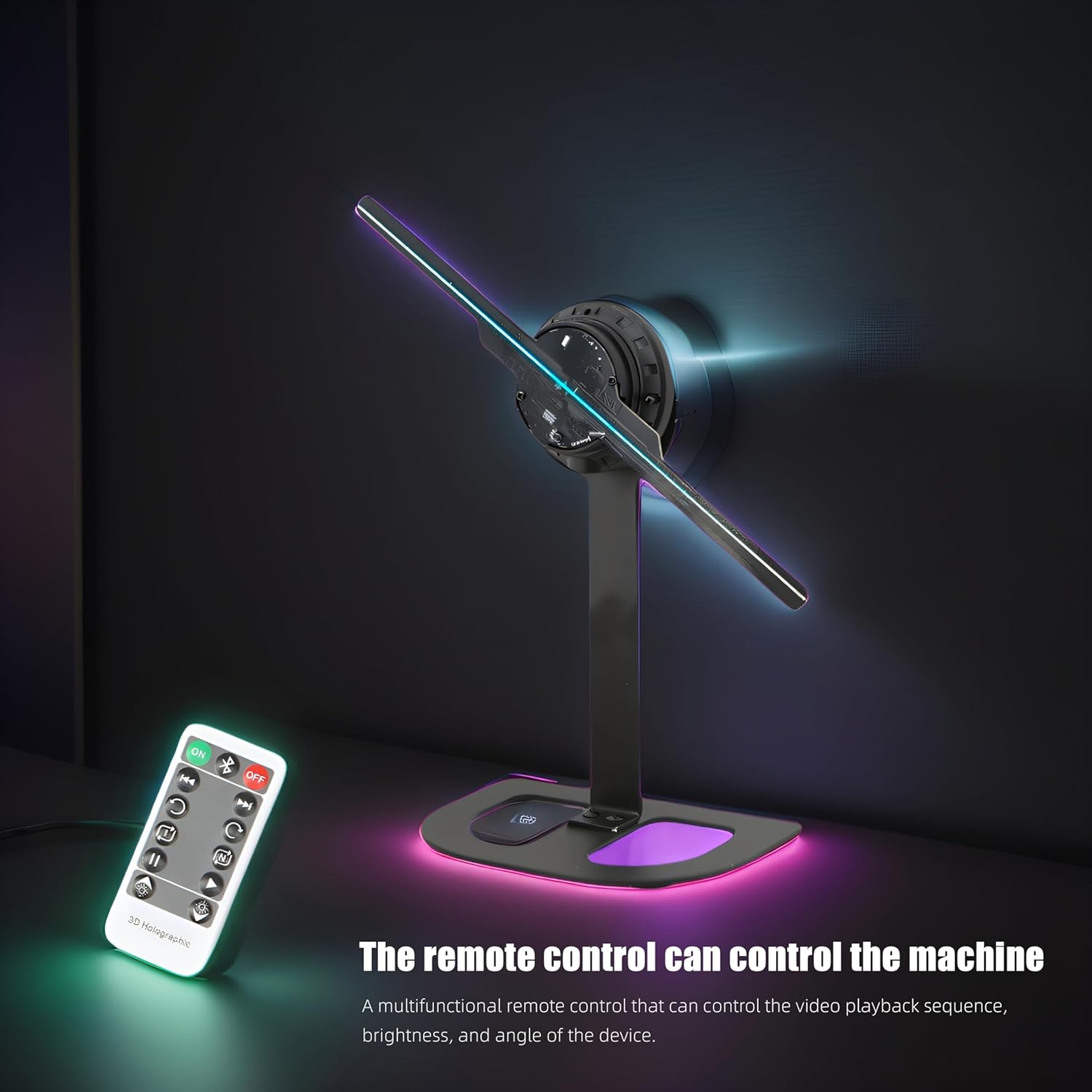
Figure 8.1: Product dimensions of the 12.6-inch model.
9. Warranty and Support
The Missyou 3D Holographic Projector comes with dedicated customer support. Should you encounter any issues or require assistance, please contact the seller directly. Many users have reported responsive and helpful customer service.