
Fiodio FK-2063-US
Fiodio FK-2063 Mechanical Gaming Keyboard User Manual
Brand: Fiodio | Model: FK-2063-US
1. Product Overview
The Fiodio FK-2063 is a wired mechanical gaming keyboard designed for an immersive gaming and typing experience. It features RGD blue switches, dedicated media controls, and an aluminum top case for durability. All 104 keys are anti-ghosting, ensuring precise input during intense gaming sessions.
Key Features:
- Greater Immersion with RGB Backlit: Equipped with 20 backlight color effects presets, delivering dynamic and vibrant lighting effects with adjustable breathing frequency.
- Gaming with “Clicky” BGM: Classical blue equivalent switches trigger sensitively with crisp click sound, providing precise and unique typing/gaming performance.
- Without any Procedure Error: All 104 anti-ghosting keys have individual switches with full n-key rollover for ultimate gaming performance, allowing for accurate execution.
- Ergonomic and High-Quality: Precision engineered keycaps, 2 anti-slip feet, and 2 angle feet on the back of the keyboard relieve hand fatigue and provide comfort during extended use.
- Splash-proof Design: Durable Metal-ABS construction designed to withstand spilled drinks or coffee.
- Unrivalled Durability: Tested over 60,000,000 keystrokes, ensuring a longer service life.
- Great Compatibility: Compatible with Windows 2000 / 2003 / XP / Vista / Win7 / Win8 / Win10.
2. Package Contents
Please check the package contents to ensure all items are present:
- Fiodio FK-2063 Mechanical Gaming Keyboard
- USB Cable (integrated)
- User Manual (this document)
3. Setup Guide
- Unpack the Keyboard: Carefully remove the Fiodio FK-2063 keyboard from its packaging.
- Connect to Computer: Plug the integrated USB cable from the keyboard into an available USB port on your desktop, laptop, or PC.
- Driver Installation (Plug & Play): The keyboard is plug-and-play. Your operating system (Windows 2000 / 2003 / XP / Vista / Win7 / Win8 / Win10) should automatically detect and install the necessary drivers. No additional software installation is typically required.
- Position the Keyboard: Place the keyboard on a stable, flat surface. Adjust the two angle feet on the back of the keyboard for your preferred typing angle to enhance ergonomic comfort.

Figure 3.1: Top-down view of the Fiodio FK-2063 Mechanical Gaming Keyboard, showcasing its full layout and RGB lighting.
4. Operating Instructions
4.1 RGB Backlight Control
The Fiodio FK-2063 keyboard features vibrant RGB backlighting with multiple effects. Use the dedicated "Fiodio" button and function keys to customize your lighting experience.
- Changing Lighting Modes: Press the dedicated "Fiodio" button located on the top right of the keyboard to cycle through 20 preset backlight effects.
- Adjusting Brightness: Use the combination of the Fn key (Function key) and the Up/Down Arrow keys to increase or decrease the backlight brightness.
- Adjusting Breathing/Effect Speed: Use the combination of the Fn key and the Left/Right Arrow keys to adjust the speed of dynamic lighting effects.

Figure 4.1: The keyboard illuminated with vibrant RGB backlighting, enhancing the gaming atmosphere.

Figure 4.2: A close-up view of the multi-function digital dial, used for adjusting backlight modes and potentially other settings.
4.2 Media Controls
The keyboard features dedicated media controls for convenient audio management.
- Volume Control: The multi-function digital dial (located near the Fiodio button) can be used to adjust the system volume. Rotate the dial clockwise to increase volume and counter-clockwise to decrease volume.
- Mute/Unmute: Press the multi-function digital dial to mute or unmute the audio.
- Other Media Functions: Specific function keys (F1-F12) may have secondary media functions (e.g., Play/Pause, Next Track, Previous Track) when pressed in combination with the Fn key. Refer to the keycap legends for specific icons.
4.3 Anti-Ghosting and N-Key Rollover
The Fiodio FK-2063 keyboard is designed with full 104-key anti-ghosting and N-key rollover. This means that every key press is registered accurately, even when multiple keys are pressed simultaneously, which is crucial for fast-paced gaming.

Figure 4.3: The full 104-key layout of the mechanical gaming keyboard, designed for accuracy and anti-ghosting.
5. Care and Maintenance
To ensure the longevity and optimal performance of your Fiodio FK-2063 keyboard, follow these maintenance guidelines:
- Cleaning: Regularly clean the keyboard with a soft, dry cloth. For deeper cleaning, use compressed air to remove dust and debris from between the keycaps. You may gently remove keycaps for thorough cleaning if necessary, but exercise caution to avoid damaging the switches.
- Spill Protection: While the keyboard features a splash-proof design, it is not fully waterproof. Avoid submerging the keyboard in liquids. In case of accidental spills, immediately unplug the keyboard, wipe off the liquid, and allow it to air dry completely before reconnecting.
- Storage: When not in use, store the keyboard in a cool, dry place away from direct sunlight and extreme temperatures.
- Avoid Force: Do not apply excessive force to the keys or attempt to disassemble the keyboard, as this may void the warranty and cause damage.

Figure 5.1: The keyboard's splash-resistant design helps protect against accidental liquid spills.
6. Troubleshooting
If you encounter issues with your Fiodio FK-2063 keyboard, please refer to the following common troubleshooting steps:
| Problem | Possible Cause | Solution |
|---|---|---|
| Keyboard not responding. | Loose USB connection, faulty USB port, driver issue. | Ensure the USB cable is securely plugged into both the keyboard and the computer. Try a different USB port. Restart your computer. |
| Backlight not working or inconsistent. | Lighting mode off, brightness set too low, software conflict. | Press the "Fiodio" button to cycle through modes. Adjust brightness using Fn + Up Arrow. Ensure no conflicting software is running. |
| Keys not registering or ghosting. | Debris under keycap, rare hardware issue. | Clean the affected key area with compressed air. If the issue persists, contact Fiodio support. |
| Media controls not working. | Software conflict, incorrect key combination. | Ensure no other media player software is interfering. Verify correct Fn key combinations. |
If the problem persists after trying these steps, please contact Fiodio customer support for further assistance.
7. Technical Specifications
| Feature | Detail |
|---|---|
| Brand | Fiodio |
| Model Number | FK-2063-US |
| Connectivity Technology | Wired (USB) |
| Keyboard Description | Mechanical Gaming Keyboard |
| Switch Type | Blue Switches |
| Backlighting | RGB Rainbow Backlit |
| Number of Keys | 104 |
| Anti-Ghosting | All 104 keys with full N-key rollover |
| Special Features | Ergonomic, Backlit, Water Resistant (Splash-proof), Dedicated Media Control |
| Hardware Platform | Laptop, PC |
| Operating System Compatibility | Windows 2000 / 2003 / XP / Vista / Win7 / Win8 / Win10 |
| Item Weight | 2 pounds |
| Product Dimensions (LxWxH) | 17 x 5 x 2 inches |
| Manufacturer | Fiodio |

Figure 7.1: Detail of the blue mechanical key switches, known for their tactile and clicky feedback.

Figure 7.2: An illustration detailing the linear action and durable construction of the key switches, designed for 60 million keystrokes.
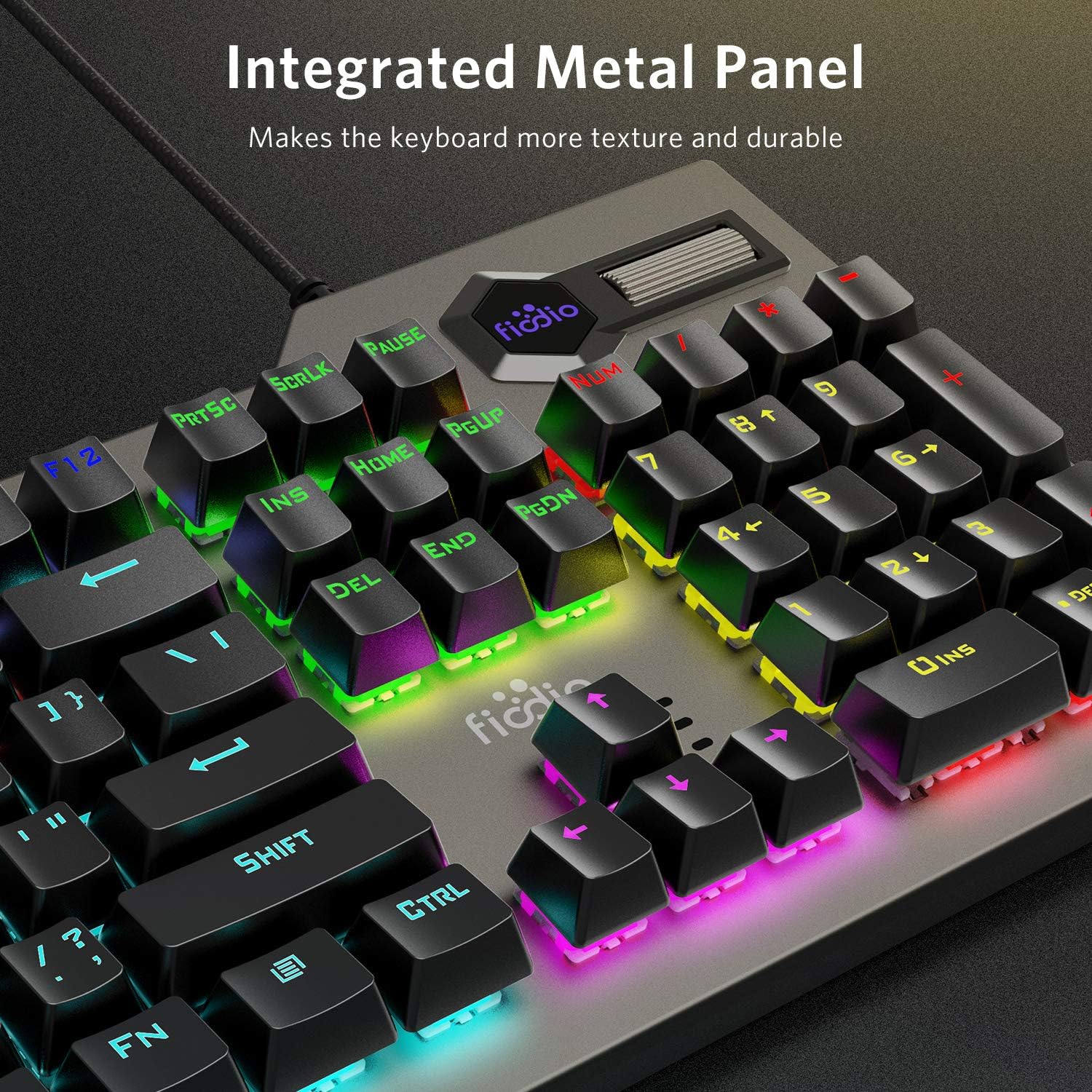
Figure 7.3: The integrated metal panel provides enhanced texture and durability to the keyboard's construction.
8. Warranty and Support
The Fiodio FK-2063 Mechanical Gaming Keyboard is built for durability and long-term performance, tested for over 60 million keystrokes.
For additional support, troubleshooting, or warranty inquiries, please refer to the official Fiodio user manual available in PDF format or contact Fiodio customer service.
You can access the official User Manual (PDF) here.
Related documentsFK-2063-US


Ask a question about this manual
Ask about setup, troubleshooting, compatibility, parts, safety, or missing instructions. Manuals+ will review the question and use this page’s manual context to help answer it.