
Hotpoint C00345581
Hotpoint C00345581 Tumble Dryer Motor
Instruction Manual
1. Introduction
This manual provides essential information for the safe and correct installation, operation, and maintenance of the Hotpoint C00345581 Tumble Dryer Motor. This component is a replacement part designed for specific Hotpoint tumble dryer models. Please read these instructions thoroughly before proceeding with any installation or repair work.
2. Safety Information
WARNING: Risk of Electric Shock and Injury.
- Always disconnect the tumble dryer from the main power supply before attempting any installation, maintenance, or repair. Failure to do so can result in serious injury or death.
- Installation should only be performed by a qualified technician or a person with adequate electrical and appliance repair experience.
- Wear appropriate personal protective equipment (PPE), such as gloves and eye protection, during installation.
- Ensure all connections are secure and correctly wired according to the appliance's service manual.
- Keep children and pets away from the work area.
- Do not operate the tumble dryer if any parts are damaged or missing.
3. Setup and Installation
3.1 Pre-Installation Checks
- Verify that the replacement motor (C00345581) is compatible with your specific Hotpoint tumble dryer model. Refer to your appliance's service manual.
- Ensure the tumble dryer is unplugged from the power outlet.
- Gather necessary tools: screwdrivers (Phillips and flathead), pliers, wrench set, multimeter (for testing), and a camera for documenting disassembly steps.
3.2 Removal of Old Motor
- Carefully access the motor compartment of your tumble dryer. This typically involves removing the top panel, rear panel, or front panel, depending on the model. Consult your dryer's service manual for specific access instructions.
- Disconnect all electrical wiring connected to the old motor. Take photos or label wires to ensure correct reassembly.
- Remove the drive belt from the motor pulley.
- Unmount the old motor from its housing or brackets. Note the orientation and mounting points.
- Carefully remove the old motor from the appliance.
3.3 Installation of New Motor
The image below shows the Hotpoint C00345581 Tumble Dryer Motor, which you will be installing.
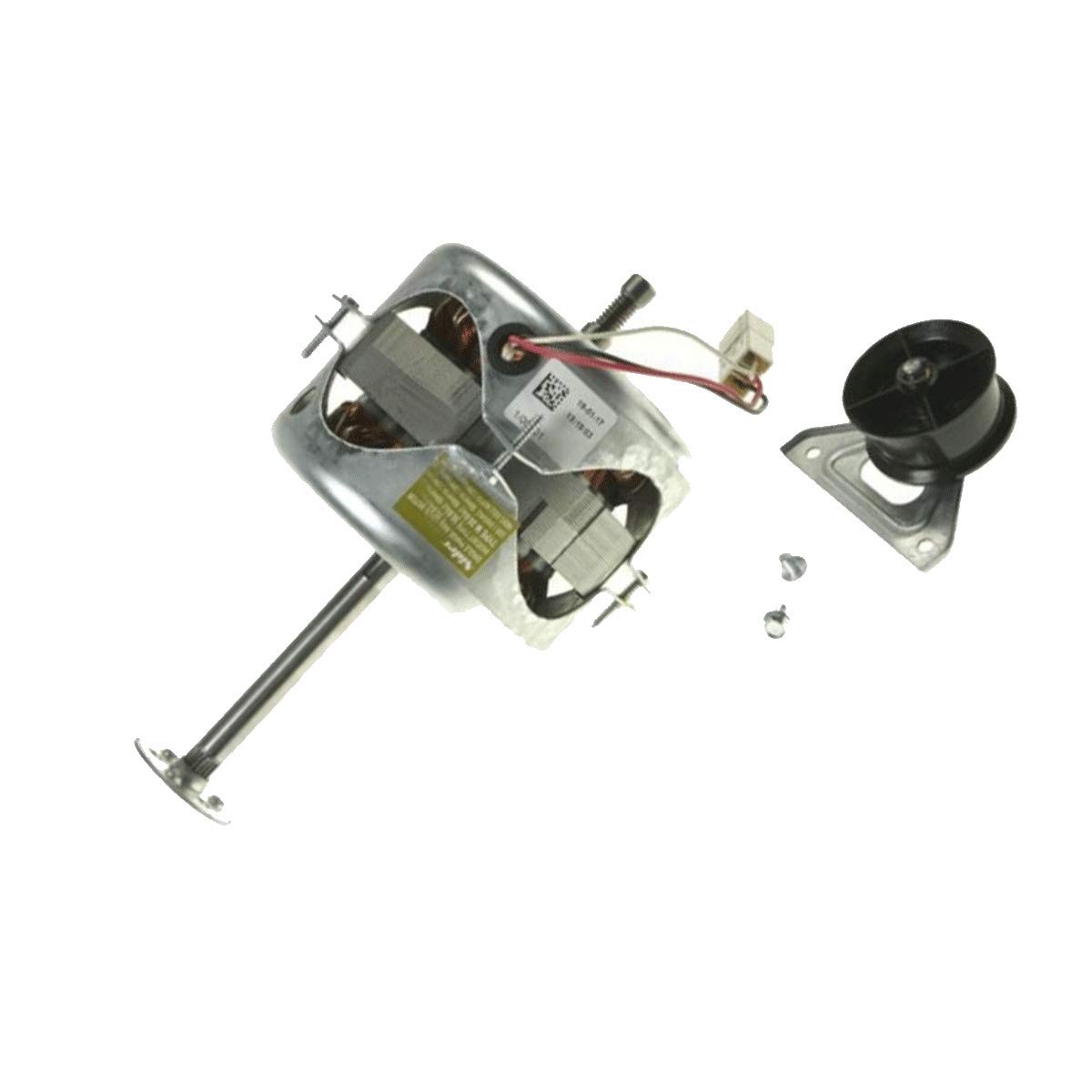
Figure 1: Hotpoint C00345581 Tumble Dryer Motor. This image displays the replacement motor, highlighting its general appearance and connection points.
- Position the new Hotpoint C00345581 motor into the dryer's motor compartment, ensuring it aligns with the mounting points.
- Secure the motor using the original screws or fasteners. Ensure it is firmly mounted and does not wobble.
- Reattach the drive belt to the motor pulley. Ensure the belt is properly tensioned and aligned with the drum.
- Reconnect all electrical wires to the new motor. Refer to your labels or photos taken during disassembly to ensure correct wiring. Double-check each connection for security.
- Before reassembling the dryer panels, perform a preliminary check (see Section 4).
- Once satisfied with the installation, reattach all panels and covers securely.
4. Operating (Post-Installation Check)
After installing the new motor, perform the following checks before regular use:
- Ensure all tools are removed from inside the dryer and the work area.
- Plug the tumble dryer back into the main power supply.
- Select a short, low-heat drying cycle.
- Start the dryer and observe its operation. Listen for unusual noises, and confirm that the drum rotates smoothly.
- Allow the cycle to complete. If any issues arise, immediately disconnect power and refer to the troubleshooting section.
5. Maintenance
The Hotpoint C00345581 motor is designed for long-term reliability. Regular maintenance of the tumble dryer itself will contribute to the motor's lifespan.
- Clean Lint Filter: Always clean the lint filter after every load to ensure proper airflow and prevent motor strain.
- Inspect Venting: Periodically check the dryer's exhaust vent for blockages. Restricted airflow can cause the motor to overheat.
- Listen for Unusual Noises: Pay attention to any new or unusual sounds during operation, which could indicate a developing issue with the motor or other components.
- Professional Inspection: Consider a professional inspection of your tumble dryer every few years to ensure all components, including the motor, are functioning optimally.
6. Troubleshooting
If you encounter issues after installing the new motor, consult the following table. Always disconnect power before inspecting the appliance.
| Problem | Possible Cause | Solution |
|---|---|---|
| Dryer does not start after motor replacement. |
|
|
| Drum does not spin, but motor hums. |
|
|
| Unusual noises (grinding, squealing) from the motor area. |
|
|
If troubleshooting steps do not resolve the issue, it is recommended to contact a qualified appliance repair technician.
7. Specifications
| Specification | Value |
|---|---|
| Model Number | C00345581 |
| Brand | Hotpoint |
| Manufacturer | ARISTON HOTPOINT |
| Item Weight | 3.63 Kilograms |
| ASIN | B08MQPQ9SQ |
Related documentsC00345581

Ask a question about this manual
Ask about setup, troubleshooting, compatibility, parts, safety, or missing instructions. Manuals+ will review the question and use this page’s manual context to help answer it.