
1. Introduction
Thank you for choosing the FANGOR F405 1080P Projector. This manual provides detailed instructions to help you set up, operate, and maintain your projector for an optimal viewing experience. Please read this manual thoroughly before use and retain it for future reference.
2. What's in the Box
Upon opening your FANGOR F405 projector package, you should find the following items:
- FANGOR F405 Projector
- Projector Screen (120 inches)
- Remote Control
- HDMI Cable
- AV Cable
- Power Cable
- Lens Cleaning Kit
- User Manual (this document)
3. Setup
3.1 Placement
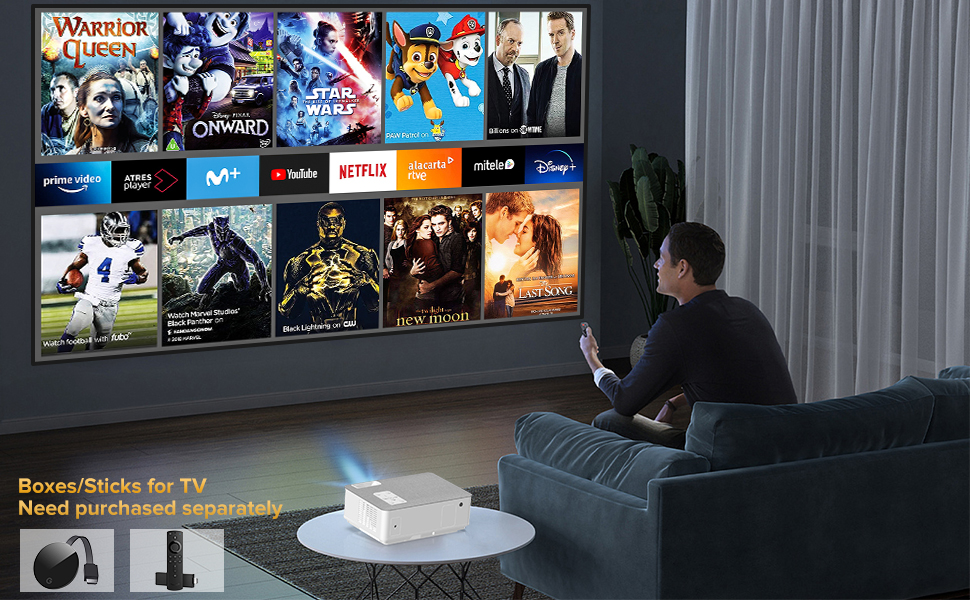
Position the projector on a stable, flat surface or mount it using a compatible bracket. Ensure there is adequate ventilation around the device. The projection distance and screen size can be adjusted to fit your viewing area, supporting up to a 300-inch display.
3.2 Power Connection
Connect the power cable to the projector's power input and then to a power outlet.
3.3 Connecting Devices
The FANGOR F405 offers multiple connectivity options:
- HDMI: Use the provided HDMI cable to connect to laptops, TV boxes, gaming consoles (Xbox, PS4), etc.
- USB: Insert USB drives for media playback.
- AV: Use the AV cable for older devices like DVD players.
- VGA: Connect to computers with VGA output.
- Micro SD: Insert Micro SD cards for media playback.

4. Operating Instructions
4.1 Power On/Off
Press the power button on the projector or the remote control to turn the device on or off.
4.2 Focus and Keystone Correction
Adjust the focus ring on the projector lens until the image is clear. Use the manual keystone correction feature (±15°) to adjust the image shape if the projector is not perfectly perpendicular to the screen.

4.3 Input Source Selection
Use the "Source" button on the remote or projector to select your desired input (HDMI, USB, AV, VGA, Micro SD).
4.4 Screen Mirroring (Wireless & Wired)
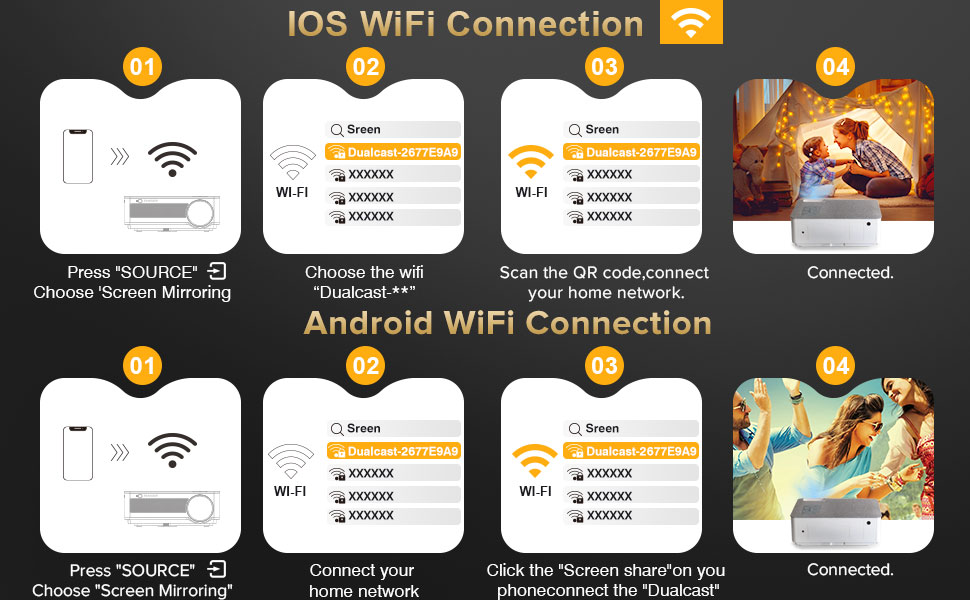
The F405 supports both 2.4G/5G WiFi for wireless screen mirroring and wired mirroring using a data cable (no app required).
- iOS WiFi Connection:
- Press "SOURCE" and choose "Screen Mirroring".
- Connect your iOS device to the projector's WiFi network (e.g., "Dualcast-XXXXXX").
- Scan the QR code or connect to your home network.
- Once connected, enable Screen Mirroring on your iOS device.
- Android WiFi Connection:
- Press "SOURCE" and choose "Screen Mirroring".
- Connect your Android device to your home network.
- Click "Screen share" on your phone and connect to "Dualcast".
- Once connected, your Android screen will be mirrored.

4.5 Bluetooth Audio Connection
The projector features Bluetooth 5.0 for connecting to external Bluetooth speakers or headsets. Note: This feature is for audio output only and cannot connect to smartphones for content mirroring.

4.6 Built-in Speakers
The F405 is equipped with dual 5W HiFi stereo speakers and an SRS audio system, providing high-quality sound directly from the projector.

5. Maintenance
5.1 Lens Cleaning
Use the provided lens cleaning kit to gently clean the projector lens. Avoid touching the lens directly with your fingers or abrasive materials.
5.2 Cooling System
The projector features an innovative cooling system to prevent overheating. Ensure that the ventilation vents are not blocked to maintain optimal performance and extend the projector's lifespan.
5.3 Storage
When not in use, store the projector in a cool, dry place, away from direct sunlight and excessive dust.
6. Troubleshooting
- No Image: Check power connections, input source selection, and ensure the lens cap is removed.
- Blurry Image: Adjust the focus ring and perform keystone correction.
- No Sound: Verify volume settings on both the projector and connected device. Ensure external Bluetooth speakers are properly paired if used.
- Overheating: Ensure ventilation vents are clear and the projector is not in an enclosed space.
- Screen Mirroring Issues: Check WiFi connection stability (2.4G/5G) and ensure devices are on the same network. For wired mirroring, confirm the data cable is functional.
7. Specifications
| Feature | Detail |
|---|---|
| Brand | FANGOR |
| Model Number | F405 |
| Native Resolution | 1920 x 1080 (1080P Full HD) |
| 4K Support | Yes |
| Brightness | 16000L / 450 ANSI |
| Contrast Ratio | 10000:1 |
| Connectivity Technology | HDMI, VGA, USB, AV, Micro SD, 5G WiFi, Bluetooth 5.0 |
| Special Features | 5G WiFi, Bluetooth 5.0, Dual Stereo Speaker, Built-In Cooling System, Portable |
| Speaker Type | Stereo (2*5W) |
| Item Weight | 5.29 pounds |
| Product Dimensions | 9.2 x 6.78 x 3.45 inches |
| Recommended Uses | Home Cinema, Indoor, Outdoor, Gaming, Entertainment |
8. Warranty and Support
FANGOR offers 2 years of professional technical lifetime customer service. For any inquiries or support needs, please refer to the contact information provided in your product packaging or visit the official FANGOR website.
For additional information and support, you may visit the FANGOR Store on Amazon.


