
1. Important Safety Instructions
Please read all instructions carefully before using this appliance and retain for future reference. Failure to follow these instructions may result in electric shock, fire, or serious injury.
- Always ensure the unit is placed on a stable, level surface.
- Do not immerse the appliance, cord, or plug in water or other liquids.
- Unplug the unit from the power outlet when not in use, before filling or emptying the water tank, and before cleaning.
- Keep children and pets away from the appliance during operation. The ultra-tight grid guard is designed to prevent injury, but supervision is always recommended.
- Do not operate the appliance with a damaged cord or plug.
- Ensure the water tank lock is engaged to prevent water leakage and potential electric shock.
- This appliance is for indoor use only.
2. Product Overview
The Aigostar 3-in-1 Portable Evaporative Air Cooler offers cooling, humidification, and fan functions. It features a double water tank design for easy refilling and portability with 360° rollers.
Key Features:
- 3-in-1 Functionality: Wind, Humidification (with water), and Cooling (with ice).
- 3 Wind Speeds: Low, Mid, High.
- 3 Wind Modes: Natural, Normal, Sleep.
- 12-Hour Timer: Automatic shut-off for energy saving.
- 65° Wide Oscillation: For broad air distribution.
- Quiet Operation: Noise level as low as 55 decibels.
- Double Water Tank: Convenient top and bottom water adding.
- Portability: Equipped with 360° rollers and a handle.
- Safety Certified: ETL certified to meet U.S. safety standards.
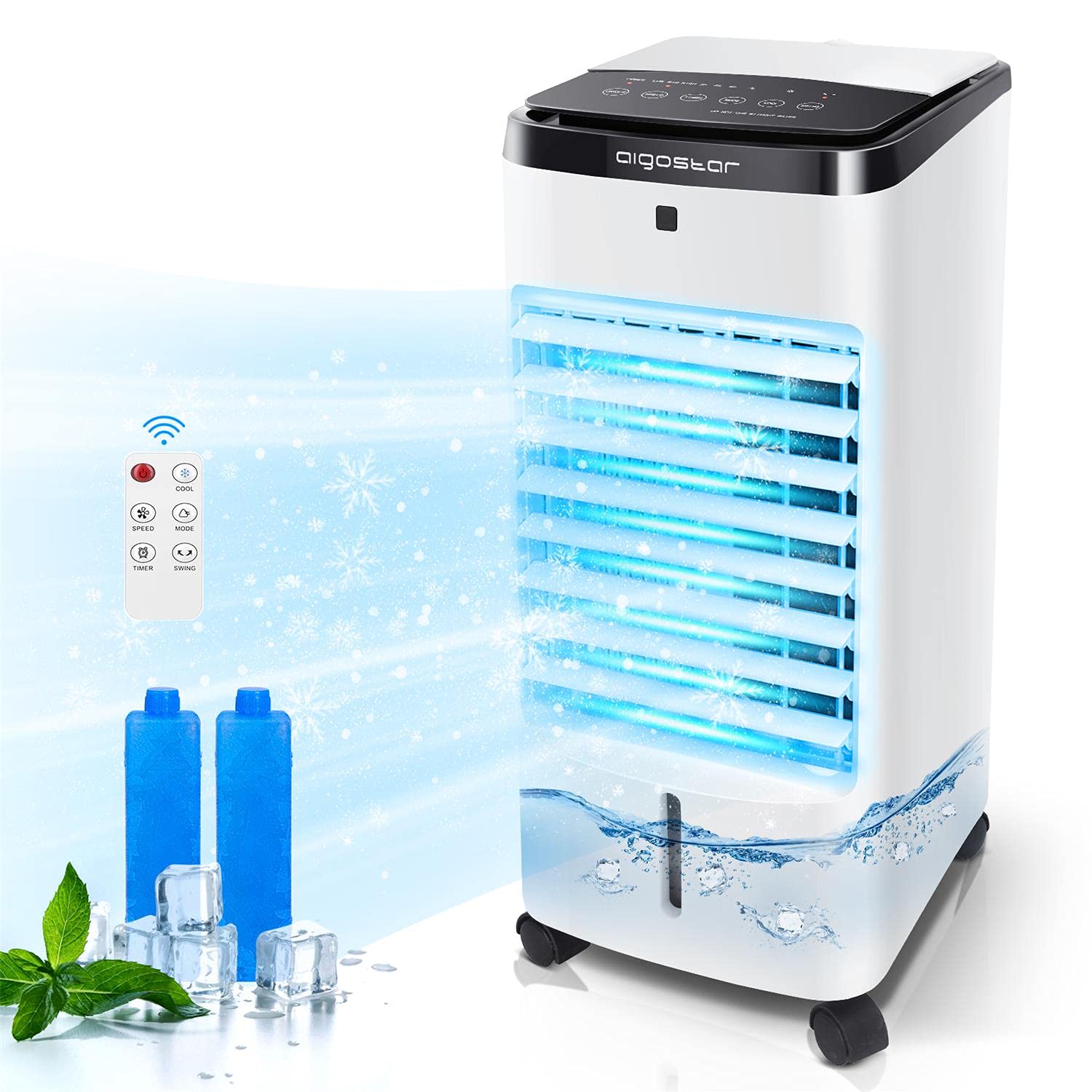
Image 2.1: The Aigostar 3-in-1 Portable Evaporative Air Cooler, showcasing its sleek design and compact form factor.
3. Setup
Follow these steps to set up your evaporative air cooler for first use.
- Unpack the Unit: Carefully remove the air cooler from its packaging. Check for any damage during transit.
- Positioning: Place the unit on a firm, level surface in the desired location. Ensure there is adequate space around the unit for proper airflow.
- Add Water and Ice Boxes:
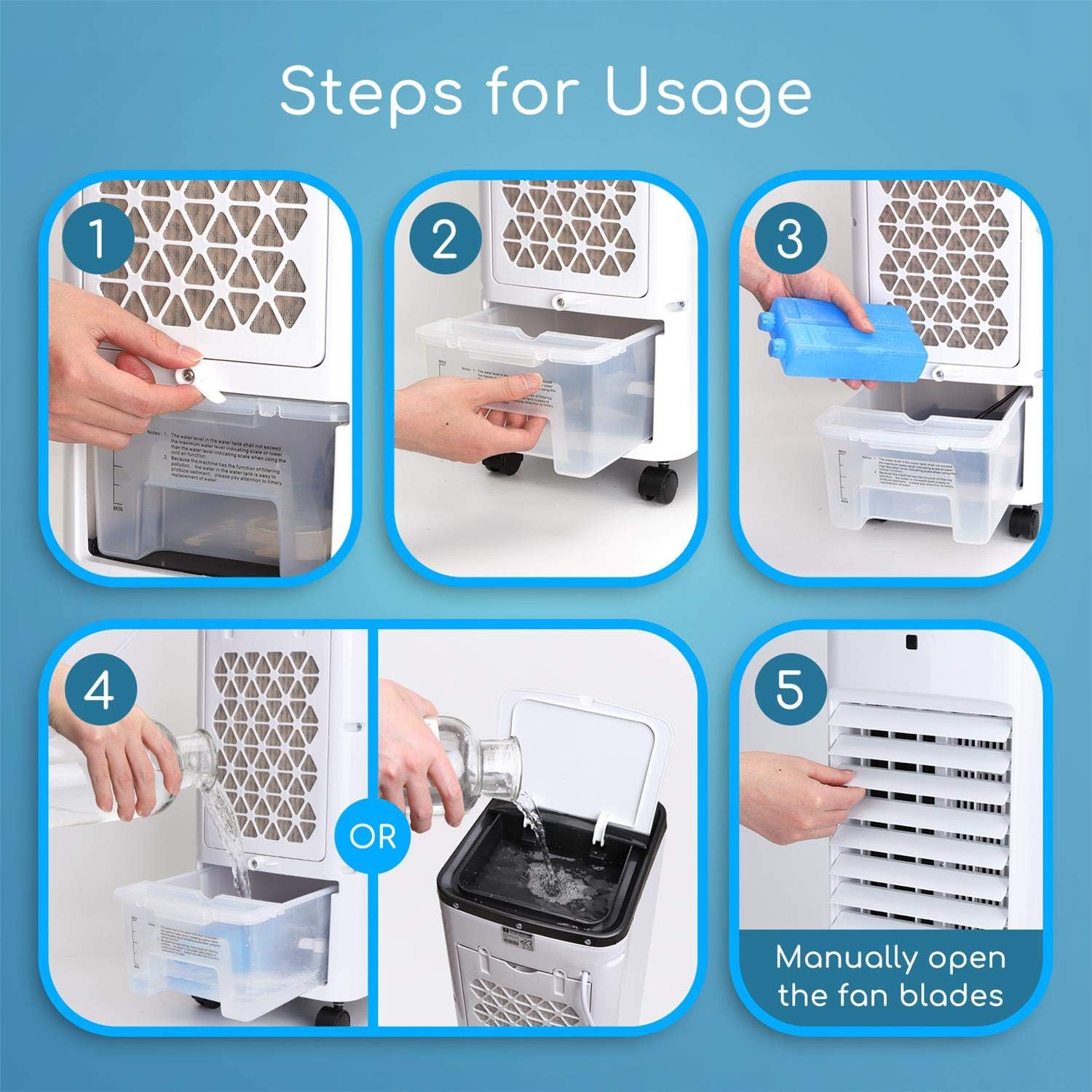
Image 3.1: Visual guide for adding water and ice boxes to the unit.
- Open the water tank cover.
- Fill the water tank with clean water. You can add water from the top opening or by pulling out the bottom water tank. Do not exceed the 'MAX' water level indicator.
- For enhanced cooling, place the two provided ice boxes (after freezing) into the top water tank.
- Close the water tank cover securely and ensure the water tank lock is engaged.
- Connect Power: Plug the power cord into a standard electrical outlet.
4. Operation
Your Aigostar evaporative air cooler can be operated using the multi-function touch panel on the top of the unit or the included remote control.

Image 4.1: The multi-function touch panel with clearly labeled buttons for control.
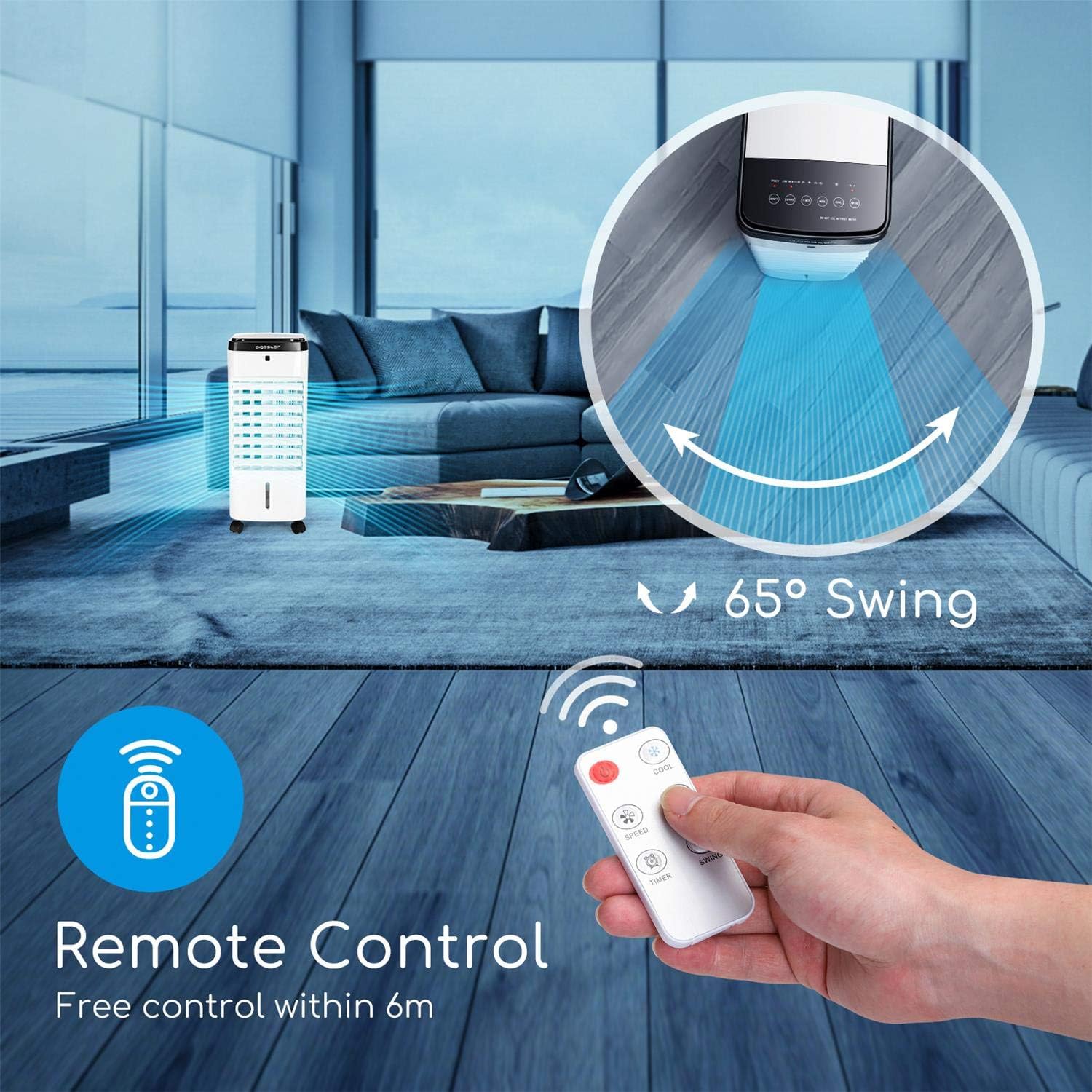
Image 4.2: The remote control for convenient operation from a distance.
Control Panel / Remote Functions:
- ON/OFF Button: Press to turn the unit on or off.
- SPEED Button: Press repeatedly to cycle through Low, Mid, and High wind speeds.

Image 4.3: Illustration of the three wind speeds (Low, Mid, High) and three wind types (Natural, Normal, Sleep).
- MODE Button: Press to select between Natural, Normal, and Sleep wind modes. Each mode offers a different airflow pattern for comfort.
- TIMER Button: Press to set the automatic shut-off timer from 1 to 12 hours. The unit will turn off automatically after the set time.

Image 4.4: The timer function allows for automatic shutdown after up to 12 hours, ideal for overnight use.
- COOL Button: Activates the evaporative cooling function. Ensure the water tank is filled for this function.
- SWING Button: Activates the 65° wide oscillation function, distributing air across a wider area.
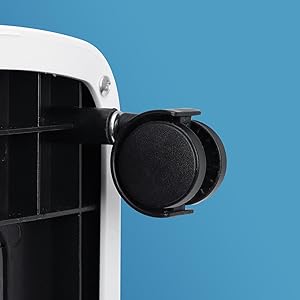
Image 4.5: The 65-degree swing function ensures wide-angle air supply for better coverage.
Remote Control Usage:
The remote control allows you to operate all functions of the air cooler from a distance of up to 20 feet. Point the remote control directly at the unit's receiver when pressing buttons.
5. Water Tank Management
Proper management of the water tank is crucial for effective cooling and humidification.
- Filling the Water Tank: The unit features a double water tank design. Water can be added from the top opening or by pulling out the lower water tank. This design is convenient and user-friendly, especially for the elderly or pregnant women.

Image 5.1: Illustration of the dual water adding method, allowing water to be poured from the top or directly into the lower tank.
- Water Level: Always ensure the water level is between the 'MIN' and 'MAX' indicators. Operating the unit without sufficient water can damage the pump.
- Using Ice Boxes: For colder air, freeze the two included ice boxes and place them in the top water tank. This enhances the cooling effect.
- Draining the Water Tank: When not in use for an extended period, or for cleaning, drain the water tank completely to prevent mold and mildew growth.
6. Maintenance
Regular maintenance ensures optimal performance and extends the lifespan of your air cooler.
- Cleaning the Water Tank: Regularly clean the water tank to prevent mineral buildup and bacterial growth. Unplug the unit, remove the water tank, and wash it with mild soap and water. Rinse thoroughly.
- Cleaning the Air Filter: The air filter should be cleaned periodically, especially if the unit is used frequently. Remove the filter, rinse it under running water, and allow it to air dry completely before reinserting.
- Exterior Cleaning: Wipe the exterior of the unit with a soft, damp cloth. Do not use abrasive cleaners or solvents.
- Storage: If storing the unit for an extended period, ensure the water tank is completely empty and dry. Clean all components, then store the unit in a cool, dry place, preferably in its original packaging.
7. Troubleshooting
If you encounter issues with your air cooler, refer to the following common problems and solutions.
| Problem | Possible Cause | Solution |
|---|---|---|
| Unit does not turn on | No power supply; Power cord not plugged in; Unit is off. | Check power outlet; Ensure power cord is securely plugged in; Press the ON/OFF button. |
| No cooling/humidification | Water tank is empty; Cooling function not activated; Ice boxes not used. | Fill water tank; Press the COOL button; Add frozen ice boxes to the tank. |
| Weak airflow | Air filter is dirty; Fan speed is too low. | Clean the air filter; Increase the fan speed using the SPEED button. |
| Unusual noise | Unit not on a level surface; Obstruction in fan blades; Water pump issue. | Place unit on a level surface; Check for and remove any obstructions (unplug first); Contact customer support if pump noise persists. |
| Remote control not working | Batteries are dead; Remote not pointed at receiver. | Replace batteries; Ensure remote is pointed directly at the unit. |
8. Specifications
| Feature | Specification |
|---|---|
| Model | B08MPVQ1WX |
| Brand | Aigostar |
| Functionality | 3-in-1 (Cooling, Humidification, Fan) |
| Wind Speeds | 3 (Low, Mid, High) |
| Wind Modes | 3 (Natural, Normal, Sleep) |
| Timer | 1-12 hours |
| Oscillation | 65° Wide-Angle |
| Noise Level | As low as 55 dB |
| Water Tank Capacity | 3.5 Liters (approx. 1 Gallon) Image 8.1: The water tank with a 1-gallon capacity, showing the MAX and MIN fill lines. |
| Coverage Area | Up to 200 sq. ft. |
| Item Weight | 11.03 pounds |
| Package Dimensions | 23.65 x 12.75 x 11 inches |
| First Available Date | November 4, 2020 |

Image 8.2: Visual representation of the air cooler's dimensions (height, width, depth).
9. Product Video
Watch the official product video for a visual guide on the Aigostar 3-in-1 Evaporative Air Cooler's features and operation.
Video 9.1: Official product video demonstrating the Aigostar 3-in-1 Evaporative Air Cooler's features, including portability, water tank, controls, and various modes.
10. Warranty and Support
Aigostar provides lifelong technical support and customer service for this product. If you have any questions, require assistance, or need to claim warranty service, please contact Aigostar customer support directly.
For contact information, please refer to the Aigostar official website or the contact details provided with your purchase documentation.

