
WLIVE PCADSG608
WLIVE Compact TV Stand with Casters (White, Model PCADSG608)
Instruction Manual
1. Introduction
Thank you for purchasing the WLIVE Compact TV Stand with Casters. This TV stand is designed for small spaces, offering versatile storage and easy mobility. It is suitable for LCD TVs ranging from 24 to 37 inches. Please read this manual carefully before assembly and use to ensure proper installation and safe operation.
2. Safety Information
- Always handle components with care during assembly to prevent injury or damage.
- Ensure all screws and fasteners are securely tightened before use. Periodically check and re-tighten if necessary.
- Do not exceed the maximum load capacity of 25 kg (55 lbs) for the top panel. Overloading can cause instability and damage.
- Place the TV stand on a flat, stable surface.
- Keep small parts and packaging materials away from children to prevent choking hazards.
- Avoid exposing the product to direct sunlight, extreme temperatures, or high humidity.
3. Package Contents
Before beginning assembly, please verify that all parts are present and undamaged. Refer to the included parts list in your package. A Phillips head screwdriver is recommended for assembly (not included, but a basic assembly tool is provided).

Image: Exploded view of the TV stand components and included assembly tools. This image illustrates the various parts and hardware required for assembly, along with a basic tool.
4. Setup and Assembly
Assembly is designed to be straightforward. Follow the steps below and refer to the detailed diagrams in the included instruction manual for visual guidance.
- Unpack Components: Carefully remove all parts from the packaging. Lay them out on a clean, soft surface to prevent scratches.
- Attach Casters (Optional): If you wish to use the casters for mobility, attach them to the designated holes on the bottom panel. Ensure they are securely fastened. The front two casters have a locking mechanism.
- Assemble Frame: Connect the side panels to the main shelves using the provided hardware. Follow the numerical or alphabetical order indicated in the detailed assembly diagram.
- Secure All Connections: Once the main structure is assembled, ensure all screws are tightened firmly. Avoid over-tightening to prevent damage to the melamine laminated board.
- Final Placement: Carefully move the assembled TV stand to its desired location. If using casters, lock the front two casters to prevent unintended movement.
Image: This diagram illustrates the step-by-step assembly process, showing how the various panels and hardware connect to form the TV stand. It also highlights the included assembly tools.
5. Operating Instructions
5.1 Placing Your TV
This TV stand is designed to accommodate LCD TVs from 24 to 37 inches. Ensure your TV's base fits within the top panel dimensions (80 cm width, 30 cm depth) and its weight does not exceed 25 kg.
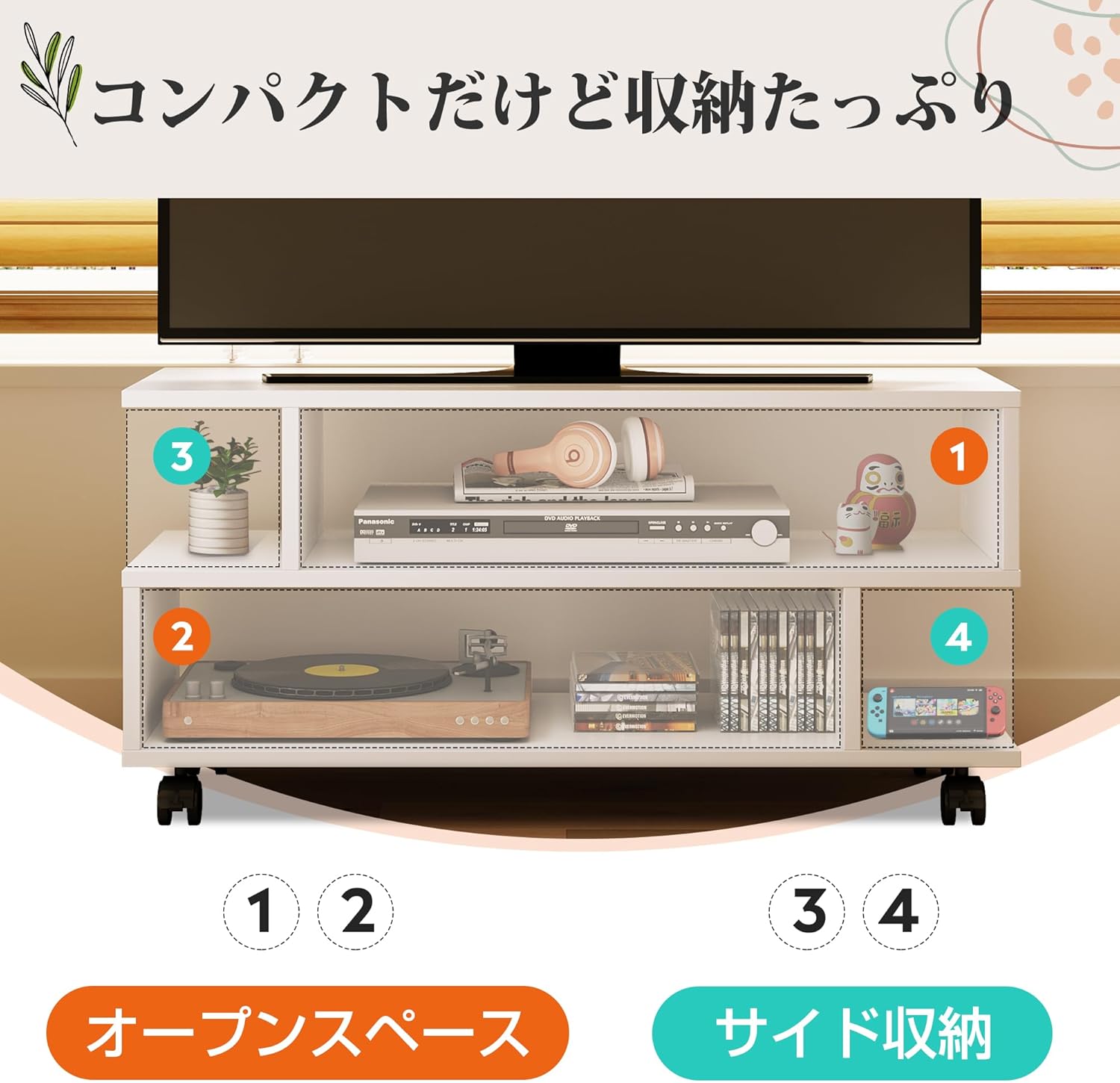
Image: The TV stand supporting a television, with visual indicators for 24V to 37V screen compatibility and a 25kg weight limit on the top surface.
5.2 Using the Casters
The included casters allow for easy movement of the TV stand. This is particularly useful for cleaning or redecorating. To move the stand, unlock the front two casters. Once in the desired position, lock the front casters to secure the stand and prevent accidental movement.

Image: A close-up view of one of the TV stand's casters, showing its locking mechanism. A cleaning mop is visible nearby, illustrating the ease of moving the stand for cleaning.
5.3 Using Without Casters
If you prefer a lower profile or a stationary setup, the casters can be omitted during assembly or removed later. Without casters, the stand's height is reduced to 33.5 cm, offering a more relaxed viewing experience.
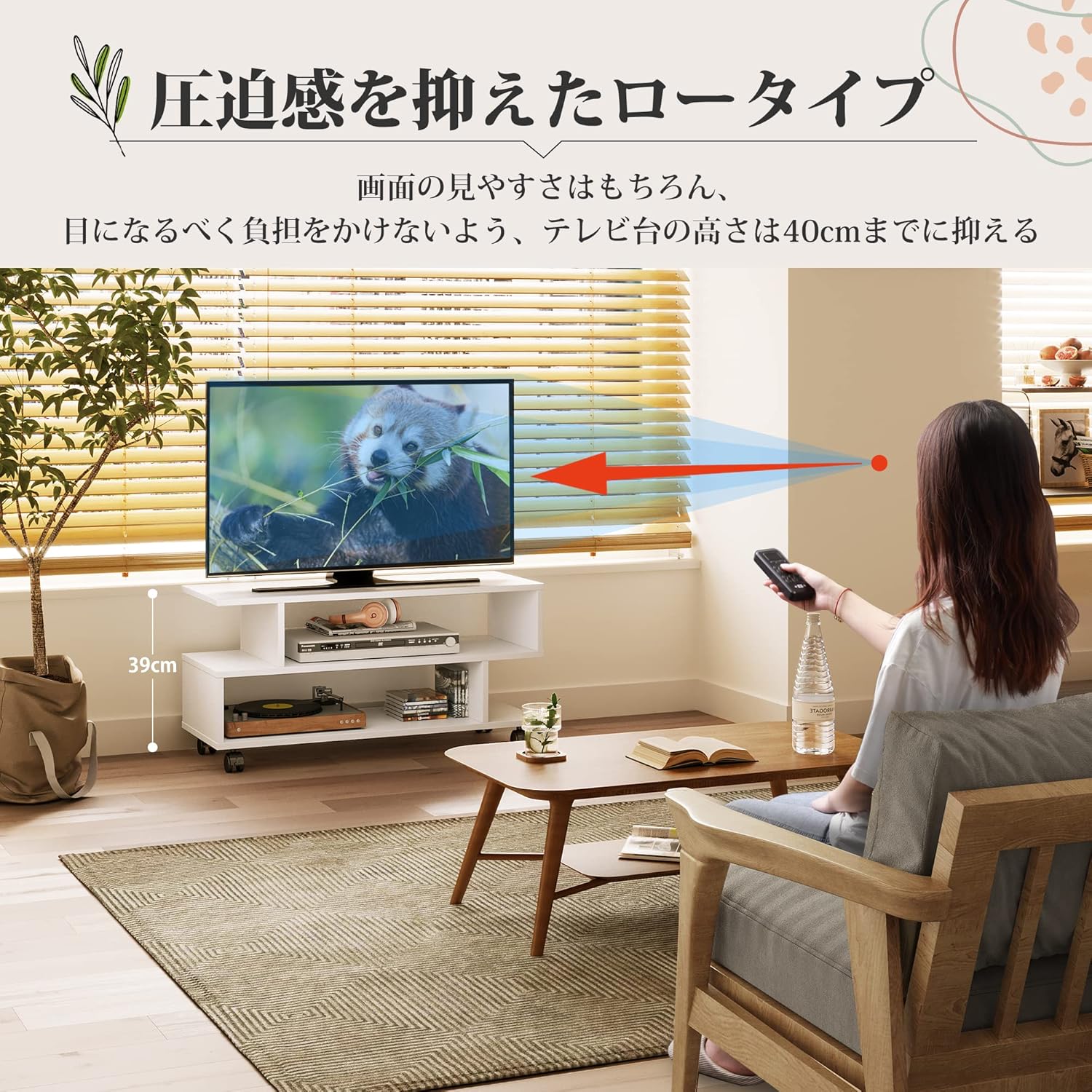
Image: A person comfortably watching television, demonstrating the low-profile design of the TV stand at 39cm height, which can be further reduced to 33.5cm by removing the casters.
5.4 Storage Capacity
The S-shaped design provides two wide open storage spaces, each measuring approximately 62.5 cm (width) x 30 cm (depth) x 14 cm (height). These spaces are suitable for various AV equipment such as HDDs, gaming consoles (e.g., PS4), and media players. The open design also facilitates easy cable management.

Image: The TV stand displaying its storage compartments, filled with various AV equipment like a media player, headphones, and gaming accessories, highlighting its compact yet ample storage capabilities.
6. Maintenance
- Cleaning: Wipe the surface with a soft, damp cloth. Avoid using harsh chemicals or abrasive cleaners, as they may damage the melamine finish.
- Dusting: Regularly dust the stand to maintain its appearance.
- Inspection: Periodically check all connections and hardware to ensure they remain tight. Re-tighten any loose screws.
- Avoid Moisture: Do not place hot or wet items directly on the surface without protection.
7. Troubleshooting
| Problem | Possible Cause | Solution |
|---|---|---|
| Stand is wobbly or unstable. | Screws are not fully tightened. Uneven floor surface. | Ensure all assembly screws are securely tightened. Move the stand to a level surface or use shims if necessary. |
| Casters do not roll smoothly or lock. | Casters are dirty or damaged. Lock mechanism is engaged/disengaged incorrectly. | Clean casters of any debris. Ensure the lock lever is fully engaged or disengaged. If damaged, contact support for replacement. |
| Difficulty during assembly. | Incorrect part orientation. Missing hardware. | Review the assembly instructions and diagrams carefully. Ensure parts are oriented correctly. Check package contents against the parts list. Contact support if parts are missing. |
| Scratches or damage during assembly. | Rough handling or assembly on hard surfaces. | Always assemble on a soft, clean surface (e.g., carpet or blanket). Handle components gently. |
8. Specifications
- Model: PCADSG608
- Color: White
- External Dimensions (with casters): 80 cm (Width) x 30 cm (Depth) x 39 cm (Height)
- Height (without casters): 33.5 cm
- Main Unit Weight: 9.4 kg
- Top Panel Load Capacity: 25 kg
- Board Thickness: 15 mm
- Material: E1 Grade Melamine Laminated Board (Wood)
- Compatible TV Size: 24-37 inches (LCD TV)
- Storage Compartment Dimensions (each): Approximately 62.5 cm (Width) x 30 cm (Depth) x 14 cm (Height)
- Assembly: Required (Assembly tools included)

Image: A detailed diagram illustrating all key dimensions of the TV stand, including width, depth, height with and without casters, and internal shelf dimensions.
9. Warranty and Support
WLIVE provides a one-year warranty for this product. For warranty claims, technical support, or inquiries regarding missing/damaged parts, please contact WLIVE customer service through the retailer where you purchased the product. Please retain your proof of purchase for warranty validation.
For further assistance, you may visit the WLIVE brand store: WLIVE Store on Amazon.co.jp
Related documentsPCADSG608


Ask a question about this manual
Ask about setup, troubleshooting, compatibility, parts, safety, or missing instructions. Manuals+ will review the question and use this page’s manual context to help answer it.