
Hironpal B08M9FWVFD
Hironpal Gaming Desk User Manual
Model: B08M9FWVFD
Introduction
Thank you for choosing the Hironpal Gaming Desk. This manual provides essential information for the proper assembly, operation, and maintenance of your new gaming desk. Please read these instructions carefully before use and retain them for future reference.
Product Overview
The Hironpal Gaming Desk is designed to provide a spacious and stable platform for your gaming setup or workstation. It features a durable carbon fiber textured desktop, a robust Z-shaped steel frame, integrated LED lighting, and convenient accessories.
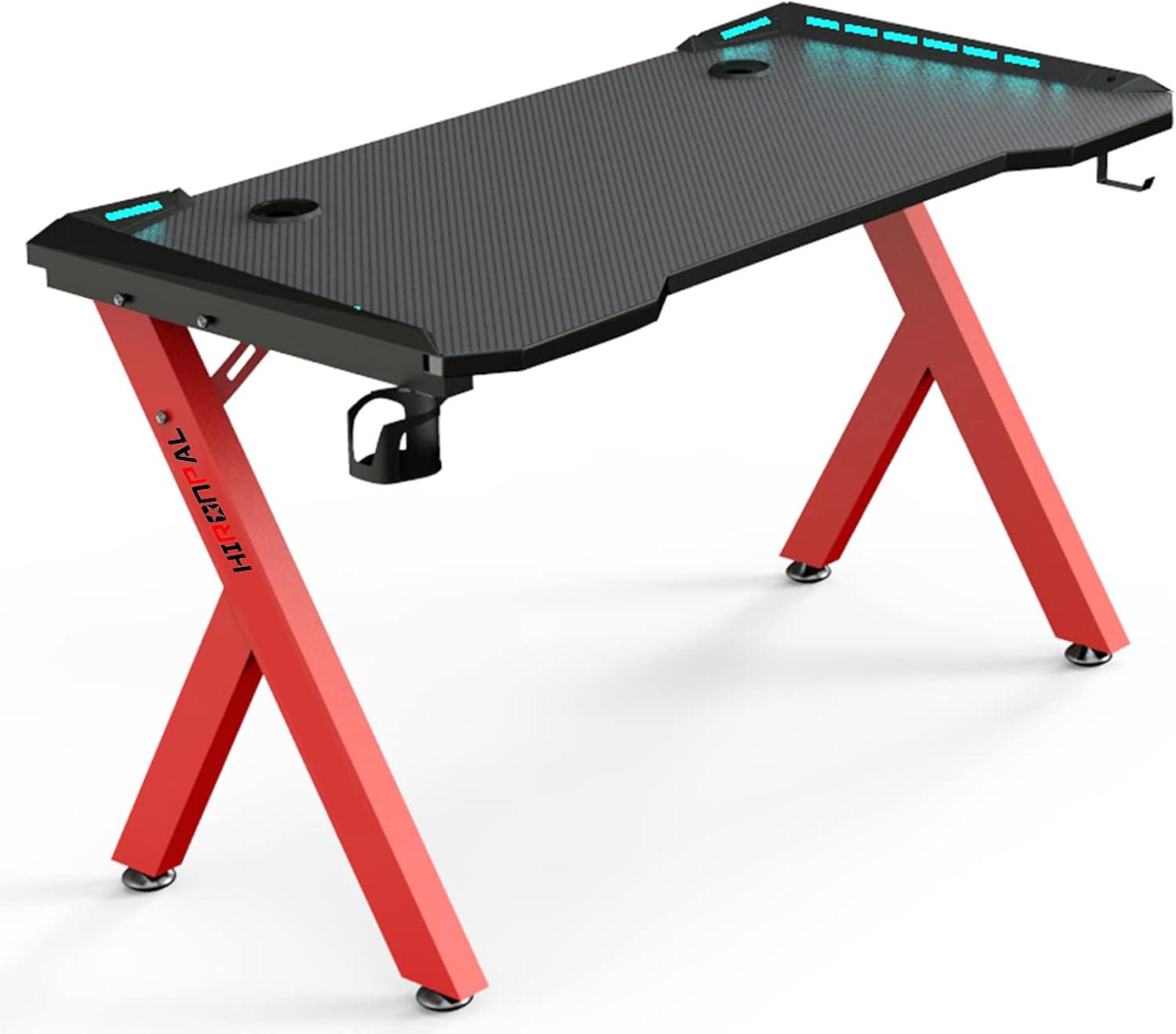
Image: The Hironpal Gaming Desk, showcasing its red Z-shaped legs and black carbon fiber textured desktop with integrated LED lights.
Key Features:
- Spacious Desktop: A 114 x 60 cm (44.9 x 23.6 inches) carbon fiber textured surface provides ample space for multiple monitors, keyboards, and other gaming peripherals.
- Robust Construction: Built with high-quality laminated MDF and a coated steel tube frame for stability, supporting up to 155 kg (341 lbs).
- Ergonomic Z-Shape Design: The Z-shaped legs offer ample legroom and stability.
- Integrated LED Lights: RGB LED lighting enhances the gaming atmosphere.
- Convenient Accessories: Includes a cup holder, headphone hook, and cable management grommets.

Image: Diagram illustrating the product dimensions: 114cm (44.9in) length, 60cm (23.6in) width, 72cm (28.3in) height, and a weight capacity of 440 lbs (200 kg).

Image: A detailed view of the carbon fiber laminate desktop texture and the ergonomic seating space provided by the desk's design.
Setup and Assembly
The Hironpal Gaming Desk is designed for straightforward assembly. All necessary hardware and detailed, illustrated instructions are included in the package. It is recommended to assemble the desk in the room where it will be used.
- Unpack all components and verify against the parts list provided in the assembly instructions.
- Follow the step-by-step illustrated guide to attach the Z-shaped legs to the desktop.
- Secure all screws and fasteners firmly, but do not overtighten until all parts are aligned.
- Install the cup holder, headphone hook, and route cables through the management grommets as desired.
- Connect the LED lighting system according to the instructions.
Note: Some users have reported issues with screw alignment or missing screws. If you encounter such problems, please contact customer support for assistance.

Image: Visual representation of the desk's stable support features, including a wire hook for cable tidiness, a stabilizer bracket for enhanced rigidity, and the stable R-shape (Z-shape) leg design.
Operating Instructions
LED Lighting System:
The desk features integrated RGB LED lights to enhance your gaming or work environment. The LED lights are controlled via a wired remote.
- Power: Connect the USB cable from the LED controller to a 5V USB power source (e.g., computer USB port, USB wall adapter).
- Mode/Demo: Press the "MODE DEMO" button to cycle through various lighting patterns and effects.
- Speed: Use the "SPEED" buttons to adjust the speed of dynamic lighting effects.
- Color: Press the "COLOR" button to change static LED colors.
Note: If the LED colors do not change as expected, ensure the controller is properly connected and try cycling through modes and colors again.

Image: Close-up of the LED light mode switching controller, showing buttons for Mode/Demo, Speed, and Color, and a 5V power input.
Accessories:
- Cup Holder: Attach the cup holder to the designated slot on the side of the desk. It is designed to securely hold most standard beverage containers.
- Headphone Hook: Attach the headphone hook to the side of the desk to keep your headphones within easy reach and off the desktop.
- Cable Management Grommets: Utilize the two cable grommets on the desktop to route and organize your cables, maintaining a tidy workspace.

Image: Detailed view of the headphone hook, cup holder, and the LED light mode switching controller, highlighting the practical accessories of the desk.
Maintenance
Proper maintenance will ensure the longevity and appearance of your Hironpal Gaming Desk.
- Cleaning: Wipe the desktop and frame with a damp cloth. Avoid using harsh chemicals or abrasive cleaners, which can damage the finish.
- Spills: Immediately wipe up any spills to prevent staining or damage to the carbon fiber laminate surface.
- Inspection: Periodically check all screws and fasteners to ensure they remain tight. Retighten if necessary.
- Weight Capacity: Do not exceed the maximum weight capacity of 155 kg (341 lbs) to prevent structural damage.
Troubleshooting
| Problem | Possible Cause | Solution |
|---|---|---|
| Desk is wobbly or unstable. | Loose screws or uneven floor. | Ensure all assembly screws are tightened. Adjust the leveling feet on the bottom of the desk legs to compensate for uneven surfaces. |
| LED lights are not working. | Power not connected, faulty connection, or controller issue. | Verify the USB power cable is securely connected to a 5V power source. Check all connections between the LED strips and the controller. If issues persist, contact customer support. |
| LED colors/modes do not change. | Controller malfunction or incorrect button press. | Ensure you are pressing the correct buttons ("COLOR" for static colors, "MODE DEMO" for patterns). If the controller is unresponsive, try disconnecting and reconnecting the USB power. |
| Missing or misaligned assembly parts. | Manufacturing defect or shipping error. | Refer to the parts list in your assembly manual. Contact Hironpal customer support immediately for replacement parts or guidance. |
Specifications
| Brand | Hironpal |
| Model | B08M9FWVFD |
| Color | Red (legs), Black (desktop) |
| Dimensions (L x W x H) | 114 x 60 x 72 cm (44.9 x 23.6 x 28.3 inches) |
| Material | Engineered Wood (MDF) with Carbon Fiber Laminate, Steel Frame |
| Weight Capacity | Up to 155 kg (341 lbs) |
| Special Features | LED lights, Cup Holder, Headphone Hook, Cable Management Grommets, Z-shaped legs |
| Item Weight | 18 Kilograms |
Warranty and Support
Hironpal is committed to providing high-quality products. For information regarding warranty coverage, technical support, or to report any issues with your product, please refer to the contact information provided in your product packaging or visit the official Hironpal website. Please have your model number (B08M9FWVFD) and purchase details ready when contacting support.
Ask a question about this manual
Ask about setup, troubleshooting, compatibility, parts, safety, or missing instructions. Manuals+ will review the question and use this page’s manual context to help answer it.