1. Introduction
Thank you for choosing the Intoval A3 3-in-1 Wireless Charging Station. This device is designed to efficiently charge your compatible iPhone, Apple Watch, and AirPods simultaneously, reducing cable clutter and optimizing your charging experience. Please read this manual thoroughly before use to ensure proper operation and to maximize the product's lifespan.

Image 1.1: The Intoval A3 3-in-1 Wireless Charging Station, showcasing its ability to charge an iPhone, Apple Watch, and AirPods simultaneously.
2. Package Contents
Verify that all items listed below are present in your package:
- Intoval A3 3-in-1 Wireless Charging Station
- Wall Adapter
- USB-C Charging Cable
- User Manual (this document)
3. Specifications
| Feature | Detail |
|---|---|
| Model Number | A3 |
| Dimensions | 5.47 x 4.92 x 3.11 inches |
| Item Weight | 11.4 ounces |
| Input Voltage | 9 Volts |
| Amperage | 2 Amps |
| Connector Type | Wireless |
| Special Features | Charging Indicator, Auto-off Light |
| Color | Black |
4. Setup Instructions
- Unpack the Device: Carefully remove the charging station and all accessories from the packaging.
- Connect Power: Insert the USB-C end of the provided cable into the charging port on the back of the Intoval A3 station. Connect the other end of the cable to the included wall adapter, then plug the wall adapter into a power outlet.
- Placement: Place the charging station on a flat, stable surface, such as a nightstand or desk. Ensure there is adequate ventilation around the device.
The Intoval A3 is designed for immediate use right out of the box, providing a complete charging solution without additional purchases.
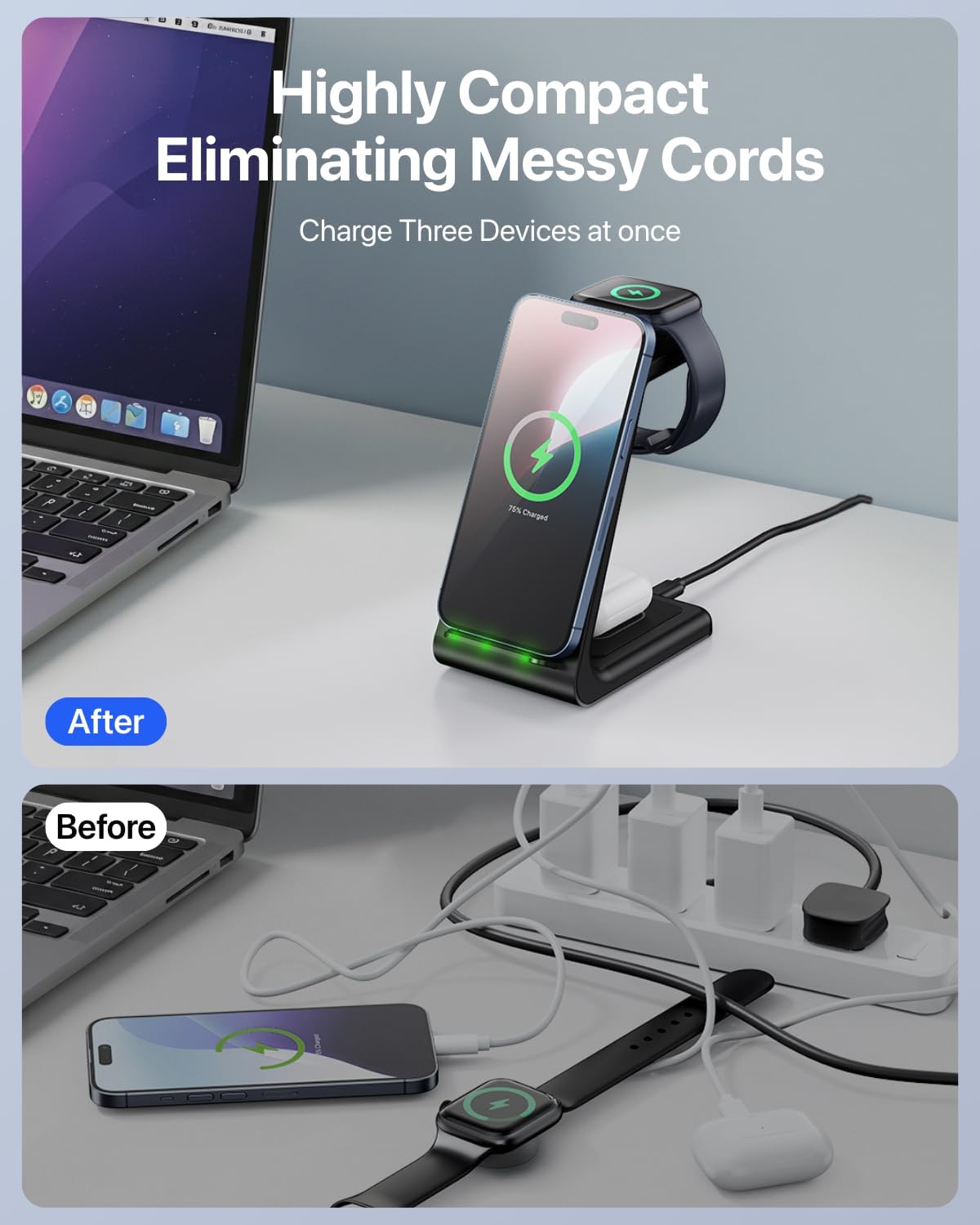
Image 4.1: Illustration of how the Intoval A3 charging station helps eliminate messy cords, showing a 'before' state with multiple cables and an 'after' state with a single, organized charging station.
5. Operating Instructions
5.1 Charging Your iPhone
- Place your compatible iPhone vertically or horizontally on the phone charging pad.
- Ensure the phone is centered on the charging area for optimal connection.
- The charging indicator light on the station will illuminate briefly to confirm charging has started.
5.2 Charging Your Apple Watch
- Drape your compatible Apple Watch over the dedicated watch charging stand.
- The magnetic charging module will secure the watch in place.
- Confirm that the watch display shows the charging icon.
5.3 Charging Your AirPods
- Place your compatible AirPods case (with wireless charging capability) on the designated AirPods charging pad at the base of the station.
- Ensure the case is properly aligned.
- The indicator light on the AirPods case will show its charging status.
Charging Indicator: The station features an LED light bar that briefly illuminates to confirm device detection and charging. This light automatically turns off after approximately 20 seconds to prevent disturbance, especially during nighttime use.
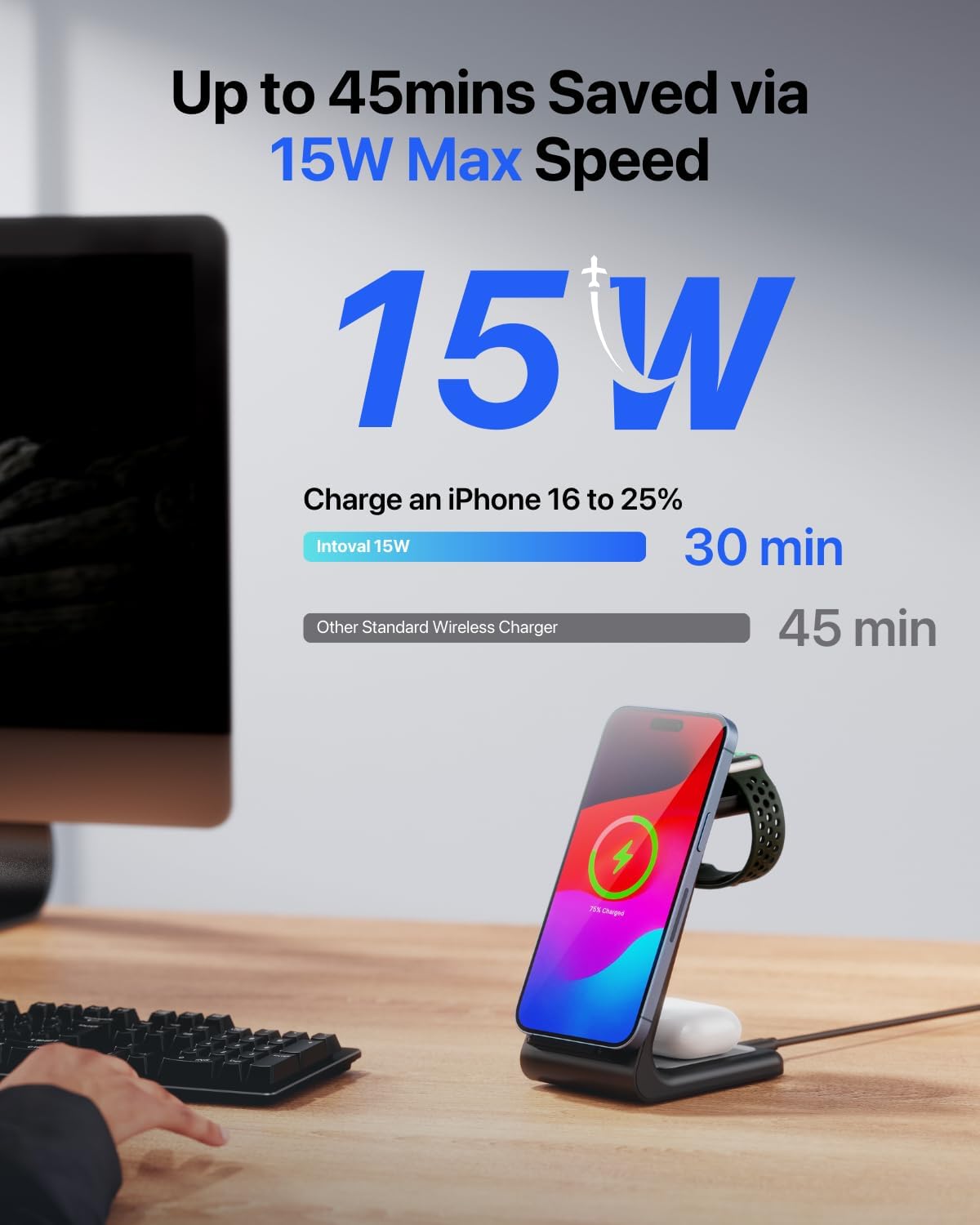
Image 5.1: The Intoval A3 charging an iPhone, highlighting its 15W maximum charging speed for compatible devices.

Image 5.2: The Intoval A3 on a nightstand, illustrating the 20-second auto-off light feature for undisturbed sleep.
6. Compatibility
The Intoval A3 Wireless Charging Station is compatible with a wide range of devices:
- iPhones: iPhone 17/17 Air/17 Pro/17 Pro Max, iPhone 16/15/14/16 Pro/15 Pro/14 Pro/16 Pro Max/15 Pro Max/14 Pro Max/16 Plus/15 Plus/14 Plus, iPhone 13/12/11/13 Pro/12 Pro/11 Pro/13 Pro Max/12 Pro Max/11 Pro Max, iPhone SE, iPhone XR, iPhone X, iPhone XS, iPhone XS Max, iPhone 8 Plus, iPhone 8.
- Apple Watch: Apple Watch Series 11/10/9/8/7/6/5/4/3/2, Apple Watch SE 3/SE 2/SE, Apple Watch Ultra 3/2/Ultra.
- AirPods: AirPods Pro 3/Pro 2/Pro, AirPods 4/3/2 (with wireless charging case).
- Other Devices: Any other wireless charging enabled phones and earpods.
6.1 Case Compatibility
The charging station is designed to charge through most phone cases up to 5mm thick. However, certain materials and accessories can interfere with wireless charging:
- Incompatible: Metal cases, cases with magnets, grips, stands, or credit cards attached to the back of the phone.
- Compatible: Most plastic, silicone, and leather phone cases under 5mm thickness.
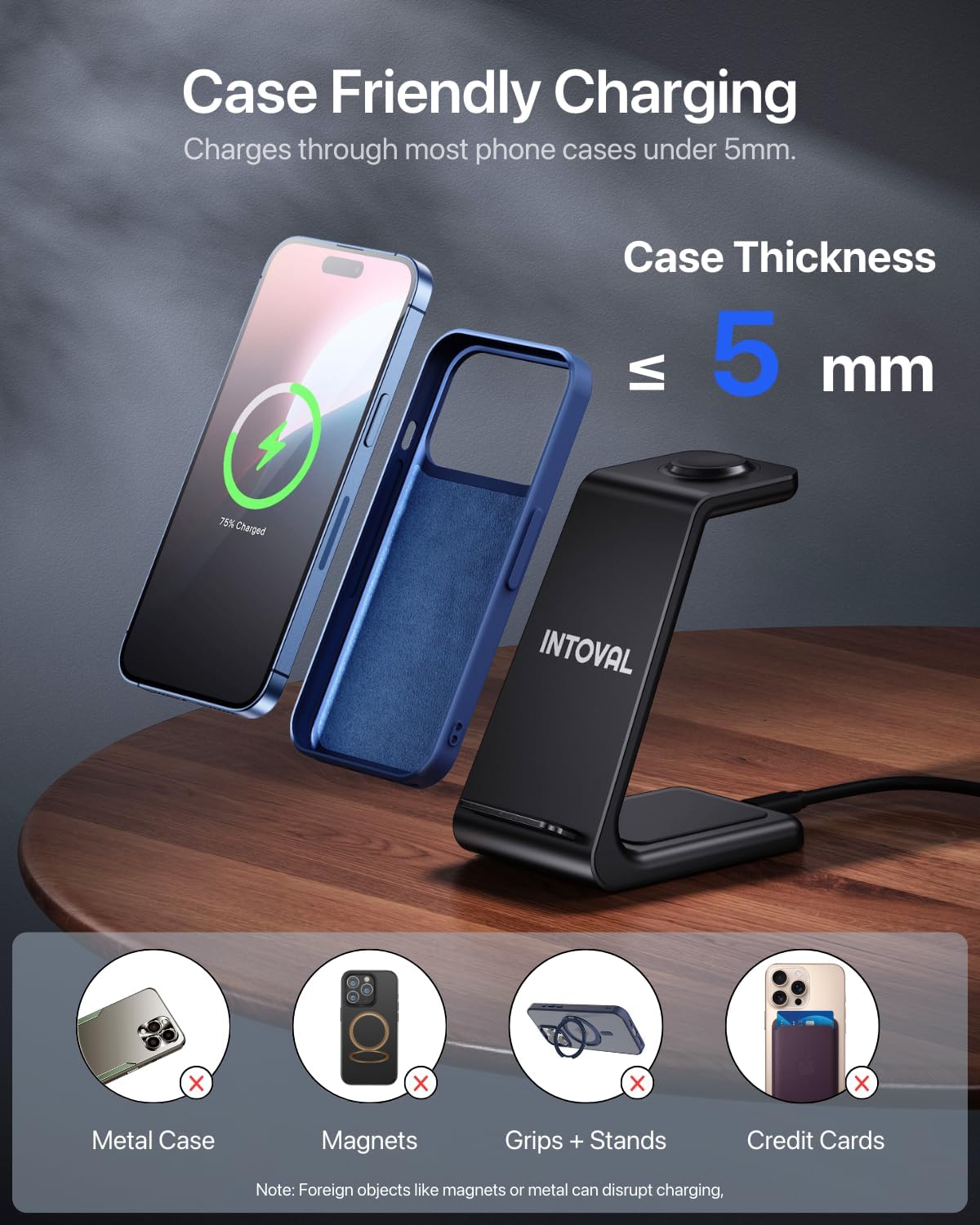
Image 6.1: Visual guide to case compatibility, indicating that cases up to 5mm are supported, while metal, magnetic, or accessory-laden cases are not.
7. Safety Information
To ensure safe operation and prevent damage to your devices or the charging station, please observe the following safety guidelines:
- Use only the provided wall adapter and USB-C cable.
- Avoid placing foreign objects (e.g., metal, coins, credit cards) on the charging pads, as this can disrupt charging and potentially damage the device. The station includes Foreign Object Detection for safety.
- Do not expose the device to water, moisture, or extreme temperatures.
- Do not disassemble, modify, or attempt to repair the charging station.
- Keep the device away from direct sunlight or heat sources.
- The station incorporates features for Phone Battery Safety, Radiation Shielding, and Temperature Control to protect your devices.

Image 7.1: The Intoval A3 internal chip, representing the advanced technology for safe and efficient charging.
8. Maintenance
To maintain the performance and appearance of your Intoval A3 Wireless Charging Station:
- Cleaning: Disconnect the power before cleaning. Use a soft, dry, lint-free cloth to wipe the surface of the charging station. Do not use abrasive cleaners, solvents, or chemical sprays.
- Storage: When not in use for extended periods, store the device in a cool, dry place away from direct sunlight.
9. Troubleshooting
| Problem | Possible Cause | Solution |
|---|---|---|
| Device not charging |
|
|
| Slow charging |
|
|
| Charging indicator light not working |
|
|
10. Warranty and Support
The Intoval A3 3-in-1 Wireless Charging Station comes with a 24-month warranty from the date of purchase. This warranty covers manufacturing defects and ensures the product functions as intended under normal use.
For any technical assistance, questions, or warranty claims, please contact Intoval customer support. We offer Lifetime Technical Support to ensure your satisfaction.
You can find contact information on the official Intoval website or through your purchase platform.
11. Official Product Videos
No official product videos from the seller were found for this product at this time.


