
OttLite CSD9000W
OttLite Clarify LED Desk Lamp User Manual
Model: CSD9000W
Brand: OttLite
Product Overview
The OttLite Clarify LED Desk Lamp is designed to provide optimal lighting for various tasks such as work, study, reading, and crafting. Featuring OttLite's exclusive ClearSun LED technology, this lamp aims to reduce eyestrain by up to 51% by mimicking natural daylight. It includes touch-activated controls for four brightness settings and a flexible neck for adjustable illumination.

Image: The OttLite Clarify LED Desk Lamp in white, showcasing its sleek design and flexible neck.
Important Safety Instructions
Please read all instructions carefully before using the lamp to ensure safe operation and prevent damage.
- Do not use with a dimmer switch.
- Do not modify the lamp in any way.
- Ensure the lamp is placed on a stable, flat surface.
- Keep away from water or damp environments.
- Unplug the lamp before cleaning.
- The LED light source is not replaceable. Do not attempt to replace it.
- This lamp is for indoor use only.
Setup
- Unpack the Lamp: Carefully remove all components from the packaging. Ensure all parts are present: the lamp unit and power cable.
- Position the Lamp: Place the lamp base on a stable, flat surface where you intend to use it.
- Connect Power: Insert the power cable into the power input port located on the back of the lamp base. Plug the other end of the power cable into a standard electrical outlet.

Image: Side view of the OttLite Clarify LED Desk Lamp, illustrating its compact design and power cable connection point.
Operating Instructions
The OttLite Clarify LED Desk Lamp features intuitive touch-activated controls for ease of use.
- Power On/Off: Gently touch the power icon on the lamp base to turn the lamp on or off.
- Adjust Brightness: Continue to touch the power icon to cycle through the four available brightness settings. The lamp will adjust from the lowest to the highest setting, then back to off.
- Flexible Neck Adjustment: The lamp features a flexible neck that allows you to position the light precisely where it is needed. Gently bend the neck to direct the light beam.
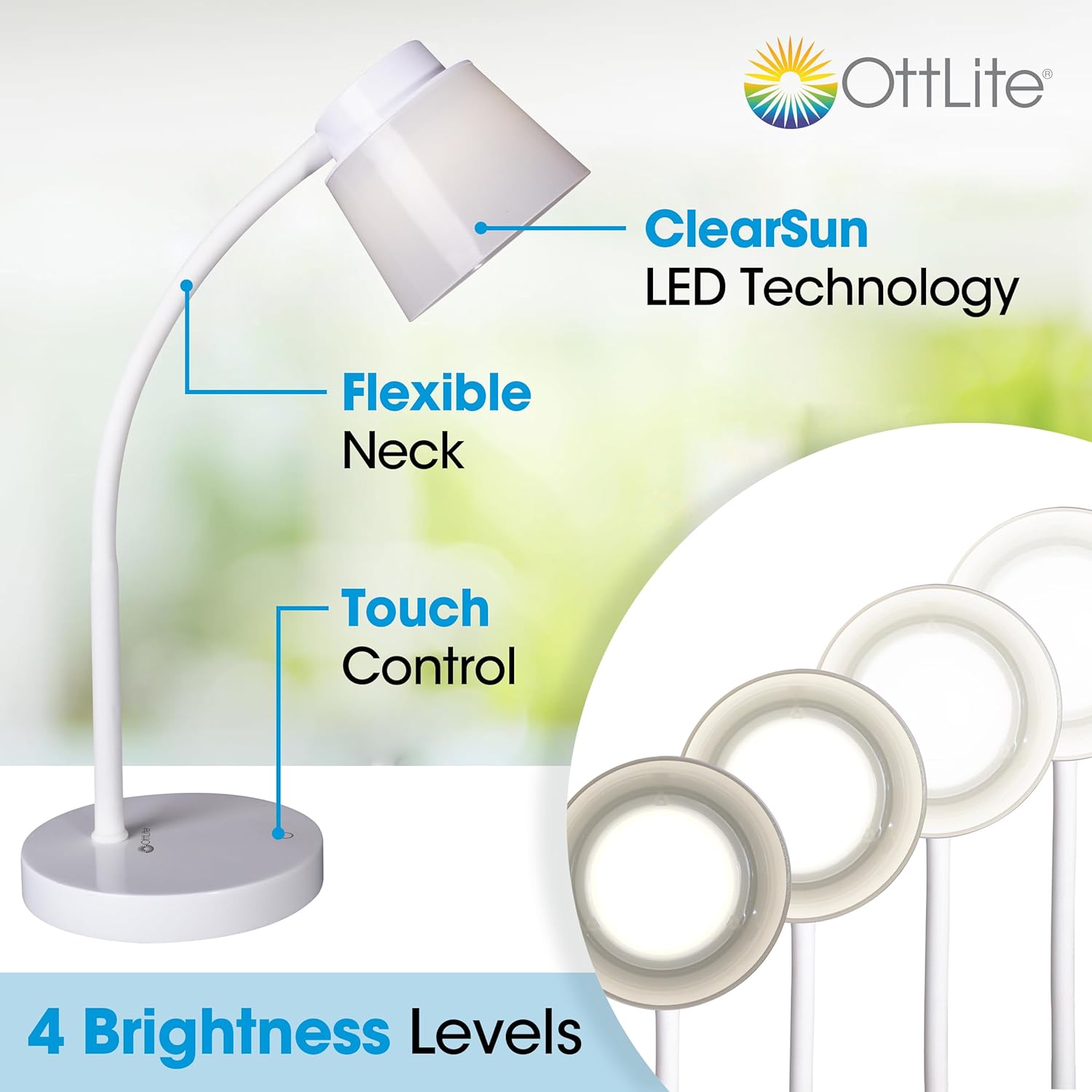
Image: Diagram highlighting the lamp's key features: ClearSun LED Technology, Flexible Neck, Touch Control, and 4 Brightness Levels.

Image: A hand demonstrating the touch-sensitive control button located on the lamp's base.

Image: The lamp's flexible neck shown in various positions, illustrating its adjustability.
Maintenance
Proper care will ensure the longevity and optimal performance of your OttLite lamp.
- Cleaning: Before cleaning, always unplug the lamp from the power outlet. Use a soft, dry cloth to wipe down the lamp. Do not use abrasive cleaners, waxes, or solvents as they may damage the finish.
- LED Lifespan: The integrated LED light source is designed for long-term use and is not replaceable.
Troubleshooting
| Problem | Possible Cause | Solution |
|---|---|---|
| Lamp does not turn on. | Not plugged in; power outlet not active; faulty power cable. | Ensure the power cable is securely plugged into both the lamp and a working electrical outlet. Test the outlet with another device. |
| Light flickers or is dim. | Unstable power supply; internal component issue. | Try plugging the lamp into a different outlet. If the issue persists, contact customer support. |
| Touch control is unresponsive. | Dust or debris on sensor; temporary electronic glitch. | Wipe the touch control area with a clean, dry cloth. Unplug the lamp for 30 seconds and then plug it back in to reset. |
Specifications
| Feature | Detail |
|---|---|
| Model Number | CSD9000W |
| Dimensions (D x W x H) | 5.13"D x 5.13"W x 13.5"H |
| Item Weight | 1.5 Pounds |
| Light Source Type | LED (ClearSun Technology) |
| Wattage | 5.65 watts |
| Brightness | 420 Lumen |
| Color Temperature | 5000 Kelvin (Daylight) |
| Control Type | Touch |
| Number of Brightness Settings | 4 |
| Power Source | Corded Electric |
| Material | Plastic, Metal Base |
| Special Features | Dimmable, Flexible Neck |
| Included Components | Power Cable |

Image: Visual representation of the lamp's height (13.5 inches) and base diameter (5.3125 inches).
Warranty and Support
This product is sold by OttLite Technologies. For specific warranty information and customer support, please refer to the documentation included with your purchase or visit the official OttLite website.
Generally, products purchased on Amazon.com may be eligible for returns or replacements within 30 days of receipt, subject to Amazon's return policy.
For further assistance, you may contact OttLite customer service directly.
Related documentsCSD9000W


Ask a question about this manual
Ask about setup, troubleshooting, compatibility, parts, safety, or missing instructions. Manuals+ will review the question and use this page’s manual context to help answer it.