1. Introduction
Thank you for choosing the MYLEK 800W Infrared Panel Heater. This manual provides essential information for the safe and efficient operation of your new appliance. This versatile heater is designed for use in various rooms, including bathrooms, bedrooms, and kitchens, offering efficient infrared heating with or without the included towel rail.

Image: Front view of the MYLEK 800W Infrared Panel Heater with the removable towel rail attached.

Image: The MYLEK 800W Infrared Panel Heater installed on a wall in a modern bathroom, with a towel draped over its rail.
2. Important Safety Instructions
Please read all instructions carefully before using this appliance and retain for future reference. Failure to follow these instructions may result in electric shock, fire, or serious injury.
- Electrical Safety: Ensure the power supply matches the rating label on the appliance. Do not operate with a damaged cord or plug.
- Water Resistance: This heater has an IP24 splash-proof rating, making it suitable for bathroom use. However, do not immerse the appliance in water or other liquids.
- Overheat Protection: The unit is fitted with an Overheat Safety Protection System. If the heater overheats, it will automatically shut off. Unplug the unit and allow it to cool before attempting to restart.
- Placement: Do not cover the heater. Maintain adequate clearance from walls, furniture, and curtains to prevent fire hazards. Do not place directly below a socket outlet.
- Children and Vulnerable Persons: This appliance can be used by children aged 8 years and above and persons with reduced physical, sensory or mental capabilities or lack of experience and knowledge if they have been given supervision or instruction concerning use of the appliance in a safe way and understand the hazards involved. Children shall not play with the appliance. Cleaning and user maintenance shall not be made by children without supervision.
- Maintenance: Disconnect from the mains supply before cleaning or performing any maintenance.
3. Package Contents
Please check the box for the following items:
- MYLEK 800W Infrared Panel Heater Unit
- Removable Towel Rail
- Wall Mounting Kit (screws, wall plugs, brackets)
- User Manual (this document)
4. Setup and Installation
The MYLEK Infrared Panel Heater is designed for wall-mounting to save floor space. Installation should be performed by a competent person.
4.1 Wall Mounting
- Choose a suitable wall location, ensuring sufficient clearance from flammable materials and a power outlet.
- Mark the drilling points for the mounting brackets using the provided template or by carefully measuring.
- Drill holes and insert wall plugs. Secure the mounting brackets to the wall with screws.
- Carefully lift the heater and align it with the wall brackets. Secure the heater onto the brackets. It may require patience or assistance from a second person to align correctly.
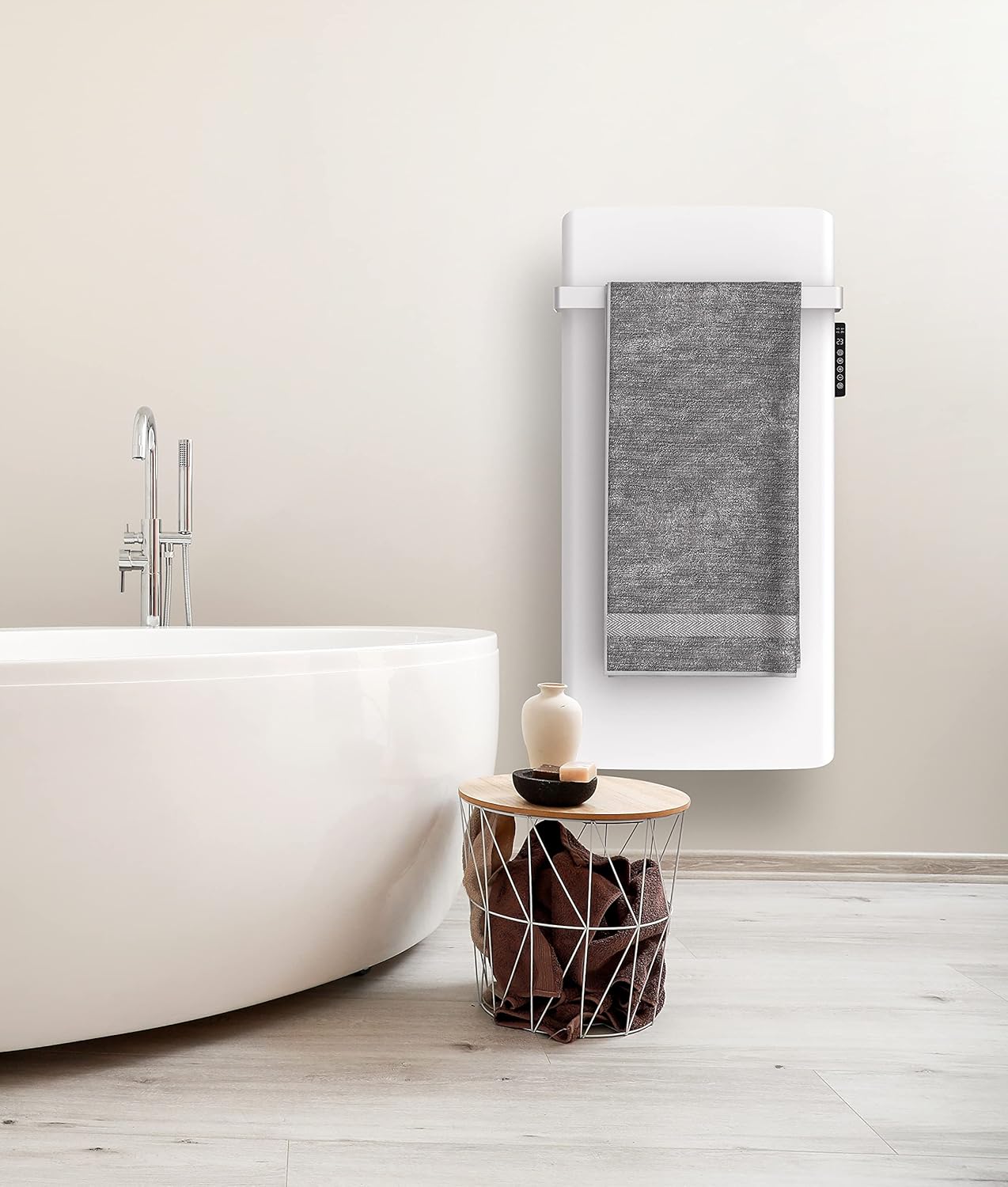
Image: The MYLEK 800W Infrared Panel Heater mounted on a wall, shown without the towel rail attached.
4.2 Attaching the Towel Rail (Optional)
The towel rail is removable and can be attached or detached based on your preference.
- Locate the designated slots on the side of the heater for the towel rail.
- Slide the towel rail into these slots until it clicks securely into place.
- To remove, gently press the release tabs (if present) or slide it out in the reverse direction.

Image: Angled view of the MYLEK 800W Infrared Panel Heater, highlighting the side-mounted controls and the attached towel rail.
5. Operating Instructions
The MYLEK Infrared Panel Heater features a White LED Display and intuitive controls for easy operation.

Image: Detailed view of the control panel on the side of the MYLEK Infrared Panel Heater, showing the LED display and buttons.
5.1 Control Panel Overview
The control panel is located on the side of the unit and includes:
- LED Display: Shows current temperature, mode, and timer settings.
- Power Button (⏻): Turns the heater On/Off.
- Mode Button (M): Cycles through heating modes (Comfort, ECO, Frost Protection).
- Plus Button (+): Increases temperature or adjusts timer settings.
- Minus Button (-): Decreases temperature or adjusts timer settings.
- Timer Button (🕑): Accesses and sets the 24/7 programmable timer.
5.2 Basic Operation
- Power On/Off: Press the Power button to turn the heater on. The LED display will illuminate. Press again to turn off.
- Setting Temperature: Once powered on, use the Plus (+) and Minus (-) buttons to adjust the desired room temperature. The display will show the set temperature.
- Selecting Mode: Press the Mode (M) button to cycle through the available heating modes:
- Comfort Mode: Maintains the set temperature for continuous warmth.
- ECO Mode: Operates at a lower power setting to conserve energy while still providing warmth.
- Frost Protection Mode: Activates automatically if the room temperature drops below a certain threshold (e.g., 5°C) to prevent freezing.
5.3 Programming the 24/7 Timer
The 24/7 programmable timer allows you to set specific on/off times for each day of the week.
- Press the Timer button (🕑) to enter timer programming mode.
- Use the Plus (+) and Minus (-) buttons to select the day of the week and the desired hour.
- Press the Mode (M) button to confirm the selection and move to the next setting (e.g., setting ON/OFF for that hour).
- Repeat for all desired time slots and days. Refer to the detailed programming section in the full manual for advanced settings.
Note: If the power supply to the heater is interrupted, some programmed settings may need to be re-entered.
6. Maintenance and Care
Regular cleaning and proper care will ensure the longevity and efficient operation of your MYLEK Infrared Panel Heater.
- Cleaning: Always unplug the heater and allow it to cool completely before cleaning. Wipe the exterior surfaces with a soft, damp cloth. Do not use abrasive cleaners or solvents.
- Storage: If storing the heater for an extended period, ensure it is clean and dry. Store in a cool, dry place, preferably in its original packaging.
- Initial Odor: During the first few uses, the heater may emit a slight, temporary odor. This is normal and will dissipate with continued use. Ensure adequate ventilation during initial operation.
7. Troubleshooting
If you encounter issues with your heater, please refer to the following common problems and solutions:
| Problem | Possible Cause | Solution |
|---|---|---|
| Heater does not turn on. | No power supply; Overheat protection activated; Unit not properly plugged in. | Check power outlet and circuit breaker. Unplug and allow unit to cool for 30 minutes. Ensure plug is fully inserted. |
| Heater emits an unusual smell. | New unit "burn-off" smell; Dust accumulation. | This is normal for initial uses and will fade. Ensure good ventilation. Clean the heater's surface. |
| Heater not heating effectively. | Incorrect mode selected; Temperature setting too low; Room size exceeds coverage. | Ensure Comfort mode is selected. Increase the temperature setting. Verify room size is within the recommended coverage (approx. 70 sq ft). |
| Programmed settings are lost after power off. | Power interruption. | Re-enter desired programmed settings. Ensure stable power supply. |
8. Product Specifications
| Feature | Detail |
|---|---|
| Model | 800W Infrared Panel Heater |
| Brand | MYLEK |
| Wattage | 800W |
| Heating Technology | Infrared |
| Waterproof Rating | IP24 (Splash Proof) |
| Surface Temperature | 85-95 °C |
| Display | White LED Digital Display |
| Timer | 24/7 Programmable |
| Compliance | LOT20 Compliant |
| Heating Modes | Comfort, ECO, Frost Protection |
| Dimensions (Approx.) | Height 1200 x Depth 60 x Width 500 mm |
| Weight | 12.9 kg |
| Room Coverage (Approx.) | 70 square feet |
| Special Features | Digital Display, Energy Efficient, Infrared, Adjustable Temperature, Overheat Protection |
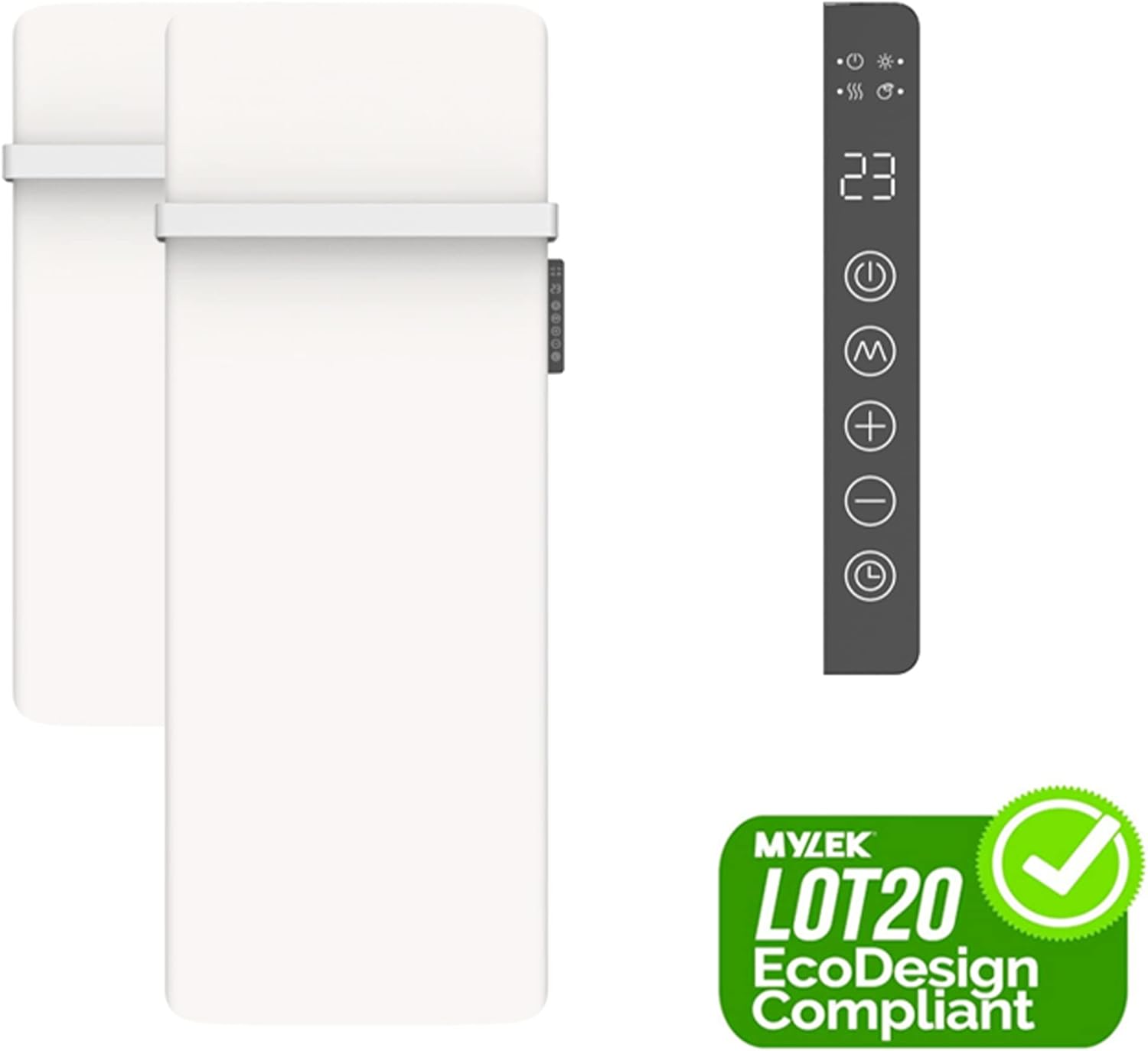
Image: The MYLEK Infrared Panel Heater alongside the LOT20 EcoDesign Compliant logo, emphasizing its energy efficiency and modern design.
9. Warranty and Customer Support
Your MYLEK Infrared Panel Heater comes with a Two-Year Warranty. In the unlikely event of a fault, please contact MYLEK customer service.
MYLEK offers excellent UK customer service support and a parts and replacement delivery service to ensure your unit continues to run for many years.
For support, please refer to the contact information provided with your purchase or visit the official MYLEK website.


