1. Introduction
The Retekess TD018 is a wireless call button pager designed to enhance service efficiency in various settings such as restaurants, clubs, bars, and hospitals. It features five main functions: RFID, Order, Call, Pay, and Cancel, catering to diverse customer needs. Constructed from durable PC material, this device is built for robust use. It operates on 4 x 1.5V AAA batteries (replaceable) and is compatible with Retekess watch and host display receivers.
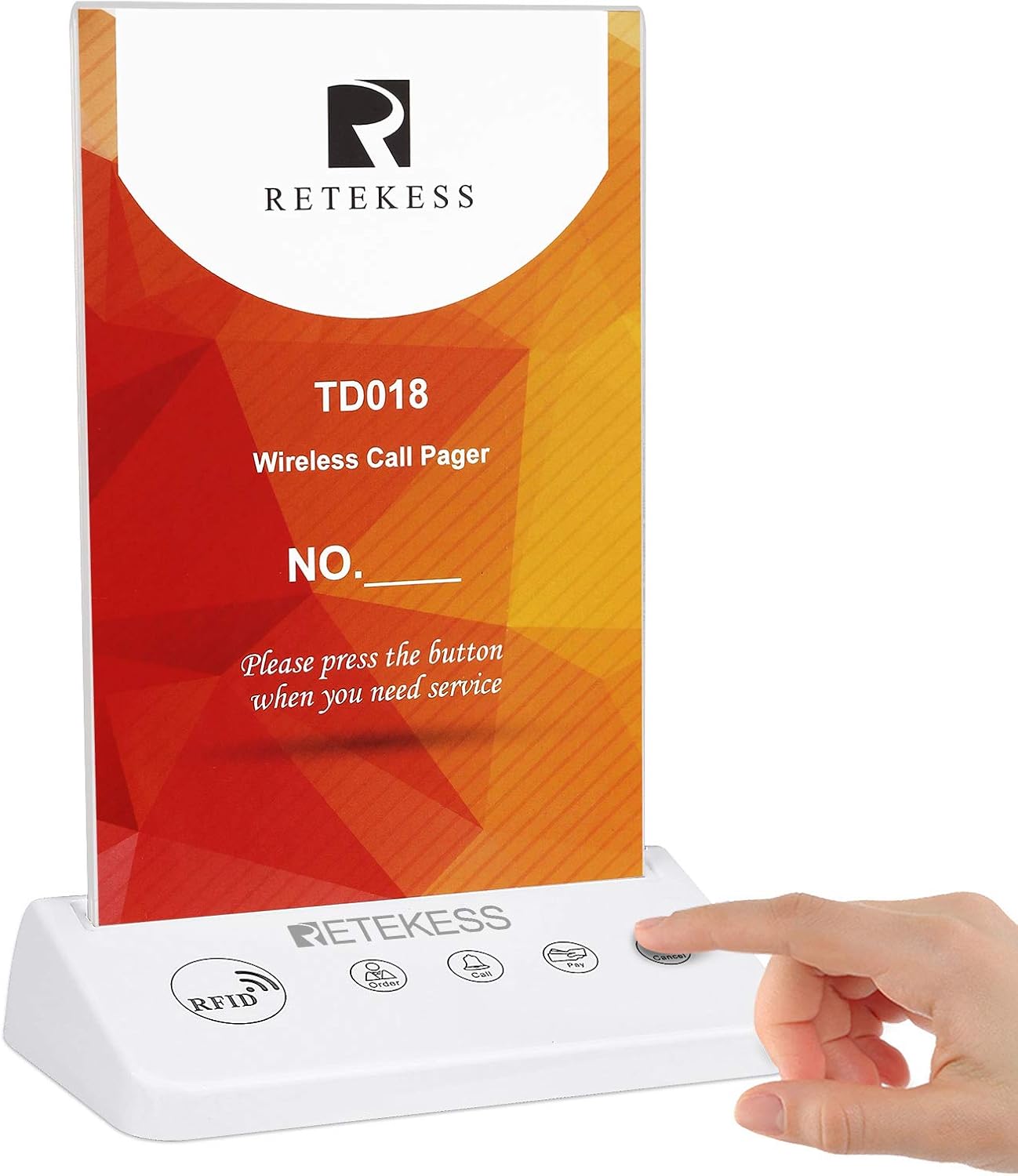
Figure 1: Retekess TD018 Call Button Pager in use, showing a hand interacting with the call button.
2. Setup
2.1 Battery Installation
- Locate the battery compartment on the underside of the TD018 pager.
- Open the battery compartment cover.
- Insert 4 x 1.5V AAA batteries, ensuring correct polarity (+/-).
- Close the battery compartment cover securely.

Figure 2: The battery compartment on the underside of the TD018, with AAA batteries shown for installation.
2.2 Inserting the Advertising Card
- Gently slide the clear acrylic display panel upwards to remove it from the base.
- Insert your desired advertising or instruction card into the slot.
- Slide the clear acrylic display panel back into the base until it is securely seated.
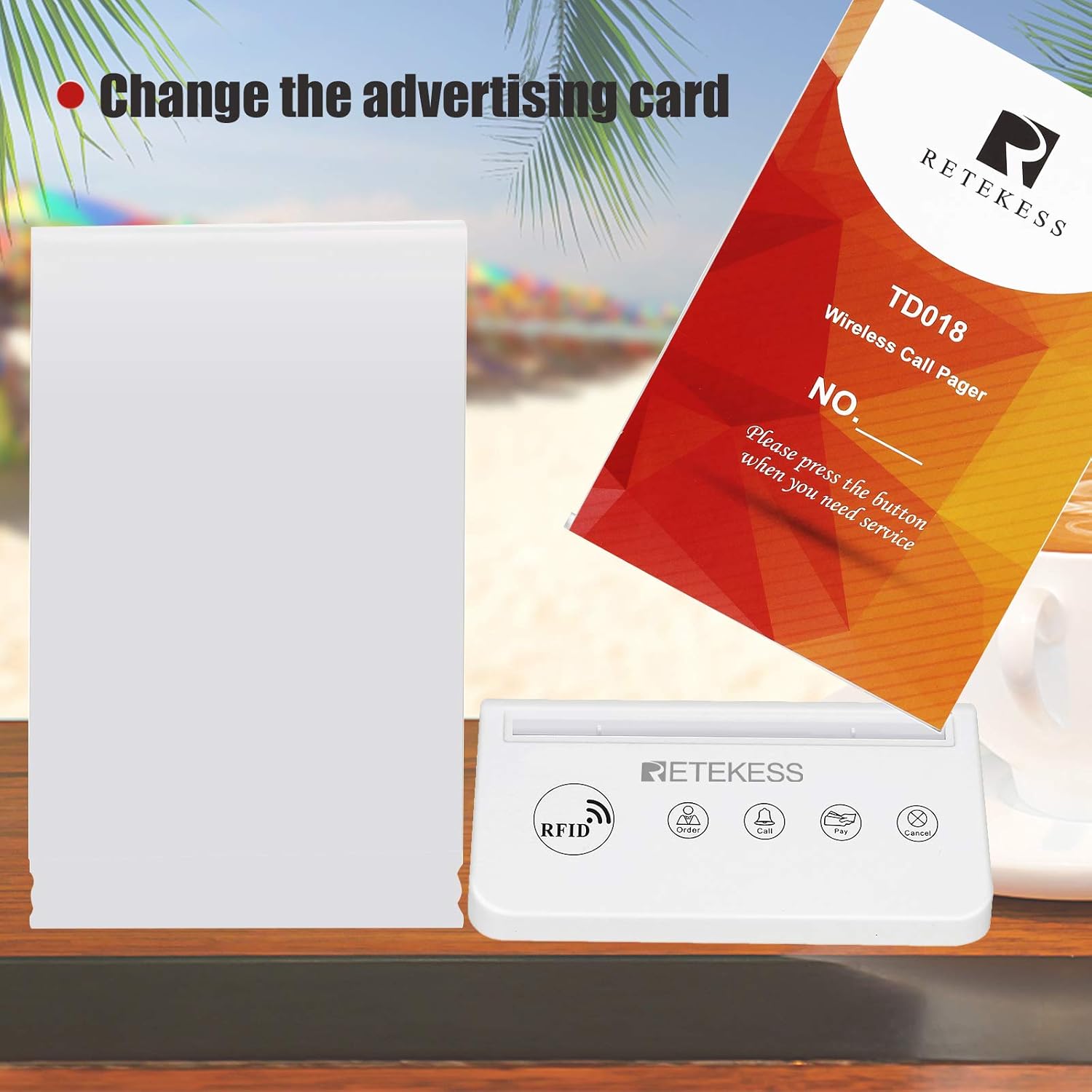
Figure 3: Illustration of how to change the advertising card in the TD018 pager.
2.3 Pairing with Receivers
The TD018 call button is compatible with various Retekess watch and host display receivers. Refer to the specific receiver's instruction manual for detailed pairing procedures. Ensure the TD018 is powered on before attempting to pair.
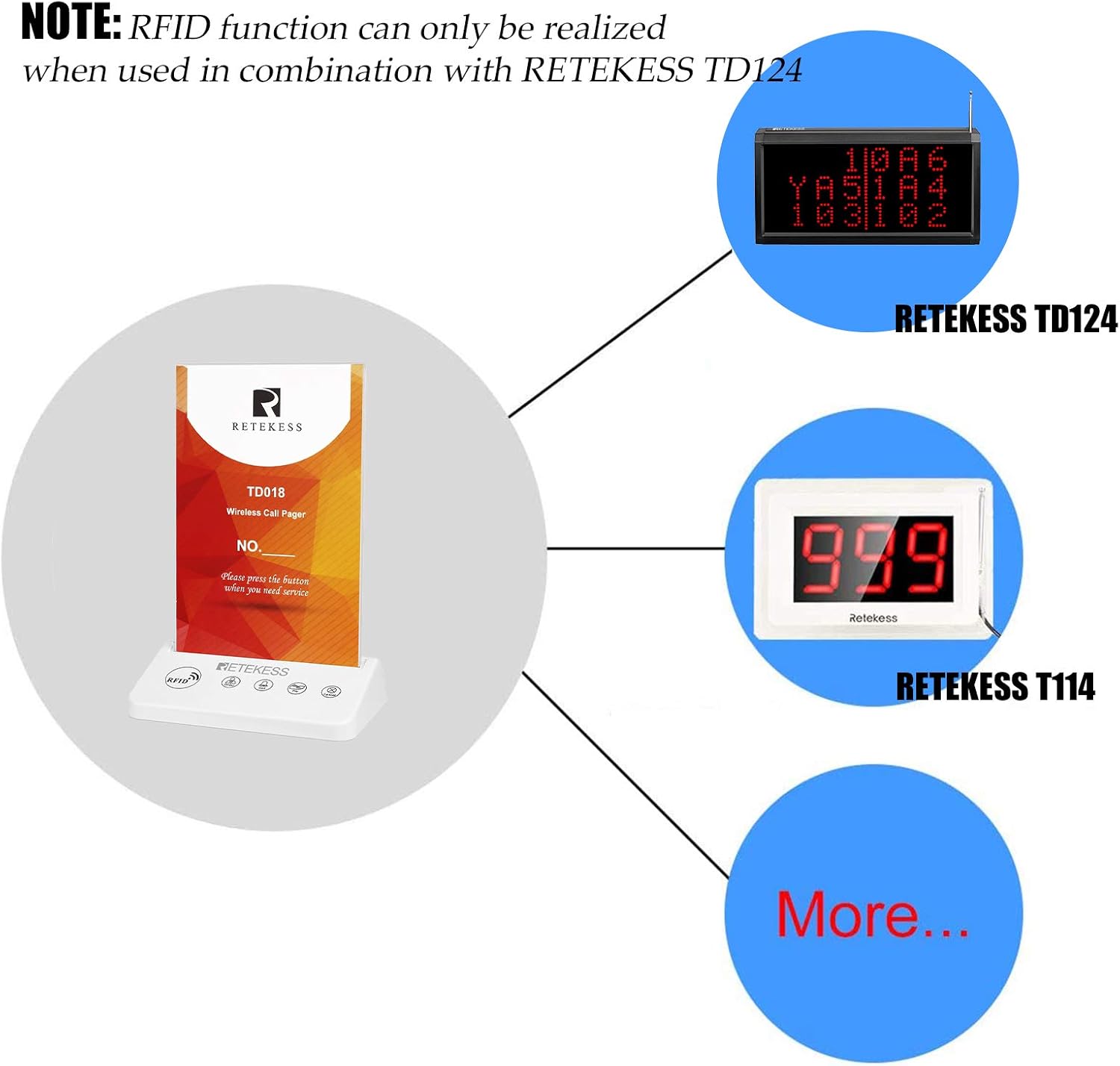
Figure 4: The TD018 pager can be used in combination with other Retekess receivers like the TD124 and T114 for full RFID functionality.
3. Operating Instructions
The TD018 features five distinct function buttons, each designed for a specific service request:
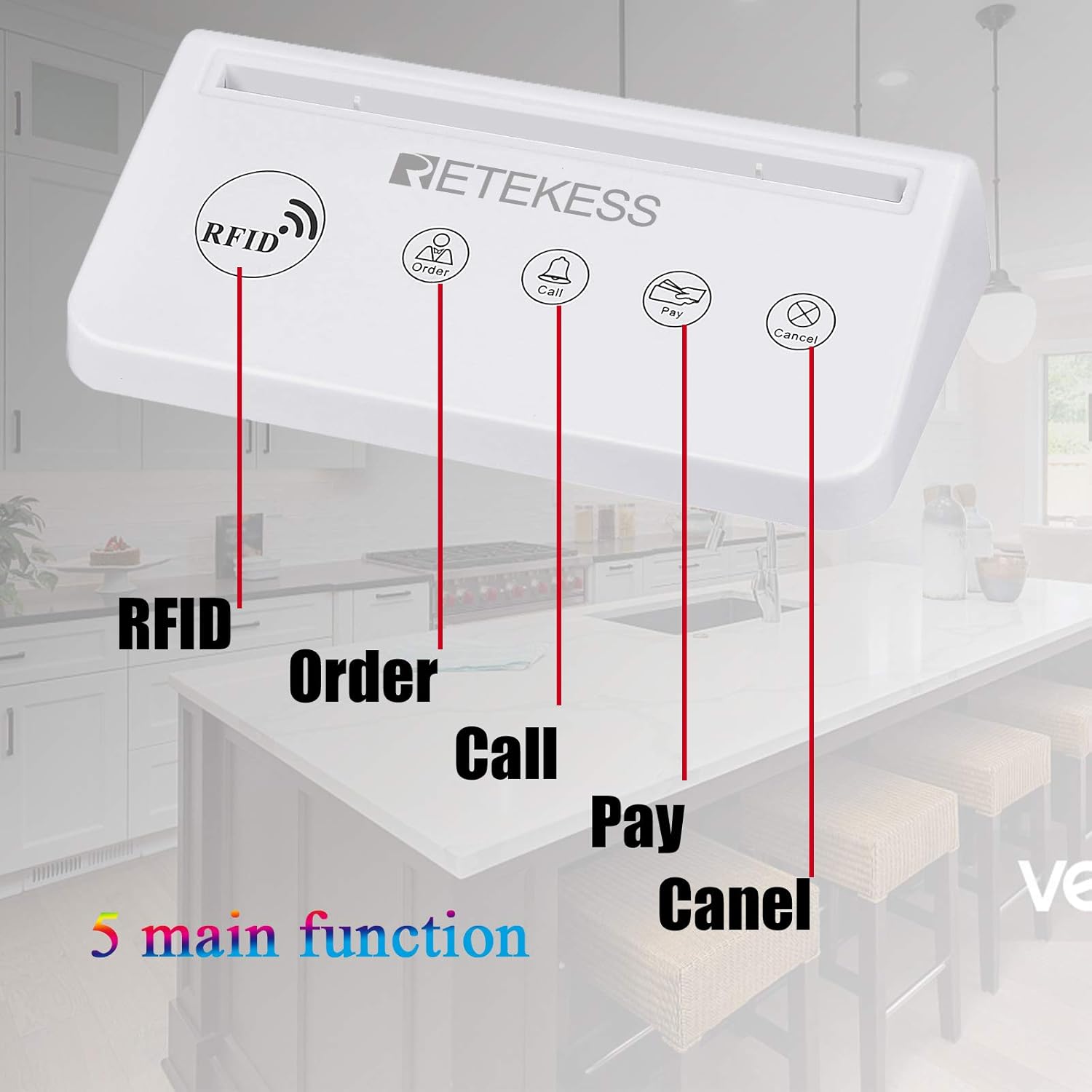
Figure 5: The five main function buttons of the TD018 pager are clearly labeled for user interaction.
- RFID: This function is activated when used in combination with a compatible Retekess TD124 receiver. It allows for RFID card interaction.
- Order: Press this button to request a staff member to take an order.
- Call: Press this button to call for general service or assistance.
- Pay: Press this button to request the bill or to make a payment.
- Cancel: Press this button to cancel a previous service request.
When a button is pressed, the TD018 sends a wireless signal to the paired receiver, alerting staff to the specific service request from that location.
4. Maintenance
4.1 Battery Replacement
The TD018 uses 4 x 1.5V AAA batteries. When the device's performance degrades or it stops responding, replace all four batteries simultaneously following the instructions in Section 2.1. Using fresh batteries ensures optimal performance and signal strength.
4.2 Cleaning
To clean the TD018, use a soft, dry cloth. For stubborn dirt, a slightly damp cloth with mild soap can be used, ensuring no liquid enters the device. Avoid using abrasive cleaners or solvents, as these can damage the PC material and electronic components.
4.3 Durability
The TD018 is constructed with PC material for enhanced durability in commercial environments. While designed to be robust, avoid dropping the device or exposing it to excessive force or extreme temperatures.
5. Troubleshooting
- Device not responding: Check if the batteries are correctly installed and have sufficient charge. Replace batteries if necessary.
- Receiver not receiving signals: Ensure the TD018 is within the operational range of the receiver. Verify that both the TD018 and the receiver are powered on and correctly paired. Obstructions like thick walls or metal structures can interfere with the wireless signal.
- Intermittent signal: This could be due to low battery power in the TD018 or interference from other wireless devices. Try replacing batteries or relocating the device/receiver to minimize interference.
6. Specifications
| Feature | Detail |
|---|---|
| Model Number | F9603B |
| Product Dimensions | 5.12 x 2.76 x 7.48 inches (130mm x 70mm x 190mm) |
| Item Weight | 8.5 ounces (241g) |
| Material | PC material |
| Power Supply | 4 x 1.5V AAA batteries (included) |
| Main Functions | RFID, Order, Call, Pay, Cancel |
| Compatibility | Retekess watch and host display receivers (e.g., TD124, T114) |
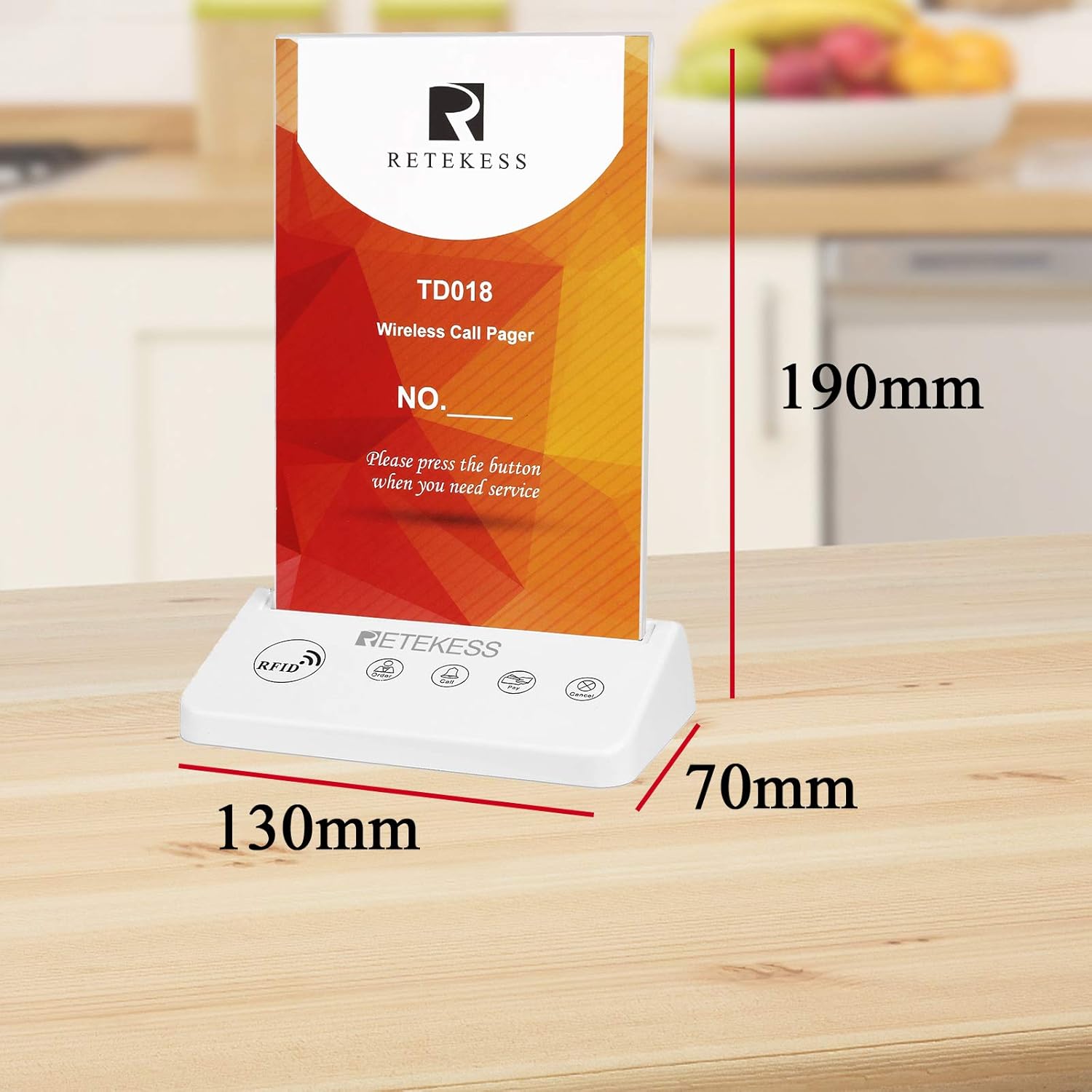
Figure 6: Physical dimensions of the Retekess TD018 Call Button Pager.
7. Warranty and Support
For warranty information or technical support, please refer to the official Retekess website or contact your local distributor. Keep your purchase receipt for warranty claims.


