
1. Important Safety Information
Please read this manual carefully before assembly and use. Keep this manual for future reference.
- Weight Capacity: Do not exceed the maximum weight capacity of 80 kg (176 lbs). Overloading can cause instability and potential damage.
- Stability: Ensure the desk is stable and level on a flat surface before placing items on it and during height adjustments.
- Clearance: Keep the area around the desk clear of obstructions during operation to prevent pinching or damage.
- Children and Pets: Keep children and pets away from the desk during operation to prevent accidents.
- Assembly: Follow all assembly instructions precisely. Incorrect assembly can lead to instability and injury.
2. Product Overview
The FLEXISPOT H1W is a hand-crank adjustable standing desk frame designed to provide a flexible and ergonomic workspace. It allows for smooth transitions between sitting and standing positions.
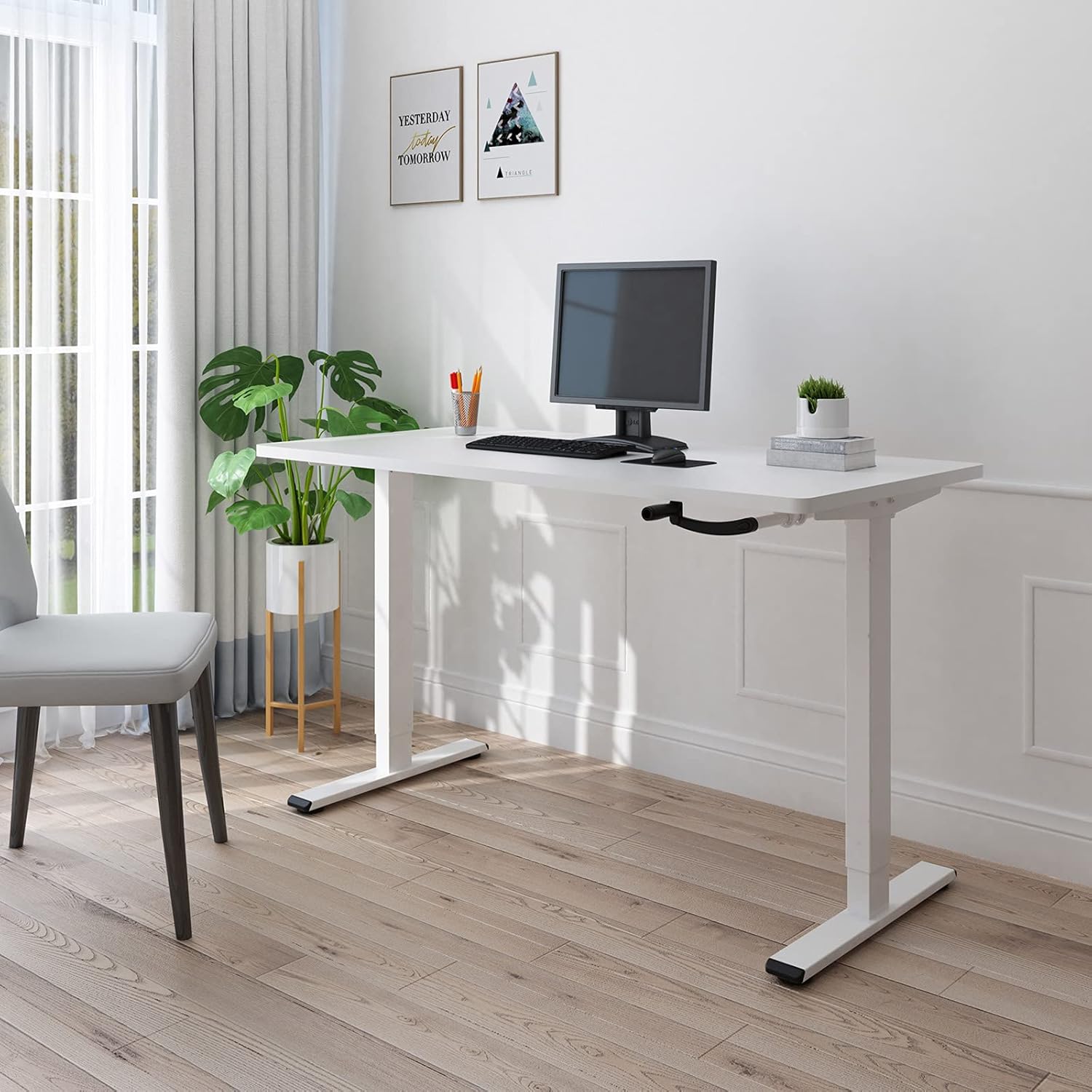
Figure 2.1: The FLEXISPOT H1W Hand-Crank Adjustable Standing Desk frame with a white tabletop, set up in an office environment.
Key Features:
- Smooth Height Adjustment: The innovative hand-crank system provides a smooth and quiet height adjustment experience.
- Adjustable Height Range: The desk frame can be adjusted from 71 cm (27.9 inches) to 121 cm (47.6 inches).
- Customizable Frame Width: The frame extends laterally from 85 cm (33.5 inches) to 129 cm (50.8 inches) to accommodate various tabletop sizes.
- High Weight Capacity: Designed for maximum structural integrity, supporting up to 80 kg (176 lbs).
- Durable Construction: Features double-walled steel tubes for enhanced strength and stability.
- Flexible Crank Installation: The hand crank can be installed on either the left or right side, or completely removed when not in use.
3. Setup and Assembly
Assembly of the FLEXISPOT H1W desk frame is designed to be straightforward. It is recommended that one person performs the assembly.
3.1 Unpacking and Inspection
- Carefully unpack all components from the box.
- Verify that all parts listed in the packing list are present and undamaged. Contact customer support immediately if any parts are missing or damaged.
- All necessary tools for assembly are included in the package.
3.2 Assembly Steps
Follow the detailed step-by-step instructions provided in the separate assembly guide included with your product. Key steps include:
- Assemble the leg columns and feet.
- Attach the crossbar and side brackets, adjusting the width to match your tabletop.
- Install the hand-crank mechanism. The hand crank can be positioned on the left or right side of the desk, or removed entirely when not needed.
- Securely attach your chosen tabletop to the assembled frame using appropriate screws (tabletop not included).

Figure 3.1: The desk frame's width can be adjusted from 850mm to 1290mm to fit various tabletops.

Figure 3.2: The hand crank offers flexible installation options, allowing it to be placed on either side or removed.
3.3 Recommended Tabletop Dimensions
- Length: 100 cm to 160 cm (39.4 inches to 63 inches)
- Width: 60 cm to 80 cm (23.6 inches to 31.5 inches)
- Thickness: 2 cm (0.8 inches) or more

Figure 3.3: Recommended tabletop dimensions for optimal fit and stability.
4. Operating Instructions
The FLEXISPOT H1W desk frame features a manual hand-crank system for height adjustment.
4.1 Adjusting Desk Height
- Ensure the area above and below the desk is clear of any obstacles.
- Locate the hand crank on the side of the desk.
- To raise the desk, turn the hand crank clockwise.
- To lower the desk, turn the hand crank counter-clockwise.
- Adjust the desk to your desired sitting or standing height within the range of 71 cm to 121 cm.

Figure 4.1: The desk frame offers a height adjustment range from 710mm to 1210mm.
4.2 Weight Capacity
The desk frame is designed to safely support a maximum load of 80 kg (176 lbs). Distribute weight evenly across the tabletop to maintain stability.

Figure 4.2: The desk frame supports a maximum weight of 80 kg (176 lbs).
5. Maintenance
Regular maintenance helps ensure the longevity and smooth operation of your FLEXISPOT H1W desk frame.
- Cleaning: Wipe the desk frame with a soft, damp cloth. Avoid harsh chemicals or abrasive cleaners that could damage the finish.
- Fasteners: Periodically check all screws and bolts to ensure they are tight. Re-tighten if necessary to maintain stability.
- Moving Parts: The hand-crank mechanism is designed for smooth operation. If you notice any stiffness, ensure no debris is obstructing the mechanism. Do not lubricate unless specifically instructed by the manufacturer.
- Weight Distribution: Always distribute weight evenly on the tabletop. Avoid placing heavy items on one side only.
6. Troubleshooting
If you encounter any issues with your FLEXISPOT H1W desk frame, refer to the following common troubleshooting tips:
- Desk is Wobbly:
- Ensure all assembly screws and bolts are securely tightened.
- Check that the desk is placed on a level surface. Adjust the leveling feet if necessary.
- Verify that the tabletop is securely attached to the frame.
- Hand Crank is Stiff or Difficult to Turn:
- Check for any obstructions in the crank mechanism or along the lifting columns.
- Ensure the desk is not overloaded beyond its 80 kg capacity.
- Confirm that the crank handle is properly installed.
- Desk Does Not Adjust Height Smoothly:
- Ensure the weight on the desk is within the specified limit and evenly distributed.
- Inspect the lifting columns for any visible damage or foreign objects.
If these steps do not resolve the issue, please contact FLEXISPOT customer support for further assistance.
7. Specifications
| Model Number | H1W |
| Brand | FLEXISPOT |
| Type | Hand-Crank Adjustable Standing Desk Frame |
| Material | Alloy Steel |
| Color | White Frame |
| Height Adjustment Range | 71 cm - 121 cm (27.9 in - 47.6 in) |
| Frame Width Adjustment | 85 cm - 129 cm (33.5 in - 50.8 in) |
| Recommended Tabletop Length | 100 cm - 160 cm (39.4 in - 63 in) |
| Recommended Tabletop Width | 60 cm - 80 cm (23.6 in - 31.5 in) |
| Recommended Tabletop Thickness | 2 cm (0.8 in) or more |
| Maximum Weight Capacity | 80 kg (176 lbs) |
| Item Weight (Frame Only) | 21 kg (46.3 lbs) |
| Assembly Required | Yes |
| Recommended Persons for Assembly | 1 |
| UPC/GTIN | 810054070498 |
8. Warranty and Support
For warranty information and customer support, please refer to the documentation included with your purchase or visit the official FLEXISPOT website.
If you have any questions or require assistance with your FLEXISPOT H1W desk frame, please contact FLEXISPOT customer service directly.


