
Introduction
This manual provides detailed instructions for the installation, operation, and maintenance of the Hikvision AX Pro Wireless Slim Magnet Detector, model DS-PDMC-EG2-WE. This device is a wireless magnetic contact detector designed for security systems, offering reliable detection of door or window openings. It features 868MHz two-way wireless technology and a communication range of up to 1600 meters in open space.
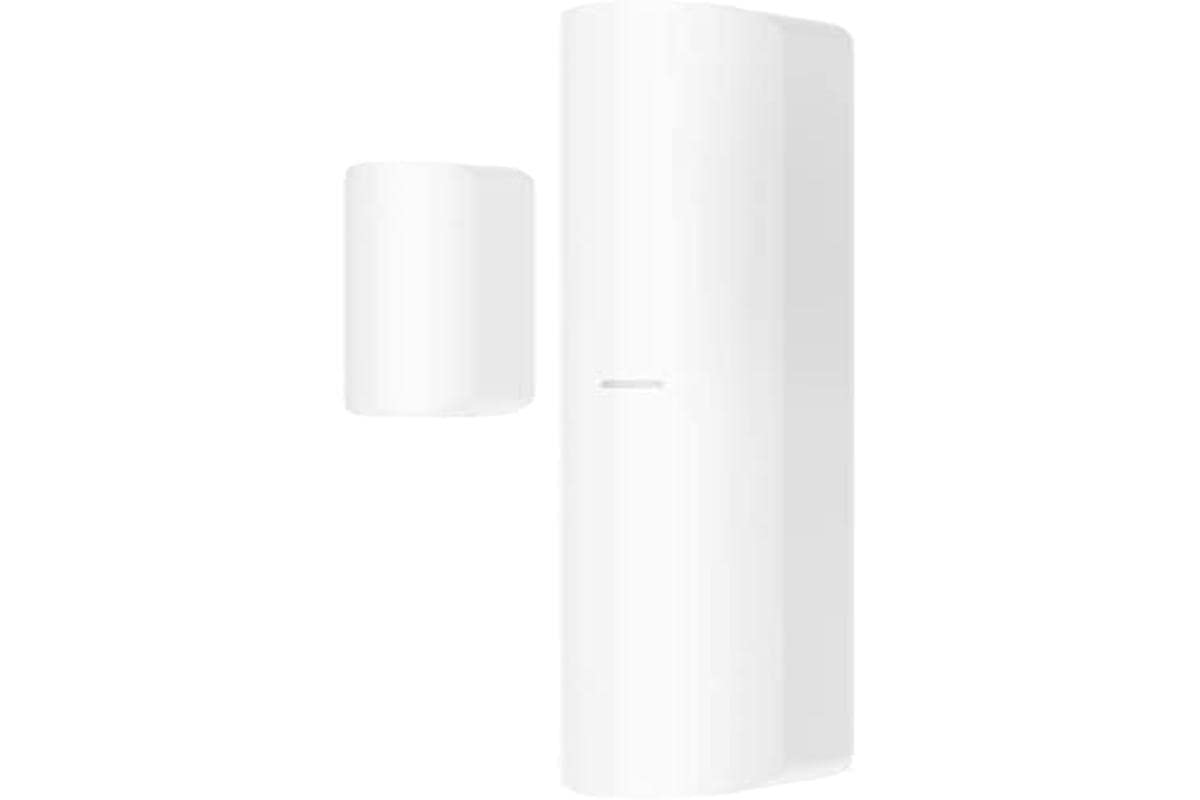
Figure 1: Hikvision AX Pro Wireless Slim Magnet Detector DS-PDMC-EG2-WE. This image shows the compact design of the wireless magnetic detector, typically consisting of two parts: a main unit and a magnet, designed to be installed on a door or window frame.
1. Setup and Installation
Follow these steps to properly set up and install your Hikvision AX Pro Wireless Slim Magnet Detector:
- Unpack the Device: Carefully remove the detector and its components from the packaging. Verify that all parts are present, including the main detector unit, the magnet, and mounting hardware.
- Battery Installation: The detector comes with a pre-installed CR123A lithium battery. Ensure the battery is correctly seated and the protective tab (if any) is removed to activate the device.
- Mounting Location: Choose a suitable location for installation, typically on a door or window frame. The detector is designed for wall mounting. Ensure the main unit and the magnet are aligned and within the specified gap for proper operation when the door/window is closed.
- Mounting the Detector:
- Attach the main detector unit to the fixed part of the door/window frame using the provided screws or adhesive.
- Attach the magnet to the moving part of the door/window, ensuring it aligns with the marked area on the main unit when the door/window is closed. The gap between the two parts should be minimal for optimal performance.
- Pairing with AX Pro Control Panel:
- Refer to your Hikvision AX Pro control panel's manual for specific instructions on adding new wireless devices.
- Typically, this involves putting the control panel into pairing mode and then activating the detector (e.g., by opening and closing the door/window, or pressing a tamper button if available) to send a signal to the panel.
- Confirm successful pairing through the control panel's interface.
- Signal Strength Check: After pairing, check the Signal Strength Indicator (SSI) on the detector or through the control panel's app to ensure adequate wireless communication. Relocate the detector if the signal is weak.
2. Operating Instructions
The Hikvision AX Pro Wireless Slim Magnet Detector operates automatically once installed and paired with your AX Pro control panel.
- Detection: When the protected door or window is opened, the magnetic contact between the main unit and the magnet is broken. The detector immediately sends a signal to the AX Pro control panel.
- Tamper Protection: The detector is equipped with tamper protection. If the detector's cover is forcibly removed or the unit is tampered with, it will trigger an alarm signal to the control panel, even if the system is disarmed.
- Wireless Communication: The detector uses 868MHz two-way wireless technology to communicate with the control panel. This ensures reliable and secure transmission of signals. The effective range is up to 1600 meters in open space, which may be reduced by obstacles in a typical indoor environment.
- Signal Strength Indicator (SSI): The SSI provides visual feedback on the wireless signal quality, assisting in optimal placement during installation and ensuring continuous reliable communication.
3. Maintenance
Regular maintenance ensures the longevity and optimal performance of your detector.
- Battery Replacement: The detector is powered by a CR123A lithium battery. When the battery level is low, the control panel will typically notify you. To replace the battery:
- Disarm your security system.
- Carefully open the detector's cover. This may trigger a tamper alarm if the system is armed.
- Remove the old CR123A battery.
- Insert a new CR123A lithium battery, observing correct polarity.
- Close the detector's cover securely.
- Test the detector to ensure it communicates with the control panel.
- Cleaning: Clean the plastic cover of the detector periodically with a soft, dry cloth. Do not use abrasive cleaners or solvents, as these can damage the device.
- Regular Testing: Periodically test the detector by opening the protected door/window while the system is armed (or in test mode) to ensure it triggers an alarm and communicates correctly with the control panel.
4. Troubleshooting
If you encounter issues with your Hikvision AX Pro Wireless Slim Magnet Detector, refer to the following common problems and solutions:
- Detector Not Responding / Disconnecting:
- Check Battery: Ensure the battery is not depleted. Replace the CR123A battery if necessary.
- Signal Strength: Verify the wireless signal strength using the SSI or the control panel app. If the signal is weak, try relocating the detector closer to the control panel or removing obstructions.
- Re-pair Device: If the detector frequently disconnects, try deleting it from the control panel and re-pairing it according to the setup instructions.
- Interference: Ensure there are no strong sources of radio interference (e.g., Wi-Fi routers, other wireless devices) too close to the detector or control panel.
- False Alarms:
- Alignment: Check the alignment of the main unit and the magnet. Ensure they are securely mounted and do not shift, causing the contact to break unintentionally.
- Gap: The gap between the main unit and the magnet should be minimal when the door/window is closed. Excessive gaps can lead to false alarms.
- Tamper Switch: Ensure the tamper switch (if present) is not being accidentally triggered by loose mounting or vibrations.
- Detector Not Triggering Alarm:
- System Armed: Confirm that the security system is armed when testing the detector.
- Pairing Status: Verify that the detector is correctly paired and recognized by the control panel.
- Battery Level: A critically low battery might prevent the detector from transmitting signals.
5. Technical Specifications
| Feature | Specification |
|---|---|
| Model Number | DS-PDMC-EG2-WE |
| Brand | Hikvision |
| Communication Frequency | 868 MHz |
| Wireless Technology | Two-way wireless |
| Maximum Range | 1600 meters (open space) |
| Power Source | Battery (1 x CR123A, included) |
| Battery Type | Lithium |
| Weight | 80 Grams |
| Operating Temperature | -10°C to +40°C |
| Mounting Type | Wall mount |
| Compatible Devices | Security systems (Hikvision AX Pro series) |
| Features | Tamper protection, Signal Strength Indicator (SSI), Slim design |
6. Warranty Information
Hikvision products typically come with a limited manufacturer's warranty. For specific warranty terms and conditions applicable to your DS-PDMC-EG2-WE detector, please refer to the warranty card included with your product or visit the official Hikvision website. Keep your proof of purchase for warranty claims.
7. Support
For technical assistance, troubleshooting beyond this manual, or further product information, please contact Hikvision customer support or visit their official website:
- Hikvision Official Website: www.hikvision.com
- Refer to the website for regional support contact details, FAQs, and additional resources.


