
1. Introduction
This manual provides detailed instructions for the safe and efficient operation of your KLARSTEIN Thermaxx Elevate Smart Oil Radiator. Please read all instructions carefully before using the appliance and retain this manual for future reference.
The KLARSTEIN Thermaxx Elevate Smart is an oil-filled electric radiator designed to provide comfortable heating for indoor spaces. It features smart control capabilities, a digital display, and multiple heating levels.
2. Safety Instructions
To prevent injury or damage, always observe basic safety precautions when using electrical appliances. This includes, but is not limited to, the following:
- Read all instructions before using the appliance.
- Do not cover the radiator. Covering the radiator can lead to overheating and fire.
- Do not use this heater in the immediate vicinity of a bath, shower, or swimming pool.
- Ensure the voltage indicated on the rating label corresponds to the mains voltage in your home.
- Keep the power cord away from heated surfaces.
- Always unplug the heater when not in use or before cleaning.
- Do not operate the heater with a damaged cord or plug, or after the heater malfunctions or has been dropped or damaged in any manner.
- This appliance is not intended for use by persons (including children) with reduced physical, sensory or mental capabilities, or lack of experience and knowledge, unless they have been given supervision or instruction concerning use of the appliance by a person responsible for their safety.
- Children should be supervised to ensure that they do not play with the appliance.
- Place the heater on a stable, level surface.
- Do not insert any objects into the heater openings.
3. Product Features
- Smart Home Integration: Control the radiator remotely via WiFi using the Klarstein app, available for Android and iOS devices.
- Efficient Oil Heating: Provides consistent and comfortable warmth.
- Adjustable Temperature: Set desired temperatures between 7 °C and 35 °C.
- Digital Display and Touch Panel: Intuitive control for settings and monitoring.
- 24-Hour Timer: Program the radiator to turn on or off automatically.
- Powerful Heating: 2720 watts of power with three heating levels: Low, Medium, and High.
- Rapid Heat Distribution: Features 10 heating elements for quick and effective heating.
- Mobile Design: Equipped with 4 wheels for easy relocation.
- Memory System: Retains settings in standby mode.
- Anti-frost Function: Automatically activates if the room temperature drops below 5 °C.
- Temperature Display: Shows temperature in both Celsius (°C) and Fahrenheit (°F).
4. Package Contents
Please check the package contents upon receipt to ensure all items are present and undamaged:
- 1 x KLARSTEIN Thermaxx Elevate Smart Oil Radiator
- 2 x Wheel Sets (4 wheels total)
- 1 x User Manual (this document)
5. Assembly and Setup
5.1 Attaching the Wheels
- Carefully unpack the radiator and place it upside down on a soft, flat surface to avoid scratching.
- Locate the wheel mounting brackets at the bottom of the radiator.
- Insert the wheel axles into the designated holes on the brackets. Ensure they are securely fastened.
- Once both wheel sets are attached, carefully turn the radiator upright.
5.2 Initial Placement
Place the radiator on a firm, level surface, ensuring there is adequate clearance from walls, furniture, and curtains (at least 50 cm). Do not place it directly under a power outlet.
5.3 Power Connection
Plug the power cord into a suitable 220-240 V~, 50/60 Hz grounded electrical outlet.
5.4 App Connection (Smart Control)
To utilize the smart features, download the Klarstein app from your device's app store (Android or iOS). Follow the in-app instructions to connect your radiator to your home WiFi network. This typically involves:
- Creating an account or logging in.
- Adding a new device and selecting the radiator model.
- Following prompts to put the radiator into pairing mode (refer to the radiator's digital display for indicators).
- Entering your WiFi network credentials.

Image: KLARSTEIN Thermaxx Elevate Smart Oil Radiator with digital display showing 24°C.

Image: A smartphone displaying the Klarstein app interface, showing room temperature and control options for the radiator.
6. Operating Instructions
6.1 Power On/Off
Press the power button on the digital display or use the Klarstein app to turn the radiator on or off. The display will illuminate when the unit is powered on.
6.2 Setting Temperature
Use the '+' and '-' buttons on the touch panel or the app to adjust the desired room temperature. The temperature range is from 7 °C to 35 °C. The radiator will automatically maintain the set temperature.

Image: A hand interacting with the touch-sensitive digital display of the radiator, showing temperature adjustment.
6.3 Selecting Heating Modes
The radiator offers three heating levels: Low, Medium, and High. Select the desired mode via the touch panel or the app to control the heating intensity. The 2720W power is distributed across these modes.
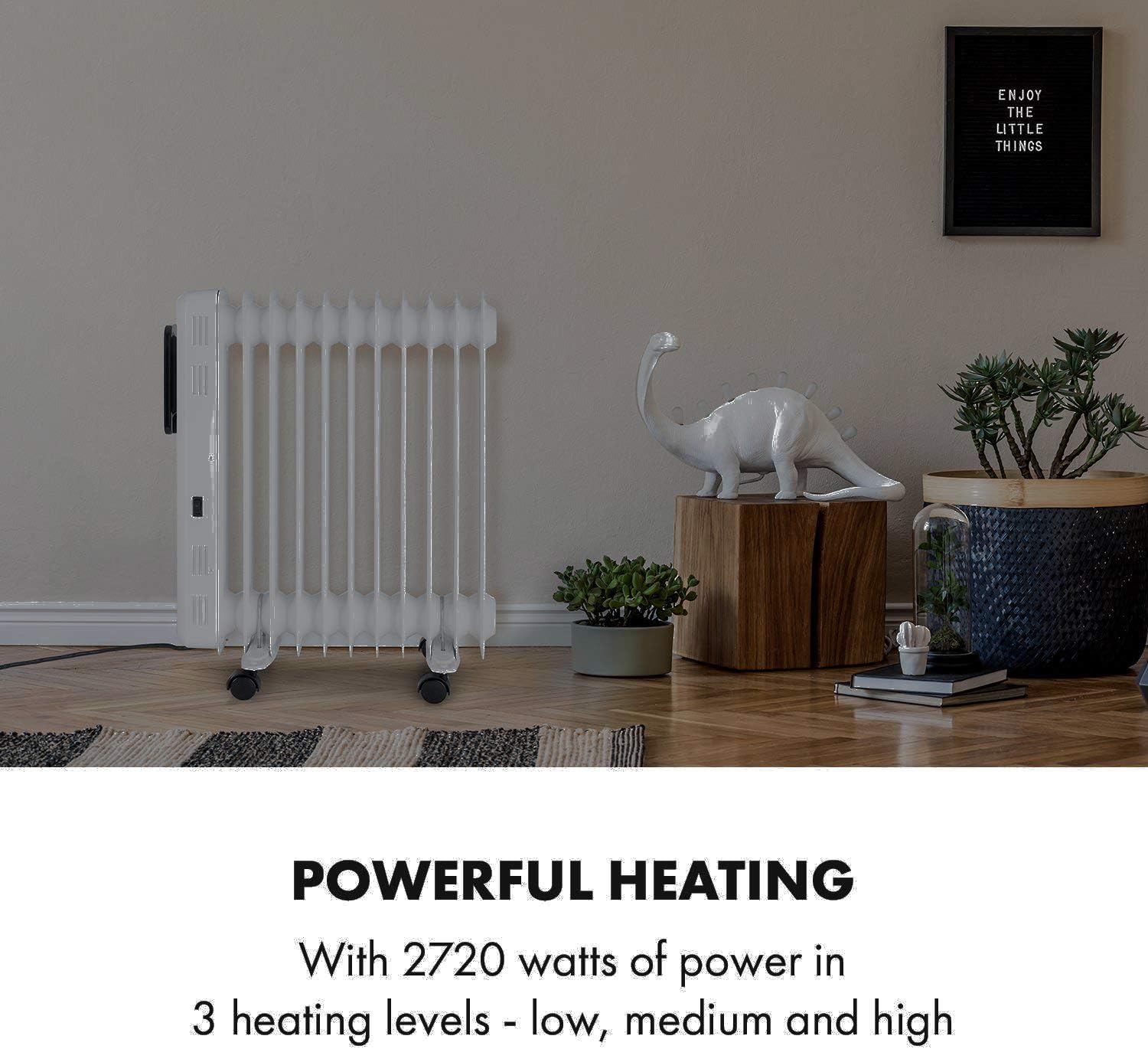
Image: The Klarstein radiator positioned in a modern living room, illustrating its powerful heating capability.
6.4 Using the 24-Hour Timer
The integrated 24-hour timer allows you to schedule when the radiator turns on or off. Access the timer function through the digital display or the Klarstein app and set your desired operating times.
6.5 Anti-frost Function
The radiator is equipped with an anti-frost function. If the room temperature drops below 5 °C, the radiator will automatically activate to prevent freezing, regardless of other settings. This function is active when the radiator is in standby mode.
6.6 Mobile Operation
Thanks to its integrated wheels, the radiator can be easily moved between rooms. Always ensure the unit is unplugged before moving it.

Image: A close-up view of the radiator's wheels, highlighting its mobility feature.
7. Maintenance
7.1 Cleaning
Always unplug the radiator and allow it to cool completely before cleaning.
- Wipe the exterior surfaces with a soft, damp cloth. Do not use abrasive cleaners or solvents.
- Ensure no water enters the internal components.
- Dust can be removed from the fins using a soft brush or vacuum cleaner.
7.2 Storage
If the radiator will not be used for an extended period, unplug it, clean it, and store it in a cool, dry place, preferably in its original packaging.
8. Troubleshooting
| Problem | Possible Cause | Solution |
|---|---|---|
| Radiator does not turn on. | No power supply. Power button not pressed. | Check if the plug is securely in the outlet. Ensure the outlet is functional. Press the power button on the unit or via the app. |
| No heat output. | Temperature setting too low. Heating mode not selected. Anti-frost function active (if room is above 5°C). | Increase the desired temperature. Select a heating mode (Low, Medium, High). Ensure the room temperature is below 5°C for anti-frost to activate, or manually set a higher temperature. |
| App connectivity issues. | Incorrect WiFi password. Radiator out of WiFi range. App not updated. | Verify WiFi password. Move the radiator closer to the WiFi router. Update the Klarstein app to the latest version. Restart the radiator and your router. |
| Radiator makes unusual noises. | Normal expansion/contraction of metal. Air bubbles in oil (initial use). | Minor clicking or creaking sounds are normal as the unit heats up and cools down. This should subside after initial uses. If loud or persistent, contact support. |
9. Technical Specifications
- Model Number: HTR7-ThermaxElvtB
- Heating Power: 2720 watts
- Suitable Room Size: Up to 54 m² (depending on insulation)
- Operating Modes: Low / Medium / High
- Timer: On / Off up to 24 hours
- Temperature Range: 7 °C to 35 °C
- Mobility: Equipped with wheels
- Memory System: Settings stored in standby
- Anti-frost Function: Yes
- Display: Digital, with °C and °F indicator
- Power Supply: 220-240 V~ | 50/60 Hz
- Dimensions (without feet): Approx. 49.5 cm (W) x 64 cm (H) x 12.5 cm (D)
- Dimensions (with feet): Approx. 49.5 cm (W) x 64 cm (H) x 24 cm (D)
- Power Cable Length: Approx. 100 cm
- Weight: Approx. 10.2 kg

Image: Diagram illustrating the dimensions of the KLARSTEIN Thermaxx Elevate Smart Oil Radiator.
10. Understanding Heating Technologies
This section provides a general comparison of different heating device types to help understand the characteristics of your oil radiator.

Image: A chart comparing Infrared Heaters, Convection Heaters, and Oil Radiators based on criteria such as heating air, heating objects, quiet operation, quick heating, easy installation, compact size, and suitability for allergy sufferers.
11. Warranty and Support
For warranty information, please refer to the terms and conditions provided at the time of purchase or contact your retailer. For technical support or service inquiries, please contact KLARSTEIN customer service through their official website or the contact information provided with your purchase documentation.

