1. Introduction
The Smartwares SH4-90160 Wireless Wall Switch provides convenient control over your lighting and appliances. Designed for ease of use and flexible placement, this battery-operated switch integrates seamlessly with Smartwares Plug & Connect receivers. This manual will guide you through the installation, operation, and maintenance of your new wireless wall switch.
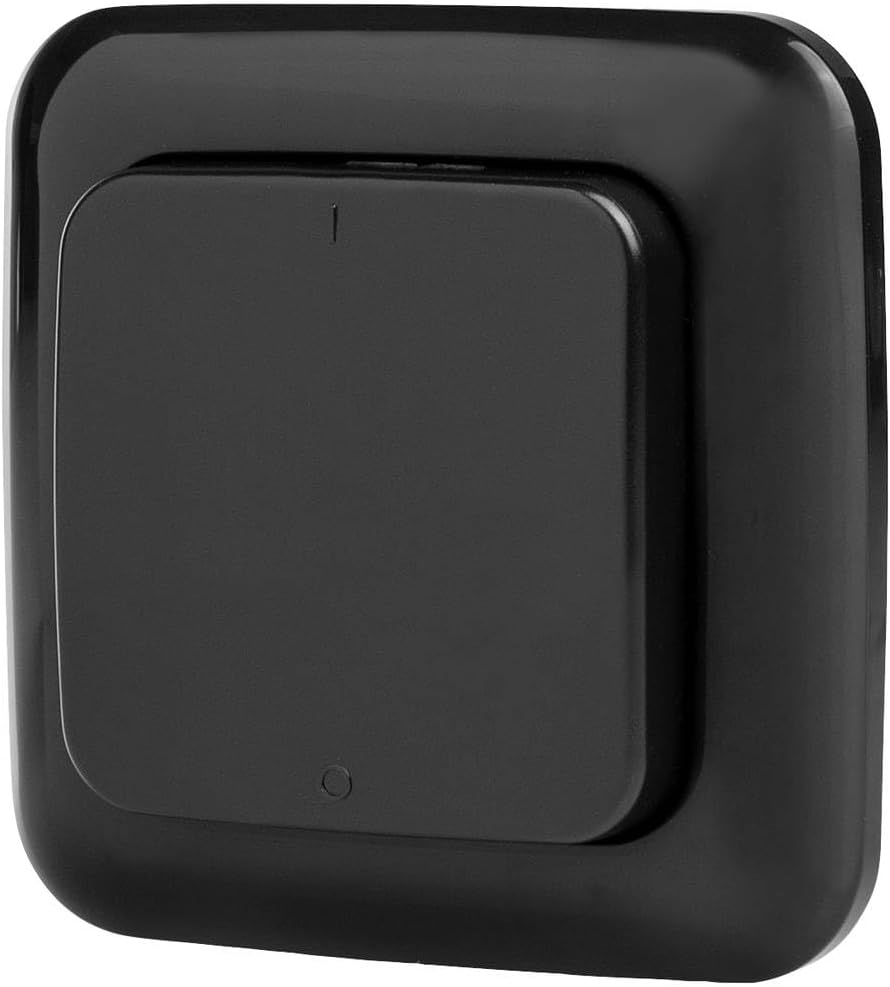
Image 1.1: Front view of the Smartwares SH4-90160 Wireless Wall Switch.
2. Package Contents
Please check the package for the following items:
- 1x Smartwares SH4-90160 Wireless Wall Switch
- 1x CR2032 Lithium-ion Battery (pre-installed or separate)
- 1x User Manual
If any items are missing or damaged, please contact customer support.
3. Safety Information
- Do not expose the device to extreme temperatures, direct sunlight, or moisture.
- This device is intended for indoor and protected outdoor use. Ensure it is not directly exposed to heavy rain or water.
- Keep out of reach of children.
- Do not attempt to open or repair the device yourself. This will void the warranty.
- Dispose of batteries according to local regulations. Do not dispose of batteries in fire.
- Only use the specified battery type (CR2032).
4. Setup and Installation
4.1 Battery Installation
- Carefully open the back cover of the wall switch.
- Insert the CR2032 Lithium-ion battery, ensuring the correct polarity (+/-).
- Close the back cover securely.
Note: The battery may already be pre-installed. Remove any protective tab if present.
4.2 Pairing with Smartwares Plug & Connect Receivers
The SH4-90160 Wireless Wall Switch must be paired with a Smartwares Plug & Connect receiver (e.g., SH4-90264, SH4-90256, SH4-90263, SH4-90266, SH4-90265) to control lights or appliances. Receivers are sold separately.
- Ensure your Smartwares Plug & Connect receiver is powered on and within range of the wall switch.
- Put your Smartwares Plug & Connect receiver into pairing mode. This usually involves pressing a small button on the receiver for a few seconds until an indicator light flashes. Refer to your receiver's manual for specific instructions.
- While the receiver is in pairing mode, press the button on the SH4-90160 Wireless Wall Switch.
- The receiver's indicator light should stop flashing, confirming successful pairing.
- Test the connection by pressing the wall switch button. The connected light or appliance should turn on/off.
You can pair multiple SH4-90160 switches with one receiver, or one switch with multiple receivers, depending on your desired setup.

Image 4.1: The Smartwares Plug & Connect ecosystem, showing various compatible devices.
4.3 Mounting the Wall Switch
Since the SH4-90160 is battery-operated and wireless, it can be placed almost anywhere.
- Use double-sided adhesive tape (not included) to mount the switch on a clean, dry, flat surface.
- Alternatively, use screws (not included) to secure the switch to a wall or other surface.
- Ensure the chosen location is within the operational range of your paired Smartwares Plug & Connect receiver.
5. Operating Instructions
Once paired, operating the Smartwares SH4-90160 Wireless Wall Switch is straightforward.
- To Turn On/Off: Press the main button on the wall switch. Each press will toggle the connected light or appliance between ON and OFF states.
- The switch provides a convenient way to control your lighting, for example, turning bedroom lights on or off from your bed.

Image 5.1: Detail of the push-button interface on the wireless wall switch.
6. Maintenance
6.1 Cleaning
Wipe the device with a soft, dry cloth. Do not use abrasive cleaners or solvents.
6.2 Battery Replacement
When the switch's response becomes inconsistent or stops working, the battery may need to be replaced.
- Carefully open the back cover of the wall switch.
- Remove the old CR2032 Lithium-ion battery.
- Insert a new CR2032 Lithium-ion battery, ensuring the correct polarity (+/-).
- Close the back cover securely.
- Dispose of the old battery responsibly according to local regulations.
7. Troubleshooting
| Problem | Possible Cause | Solution |
|---|---|---|
| Switch does not respond. | Low or dead battery. | Replace the CR2032 battery. |
| Switch does not control the receiver. | Not paired or pairing failed. | Re-pair the wall switch with the Smartwares Plug & Connect receiver (refer to Section 4.2). |
| Switch is out of range. | The distance between the switch and receiver is too great, or there are too many obstacles. | Move the wall switch closer to the receiver or reduce obstructions. |
| Interference from other devices. | Other wireless devices operating on similar frequencies. | Try moving the switch or receiver to a different location. |
8. Specifications
| Feature | Detail |
|---|---|
| Model Number | SH4-90160 |
| Manufacturer | Smartwares |
| Product Dimensions (L x W x H) | 2 x 8 x 8 cm |
| Weight | 50 Grams |
| Color | Black |
| Style | Wireless Wall Switch |
| Material | Plastic |
| Voltage | 3 Volts |
| Battery Type | 2x Lithium-ion (CR2032) |
| Batteries Included | Yes |
| Switch Type | 1-way |
| Switch Style | Push-button |
| Mounting Type | Wall mount |
| Country of Origin | China |
9. Warranty and Support
Smartwares products are manufactured to high quality standards. In the unlikely event of a defect, please contact your retailer or Smartwares customer service.
For technical support, troubleshooting assistance, or warranty claims, please refer to the contact information provided with your purchase or visit the official Smartwares website.
Availability of spare parts: 1 Year (as per product specifications).


