
1. Introduction and Safety Information
Thank you for choosing Kastar replacement batteries. This manual provides important instructions for the safe and effective use of your new batteries. Please read this manual carefully before use and retain it for future reference.
Important Safety Precautions
Failure to observe the following precautions may cause batteries to leak, overheat, or explode, leading to injury or damage.

Image: Kastar battery showing safety warning label.
This image displays a Kastar battery with a white label containing black text. The label features a "CAUTION" warning and a list of safety instructions, including warnings against exposing batteries to heat or fire, disassembling, modifying, or applying solder, shorting terminals, or removing the outer label. It also shows universal symbols for recycling, do not dispose in trash, and do not expose to high temperatures.
- Do not expose batteries to heat or fire. High temperatures can cause internal damage and lead to explosion or leakage.
- Never try to disassemble, modify, or apply solder to batteries. This can damage the internal components and create a safety hazard.
- Never short the terminals of the batteries. Avoid carrying batteries loosely with metal objects (e.g., keys, coins) that can cause accidental shorting.
- Do not tear or remove the outer label of the batteries. The label contains important information and protects the battery casing.
- Never use, change, or store batteries in areas exposed to high temperature. This includes direct sunlight, hot vehicles, or near heat sources.
- Keep batteries out of reach of children.
- If battery fluid leaks and gets into your eyes, do not rub them. Rinse immediately with clean water and seek medical attention.
- If battery fluid gets on your skin or clothing, rinse immediately with clean water.
2. Product Overview
The Kastar 3-Pack Replacement Batteries are high-capacity lithium-ion batteries designed to power your compatible Hitachi HDC series cameras. These batteries are engineered for reliable performance and extended usage time.
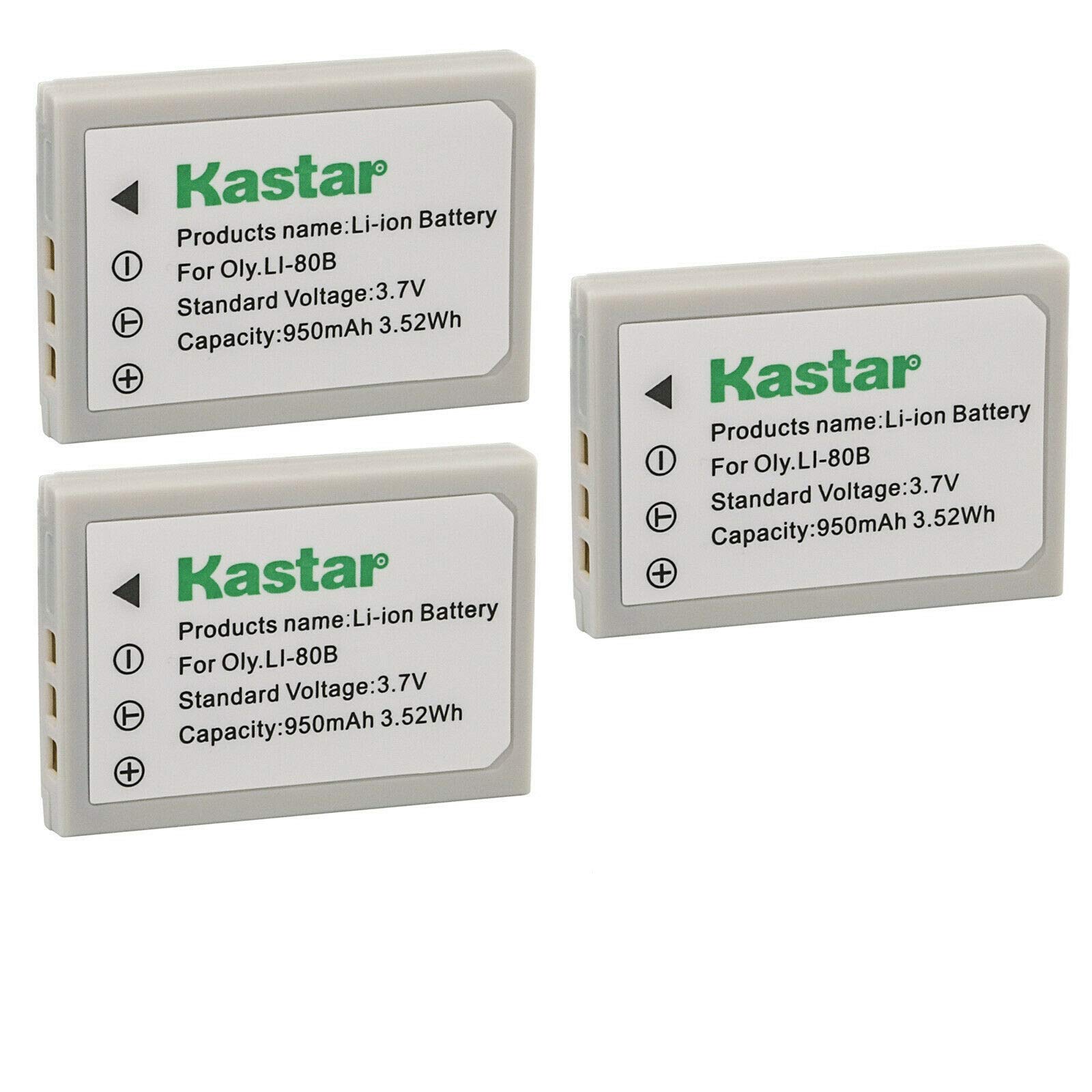
Image: Three Kastar replacement batteries.
This image displays three individual Kastar lithium-ion camera batteries, typically light gray or white, arranged together. Each battery has a label indicating its brand and specifications.

Image: Kastar battery product packaging.
This image displays the retail packaging for Kastar camera batteries. It's a white cardboard box with the Kastar logo, "HIGH CAPACITY Battery for Camera & Camcorder" text, and a graphic of a camera. Icons for "NO MEMORY EFFECT", "100% Compatible", "HIGH STABILITY", and "18 Months warranty" are also visible.
Package Contents:
- 3 x Kastar Lithium-ion Replacement Batteries
3. Setup and Installation
Follow these steps to install the Kastar replacement battery into your compatible Hitachi HDC series camera.
- Turn off the camera: Ensure your Hitachi camera is completely powered off before attempting to remove or install any battery.
- Locate the battery compartment: The battery compartment is typically found on the bottom or side of the camera. Refer to your camera's original user manual if you have difficulty locating it.
- Open the battery compartment cover: Slide or unlatch the cover to open the compartment.
- Remove the old battery (if applicable): If there's an existing battery, gently press the battery release lever (if present) and slide the old battery out.
- Insert the new Kastar battery: Align the Kastar battery with the battery compartment according to the polarity indicators (+ and -) inside the compartment. Gently push the battery in until it clicks into place or is fully seated. Do not force the battery.
- Close the battery compartment cover: Securely close the cover until it latches.
- Power on the camera: Turn on your camera to confirm the battery is correctly installed and recognized.
Note: Always use a compatible charger designed for lithium-ion camera batteries. Refer to your camera's original manual for charging instructions or use a Kastar-compatible charger.
4. Operating Instructions
Charging the Battery:
- Insert the Kastar battery into a compatible lithium-ion battery charger.
- Connect the charger to a power source.
- Observe the charger's indicator light. It will typically show red during charging and turn green when fully charged.
- Once fully charged, disconnect the charger from the power source and remove the battery.
- Avoid overcharging by removing the battery once charging is complete.
Battery Usage:
- Ensure the battery is fully charged before important shooting sessions.
- Monitor the battery level indicator on your camera to avoid unexpected power loss.
- For optimal performance, use the battery within the recommended operating temperature range of your camera.
- When not in use, store batteries in a cool, dry place.
5. Maintenance
- Cleaning: Use a dry, soft cloth to wipe the battery terminals if they appear dirty. Do not use liquids or abrasive cleaners.
- Storage: If storing batteries for an extended period, charge them to approximately 50-70% capacity. Store them in a cool, dry place away from direct sunlight and extreme temperatures.
- Disposal: Do not dispose of batteries in household waste. Lithium-ion batteries should be recycled at designated collection points. Check local regulations for proper battery disposal.
- Avoid physical shock: Do not drop or subject the batteries to strong impacts, as this can damage internal components.
6. Troubleshooting
| Problem | Possible Cause | Solution |
|---|---|---|
| Battery not charging. |
|
|
| Camera not powering on with new battery. |
|
|
| Battery drains quickly. |
|
|
7. Specifications
| Feature | Detail |
|---|---|
| Battery Type | Lithium-ion |
| Battery Voltage | 3.7V |
| Battery Capacity | 950mAh (Milliamp Hours) |
| Number of Batteries | 3 (included in this pack) |
| Safety Standards | Meets UL1642 & CE safety standards |
| Protection Circuit | Built-in over-charge, over-discharge, over-voltage, over-current, and over-heating protection. |
| Recommended Use | Camera |
| Compatible Hitachi Models | HDC-531, HDC531, HDC-531E, HDC531E, HDC-541E, HDC541E, HDC-641, HDC641, HDC-641E, HDC641E, HDC-646E, HDC646E, HDC-1005E, HDC1005E |
8. Warranty and Support
Kastar batteries come with an 18-month warranty from the date of purchase, as indicated on the product packaging. This warranty covers manufacturing defects and ensures the quality of your product.
For warranty claims, technical support, or any questions regarding your Kastar replacement batteries, please contact Kastar customer service through the retailer where you purchased the product or visit the official Kastar website for contact information.
Please retain your proof of purchase for warranty validation.