
1. Introduction
This manual provides detailed instructions for the installation, operation, and maintenance of your ANRAN B04 Outdoor 1080P Wi-Fi Surveillance Camera. This camera is designed for outdoor use, offering 1080P HD video, 180° horizontal rotation, two-way audio, motion detection, and night vision capabilities. It is IP65 rated for weather resistance.

Figure 1: ANRAN B04 Outdoor 1080P Wi-Fi Surveillance Camera
2. Package Contents
Please check the package contents upon receipt. If any items are missing or damaged, contact customer support.
- ANRAN B04 Outdoor Wi-Fi Camera
- Power Adapter
- Mounting Screws and Wall Plugs
- User Manual
3. Important Notes Before Installation
- This camera requires a 2.4GHz Wi-Fi network for connection. It does not support 5GHz Wi-Fi.
- Ensure the camera is installed within range of your Wi-Fi router for stable connectivity.
- The camera operates via a wired power supply; it is not battery-powered.
- Compatibility: This surveillance camera is designed to connect directly to a mobile application and is not compatible with ANRAN surveillance camera kits or systems. It cannot be used as a replacement camera within an existing ANRAN system and functions only as a standalone unit.

Figure 2: The ANRAN B04 camera operates as a standalone unit via mobile app and is not compatible with ANRAN camera systems.
4. Setup Guide
4.1 App Download and Account Registration
- Scan the QR code provided in the quick start guide or search for "CloudEdge" in your mobile app store (iOS or Android).
- Download and install the CloudEdge application.
- Open the app and follow the on-screen instructions to register a new account or log in if you already have one.
4.2 Camera Pairing
- Power on the camera using the provided power adapter. Wait for the camera to initialize (indicated by a status light or voice prompt).
- In the CloudEdge app, tap the "+" icon to add a new device.
- Select your camera model or choose the appropriate category.
- Follow the app's instructions to connect the camera to your 2.4GHz Wi-Fi network. This usually involves scanning a QR code displayed on your phone screen with the camera lens.
- Once connected, you can name your camera and begin live viewing.
4.3 Physical Installation
The camera is IP65 waterproof, suitable for outdoor environments. Choose a mounting location that provides the desired viewing angle and is within Wi-Fi range.
- Mark the drilling points on the wall using the camera's mounting bracket as a template.
- Drill holes and insert the wall plugs.
- Secure the mounting bracket to the wall with the provided screws.
- Attach the camera to the mounting bracket and adjust its position as needed.

Figure 3: The ANRAN B04 camera features an IP65 waterproof design for outdoor use.
5. Operating Instructions
5.1 Live View
Open the CloudEdge app and select your camera from the device list to access the live video feed. You can view real-time footage from your camera.
5.2 180° Horizontal Rotation
The camera supports 180° horizontal rotation, allowing you to adjust the viewing angle remotely. Use the directional controls within the CloudEdge app to pan the camera left or right.

Figure 4: Control the camera's 180° horizontal rotation via the mobile app.
5.3 Two-Way Audio
The camera is equipped with a built-in microphone and speaker, enabling two-way communication. Tap the microphone icon in the app to speak through the camera, and listen to audio from the camera's vicinity.

Figure 5: Utilize the two-way audio feature for communication through the camera.
5.4 Motion Detection
Configure motion detection settings within the app. When motion is detected, the camera will send an alert notification to your mobile device.

Figure 6: Receive instant alerts on your phone when motion is detected.
5.5 Night Vision
The camera automatically switches to night vision mode in low-light conditions, providing clear black and white footage.
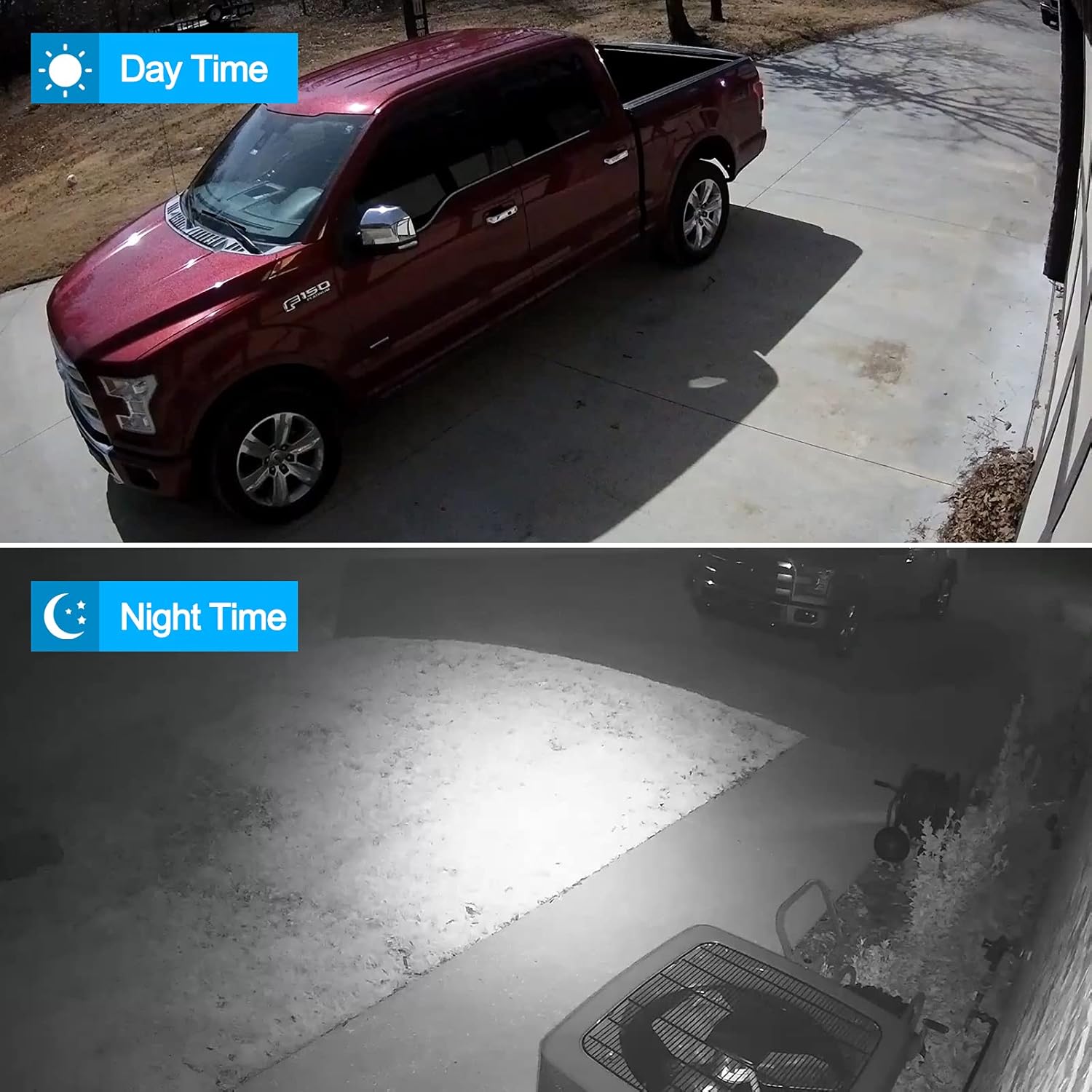
Figure 7: Day and night vision capabilities of the ANRAN B04 camera.
5.6 Recording and Playback
The camera supports local storage via an SD card (not included) and cloud storage options (subscription may be required). Recorded footage can be accessed and played back through the CloudEdge app.
5.7 Electronic Zoom
The app allows for 4x electronic zoom on the live or recorded video feed, enabling closer inspection of details.
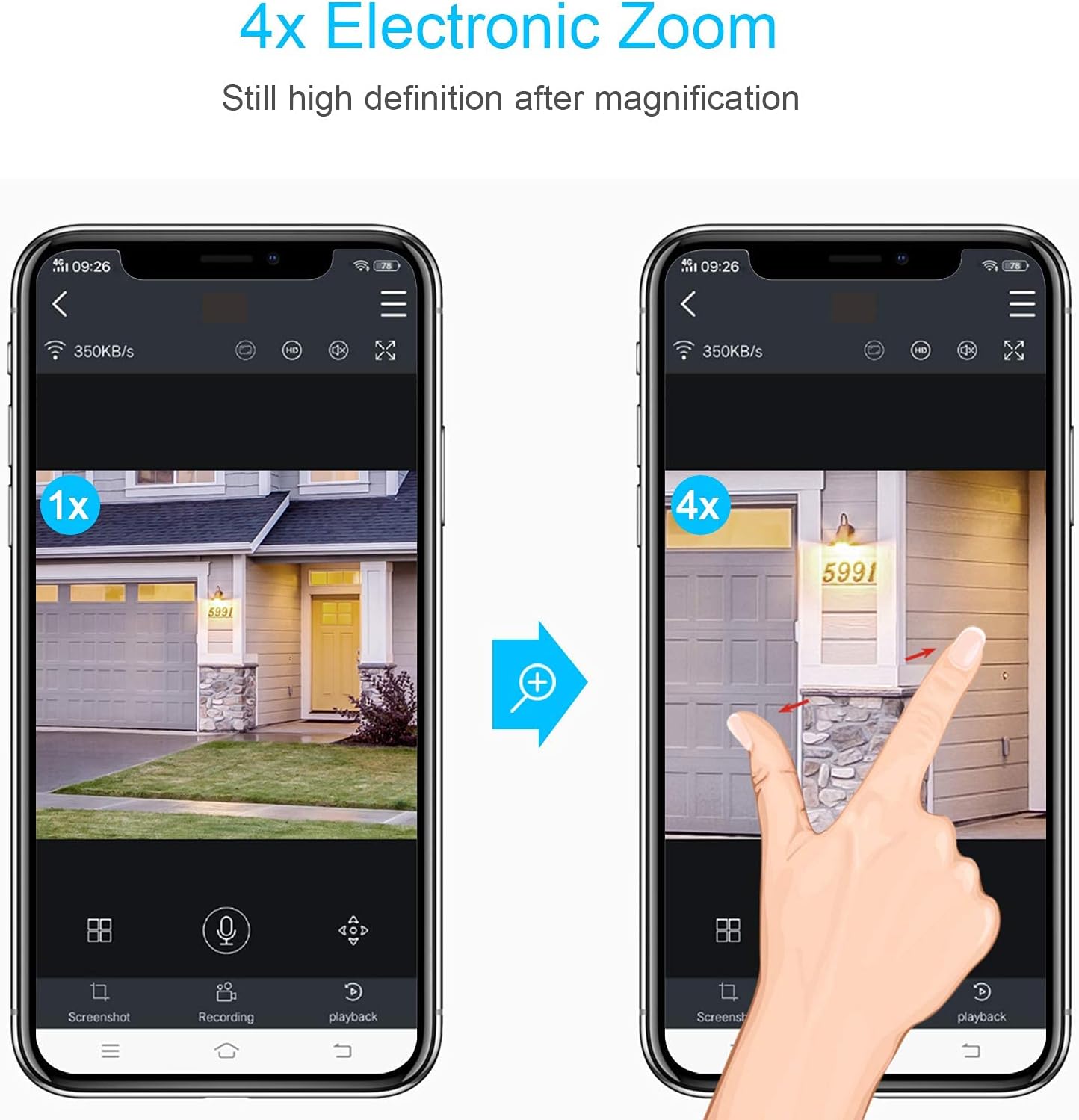
Figure 8: Use the app to digitally zoom in on the video feed.
6. Maintenance
- Cleaning: Periodically clean the camera lens with a soft, dry cloth to ensure clear image quality. Do not use harsh chemicals.
- Firmware Updates: Check the CloudEdge app regularly for firmware updates. Keeping your camera's firmware updated ensures optimal performance and security.
- Power Supply: Ensure the power adapter and cable are free from damage.
7. Troubleshooting
- Camera Offline: Check Wi-Fi signal strength, ensure the camera is powered on, and restart both the camera and your router.
- Poor Image Quality: Clean the camera lens. Ensure there are no obstructions. Check your Wi-Fi connection speed.
- Motion Detection Not Working: Verify motion detection settings in the app. Ensure the detection area is correctly configured.
- Cannot Connect to Wi-Fi: Ensure you are connecting to a 2.4GHz network. Double-check your Wi-Fi password. Move the camera closer to the router during setup.
- Two-Way Audio Issues: Check volume settings on your phone and in the app. Ensure there are no obstructions blocking the camera's microphone or speaker.
8. Specifications
| Feature | Specification |
|---|---|
| Model Number | B04 |
| Video Resolution | 1080p (2MP) |
| Connectivity Technology | Wireless (Wi-Fi 2.4GHz) |
| Viewing Angle | 180° (Horizontal Pan) |
| Special Features | Motion Detection, Night Vision, Two-Way Audio |
| Usage Environment | Outdoor (IP65 Waterproof) |
| Power Source | Electric Cable (12 Volts) |
| Compatible Devices | Smartphone (iOS, Android) |
| Dimensions (L x W x H) | 15 x 13 x 16 cm |
| Weight | 550 grams |
9. Warranty and Support
For warranty information, technical support, or further assistance, please refer to the ANRAN official website or contact their customer service directly. Keep your purchase receipt for warranty claims.


