
1. Product Overview & Features
The Meshforce M7 Tri-Band Whole Home Mesh WiFi System is designed to provide seamless, high-performance wireless coverage throughout your home. This 3-pack system is engineered to support a large number of devices and cover extensive areas, ensuring a stable and fast internet connection.
- Tri-Band Powerful WiFi: Automatically connects devices to the fastest and least-crowded network, maintaining high performance even with heavy internet traffic.
- Expandable WiFi Coverage: A 3-pack covers up to 6000 sq.ft., supporting up to 6 mesh points to fit various home sizes.
- Easy Setup: Guided setup through the 'My Mesh' App, allowing for quick network naming and password setting.
- Remote Management: Control your home WiFi and check status from anywhere using the dedicated app.
- Enhanced Security: Features advanced security protocols and a built-in firewall to protect your personal information.
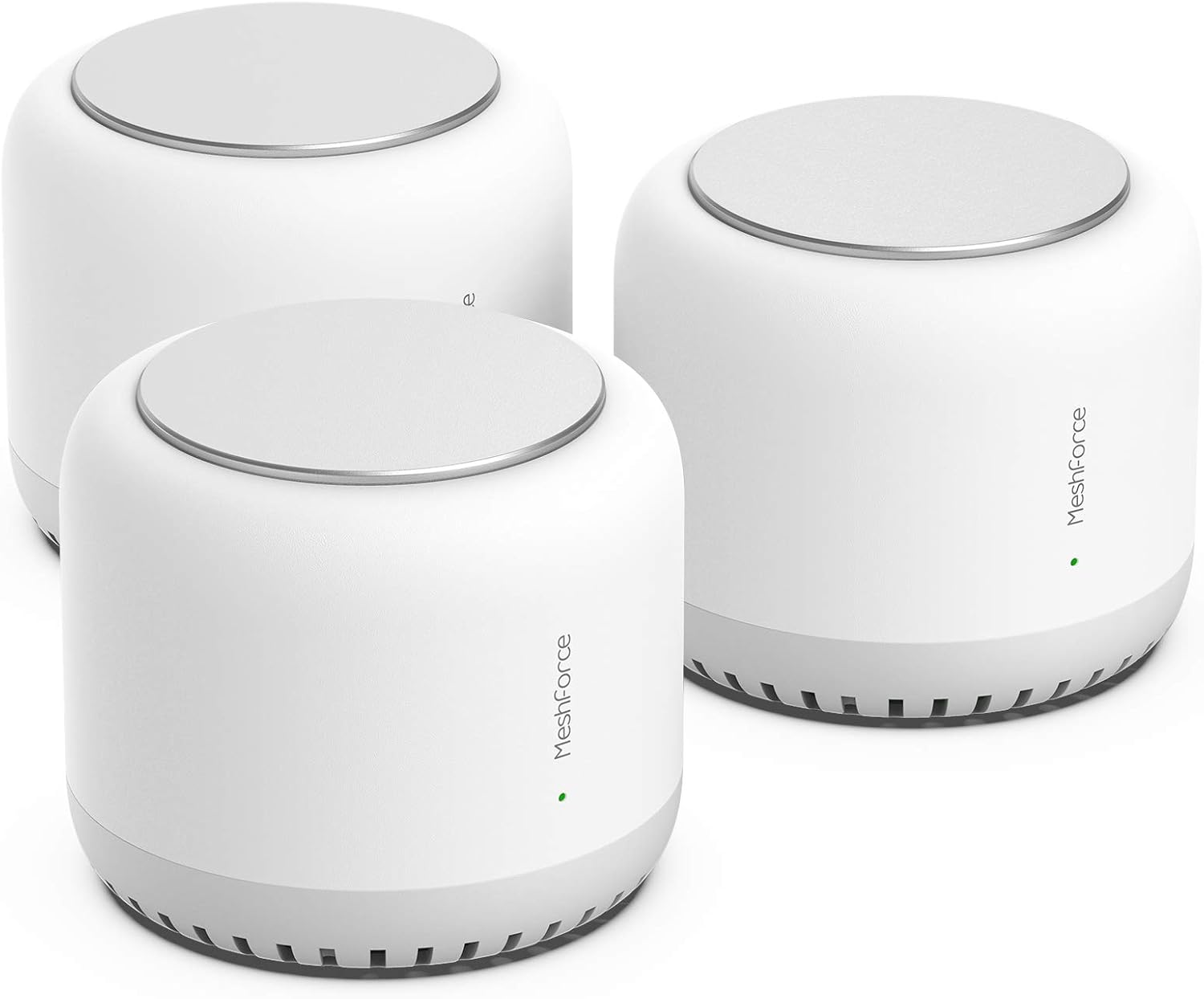
Image: The Meshforce M7 Tri-Band Whole Home Mesh WiFi System, showing three white mesh nodes.

Image: Illustration depicting the tri-band technology of the Meshforce M7, with devices connecting to different frequency bands.

Image: Diagram illustrating the extended WiFi coverage provided by multiple Meshforce M7 nodes throughout a multi-story home.
Video: An official overview of the Meshforce M7 Tri-Band Whole Home Mesh WiFi System, highlighting its features and benefits.
2. What's in the Box
Your Meshforce M7 Tri-Band Whole Home Mesh WiFi System package includes the following items:
- 3 x Meshforce M7 Nodes
- 3 x Power Adapters
- 1 x Ethernet Cable
- 1 x Quick Start Guide
- 1 x Product Registration Card
3. Setup Guide
Follow these steps to set up your Meshforce M7 system:
- Connect the Main Node: Plug one Meshforce M7 node into your modem using the provided Ethernet cable. Connect the power adapter to this node and plug it into a power outlet.
- Download the 'My Mesh' App: Search for 'My Mesh' in your smartphone's app store (Google Play or Apple App Store) and download it.
- Follow In-App Instructions: Open the 'My Mesh' app and follow the on-screen prompts to configure your new WiFi network. This includes setting your WiFi name (SSID) and password.
- Place Additional Nodes: Once the main node is configured, place the other two Meshforce M7 nodes in different areas of your home to extend coverage. Ensure they are within a reasonable range of each other for optimal performance. Plug them into power outlets. The nodes will automatically connect to the main network.
- Verify Connection: Check the LED indicator on each node. A solid green light typically indicates a good connection. Refer to the troubleshooting section for different LED colors.

Image: A couple setting up their Meshforce M7 system, emphasizing the ease of installation.

Image: Screenshot of the 'My Mesh' app interface on a smartphone, showing network management options.
4. Operating Your Mesh WiFi System
Once set up, your Meshforce M7 system provides a seamless WiFi experience:
- Seamless Roaming: Devices automatically switch to the strongest signal as you move around your home, ensuring uninterrupted connectivity.
- Tri-Band Performance: The system intelligently allocates devices to the optimal band (2.4 GHz or 5 GHz) for maximum speed and stability.
- App Control: Use the 'My Mesh' app to manage your network, view connected devices, set up guest networks, and implement parental controls.

Image: Illustration showing various devices connected to the Meshforce M7 system across different rooms, indicating support for up to 75+ devices.
5. Maintenance
To ensure optimal performance and longevity of your Meshforce M7 system, consider the following maintenance tips:
- Firmware Updates: Regularly check for and install firmware updates via the 'My Mesh' app to ensure your system has the latest features and security enhancements.
- Optimal Placement: Ensure nodes are placed in open areas, away from large metal objects, thick walls, and other electronic devices that may cause interference.
- Cleanliness: Keep the nodes clean and free from dust buildup to prevent overheating and maintain proper airflow.
- Reboot Periodically: A periodic reboot (e.g., once a month) of your modem and mesh system can help clear network caches and improve performance.
6. Troubleshooting
If you encounter issues with your Meshforce M7 system, try the following troubleshooting steps:
- No Internet Connection:
- Check if your modem is working correctly.
- Ensure the Ethernet cable is securely connected between the main Meshforce node and your modem.
- Reboot both your modem and the Meshforce system.
- Weak WiFi Signal or Dead Zones:
- Reposition your mesh nodes to ensure optimal coverage. Try placing them equidistant from each other and the main node.
- Avoid placing nodes near large appliances, concrete walls, or other sources of interference.
- Check the LED indicator color on each node: Green (Good connection), Yellow (Fair connection, try repositioning), Red (No connection or poor signal).
- Devices Disconnecting Frequently:
- Ensure your device's wireless adapter drivers are up to date.
- Try forgetting the WiFi network on your device and reconnecting.
- If the issue persists, consider resetting the problematic node to factory defaults via the app and re-adding it to the network.

Image: Icons representing firewall, encryption, privacy, and general protection features for the home network.
7. Specifications
| Feature | Specification |
|---|---|
| Wireless Type | 5.8 GHz Radio Frequency, 802.11ac, 2.4 GHz Radio Frequency |
| Series | M7 Tri Band Mesh WiFi Router System |
| Item Model Number | M7-3P |
| Item Weight | 4.44 pounds |
| Product Dimensions | 5.3 x 4.4 x 5.3 inches |
| Color | 3 Pack (White) |
| Voltage | 240 Volts |
| Special Feature | WPS |
| Frequency Band Class | Tri-Band |
| Compatible Devices | Personal devices |
| Recommended Uses | Home, Gaming, Business |
| Connectivity Technology | Wi-Fi, LAN |
8. Warranty and Support
For detailed warranty information, please refer to the official Meshforce website or the documentation included with your product. For additional support, you can:
- Access the User Manual (PDF) for more in-depth instructions.
- Visit the official Meshforce Store on Amazon for product information and customer service contacts.


